Ọrọ Iṣaaju
This manual provides detailed instructions for the setup, operation, maintenance, and troubleshooting of your 3PLUS Vibe Pro Smart Watch. Please read this manual thoroughly to ensure proper use and to maximize the features of your device.

Image: The 3PLUS Vibe Pro Smart Watch, featuring a black watch body with a black silicone band, accompanied by an additional pink silicone band. The watch display shows time, date, activity metrics, and weather.
Ṣeto
1. Ngba agbara ẹrọ
Before initial use, fully charge your 3PLUS Vibe Pro Smart Watch. Connect the magnetic charging cable to the charging contacts on the back of the watch and plug the USB end into a power adapter (not included) or a computer USB port. The watch display will indicate charging status.
2. App sori
To unlock the full potential of your smart watch, download the official 3Plus app on your smartphone. The app is compatible with both iPhone and Android devices.
- Wa fun "3Plus" in the Apple App Store (for iOS) or Google Play Store (for Android).
- Ṣe igbasilẹ ati fi sori ẹrọ ohun elo naa.
- Tẹle awọn itọnisọna loju iboju lati ṣẹda akọọlẹ kan tabi wọle.
3. Sísopọ̀ agogo smart rẹ pọ̀
Rii daju pe Bluetooth ti foonuiyara rẹ ti ṣiṣẹ.
- Open the 3Plus app on your smartphone.
- Navigate to the device pairing section (usually found under 'Devices' or 'Profile').
- Select 'Add New Device' or similar option.
- The app will search for nearby 3PLUS Vibe Pro Smart Watches. Select your watch from the list.
- Jẹrisi ibeere sisopọ lori aago mejeeji ati foonuiyara rẹ.
Awọn ilana Iṣiṣẹ
Ipilẹ Lilọ kiri
- Afi ika te: Rọ apa osi/ọtun, soke/isalẹ lati lọ kiri nipasẹ awọn akojọ aṣayan ati awọn iboju. Tẹ lati yan aṣayan kan.
- Bọtini ẹgbẹ: Tẹ lati pada si iboju ile tabi ji ẹrọ naa. Tẹ fun awọn aṣayan agbara.
Key Awọn ẹya ara ẹrọ
GPS Àtòjọ
The integrated GPS allows for accurate tracking of outdoor activities without needing your phone. Ensure GPS is enabled in the watch settings for outdoor workouts.
Abojuto Oṣuwọn Ọkàn
Aago naa n ṣe abojuto oṣuwọn ọkan rẹ nigbagbogbo. View real-time data on the watch or detailed trends in the 3Plus app.
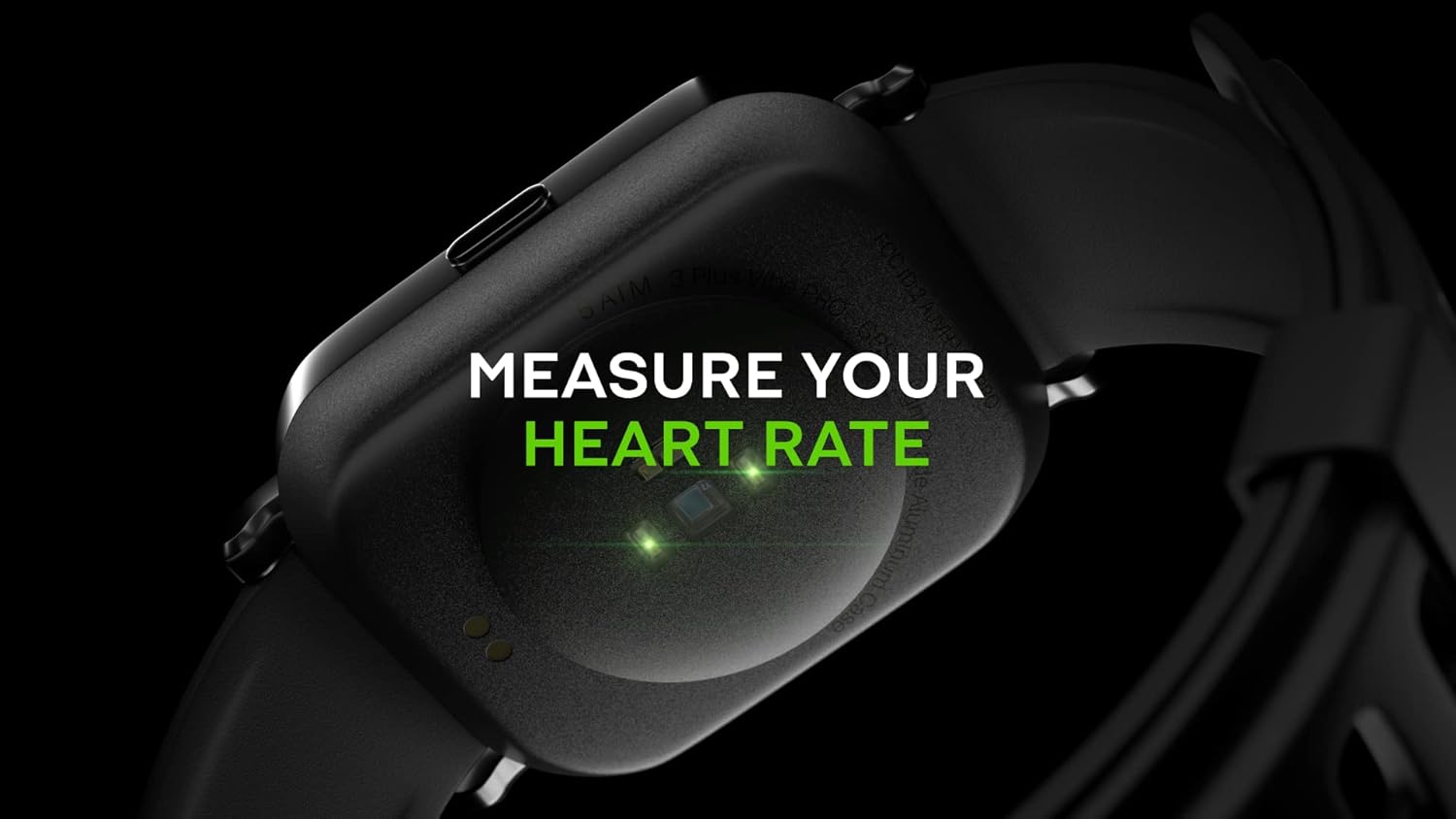
Image: Close-up of the back of the 3PLUS Vibe Pro Smart Watch, showing green LED lights indicating heart rate measurement in progress. Text overlay reads "MEASURE YOUR HEART RATE".
Atẹgun ẹjẹ (SpO2) Abojuto
Measure your blood oxygen saturation levels directly from your wrist. For accurate readings, remain still during measurement.

Image: The 3PLUS Vibe Pro Smart Watch display showing a blood oxygen measurement in progress, with a circular animation and text instructing the user to stay still. Text overlay reads "MEASURE YOUR BLOOD OXYGEN".
Abojuto oorun
The watch automatically tracks your sleep patterns, including deep sleep, light sleep, and awake times. Review your sleep data in the 3Plus app to understand your sleep quality.

Image: A person sleeping with the 3PLUS Vibe Pro Smart Watch on their wrist, showing the watch display with sleep data (deep sleep, light sleep, awake time). Text overlay indicates "6 HOURS 52 MINUTES SLEPT".
Awọn ipo Idaraya lọpọlọpọ
Select from various sports modes to track specific activities like running, cycling, basketball, and more. Each mode provides relevant metrics for your workout.

Image: The 3PLUS Vibe Pro Smart Watch display showing a list of workout modes, including Basketball and Soccer, with a basketball player in the background. Text overlay reads "MULTIPLE SPORTS MODES".
Awọn iwifunni Smart
Receive notifications for calls, messages, and app alerts directly on your wrist when connected to your smartphone.

Image: The 3PLUS Vibe Pro Smart Watch display showing various notifications from messaging apps like Messenger, Instagram, and Facebook. Speech bubbles representing these apps are floating around the watch.
5ATM Omi Resistance
The watch is rated 5ATM water resistant, meaning it can withstand pressures equivalent to a depth of 50 meters. It is suitable for swimming and showering but not for diving or high-pressure water activities.

Image: The 3PLUS Vibe Pro Smart Watch covered in water droplets, emphasizing its water resistance. Text overlay reads "5 ATM RATED WATER RESISTANT".
Itoju
Ninu rẹ Smart Watch
- Regularly clean the watch body and bands with a soft, damp asọ.
- For the charging contacts and sensors on the back, use a dry cotton swab to gently remove any dirt or debris.
- Yẹra fún lílo àwọn kẹ́míkà líle tàbí àwọn ohun èlò ìfọ́, nítorí wọ́n lè ba ẹ̀rọ náà jẹ́.
Ẹgbẹ Itọju
If your watch comes with silicone bands, clean them regularly with mild soap and water to prevent skin irritation, especially after workouts or prolonged wear. Ensure the band is completely dry before reattaching it to the watch.
Laasigbotitusita
Agogo naa ko tan-an
- Rii daju pe aago naa ti gba agbara ni kikun. Sopọ mọ ṣaja fun o kere 30 iṣẹju.
- Try performing a soft reset by pressing and holding the side button for 10-15 seconds.
A ko le so pọ mọ Foonuiyara alagbeka
- Rii daju pe Bluetooth ti ṣiṣẹ lori foonuiyara rẹ.
- Ensure the watch is within Bluetooth range (typically 10 meters or 33 feet).
- Tun bẹrẹ aago mejeeji ati foonuiyara rẹ.
- Check if the 3Plus app is updated to the latest version.
- Tí a bá ti so ẹ̀rọ pọ̀ tẹ́lẹ̀, gbìyànjú láti yọ ẹ̀rọ náà kúrò nínú ètò Bluetooth ti fóònù rẹ, lẹ́yìn náà, tún so ẹ̀rọ náà pọ̀ nípasẹ̀ àpù náà.
Inaccurate Readings (Heart Rate, SpO2, Sleep)
- Rí i dájú pé aago náà wà ní ọwọ́ rẹ dáadáa, tó ìwọ̀n ìka kan ju egungun ọwọ́ rẹ lọ.
- Keep the sensor clean and free from dirt or sweat.
- For SpO2, remain still during the measurement.
Awọn iwifunni ko han
- Verify that the watch is connected to your smartphone via Bluetooth.
- Check notification settings within the 3Plus app to ensure app notifications are enabled.
- Ensure your phone's notification settings allow the 3Plus app to send notifications.
Awọn pato
| Ẹya ara ẹrọ | Sipesifikesonu |
|---|---|
| Orukọ awoṣe | Gbigbọn Pro Smart Watch |
| Iwọn Ifihan | 1.78 Inches AMOLED Color Touchscreen |
| Omi Resistance | 5ATM (up to 50 meters) |
| Asopọmọra | Bluetooth |
| GPS | GPS ti a ṣe sinu |
| Awọn sensọ | Heart Rate Monitor, Blood Oxygen Monitor |
| Ibamu | iPhone & Android |
| Iwọn Nkan | 7.8 iwon |
| Package Mefa | 6.69 x 4.09 x 2.28 inches |
| Ni akọkọ Wa | Oṣu Kẹta Ọjọ 14, Ọdun 2022 |
Atilẹyin ọja ati Support
For warranty information and customer support, please refer to the official 3Plus website or contact their customer service directly. Details can typically be found on the product packaging or within the 3Plus mobile application.
Official 3Plus Store: Visit the 3Plus Store on Amazon
Awọn fidio ọja osise
A ko ri fidio olutaja osise fun ọja yii ninu data ti a pese.


