1. Ifihan ati Loriview
The ErGear Height Adjustable Electric Standing Desk is designed to provide a versatile and ergonomic workspace, allowing users to seamlessly switch between sitting and standing positions. This manual provides comprehensive instructions for assembly, operation, maintenance, and troubleshooting to ensure optimal performance and longevity of your desk.
Awọn ẹya pataki:
- Iduroṣinṣin ti o tayọ: Ó ní fírẹ́mù irin tó lágbára pẹ̀lú àwọn ìsopọ̀ ìdúró-ìpele afẹ́fẹ́, èyí tó ń mú kí ó dúró ṣinṣin kódà ní gíga tó ga jùlọ.
- Ṣíṣe àtúnṣe gíga dídán: Electric adjustment from 28.35" to 46.77" with memory settings.
- Moto ti a gbe soke: Powerful and reliable lifting performance, tested for durability.
- Àwọn Ohun Èlò VOC Tó Lágbára: Constructed with materials meeting US federal and state safe air standards.
2. Eto ati Apejọ
Carefully unpack all components and verify against the parts list in the included assembly instructions. Assembly typically takes about 30 minutes. A Philips head screwdriver is required (not included).

Image: Desk components and assembly instructions. All parts are clearly labeled for easy identification.
Follow the step-by-step instructions provided in the manual. Ensure all bolts are securely fastened. The desktop comes in two pieces, which align seamlessly once assembled.
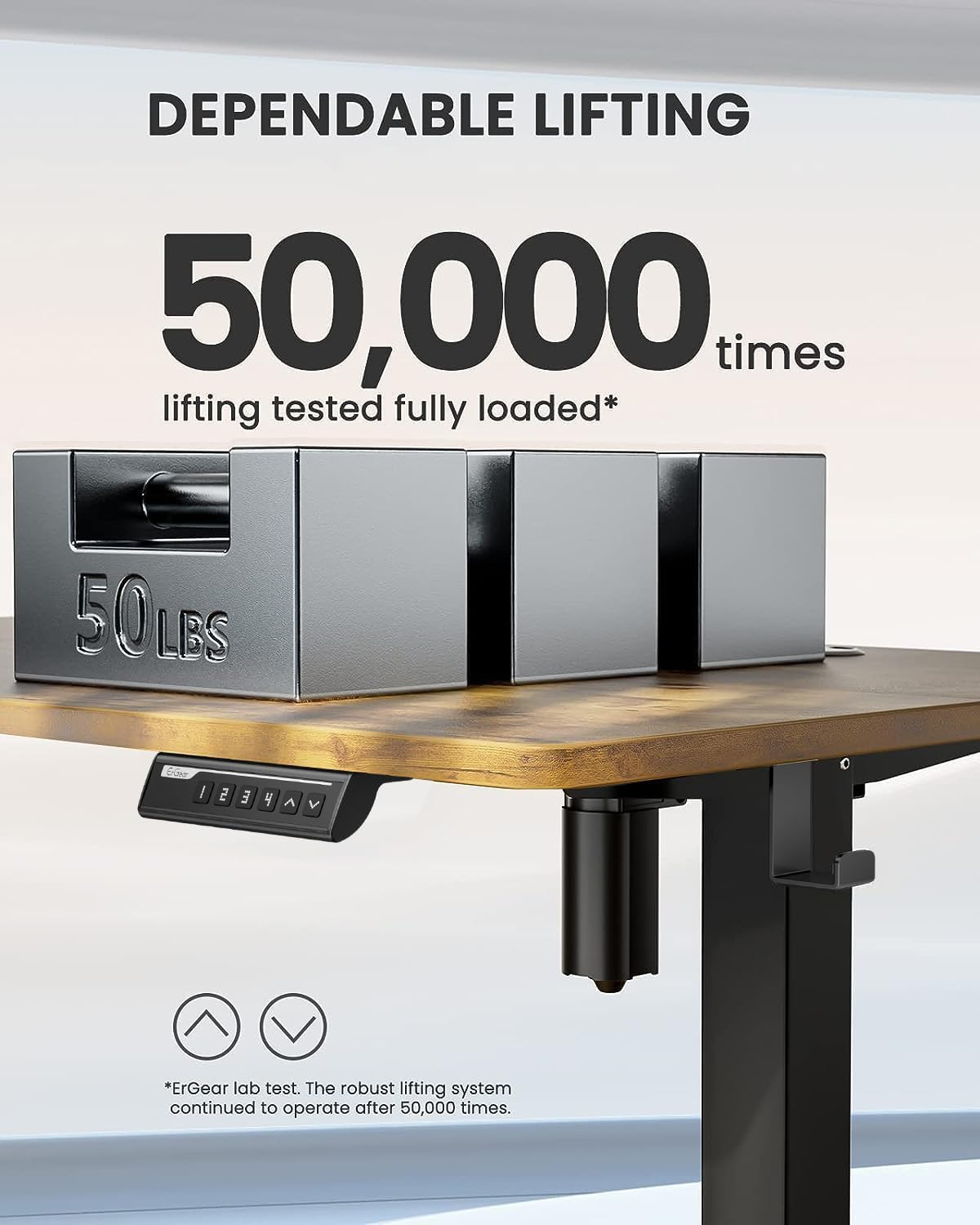
Image: Desk dimensions showing 24"D x 48"W x 46.46"H (max height) and 28.35"H (min height).
Apejọ Apejọ:
The included Allen wrenches are sufficient, but an electric drill with appropriate bits can expedite the process. Ensure the desk is properly anchored for stability.
Official Assembly Video:
Fídíò: Àtúnyẹ̀wò pípé kanview of the assembly process and features of the ErGear Electric Standing Desk. (Source: Influencer)
3. Awọn ilana Iṣiṣẹ
Iduro Erọ ina ErGear ni panẹli iṣakoso ti o rọrun fun atunṣe giga ati awọn atunto iranti.

Image: Close-up of the control panel with digital display, up/down arrows, and memory preset buttons (1, 2, 3, 4).
Atunse Giga:
- Lo awọn Oke (▲) ati Isalẹ (▼) arrows to manually adjust the desk height. The current height is displayed on the digital screen.
- The desk can be adjusted from a minimum height of 28.35 inches to a maximum height of 46.77 inches.
Awọn tito iranti:
- To save a preferred height: Adjust the desk to the desired height. Press and hold the 'S' button until the display blinks, then press one of the numbered preset buttons (1, 2, 3, tabi 4) to save the height.
- To recall a saved height: Simply press the corresponding numbered preset button (1, 2, 3, tabi 4) Tabili naa yoo gbe lọ si ipo ti a fipamọ laifọwọyi.

Image: The desk demonstrating its wide height range, suitable for both sitting and standing positions.
4. Itọju
Regular maintenance ensures the longevity and smooth operation of your ErGear standing desk.
- Ninu: Nu tabili ati fireemu nu pẹlu asọ, damp asọ. Yago fun abrasive ose tabi simi kemikali ti o le ba awọn ipari.
- Iṣakoso USB: Periodically check and organize cables to prevent tangling and damage. The desk includes integrated cable management features at the rear.
- Itọju mọto: The motor is designed for long-term reliability. Avoid overloading the desk beyond its maximum weight capacity of 176 pounds.
- Ṣayẹwo iduroṣinṣin: Ensure all screws and connections remain tight. Re-tighten if any wobbling is observed.
5. Laasigbotitusita
If you encounter any issues with your desk, refer to the common troubleshooting tips below:
| Isoro | Owun to le Fa | Ojutu |
|---|---|---|
| Desk not moving / No power | Power cable disconnected; Control panel malfunction. | Check all power connections. Unplug the desk for a few minutes and plug it back in to reset the control system. |
| Iduro wobbles | Loose connections; Uneven floor. | Ensure all assembly bolts are tightened. Adjust foot pads for stability on uneven surfaces. |
| Ariwo dani nigbati isẹ | Friction in moving parts; Power adapter noise. | Ensure no obstructions are in the lifting path. If power adapter makes noise, contact customer support for a replacement. |
| Awọn tito tẹlẹ iranti ko ṣiṣẹ | Incorrect programming; Control panel issue. | Re-program the memory presets following the operating instructions. If issue persists, reset the desk by unplugging it. |
For further assistance, please refer to the contact information in the Warranty & Support section.
6. Awọn pato
- Brand: ErGear
- Nọmba awoṣe: EGESD5V
- Awọn iwọn ọja: 24"D x 48"W x 46.46"H
- Àwọ̀: Vintage Brown
- Ohun elo ipilẹ: Alloy Irin
- Irisi Ohun elo ti o ga julọ: Onigi Igi
- Ibiti Atunse Giga: 28.35" si 46.77"
- Iṣeduro iwuwo ti o pọju: 176 iwon
- Nọmba Awọn ipo Giga: 3 (Memory Presets)
- Ẹya Pataki: Sit and standing desk
- Awọn eroja to wa: Assembly Instructions with Diagram (1), Standing Desk, Storage Hook (2pcs), Basic Assembly Tools (including spare parts)
7. Atilẹyin ọja & Atilẹyin
The ErGear Height Adjustable Electric Standing Desk comes with a Atilẹyin ọja to lopin. For detailed warranty information, please refer to the documentation included with your product or visit the official ErGear webojula.
For customer support, technical assistance, or to inquire about replacement parts, please contact ErGear customer service through their official channels. You can also refer to the Ilana fifi sori ẹrọ (PDF) fun afikun awọn alaye.
Important Safety Information: Always follow the assembly instructions carefully. Ensure the desk is properly anchored to the floor for stability. Do not exceed the maximum weight limit of 176 pounds. Keep the work surface clear of items that could fall or cause obstruction when adjusting the desk height.


