1. Ifihan
This manual provides instructions for the Meizu LifemeHIFI Audio USB-C to 3.5mm DAC Headphone Adapter. This device converts digital audio signals from a USB-C port to analog audio for 3.5mm headphones, while also functioning as a headphone amplifier. Please read this manual carefully before use to ensure proper operation and to maximize your audio experience.
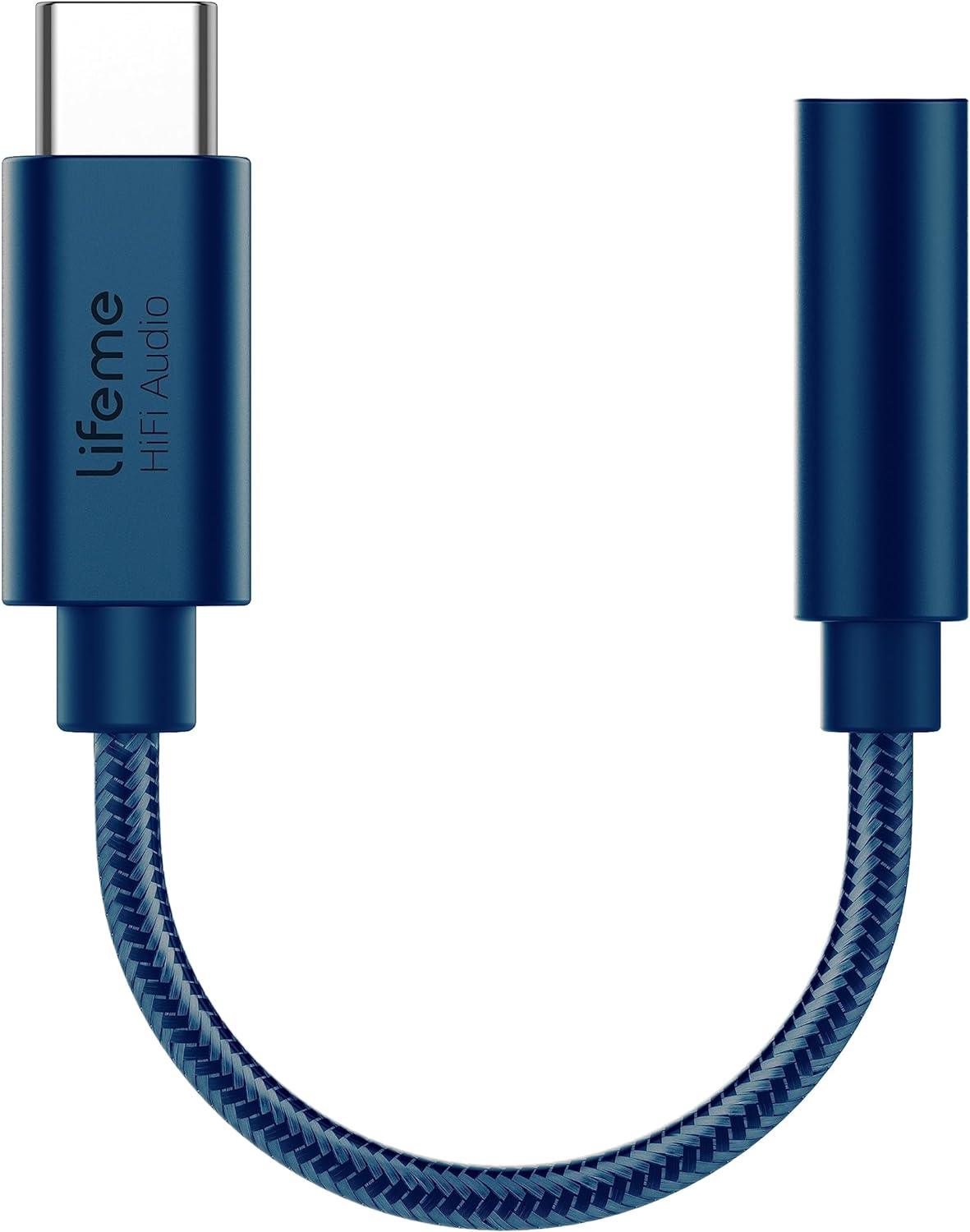
Nọmba 1: Meizu LifemeHIFI Audio USB-C to 3.5mm DAC Headphone Adapter. This image shows the compact design of the adapter, featuring a USB-C male connector on one end and a 3.5mm female jack on the other, connected by a braided cable.
2. Awọn ẹya Ọja
- High-Fidelity Audio Conversion: Integrates a Digital-to-Analog Converter (DAC) for superior sound quality.
- Agbekọri Ampolutọpa: Built-in precision power amplifier circuit supports headphone impedances from 16 to 600 ohms.
- Ibamu gbooro: Designed for devices with a USB-C port, including various smartphones and tablets (e.g., Samsung S24/S23, iPad Pro, Google Pixel 9/8/7).
- Advanced DAC Chip: Utilizes the Conexant CX31993 high-performance independent DAC decoder chip.
- Exceptional Audio Specifications:
- Signal-to-Noise Ratio (SNR): >124dB
- Dynamic Range (DNR): >111dB
- Distortion (THD+N): -95dB
- PCM Decoding: Up to 32bit/384kHz
- Idahun Igbohunsafẹfẹ: 20-40kHz
- Output Load: 16-600Ω adaptive
- Output Power: 31mW dual channel @32Ω
- Apẹrẹ ti o tọ: Features a braided cable for enhanced durability, tested for a 10,000 bend lifespan.

Nọmba 2: Independent DAC Decoder Chip. This image highlights the Conexant CX31993 DAC chip, emphasizing its role in providing a pure HiFi audio experience with high signal-to-noise ratio and dynamic range.

Nọmba 3: 600 Ohm Impedance Support. This graphic illustrates the adapter's capability to drive headphones with impedances from 16 to 600 ohms, along with its 32bit/384kHz PCM output and DSD64/DSD128 decoding.

Nọmba 4: Built to Last Design. This image showcases the adapter's robust construction, highlighting its braided cable and a tested 10,000 bend lifespan, indicating enhanced durability.
3. Awọn ilana iṣeto
- So Agbekọri pọ: Plug your 3.5mm headphones or audio device into the 3.5mm female jack of the Meizu LifemeHIFI Audio adapter. Ensure the connection is secure.
- Sopọ si Ẹrọ: Insert the USB-C male connector of the adapter into the USB-C port of your compatible smartphone, tablet, or computer.
- Idanimọ aifọwọyi: Most compatible devices will automatically recognize the adapter as an external audio output device. No additional drivers are typically required.
- Audio Output Selection (if necessary): On some devices, you may need to manually select the USB audio output in your device's sound settings. Refer to your device's user manual for specific instructions on audio output selection.

Nọmba 5: Wide Compatibility. This image displays various smartphones and tablets with USB-C ports, illustrating the broad range of devices compatible with the Meizu LifemeHIFI Audio adapter.
4. Awọn ilana Iṣiṣẹ
Once the adapter is connected and recognized by your device, it operates as a standard audio output. Simply play audio from your device, and the sound will be routed through the adapter to your connected 3.5mm headphones.
- Iṣakoso iwọn didun: Adjust the volume using your connected device's volume controls. The adapter amplifies the signal, but the primary volume control remains with the source device.
- High Impedance Headphones: Awọn itumọ-ni amplifier is designed to drive high-impedance headphones effectively, providing clear and powerful audio.
5. Itọju
- Ninu: Lo asọ asọ ti o gbẹ lati nu ohun ti nmu badọgba. Yago fun lilo olomi ose tabi olomi.
- Ibi ipamọ: Tọ́jú ohun tí a fi ń ṣe àtúnṣe náà sí ibi tí ó tutù tí ó sì gbẹ nígbà tí a kò bá lò ó. Yẹra fún ìwọ̀n otútù tó le koko.
- Mimu: Do not bend the cable excessively or apply undue force to the connectors. While designed for durability, improper handling can cause damage.
- Abojuto Asopọmọra: Keep the USB-C and 3.5mm connectors free from dust and debris to ensure optimal connection.
6. Laasigbotitusita
| Isoro | Owun to le Fa | Ojutu |
|---|---|---|
| Ko si ohun lati olokun. |
|
|
| Ohùn tí kò dúró tàbí tí kò yípadà. |
|
|
| A kò dá Adapta mọ̀ nípasẹ̀ ẹ̀rọ. |
|
|
7. Awọn pato
| Ẹya ara ẹrọ | Ẹ̀kúnrẹ́rẹ́ |
|---|---|
| Awoṣe | LifemeHIFI Audio (HA01) |
| Brand | Meizu |
| Asopọmọra Iru | USB Type-C Male to 3.5mm Female Auxiliary |
| DAC Chip | Conexant CX31993 |
| Eto Ifihan-si-Noise (SNR) | > 124dB |
| Ibiti Yiyipo (DNR) | > 111dB |
| Ipalọlọ (THD+N) | -95dB |
| PCM Decoding | Titi di 32bit / 384kHz |
| Idahun Igbohunsafẹfẹ | 20-40kHz |
| Iṣagbejade fifuye | 16-600Ω adaptive |
| Agbara Ijade | 31mW dual channel @32Ω |
| Iwọn Nkan | 0.634 iwon (nipa 18 giramu) |
| Àwọ̀ | Buluu |
8. Atilẹyin ọja ati Support
Meizu products are designed for reliability and performance. For warranty information and technical support, please refer to the official Meizu webojula tabi kan si alagbata rẹ. Tọju iwe-ẹri rira rẹ bi ẹri rira fun eyikeyi awọn ibeere atilẹyin ọja.
Fun iranlọwọ siwaju sii, jọwọ ṣabẹwo si Meizu Store on Amazon.


