1. Ifihan
The IMILAB C21 is a versatile 2.5K WiFi indoor surveillance camera designed to provide comprehensive home monitoring. It features super clear images, a 360° panoramic view, sound and human detection, alarm functions, color night vision, two-way audio, and real-time video streaming. All these functions are accessible through the IMILAB Home application.
This manual provides detailed instructions for setting up, operating, maintaining, and troubleshooting your IMILAB C21 camera. Please read it carefully before use.
2. Ohun ti o wa ninu Apoti
Nigbati o ba ṣii package, jọwọ rii daju pe gbogbo awọn paati wọnyi wa pẹlu:
- IMILAB C21 Kamẹra
- Okun agbara
- Adapter agbara
- Installation Parts (for wall mounting)
- Itọsọna olumulo

Image: The IMILAB C21 camera and its included accessories, such as the power cable, adapter, and mounting kit, neatly arranged in the product packaging.
3. Eto
3.1 Fifi sori ti ara
The IMILAB C21 camera is designed for indoor use and can be placed on a flat surface or mounted on a wall. Ensure the camera is placed within range of your Wi-Fi network and near a power outlet.
- Ibi: Position the camera in a central location to maximize its 360° viewing agbara.
- Asopọ agbara: Connect the provided power cable to the camera's micro USB port (located at the back) and plug the adapter into a power outlet. The camera will power on automatically.
- Iṣagbesori Odi (Aṣayan): Use the included installation parts to securely mount the camera on a wall. Ensure the mounting surface is stable and can support the camera's weight.
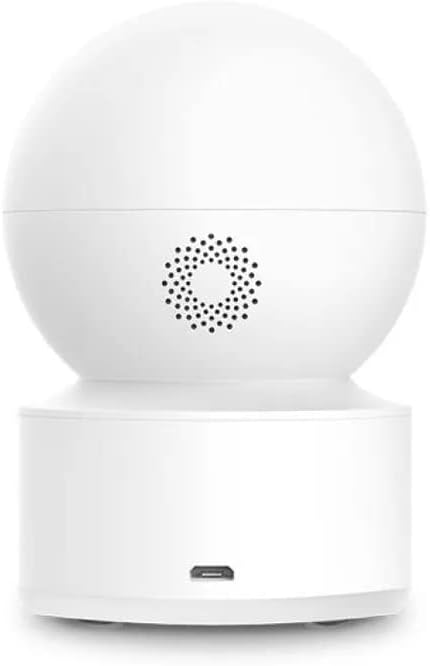
Aworan: Ẹyin view of the IMILAB C21 camera, highlighting the speaker and the micro USB power input port for connection.
3.2 App fifi sori ati so pọ
The IMILAB C21 camera operates via the IMILAB Home App. Follow these steps to install the app and pair your camera:
- Ṣe igbasilẹ ohun elo naa: Scan the QR codes below or search for "IMILAB Home" on Google Play Store (for Android) or Apple App Store (for iOS).
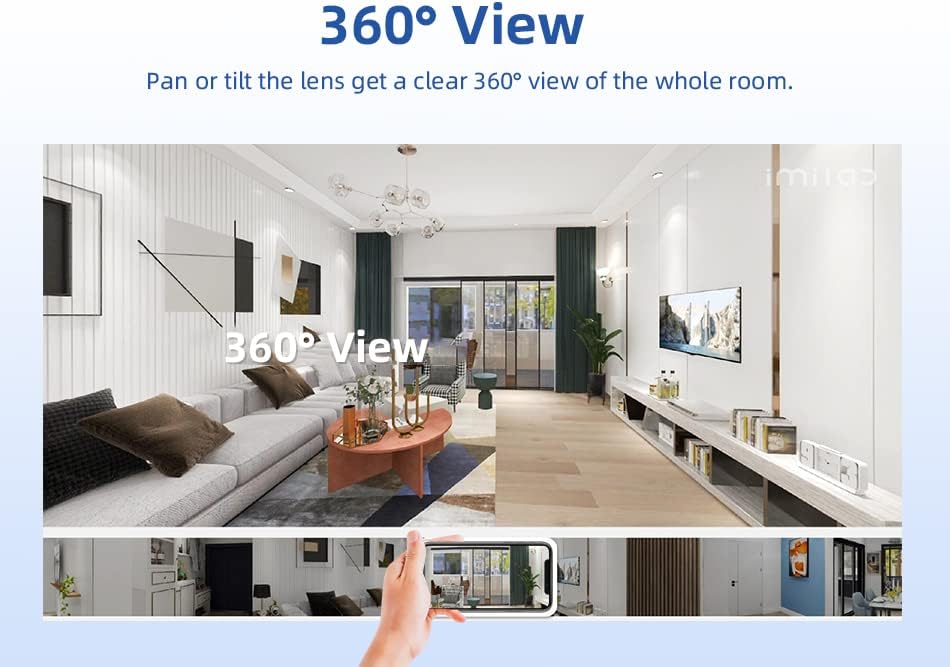
Image: Screenshot showing the IMILAB Home App download options with QR codes for Google Play and Apple App Store, along with a hand interacting with a smartphone displaying the app interface.
Google Play itaja: Download IMILAB Home App (Android)
Ile itaja App Apple: Download IMILAB Home App (iOS)
- Se akanti fun ra re: Open the IMILAB Home App and register for a new account or log in if you already have one.
- Fi ẹrọ kun: Tap the "+" icon in the app to add a new device. Select the IMILAB C21 camera from the list.
- Tẹle Awọn igbesẹ loju-iboju: The app will guide you through the pairing process, which typically involves scanning a QR code displayed on your phone with the camera lens and connecting to your Wi-Fi network.
Note: This camera is designed to work with the IMILAB Home App. It is not compatible with the Xiaomi Mi Home app.
4. Awọn ilana Iṣiṣẹ
4.1 Live View and 360° Pan/Tilt Coverage
Once connected, you can access the live video feed from your camera through the IMILAB Home App. The camera offers a 2.5K resolution (2560x1440p) for clear images.
- Iṣakoso Pan/Tit: Use the controls within the app to remotely rotate the camera horizontally up to 360° and vertically up to 110°, providing a complete view ti yara rẹ.
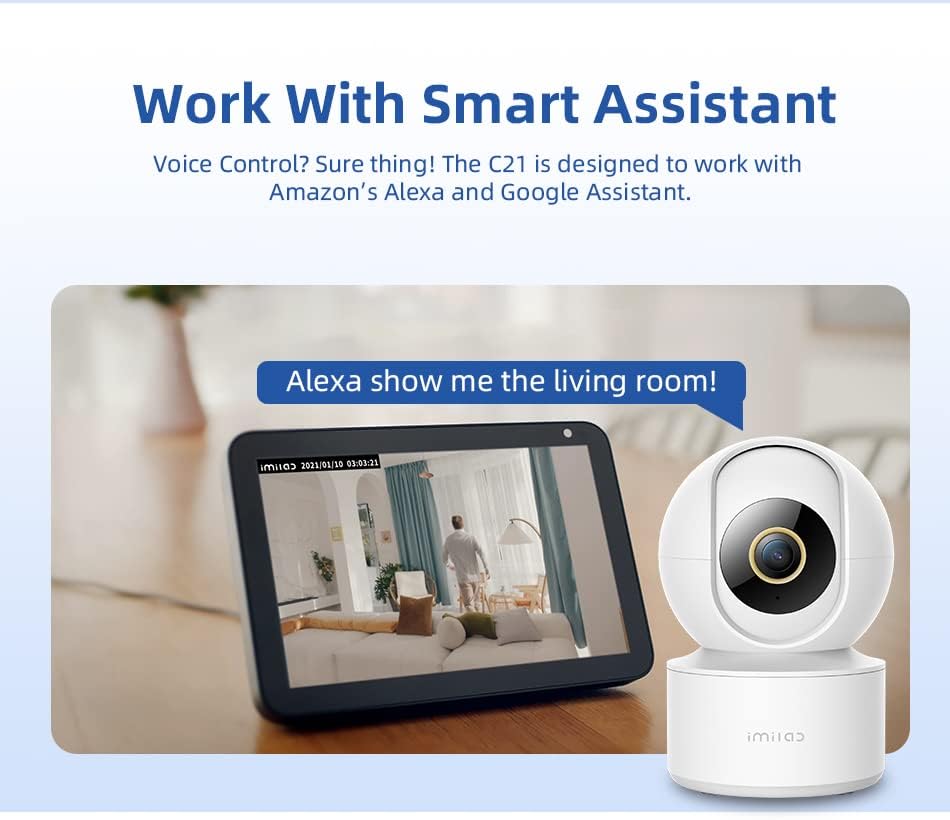
Image: A visual representation of the IMILAB C21 camera's 360° panoramic view, showing how the camera can cover an entire room, with a smartphone displaying the live feed.
4.2 Ìran Ìràwọ̀ Alẹ́
The C21 camera is equipped with an F2.0 large aperture lens, enabling it to produce clear and sharp color images even in low-light environments. It can see up to 40 feet in night vision mode.
4.3 Wiwa išipopada ati Awọn itaniji
The camera features advanced AI human detection. It automatically identifies human movements within its detection range and can send real-time alerts to your smartphone for suspicious activity or incidents.
- Isọdi: You can adjust detection sensitivity and set specific detection zones within the app.
- Awọn iwifunni: Configure push notifications to receive instant alerts on your mobile device.
4.4 Meji-Ona Audio
The built-in microphone and speaker allow for two-way communication. You can listen to what's happening around the camera and speak through the camera using the IMILAB Home App.
- Real-time Conversation: Engage in real-time conversations with family members or pets from anywhere.
4.5 Secure and Flexible Storage
The IMILAB C21 offers flexible storage options for your recordings:
- Micro-SD Card Storage: Insert a Micro-SD card (up to 256GB, not included) into the camera's slot for local storage of video recordings. The slot is located on the front, just below the lens.
- Ibi ipamọ awọsanma: Optional cloud storage services may be available through the IMILAB Home App for secure, off-site backup of your footage.
The camera utilizes H.265 video compression, which reduces network bandwidth and storage requirements by 50% while maintaining video quality.

Aworan: Iwaju view of the IMILAB C21 camera, highlighting the discreetly placed microSD card slot and reset button below the main lens.
4.6 Smart Iranlọwọ Integration
The C21 camera is designed to work seamlessly with popular smart home assistants, including Amazon Alexa and Google Assistant.
- Iṣakoso ohun: Lo awọn pipaṣẹ ohun si view your camera feed on compatible smart displays (e.g., "Alexa, show me the living room").
- Integration Steps: Refer to the IMILAB Home App settings for instructions on linking your camera with Amazon Alexa or Google Assistant accounts.

Image: The IMILAB C21 camera positioned next to an Amazon Echo Show, demonstrating its compatibility with smart assistants by displaying the camera's live feed on the smart display.
5. Itọju
- Ninu: Lo asọ ti o rọ, ti o gbẹ lati nu lẹnsi kamẹra ati ara. Maṣe lo awọn olutọpa olomi tabi awọn aerosols.
- Awọn imudojuiwọn sọfitiwia: Regularly check the IMILAB Home App for firmware updates. Keeping your camera's software up-to-date ensures optimal performance and security.
- Yiyipo Agbara: If the camera becomes unresponsive, unplug it from the power source, wait 10 seconds, and then plug it back in.
6. Laasigbotitusita
| Isoro | Owun to le Fa | Ojutu |
|---|---|---|
| Kamẹra aisinipo/Ko le sopọ si Wi-Fi | Àmì Wi-Fi tí kò lágbára; Ọ̀rọ̀ ìpamọ́ Wi-Fi tí kò tọ́; Àwọn ìṣòro rédíò; Kámẹ́rà jìnnà jù sí rédíò. | Ensure camera is within Wi-Fi range. Check Wi-Fi password. Restart your router. Re-pair the camera through the app. |
| No video recording to Micro-SD card | SD card not inserted correctly; SD card full; SD card corrupted; Recording settings not enabled. | Reinsert SD card. Format SD card via app. Check recording settings in the app. Replace SD card if corrupted. |
| Ko si awọn itaniji wiwa išipopada | Alaabo wiwa išipopada; Ifamọ ju kekere; Awọn iwifunni app dina. | Enable motion detection in app. Adjust sensitivity. Check phone notification settings for IMILAB Home App. |
| Ohun afetigbọ ọna meji ko ṣiṣẹ | Microphone/speaker disabled in app; Network latency. | Ensure audio functions are enabled in the app. Check network connection stability. |
| Camera not compatible with Xiaomi Mi Home app | This camera model is specifically designed for the IMILAB Home App. | Use only the official IMILAB Home App for this device. |
7. Awọn pato
| Ẹya ara ẹrọ | Sipesifikesonu |
|---|---|
| Orukọ awoṣe | Imilab C21 |
| Nọmba awoṣe | CMSXJ38A |
| Àwọ̀ | Funfun |
| Awọn iwọn (L x W x H) | 7.6 x 7.6 x 10.8 cm |
| Iwọn | 249 g |
| Orisun agbara | Wired (5 Volt, 10 Watt) |
| Asopọmọra Technology | Ailokun (Wi-Fi) |
| Ipinnu Gbigbasilẹ fidio | 1440p (2.5K) |
| Ipinnu fidio ti o munadoko | 1440 |
| Iwọn fireemu | 20 awọn fireemu fun keji |
| Viewigun igun | Awọn iwọn 360 (Pan/Tilt) |
| Ibiti Iran Night | 40 ẹsẹ |
| Ibi ipamọ | Micro-SD card (up to 256GB), Cloud Storage (optional) |
| Pataki Awọn ẹya ara ẹrọ | 2-Way Audio, Motion Sensor, Cry Detection, HD Resolution, Night Vision |
| Awọn ohun elo ti a ṣe iṣeduro | Baby Monitoring, Pet Monitoring, Indoor Security |
| Omi Resistance Rating | Ko mabomire |
| Ohun elo | Ṣiṣu |
| Awọn ẹrọ ibaramu | Foonu alagbeka (Android, iOS) |
| Iṣagbesori Iru | Ògiri Ògiri |
8. Atilẹyin ọja ati Support
For warranty information, please refer to the terms and conditions provided at the time of purchase or contact IMILAB customer support directly. Keep your proof of purchase for warranty claims.
For further assistance, technical support, or to explore other IMILAB products, please visit the official IMILAB store or support channels:
- IMILAB Brand Store: https://www.amazon.de/stores/IMILab/page/79969AAF-3D90-4471-9058-8CB9313A6F70
9. Alaye Aabo
- This device is for indoor use only. Do not expose it to water or moisture.
- Ṣiṣẹ ẹrọ naa laarin iwọn otutu ti a sọ ati awọn sakani ọriniinitutu.
- Use only the provided power adapter and cable to prevent damage.
- Má ṣe gbìyànjú láti tú káàrá náà tàbí láti tún ṣe fúnra rẹ. Pe àwọn òṣìṣẹ́ tó mọ̀ nípa rẹ̀ fún iṣẹ́ náà.
- Pa kamẹra naa mọ kuro ni ọwọ awọn ọmọde ati awọn ẹranko.
- Yago fun gbigbe kamẹra si sunmọ awọn orisun ooru tabi ni taara imọlẹ orun.


