1. Ifihan
This manual provides essential information for the safe and efficient use of your Innostyle Magnetic Wireless Power Bank. Please read this manual thoroughly before using the product and retain it for future reference.

Image 1.1: The Innostyle Magnetic Wireless Power Bank (Purple) magnetically attached to the back of an iPhone.
2. Ohun ti o wa ninu Apoti
Rii daju pe gbogbo awọn nkan wa lori ṣiṣi silẹ:
- 1x Magnetic Wireless Power Bank (Model: IM20PD)
- 1x USB-A si okun USB-C
- 1x Itọsọna olumulo (iwe yii)
3. Ọja Ipariview
Familiarize yourself with the components and features of your power bank.

Image 3.1: Key components of the Innostyle Magnetic Wireless Power Bank, including the power button, USB-C IN/OUT port, Lightning IN port, and LED indicators.
- Bọtini agbara: Used to turn the device on/off and activate low-power mode.
- USB-C IN/OUT Port (20W): For charging the power bank and for wired fast charging of external devices.
- Lightning IN Port (18W): For charging the power bank using a Lightning cable.
- Awọn itọkasi LED: Ṣe afihan ipele batiri ti o ku ati ipo gbigba agbara.
- Ilẹ Ngba agbara Oofa: For wireless charging of compatible devices.
4. Eto
4.1 Gbigba agbara akọkọ ti Bank Power
Before first use, fully charge the power bank. Connect the provided USB-A to USB-C cable to the power bank's USB-C IN/OUT port and a compatible USB wall adapter (not included). Alternatively, use a Lightning cable with the Lightning IN port. The LED indicators will show charging progress.
4.2 Agbara Tan / Pa
- Lati Tan: Short press the power button once. The LED indicators will light up.
- Lati Pa: Short press the power button twice. The LED indicators will turn off.
5. Awọn ilana Iṣiṣẹ
5.1 Magnetic Wireless Charging (7.5W Max)
Align your compatible iPhone (iPhone 15/14/13/12 series) or AirPods with the magnetic charging surface on the power bank. The magnets will snap into place, and wireless charging will begin automatically. Ensure your iPhone is without a case or uses a magnetic-compatible case for optimal attachment and charging efficiency.

Image 5.1: Demonstrates the seamless magnetic attachment of the power bank to an iPhone for wireless charging.
5.2 Wired Fast Charging (20W PD Max)
Connect your device to the power bank's USB-C IN/OUT port using a USB-C to USB-C cable (for compatible devices) or a USB-C to Lightning cable (for iPhones). The power bank supports Power Delivery (PD) 20W fast charging, capable of charging an iPhone 13 from 0% to 50% in approximately 30 minutes.

Image 5.2: Illustration of 2-in-1 fast charging, showing both wireless (7.5W Max) and wired (20W Max) charging options.
5.3 Gbigba agbara kọja-nipasẹ
The power bank supports pass-through charging, allowing you to recharge the power bank itself while simultaneously charging your iPhone wirelessly or via cable. Connect the power bank to a wall adapter, then attach your iPhone for charging.

Image 5.3: Depiction of the power bank being recharged from a wall outlet while simultaneously charging an iPhone.
5.4 Charging Two Devices Simultaneously
You can charge two devices at the same time: one wirelessly via the magnetic surface and another via the USB-C port.
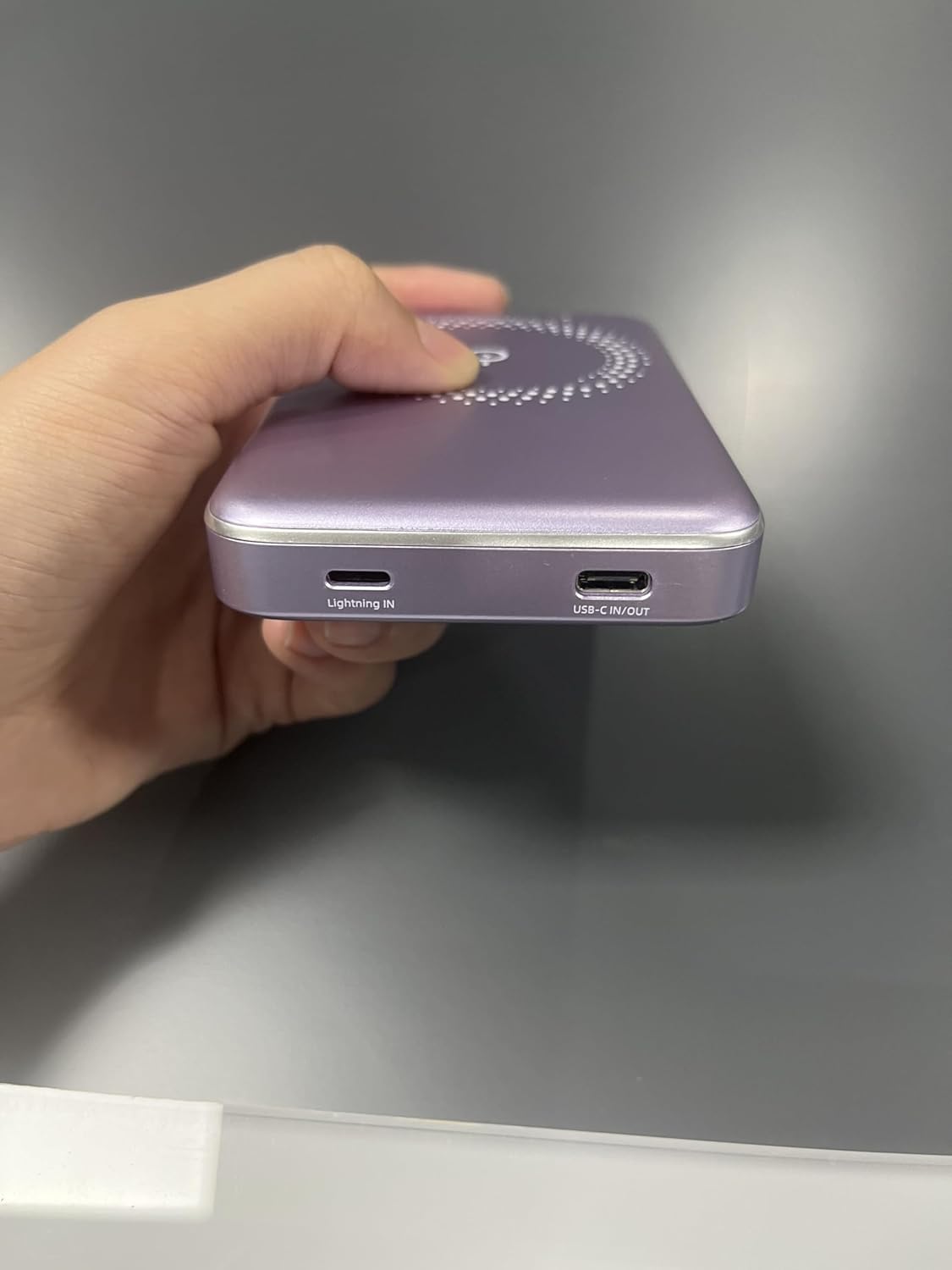
Image 5.4: The power bank simultaneously charging an iPhone wirelessly and another device via a wired connection.
5.5 Low-Power Mode
To enter low-power mode (for charging low-current devices like earbuds or smartwatches), press and hold the power button for 3 seconds. To exit low-power mode, press and hold the button for 3 seconds again.
5.6 Using Phone/Camera While Charging
The design of the power bank ensures that it does not obstruct your phone's camera lens, allowing for uninterrupted use while charging.
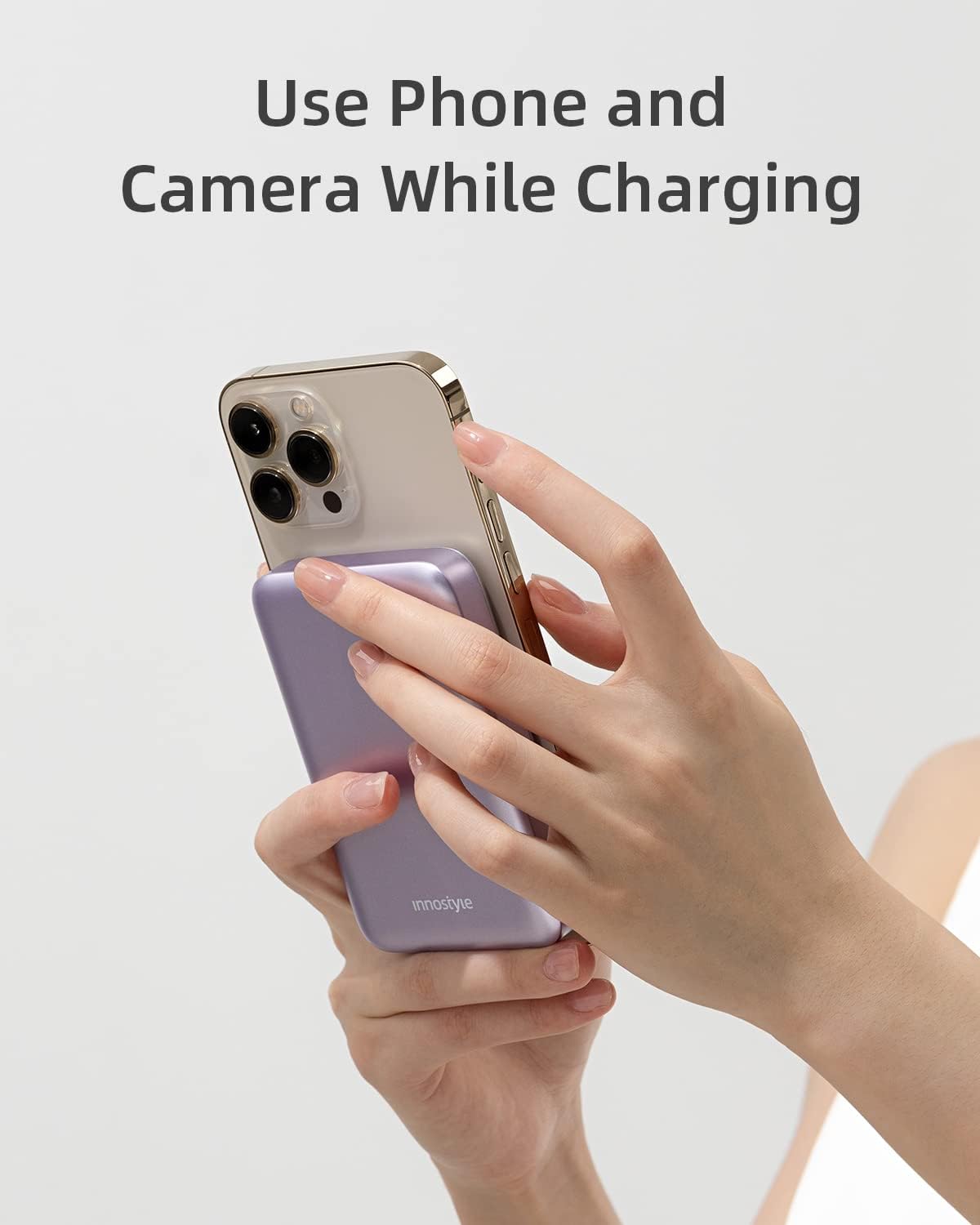
Image 5.5: The power bank attached to an iPhone, showing that the camera remains unobstructed during use.
6. Itọju
- Ninu: Lo asọ ti o rọ, ti o gbẹ lati nu dada ti banki agbara. Yago fun lilo awọn kẹmika lile tabi awọn ohun elo abrasive.
- Ibi ipamọ: Tọju banki agbara ni itura, aye gbigbẹ kuro lati orun taara, awọn iwọn otutu to gaju, ati ọriniinitutu.
- Itọju Batiri: Láti mú kí batiri pẹ́ sí i, gba agbára bank agbára náà ní kíkún lẹ́ẹ̀kan ní oṣù mẹ́ta tí kò bá sí ní lílò déédéé.
7. Laasigbotitusita
| Isoro | Owun to le Fa | Ojutu |
|---|---|---|
| Bank agbara ko gba agbara | Káàbù náà kò so pọ̀ dáadáa; okùn/adaptà tí kò ní àbùkù; páákì agbára tí ó ti tú jáde pátápátá. | Ensure cables are securely connected. Try a different cable or wall adapter. Allow a few minutes for the power bank to respond if deeply discharged. |
| Ẹrọ ko gba agbara lailowa | Device not aligned; non-magnetic case; device not compatible; foreign object between power bank and device. | Realign the device. Remove any non-magnetic cases. Ensure your device supports wireless charging. Remove any foreign objects. |
| Gbigba agbara lọra | Using a standard charger instead of fast charger; cable not supporting fast charging; device not supporting fast charging. | Use a PD-compatible wall adapter and cable for fast charging. Ensure your device supports fast charging. |
| Power bank turns off unexpectedly | Low battery; overheating; short circuit protection activated. | Recharge the power bank. Allow the power bank to cool down. If the issue persists, contact customer support. |
8. Awọn pato
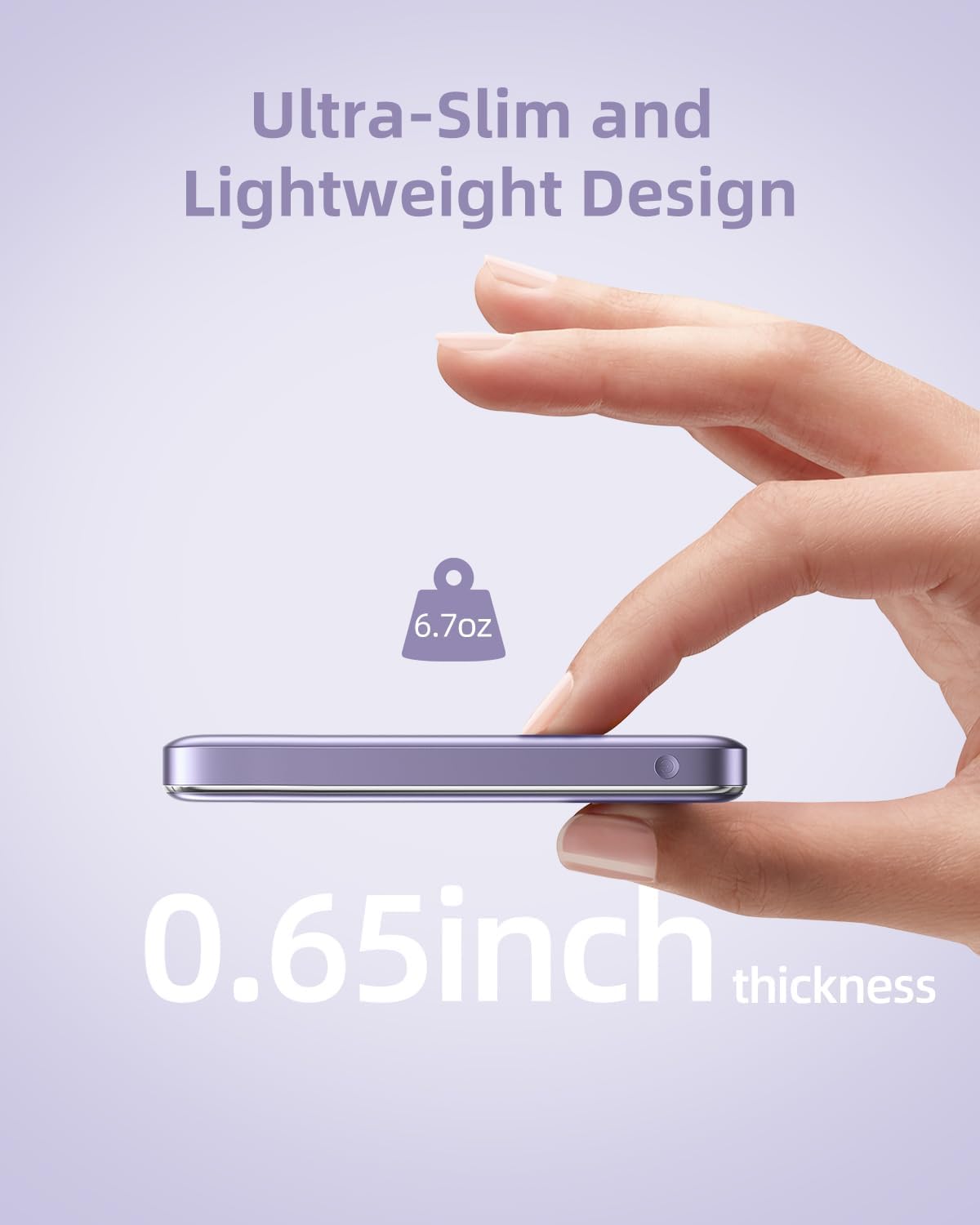
Image 8.1: The compact dimensions and light weight of the Innostyle Magnetic Wireless Power Bank.
| Ẹya ara ẹrọ | Ẹ̀kúnrẹ́rẹ́ |
|---|---|
| Nọmba awoṣe | IM20PD |
| Agbara Batiri | 10000 Milionuamp Awọn wakati (mAh) |
| Ọja Mefa | 4.17 x 2.72 x 0.65 inches |
| Iwọn Nkan | 6.7 iwon |
| O wu Ngba agbara Alailowaya | Iye ti o ga julọ ti 7.5W |
| USB-C IN/Ode | Ifijiṣẹ Agbara 20W (PD) |
| Lightning IN | 18W |
| Pataki Awọn ẹya ara ẹrọ | Auto Shut-Off, Fast Charging, Pocket Size, Short Circuit Protection, Wireless Charging |
| Àwọ̀ | eleyi ti |
9. Alaye Aabo
- Do not expose the power bank to extreme temperatures (above 45°C or below 0°C).
- Yago fun sisọ silẹ, pipinka, tabi igbiyanju lati tun ẹrọ naa ṣe funrararẹ.
- Jeki kuro lati omi, ọrinrin, ati awọn ohun elo ina.
- Do not place metal objects or magnetic cards between the power bank and your device during wireless charging.
- Sọ banki agbara kuro ni ibamu si awọn ilana agbegbe fun egbin itanna.
10. Atilẹyin ọja ati Support
For warranty information and customer support, please refer to the product packaging or visit the official Innostyle webojula. O tun le kan si olutaja taara nipasẹ pẹpẹ rira rẹ fun iranlọwọ.
Manufacturer: INNOSTYLE (Innostyle Innovations Co., Limited)
