Baseus Bowie WM02 TWS Bluetooth Earbuds
Itọsọna olumulo
Ọrọ Iṣaaju
Thank you for choosing the Baseus Bowie WM02 TWS Bluetooth Earbuds. These ultra-compact and lightweight earbuds are designed for comfortable, long-term wear, offering a seamless audio experience with advanced Bluetooth 5.3 technology and an impressive 25-hour battery life (with charging case). This manual will guide you through the setup, operation, and maintenance of your new earbuds.

Image: Baseus Bowie WM02 TWS Bluetooth Earbuds in white, with their charging case.
Ṣeto
1. Unboxing ati irinše
Ṣaaju lilo akọkọ, jọwọ rii daju pe gbogbo awọn eroja wa ninu package:
- Baseus Bowie WM02 TWS Earbuds
- Ngba agbara Case
- USB-C Ngba agbara Cable
- Awọn iwọn pupọ ti awọn imọran eti (S, M, L)
- Itọsọna olumulo
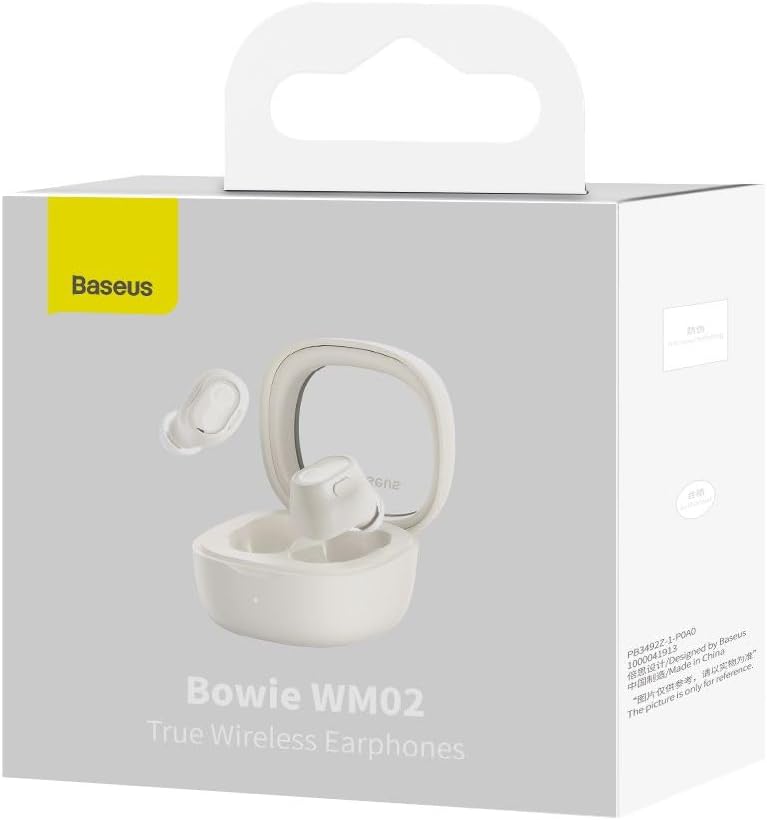
Image: The Baseus Bowie WM02 earbuds, charging case, USB-C cable, and ear tips laid out with the product packaging.
2. Ngba agbara si Earbuds ati Ọran
For optimal performance, fully charge the earbuds and charging case before first use.
- Gbe awọn agbekọri sinu apoti gbigba agbara. Rii daju pe wọn joko ni deede ni awọn iho wọn.
- Connect the USB-C charging cable to the charging port on the case and the other end to a USB power source (e.g., computer, wall adapter).
- The indicator light on the charging case will show the charging status. Once fully charged, the light will typically turn solid or turn off.
A 10-minute quick charge provides approximately 2 hours of listening time, and a full charge offers up to 5 hours of continuous use, extending to 25 hours with the charging case.

Image: Graphic illustrating the 25-hour battery life of the Baseus Bowie WM02 earbuds and charging case.
3. Sisopọ Bluetooth
Tẹle awọn igbesẹ wọnyi lati pa awọn agbekọri rẹ pọ pẹlu ẹrọ Bluetooth kan:
- Ṣii apoti gbigba agbara. Awọn agbekọri yoo tẹ ipo isọpọ sii laifọwọyi (awọn ina atọka yoo filasi).
- Lori ẹrọ rẹ (foonuiyara, tabulẹti, kọǹpútà alágbèéká), lọ si awọn eto Bluetooth ki o mu Bluetooth ṣiṣẹ.
- Wa fun available devices and select "Baseus Bowie WM02" from the list.
- Once connected, the earbud indicator lights will typically turn off or show a steady light.
The earbuds feature Bluetooth 5.3 for stable and efficient connection.

Image: A visual representation of the Wireless 5.3 chip, highlighting fast and smooth connection.
4. Baseus App Integration
Enhance your experience by downloading the official Baseus app. The app allows you to:
- Wa awọn agbekọri rẹ.
- Check real-time battery levels.
- Ṣe akanṣe awọn idari ifọwọkan.
- Wọle si awọn ẹya afikun ati awọn imudojuiwọn.

Image: Screenshot of the Baseus app interface, demonstrating features like earbud location and battery status.
Awọn ilana Iṣiṣẹ
1. Wọ awọn Earbuds
The Baseus Bowie WM02 earbuds are designed for a comfortable and secure fit, even for smaller ears. They weigh only 3.8g per earbud and have a 108-degree elevation angle for ergonomic wear.
- Yan awọn imọran eti ti o pese edidi ti o dara julọ ati itunu fun awọn eti rẹ.
- Gently insert each earbud into your ear canal and twist slightly to secure them.

Image: A woman demonstrating the comfortable and seamless fit of the Baseus Bowie WM02 earbuds.
2. Awọn iṣakoso ifọwọkan
The earbuds feature intuitive touch controls. You can customize these controls via the Baseus app.
| Iṣe | Iṣakoso |
|---|---|
| Ṣiṣẹ / Sinmi | Fọwọ ba ẹyọkan lori boya agbekọri |
| Next Track | Fọwọ ba agbekọri ọtun lẹẹmeji |
| Ti tẹlẹ Track | Fọwọ ba agbekọri osi ni ilopo meji |
| Idahun/Pari Ipe | Fọwọ ba ẹyọkan lori boya agbekọri |
| Kọ Ipe | Tẹ gun lori boya agbekọri |
| Mu Oluranlọwọ Ohun ṣiṣẹ | Fọwọ ba meteta lori boya agbekọri |
| Toggle Low Latency Mode (Gaming Mode) | Long press on either earbud (check app for specific gesture) |
3. Agbara Tan / Paa
- Agbara Tan: Ṣii apoti gbigba agbara, ati awọn afikọti yoo tan ina laifọwọyi ati sopọ si ẹrọ isọdọkan to kẹhin.
- Agbara Pa: Gbe awọn agbekọri naa pada sinu apoti gbigba agbara ki o pa ideri naa. Wọn yoo ge asopọ laifọwọyi ati pipa.
4. Ipo Ere-idaraya (Latency Kekere)
The Bowie WM02 features a 60ms low-latency mode, ideal for gaming, ensuring instant response and synchronized audio. Activate this mode via the touch controls or the Baseus app for an immersive gaming experience.
Itoju
1. Ninu
Mimọ deede ṣe iranlọwọ lati ṣetọju didara ohun ati imototo.
- Lo asọ ti o gbẹ, asọ ti ko ni lint lati nu awọn afikọti ati apoti gbigba agbara.
- For ear tips, remove them and clean with mild soap and water, then dry thoroughly before reattaching.
- Fi owú gbígbẹ fọ àwọn ohun tí ó ń gba agbára lórí àwọn ètí àti àpótí náà pẹ̀lú ìbòrí owú gbígbẹ.
- Yẹra fún lílo àwọn ohun ìfọṣọ, ọtí líle, tàbí àwọn ohun olómi.
2. Ibi ipamọ
Nigbati ko ba si ni lilo, tọju awọn afikọti sinu apoti gbigba agbara wọn lati daabobo wọn lati eruku ati ibajẹ.
3. Itọju batiri
- Avoid exposing the earbuds and case to extreme temperatures (hot or cold).
- Do not leave the battery completely drained for extended periods. Charge them regularly.
Laasigbotitusita
If you encounter any issues with your Baseus Bowie WM02 earbuds, please refer to the following common solutions:
| Isoro | Owun to le Solusan |
|---|---|
| Earbuds ko so pọ | Rii daju pe awọn agbekọri ti gba agbara. Paa ati tan Bluetooth ẹrọ rẹ. Gbagbe ẹrọ ni awọn eto Bluetooth ki o tun-meji. |
| Ko si ohun lati agbekọri kan | Check battery level of both earbuds. Place both earbuds back in the case, close the lid, then open again. Re-pair if necessary. |
| Awọn ọran gbigba agbara | Ensure charging cable is securely connected. Try a different USB port or charger. Clean charging contacts on earbuds and case. |
| Iwọn kekere tabi didara ohun ko dara | Adjust volume on your device. Ensure ear tips provide a good seal. Clean earbud mesh to remove debris. |
| Awọn iṣakoso ifọwọkan ko dahun | Ensure your fingers are clean and dry. Try resetting the earbuds (refer to Baseus app or online support for specific reset instructions). |
If the problem persists, please contact Baseus customer support.
Awọn pato
| Ẹya ara ẹrọ | Ẹ̀kúnrẹ́rẹ́ |
|---|---|
| Orukọ awoṣe | Bowie WM02 |
| Nọmba awoṣe olupese | NGTW180002 |
| Asopọmọra Technology | Ailokun (Bluetooth) |
| Imọ-ẹrọ Ibaraẹnisọrọ Alailowaya | Bluetooth 5.3 |
| Earbud Fọọmù ifosiwewe | Ninu Eti |
| Ariwo Iṣakoso | Ko si |
| Iwọn Ọja | 60 giramu |
| Iwọn Igbohunsafẹfẹ | 20 Hz - 20,000 Hz |
| Ipalara | 140 ohm |
| Average Battery Life (Earbuds) | Awọn wakati 5 |
| Lapapọ Igbesi aye Batiri (pẹlu Ọran) | Titi di awọn wakati 25 |
| Akoko gbigba agbara | Isunmọ. Awọn wakati 1.5 (fun idiyele ni kikun) |
| Gbigba agbara Port | USB Iru-C |
| Pataki Awọn ẹya ara ẹrọ | Fast Charging, Low Latency Mode (60ms) |
| Awọn ẹrọ ibaramu | Bluetooth-enabled devices such as smartphones, tablets, laptops, and desktop computers. |
Atilẹyin ọja ati Support
Alaye atilẹyin ọja
The Baseus Bowie WM02 TWS Bluetooth Earbuds come with a 12-month manufacturer's warranty from the official Baseus Brazil store. Please retain your proof of purchase for warranty claims.
Onibara Support
For further assistance, technical support, or warranty inquiries, please contact Baseus customer support through the official Baseus website or the Baseus app. You can also visit the Ile itaja Baseus lori Amazon fun alaye siwaju sii.


