1. Ifihan
This manual provides essential information for the safe and effective use of your Braun Series 7 71-S7200cc Wet & Dry Shaver. Please read these instructions thoroughly before using the appliance and retain them for future reference. Your shaver features a 360° Flex head for maximum skin contact, AutoSense technology for adapting to beard density, and is suitable for both wet and dry shaving.
2. Alaye Aabo
Warning: Do not use the device near water. Avoid shaving over cuts or irritated skin. Clean the razor regularly to prevent bacterial growth.
- Ohun elo yii dara fun mimọ labẹ omi tẹ ni kia kia.
- Má ṣe ṣí ẹ̀rọ náà. Ilé-iṣẹ́ ìtọ́jú Braun tí a fún ní àṣẹ nìkan ló lè rọ́pò bátírì tí a lè gba agbára.
- Ohun elo yii ni batiri ti ko rọpo.
- Jeki ohun elo naa gbẹ.
- Do not use the appliance if the foil or trimmer is damaged, as this may cause skin injury.
- Jeki kuro ni arọwọto awọn ọmọde.
3. Package Awọn akoonu
Daju pe gbogbo awọn ohun kan wa ninu apoti ọja rẹ:
- Braun Series 7 Shaver Unit
- Ile-iṣẹ SmartCare
- Precision Trimmer Asomọ
- Fifọ Fẹlẹ
- Okun agbara
- Ninu Katiriji

Image: Braun Series 7 Shaver, SmartCare Center, and Precision Trimmer attachment.
4. Ọja Ipariview
4.1 Shaver Unit
- 360° Flex Head: Adapts to facial contours for a smooth shave.
- Imọ-ẹrọ AutoSense: Reads beard density and adjusts motor power.
- Bọtini agbara: Turns the shaver on/off.
- Shaving Foils: Designed for efficient hair capture.
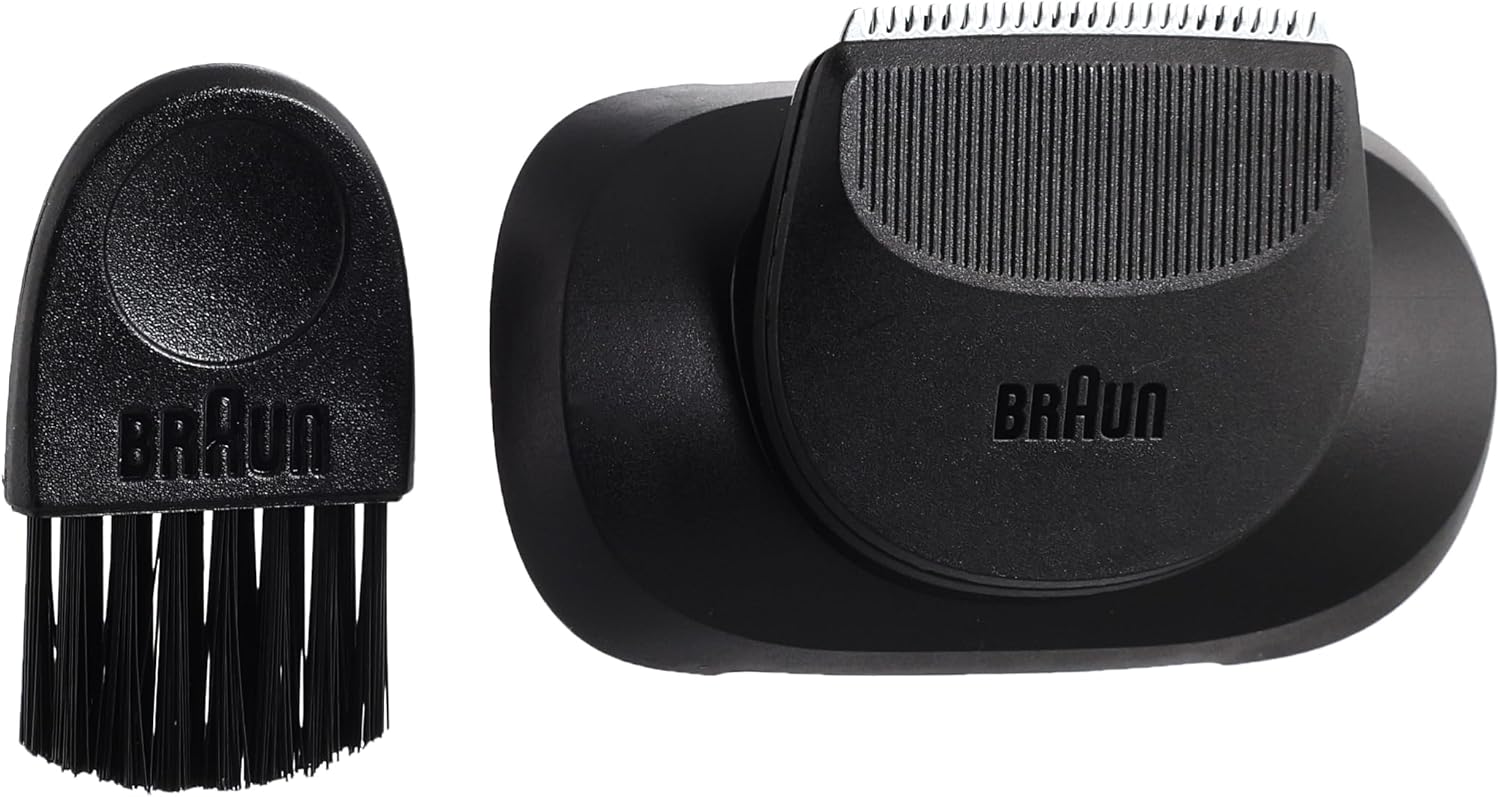
Image: Close-up of the Braun Series 7 shaver head, highlighting the 360° Flex system.

Image: Diagram illustrating the 360° Adaptive System and AutoSense Technology of the shaver.
4.2 SmartCare Center
The SmartCare Center charges, cleans, and lubricates your shaver with the press of a button.

Image: Braun Series 7 shaver docked in the SmartCare Center.
4.3 Precision Trimmer Attachment
This attachment is designed for precise trimming of moustaches and sideburns.

Image: Precision trimmer attachment and cleaning brush.
5. Eto
5.1 Ngba agbara si Shaver
- Connect the power cord to the shaver or the SmartCare Center.
- Pulọọgi okun agbara sinu itanna iṣan.
- A full charge takes approximately 50 minutes and provides up to 3 weeks of shaving. A 5-minute quick charge is sufficient for one full shave.
5.2 Asopọmọra Awọn ẹya ẹrọ
To attach the Precision Trimmer, remove the shaving head by pressing the release buttons on the sides of the shaver head. Align the trimmer attachment with the shaver body and press until it clicks into place.
6. Awọn ilana Iṣiṣẹ
6.1 Irun
- Gbigbe Gbigbe: Ensure your face is clean and dry. Turn on the shaver and move it against the direction of hair growth.
- Irun omi tutu: Apply shaving foam or gel to your face. Turn on the shaver and move it against the direction of hair growth. Rinse the shaver head under running water during and after shaving.
- The 360° Flex head will adapt to your facial contours, and AutoSense technology will adjust power for an efficient shave.
6.2 Lilo Ṣiṣiriṣi Atunṣe
With the Precision Trimmer attachment installed, turn on the shaver. Use the trimmer to shape sideburns, moustaches, or for detailed grooming.
7. SmartCare Center Usage
The SmartCare Center provides automated cleaning, lubrication, and charging for your shaver.
7.1 Inserting the Cleaning Cartridge
- Open the SmartCare Center by pressing the release button.
- Insert a Braun Clean & Renew cleaning cartridge into the base until it clicks into place.
- Pa SmartCare Center.

Image: Braun Clean & Renew cleaning cartridge.
7.2 Automatic Cleaning and Charging
- After shaving, rinse the shaver head under running water.
- Place the shaver upside down into the SmartCare Center.
- Press the start button on the SmartCare Center to initiate the cleaning cycle. The shaver will also charge automatically.
- The SmartCare Center may offer different cleaning intensity levels, indicated by lights on the unit.

Aworan: Pada view of the shaver and SmartCare Center, illustrating cleaning intensity selection.
8. Itọju
8.1 Afowoyi Cleaning
- After each shave, rinse the shaver head under hot running water.
- For a more thorough cleaning, remove the shaving head and use the provided cleaning brush to remove any trapped hair.
- Rí i dájú pé ẹ̀rọ ìfọ́ irun náà gbẹ kí o tó tọ́jú tàbí kí o tó gba agbára.
8.2 Replacing the Shaving Head
For optimal performance, replace the shaving head (foil and cutter block) approximately every 18 months, or when wear is visible. Replacement parts are available from authorized Braun retailers.
8.3 Replacing the Cleaning Cartridge
Replace the cleaning cartridge in the SmartCare Center when the indicator light signals it is empty, or approximately every 3 months with regular use.
9. Laasigbotitusita
- Shaver ko tan: Ensure the shaver is charged. If using the SmartCare Center, check if it is properly plugged in.
- Iṣe irun ti ko dara: Clean the shaver head thoroughly. Consider replacing the shaving head if it has been in use for an extended period.
- SmartCare Center not cleaning: Check if the cleaning cartridge is correctly inserted and contains cleaning fluid. Ensure the shaver is properly seated in the center.
- Ibanujẹ awọ ara: Ensure the shaver head is clean. Avoid pressing too hard on the skin. Allow your skin to adapt to the new shaver over a few weeks.
10. Awọn pato
- Awoṣe: 71-S7200cc
- Orisun Agbara: Agbara Batiri (Batiri Lithium ion 1 nilo)
- Igbesi aye batiri: Up to 50 minutes of shaving time
- Akoko gbigba agbara: 50 minutes for full charge, 5 minutes for quick charge
- Mabomire: 100% waterproof for Wet & Dry use
- Ohun elo abẹfẹlẹ: Irin ti ko njepata
- Ìwọ̀n Nkan: 150 giramu
- Awọn iwọn ọja: 25.2 x 16 x 27.7 cm
- Olupese: Procter & Gamble
- Nọmba Awoṣe Nkan: 15/001/0318

Image: Diagram illustrating the approximate dimensions of the shaver (16 cm / 6.4 inches).
11. Atilẹyin ọja ati Support
Your Braun Series 7 71-S7200cc shaver comes with a Two Year Warranty from Minlo. For warranty claims or technical support, please contact the official hotline: 16016.
For additional product information or to explore other Braun products, visit the Ile Itaja Braun.


