1. Ifihan
The Diyeeni I9 Voice Changer Set is a portable sound board and voice disguiser designed for live broadcasts, gaming, and entertainment. It offers 8 different voice changes and 8 built-in sound effects, with fine-tuning capabilities for customized audio. This device is compatible with various platforms, including mobile phones, computers, tablets, and gaming consoles.
2. Package Awọn akoonu
Daju pe gbogbo awọn nkan ti a ṣe akojọ rẹ si isalẹ wa ninu package rẹ:
- I9 Voice Changer Device
- Gbohungbo Live
- Abojuto Earphones
- Okun Ngba agbara USB
- Audio Connection Cables (2)
- Carbon Fiber Textured Leather Storage Bag
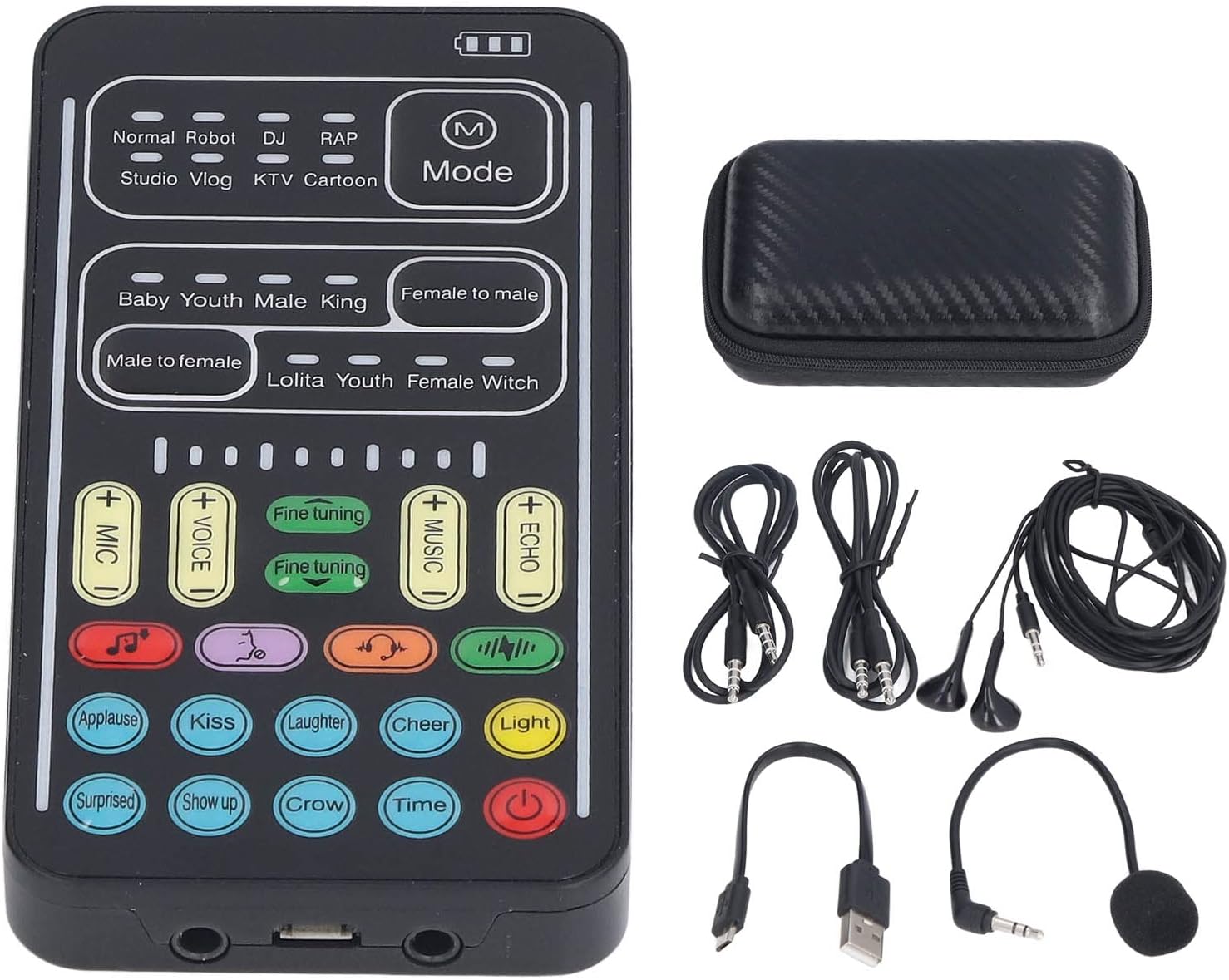
Image: The I9 Voice Changer device shown with all included accessories: the voice changer unit, a small clip-on microphone, in-ear monitoring earphones, a USB charging cable, two audio connection cables, and a compact carbon fiber textured storage case.

Aworan: A sunmọ-soke view of the accessories included with the Diyeeni I9 Voice Changer Set, neatly arranged. These include the clip-on microphone, in-ear earphones, USB charging cable, and audio connection cables.
3. Awọn ẹya Ọja
- 8 Different Voice Changes: Transform your voice into male to female, female to male, normal, lolita, baby, youth, king, or witch. Fine-tuning allows for additional variations.
- 8 Built-in Sound Effects: Access sound effects like applause, kiss, laughter, cheerful, surprise, fright, crow, and times with a single button press.
- Apẹrẹ to gbe: Compact and easy to carry, plug and play functionality without requiring driver installation.
- Awọn imọlẹ LED: The device features LED lights with an independent control switch.
- High Device Compatibility: Works with mobile phones, computers, tablets, Nintendo Switch, iOS, and Android systems. An adapter may be required for PC connections.

Image: An infographic highlighting key features of the I9 Voice Changer, including six cores, 16 sound modes, 80 kinds of voice changer, smart bel canto tuning, one-click noise reduction, one-click flash, accompaniment music, built-in functions, one-button ear return, key to cancel original sound, reverb adjustment, power display, 8 groups of ambiance effects, 10th order electronic sound, cool lights, and long battery life.

Aworan: A alaye view of the I9 Voice Changer's control panel, labeling 8 live broadcast modes (Normal, Robot, DJ, RAP, Studio, Vlog, KTV, Cartoon), 8 voice changing modes (Baby, Youth, Male, King, Female to male, Male to female, Lolita, Youth, Female Witch), fine-tuning controls, and 10-step electronic sound adjustment. It emphasizes its small and multifunctional design.
4. Awọn ilana iṣeto
Follow these steps to connect your Diyeeni I9 Voice Changer to various devices:
- Sopọ Gbohungbo: Plug the included live microphone into the 'MIC' port on the voice changer.
- Connect Earphones/Headset: Plug your monitoring earphones or headset into the 'Headset Jack' port.
- Sopọ si Ẹrọ: Use the appropriate audio connection cable to link the voice changer to your phone, computer, or gaming console.
- For Phones (iOS/Android): Connect one end of the audio cable to the 'Live1' or 'Live2' port on the voice changer and the other end to your phone's 3.5mm port. For iOS devices without a 3.5mm jack, an interface conversion cable (not included) is required.
- Fun PC/Laptop: Connect one end of the audio cable to the 'Live1' or 'Live2' port on the voice changer and the other end to your computer's audio input. An adapter may be needed for some PCs.
- For Gaming Consoles (PS4, Xbox, Switch): Connect one end of the audio cable to the 'Live1' or 'Live2' port on the voice changer and the other end to the console's 3.5mm port or controller's headset jack.
- Agbara Tan: Tẹ mọlẹ bọtini agbara lori ẹrọ lati tan-an.

Image: Connection diagrams illustrating how to connect the I9 Voice Changer to mobile phones, PS4, and Xbox consoles using 3.5mm audio cables for live input and headset output.

Image: Connection diagrams illustrating how to connect the I9 Voice Changer to laptops, Nintendo Switch, and iPad devices using 3.5mm audio cables for live input and headset output.
5. Awọn ilana Iṣiṣẹ
Familiarize yourself with the controls and functions of your I9 Voice Changer:
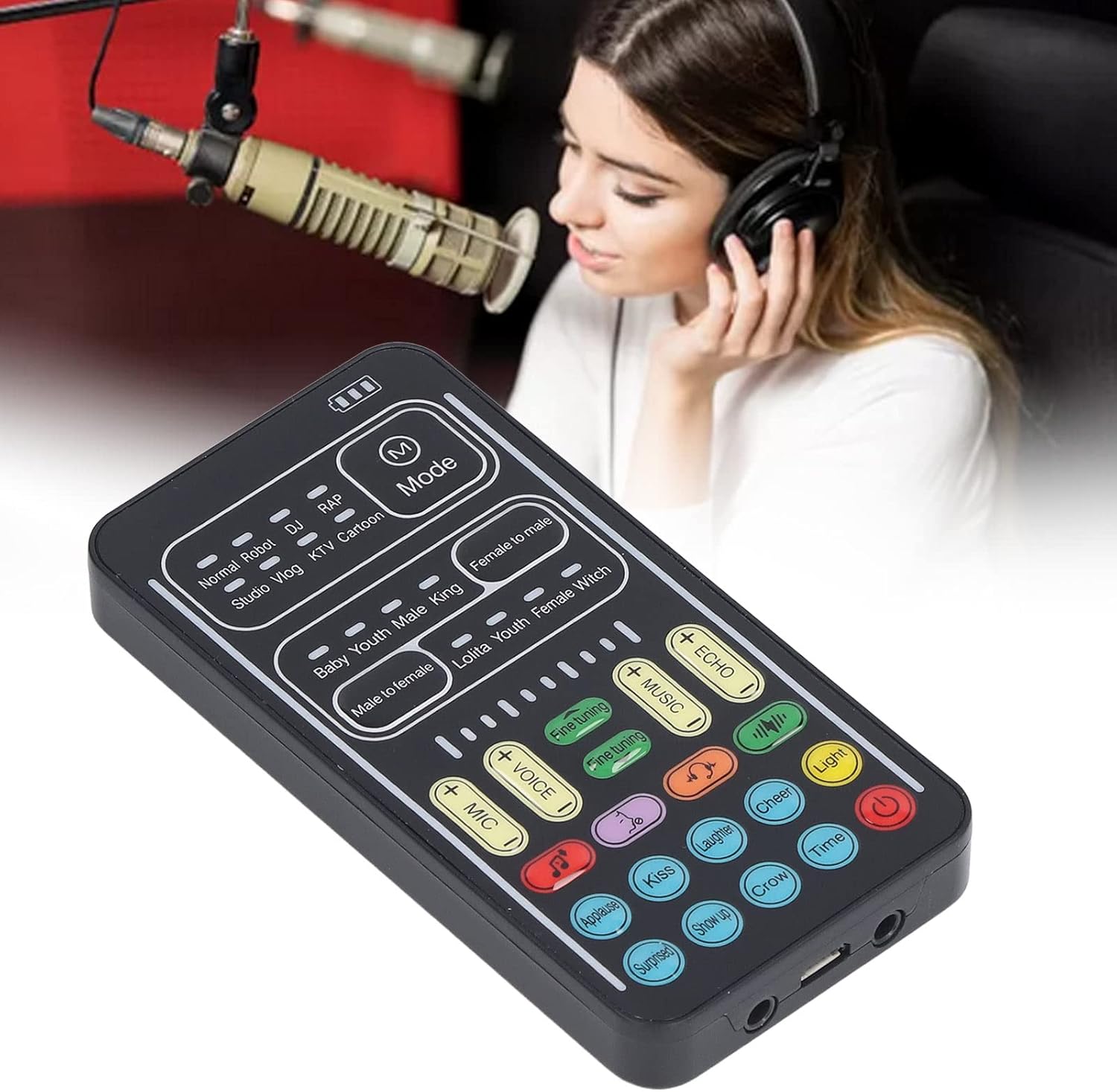
Image: A detailed diagram of the I9 Voice Changer's control panel, labeling all buttons and ports. Key areas include Power Level Indication, Lighting Area, Multiple Hot Modes, Sound Change Button, Mic Keys, Voice Keys, Dodge Key, Deactivation Keys, Atmospheric Sound Zone, On/Off Key, Voice Change Trim Button, Accompaniment, Reverb, Electric Keys, Noise Reduction, Light Keys, Microphone Jack, Charging/Computer Live Interface, Headphone Jack, Phone Interface 1, Phone Interface 2, and Accompaniment Interface.
- Titan/Apapa: Tẹ mọlẹ Bọtini Tan / Paa (red button) to power the device on or off.
- Select Voice Change Mode: Use the buttons in the 'Sound Change Button' area to select from 8 different voice effects (e.g., Male to female, Female to male, Baby, Youth, King, Lolita, Witch).
- Iṣatunṣe Ti o dara: Lo awọn Titun-tuntun buttons (+/-) to adjust the selected voice effect for more variations.
- Apply Sound Effects: Press any of the 8 colored buttons in the 'Atmospheric Sound Zone' (e.g., Applause, Kiss, Laughter, Cheer, Surprise, Show up, Crow, Time) to trigger instant sound effects.
- Ṣatunṣe Iwọn didun: Lo awọn MIC, Ohùn, ORIN, ati ECHO volume adjustment keys to control input and output levels.
- Live Broadcast Modes: Select from various live broadcast modes (Normal, Robot, DJ, RAP, Studio, Vlog, KTV, Cartoon) using the buttons in the 'Multiple Hot Modes' area.
- Awọn imọlẹ LED: The device features LED lights. Use the Bọtini Imọlẹ to control them.
- Gbigba agbara: Connect the USB charging cable to the charging port (Input: DC5V-1A) to charge the device. The battery life supports 5 to 6 hours of use when fully charged.
Video: An official seller video demonstrating the Diyeeni I9 Voice Changer Set in use, showcasing its various voice modulation and sound effects. The video highlights the device's functionality and ease of use during a live broadcast scenario.
Video: A seller video demonstrating the i9 voice changer and sound effect machine. It shows the device's interface and how different voice effects and sound buttons are activated, providing a practical overview of its operation.
6. Ibamu ẹrọ
The Diyeeni I9 Voice Changer is designed for broad compatibility:
- Awọn foonu alagbeka: Compatible with both iOS and Android mobile systems. An interface conversion cable may be required for iOS devices without a 3.5mm jack.
- Awọn kọnputa: Works with PCs and laptops. A separate adapter may be needed for PC connections.
- Awọn tabulẹti: Compatible with various tablet devices.
- Awọn console ere: Supports Nintendo Switch, PS4, and Xbox.
7. Awọn pato
| Ẹya ara ẹrọ | Ẹ̀kúnrẹ́rẹ́ |
|---|---|
| Package Mefa | 7.13 x 5.83 x 1.73 inches |
| Iwọn Nkan | 6.4 iwon |
| Nọmba Awoṣe Nkan | I9 |
| Olupese | Diyeeni |
| Awọn ẹrọ ibaramu | Tablet, Smartphone, Gaming Console |
| Ni wiwo Hardware | Bluetooth (Note: Product description mentions 3.5mm interface for direct connection, Bluetooth is listed in specifications but not primary connection method for voice changing) |
| Ipo Ijade Ohun | Ayika |
| Platform | Android, iOS |
| Iṣawọle | DC5V-1A |
8. Laasigbotitusita
- No Sound/Voice Change:
- Ensure all cables are securely connected to the correct ports.
- Check the volume levels for MIC, VOICE, MUSIC, and ECHO on the device.
- Verify the device is powered on and has sufficient battery charge.
- For iOS systems, confirm you are using an interface conversion cable if your device lacks a 3.5mm jack.
- For PC connections, ensure any necessary adapters are correctly installed and configured.
- Awọn imọlẹ LED ko ṣiṣẹ:
- Check if the independent control switch for the LED lights is turned on.
- Awọn ọran Didara Ohun:
- Adjust the fine-tuning function for each sound mode to optimize the output.
- Rí i dájú pé gbohùngbohùn náà wà ní ipò tó tọ́ àti pé kò dí i lọ́wọ́.
9. Itọju
To ensure the longevity and optimal performance of your Diyeeni I9 Voice Changer Set, follow these maintenance guidelines:
- Ninu: Lo asọ asọ ti o gbẹ lati nu ẹrọ naa. Yago fun lilo awọn olutọpa omi tabi awọn ohun elo abrasive.
- Ibi ipamọ: Store the device and its accessories in the provided carbon fiber textured leather storage bag when not in use to protect it from dust and damage.
- Itọju Batiri: Charge the device regularly, even if not in frequent use, to maintain battery health. Avoid extreme temperatures during charging and storage.
- Mu pẹlu Itọju: Yago fun sisọ ẹrọ naa silẹ tabi fifisilẹ si awọn ipa to lagbara.
10. Atilẹyin ọja ati Support
For warranty information, technical support, or service inquiries, please refer to the documentation provided with your purchase or contact Diyeeni customer service directly. Keep your proof of purchase for any warranty claims.


