1. Ifihan
Thank you for choosing the TIMMKOO Protective Case, specifically designed for your TIMMKOO Q3E and Q5 MP3 players. This case provides robust protection against daily wear and tear, ensuring the longevity and pristine condition of your device. This manual will guide you through the features, installation, and maintenance of your new protective case.

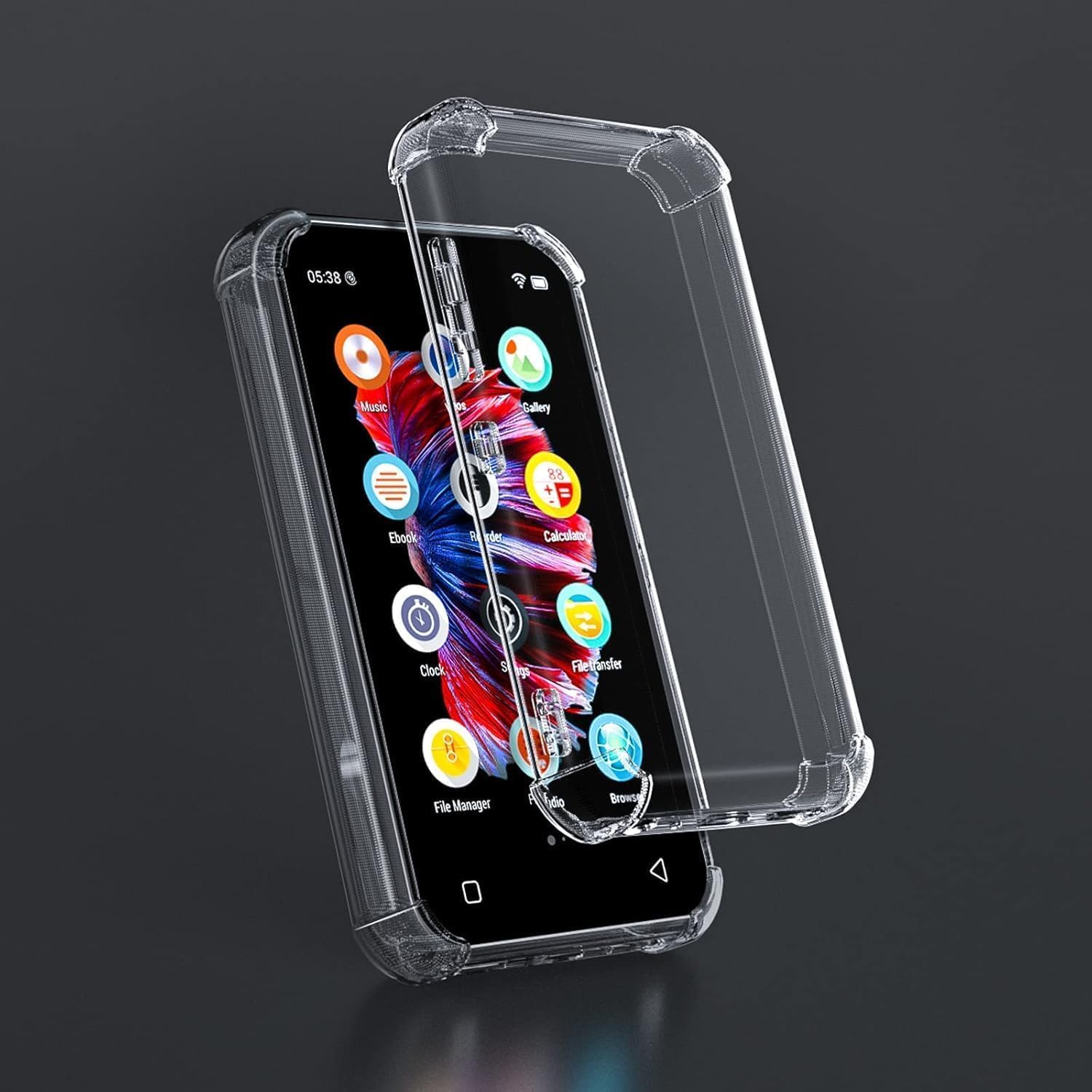
This image displays the clear TPU protective case designed for TIMMKOO Q3E/Q5 MP3 players. One case is shown fitted onto a device, while another empty case is positioned beside it, highlighting its transparent design and form factor.
2. Key Awọn ẹya ara ẹrọ
- Enhanced Drop Protection: Features thick elastic buffers in all four corners to effectively reduce damage from drops and impacts.
- Premium TPU Material: Made from soft and malleable TPU, ensuring easy installation and removal, while offering a comfortable grip.
- Ibamu ni pato: Designed with good craftsmanship to perfectly align with all buttons and holes of the Q3E/Q5 players, ensuring full accessibility.
- Apẹrẹ ti o han gbangba: Maintains the original aesthetic of your MP3 player while providing robust protection.

Eyi view emphasizes the enhanced protection features of the case, specifically the thickened elastic buffers at the four corners. These buffers are designed to absorb shock and reduce damage from drops and impacts, protecting the digital music player.

The image demonstrates the precise engineering of the protective case, showing how it perfectly aligns with all the buttons and holes of the Q3E/Q5 players. This ensures full functionality and accessibility without removing the case.

This picture illustrates the soft and malleable nature of the TPU material used for the case. Its flexibility makes it easy to install and remove the case, while also providing a comfortable and secure grip for the user.
3. Itọsọna fifi sori ẹrọ
Follow these simple steps to install the protective case on your TIMMKOO Q3E or Q5 MP3 player:
- Nu Ẹrọ Rẹ mọ: Before installation, ensure your MP3 player is clean and free of dust or debris. Use a soft, lint-free cloth if necessary.
- Ṣe ibamu pẹlu ọran naa: Gently align the protective case with your MP3 player, ensuring that the cutouts for buttons, ports, and camera (if applicable) match correctly.
- Insert One Side: Start by inserting one side of your MP3 player into the case. The flexible TPU material will allow for easy insertion.
- Gently Press On: Carefully press the remaining edges of the case around your MP3 player until it is fully seated and snug. Ensure all corners are properly covered by the thickened buffers.
- Jẹrisi Fit: Once installed, check that all buttons are accessible and functional, and that all ports are unobstructed.
This image shows the protective case being applied to a TIMMKOO MP3 player, demonstrating the ease of installation. The transparent design allows the original aesthetics of the device to remain visible while providing robust protection.
4. Ṣiṣẹ ati Lilo
The TIMMKOO Protective Case is designed to be a seamless extension of your MP3 player. Once installed, you can continue to use your device as normal, benefiting from enhanced protection without compromising functionality.
- Daily Protection: The case provides a barrier against scratches, minor bumps, and accidental drops during everyday use.
- Improved Grip: The TPU material offers a comfortable and non-slip grip, reducing the chances of accidental drops.
- Wiwọle ni kikun: All buttons, charging ports, and headphone jacks remain fully accessible and functional with the case on.
5. Itọju ati Itọju
To keep your TIMMKOO Protective Case in optimal condition and ensure its longevity, follow these simple care instructions:
- Ninu igbagbogbo: Wipe the case periodically with a soft, damp cloth to remove dust, fingerprints, and smudges.
- Yago fun Kemikali lile: Do not use abrasive cleaners, solvents, or harsh chemicals, as these can damage the TPU material or cause discoloration.
- Remove for Deep Cleaning: If a deeper clean is needed for your device or the case, gently remove the case, clean both items separately, and then re-install.
- Ibi ipamọ: Nigbati o ko ba si ni lilo, tọju ọran naa ni itura, aye gbigbẹ kuro lati orun taara lati yago fun ibajẹ ohun elo.
6. Laasigbotitusita
Eyi ni diẹ ninu awọn ọran ti o wọpọ ati awọn ojutu wọn:
| Oro | Owun to le Fa | Ojutu |
|---|---|---|
| Ọran ko baamu daradara. | Incorrect alignment during installation; debris caught between case and device. | Remove the case, ensure both the device and case are clean, then re-align and re-install carefully. Verify you have the correct case model for your Q3E/Q5 player. |
| Buttons are stiff or unresponsive. | Case not fully seated; manufacturing defect. | Press firmly around the buttons to ensure the case is fully seated. If the issue persists, contact customer support. |
| Case appears discolored or yellowed over time. | Natural aging of TPU material due to UV exposure; accumulation of dirt/oils. | This is a common characteristic of clear TPU over extended use. Regular cleaning can help minimize it. Store away from direct sunlight. |
7. Awọn alaye ọja
| Sipesifikesonu | Ẹ̀kúnrẹ́rẹ́ |
|---|---|
| Brand | TIMMKOO |
| Awọn ẹrọ ibaramu | TIMMKOO MP3 Player Q3E, TIMMKOO MP3 Player Q5 |
| Ohun elo | Thermoplastic Polyurethane (TPU) |
| Àwọ̀ | Clear (Transparent) |
| Fọọmù ifosiwewe | Ọran/Ideri |
| Pataki Ẹya | Anti-slip, Enhanced Corner Protection |


