Ọrọ Iṣaaju
This manual provides detailed instructions for setting up, operating, maintaining, and troubleshooting your 8Bitdo Ultimate Bluetooth Controller with Charging Dock. Please read this manual thoroughly before using the product to ensure optimal performance and longevity.
Ọja Pariview
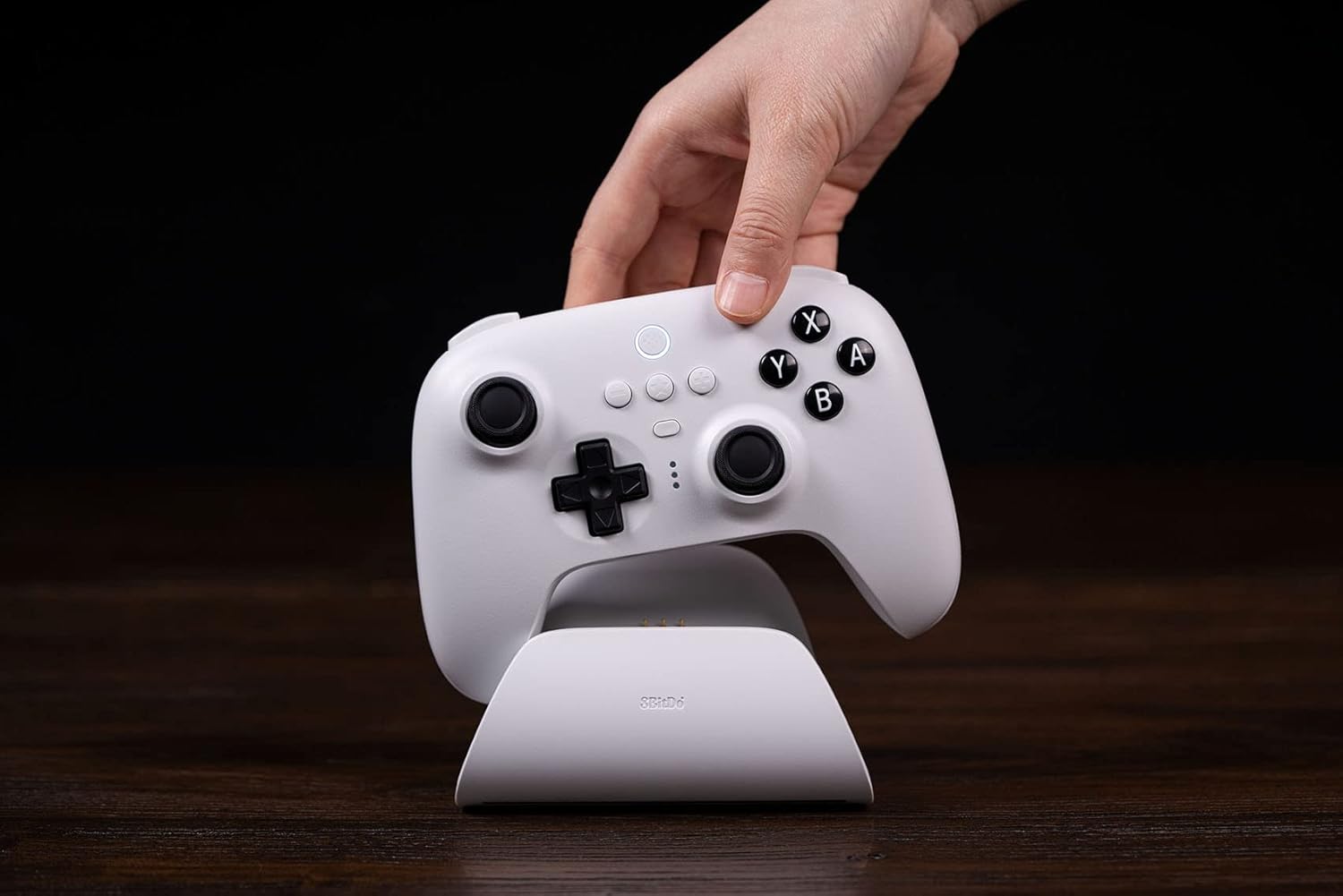
The 8Bitdo Ultimate Bluetooth Controller is designed for versatile gaming across multiple platforms, including Nintendo Switch and Windows. It features advanced technology like Hall Effect Sensing Joysticks for precision and durability, and comes with a convenient charging dock.


Awọn ilana iṣeto
1. Gbigba agbara Alakoso
Place the controller onto the charging dock. The controller will automatically switch ON/OFF while it is undocked/docked. The charging dock provides a stable and convenient charging solution. The controller also supports USB-C charging directly.
2. Nsopọ mọ Nintendo Switch
- Bluetooth: Ensure your Switch is updated to version 3.0.0 or above. On your Switch, go to System Settings > Controllers and Sensors > Change Grip/Order. Hold the Pair button on the top of the controller until the indicator lights flash rapidly. The controller should appear on the Switch screen for pairing.
- 2.4G Adapter: Remove the 2.4G USB Adapter from the charging dock (located under the bottom cover). Plug the adapter into a free USB port on your Nintendo Switch dock. The controller will automatically connect to the adapter.
- Okun USB: Connect the controller directly to the Nintendo Switch dock using a USB-C cable.
3. Nsopọ si Windows
- 2.4G Adapter: Remove the 2.4G USB Adapter from the charging dock. Plug the adapter into a free USB port on your Windows PC. The controller will automatically connect.
- Okun USB: Connect the controller directly to your Windows PC using a USB-C cable.

Awọn ilana Iṣiṣẹ
Key Awọn ẹya ara ẹrọ ati idari
- Hall Effect Sensing Joystick: Experience precise and drift-free control with the new patented electromagnetic sticks.
- Pro Back Paddle Buttons: Two customizable back paddle buttons provide additional input options for advanced gameplay.
- Aṣa Profile Bọtini Yipada: Easily switch between up to 3 custom profiles on the fly, allowing for personalized button mappings and settings.
- Player Indicators & 2-way Mode Switching Button: Clearly see which player number you are and effortlessly switch between different connection modes.
- Rumble Vibration & Motion Controls: Enjoy immersive feedback and intuitive motion-based gameplay where supported.

Gbẹhin Software
Customize your controller experience with the 8Bitdo Ultimate Software, available on Windows, Android, and iOS. This software allows you to:
- Map buttons to your preference.
- Ṣe àtúnṣe sí ọ̀pá àti ìfàmọ́ra tí ó ń fa.
- Ṣẹda ati ṣafipamọ pro aṣafiles fun orisirisi awọn ere.
- Set up macros for complex commands.
Itoju
To ensure the longevity and optimal performance of your 8Bitdo Ultimate Bluetooth Controller, follow these maintenance guidelines:
- Keep the controller and charging dock clean by wiping them with a soft, dry cloth.
- Yago fun ṣiṣafihan ẹrọ naa si awọn iwọn otutu to gaju, ọriniinitutu, tabi oorun taara.
- Store the controller in a safe place when not in use to prevent physical damage.
- Do not attempt to disassemble or modify the controller or charging dock, as this will void the warranty.
Laasigbotitusita
| Oro | Owun to le Fa | Ojutu |
|---|---|---|
| Adarí ko sopọ | Low battery, incorrect mode, interference | Ensure controller is charged. Check the 2-way mode switch. Move closer to the console/PC. Re-pair the controller. |
| Joystick drift | Software calibration issue, physical wear | Update controller firmware using Ultimate Software. Calibrate joysticks via Ultimate Software. (Note: Hall Effect joysticks are designed to minimize drift.) |
| Awọn bọtini ko dahun | Low battery, software glitch | Charge the controller. Reset the controller (refer to 8Bitdo support for specific reset procedures). |
| Awọn ọran gbigba agbara | Improper placement on dock, faulty cable/port | Ensure controller is correctly seated on the dock. Try a different USB-C cable or charging port. |
Awọn pato
- Nọmba awoṣe: 80NA
- ASIN: B0BGWTTC3L
- Asopọmọra: Bluetooth 5.0, 2.4G wireless (via adapter), USB-C wired
- Batiri: 1 Lithium Metal battery (included), 22 hours rechargeable battery life
- Awọn iwọn: Isunmọ 6.42 x 5.43 x 3.27 inches (Awọn iwọn idii)
- Ìwúwo: Approximately 1.43 Pounds (Item Weight)
- Ibamu: Nintendo Switch (3.0.0 and above), Windows (10 and above)
- Awọn ẹya pataki: Hall Effect Sensing Joystick, 2 Pro back paddle buttons, Custom Profile Switch Button, Player indicators, 2-way Mode Switching button, Rumble vibration, Motion controls, Multifunctional Charging Dock.
- Akọkọ Wa: Oṣu Kẹsan Ọjọ 23, Ọdun 2022
Atilẹyin ọja ati Support
For warranty information, technical support, and the latest firmware updates, please visit the official 8Bitdo webojula. Jeki ẹri rira rẹ fun eyikeyi awọn ibeere atilẹyin ọja.
Official 8Bitdo Webojula: www.8bitdo.com


