Ọrọ Iṣaaju
This manual provides detailed instructions for the installation, operation, and maintenance of your Whistler Titan Extreme Performance Radar Detector and Laser Detector. The Titan detector features 360° Maxx Coverage, Auto Learning Technology, DSP Technology for maximum sensitivity, and GPS Enhanced Features including TFSR. Please read this manual thoroughly before using your device to ensure optimal performance and understanding of its capabilities.
Ọja Pariview
The Whistler Titan is designed to provide advanced detection capabilities for radar and laser signals. It incorporates a new DSP platform for enhanced performance and reduced false alerts.

Iwaju view of the Whistler Titan Radar Detector, showing the OLED display and control buttons.

Diagram illustrating key components of the Whistler Titan, including the GPS Antenna, Mounting Bracket Location, Front Laser sensor, Radar Antenna, Large OLED Display, USB Output, and Intelli-Cord connection point.
Ṣeto
Kini To wa
The Whistler Titan package includes:
- Whistler Titan laser radar detector unit
- 12V DC Intelli-Cord 2.0 power cord
- Two suction cup windshield mounts
- Zippered travel/storage case
- Protective cloth bag

Image showing the Whistler Titan radar detector, user guide, zippered case, Intelli-Cord 2.0, and two suction cup mounts, representing all included items.
Iṣagbesori awọn Oluwari
Proper mounting ensures optimal detection performance and clear visibility of the display.
- Attach the suction cups and rubber bumper to your windshield mount and position the mount on your windshield. Ensure a clear line of sight.
- Pinch and bend the windshield bracket so that the unit is leveled and securely positioned.
- Connect the small end of the power cord to the radar detector and the other end to a 12V cigarette lighter socket in your vehicle.

A visual guide demonstrating the three steps for mounting the radar detector: attaching suction cups, leveling the unit, and connecting the power cord.
Asopọ agbara
Use the provided 12V DC Intelli-Cord 2.0 for power. This cord also features a USB output for charging other devices.

Close-up of the Intelli-Cord 2.0 power adapter, which connects the detector to the vehicle's 12V socket and includes a USB charging port.
Awọn ilana Iṣiṣẹ
The Whistler Titan offers a range of features to enhance your driving awareness.
DSP Platform and Detection Range
The new DSP platform provides improved detection range and performance, minimizing false alerts.
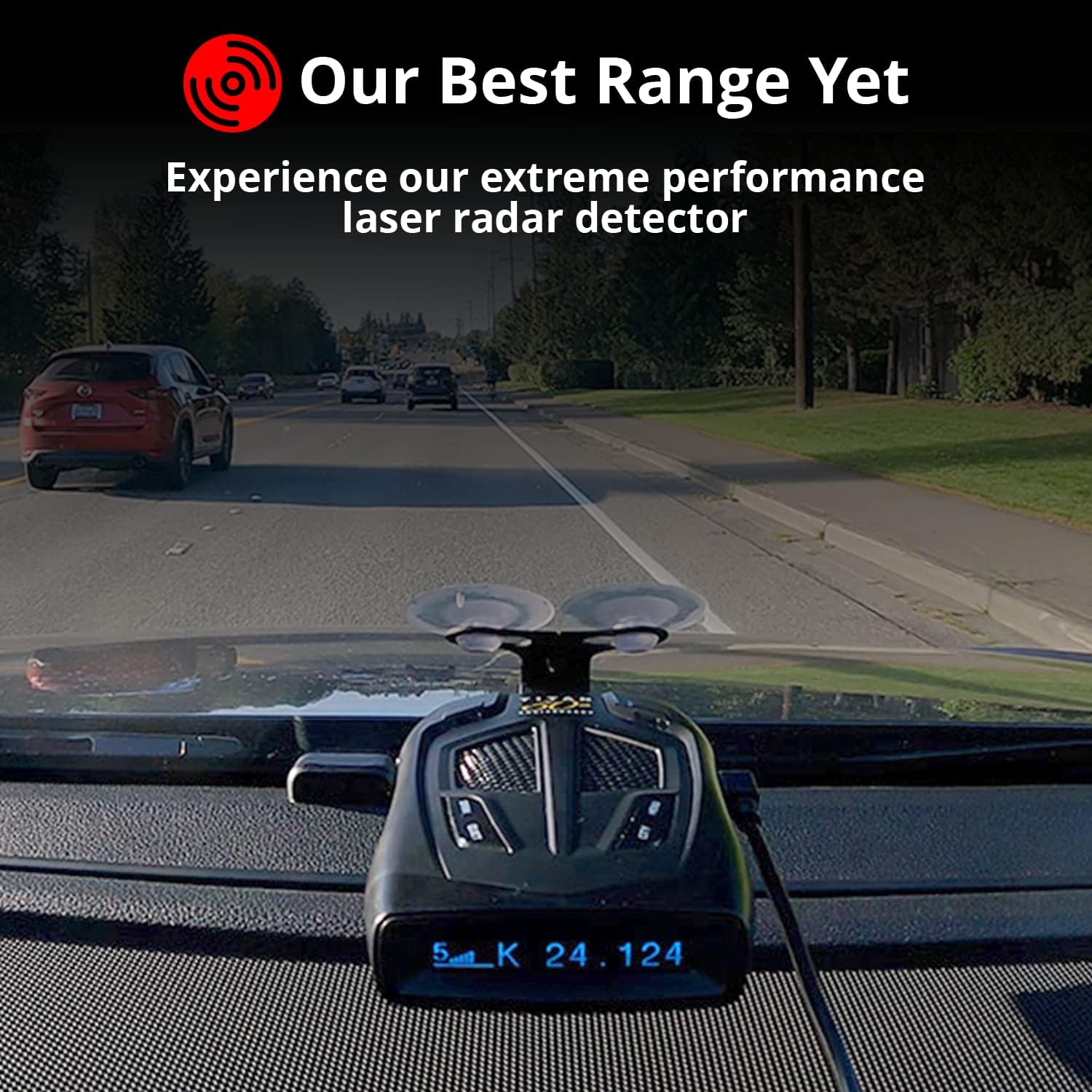
The Whistler Titan detector mounted on a car dashboard, indicating its effective detection range while driving.

A close-up of the Whistler Titan's OLED display, highlighting the new DSP platform's capability to show detailed frequency information.
GPS ọna ẹrọ
Integrated GPS technology allows the detector to automatically adjust settings based on vehicle speed and location:
- Atunṣe iwọn didun aifọwọyi: Volume adapts to your speed.
- City Mode Application: Automatically engages city mode in urban areas.
- Low Speed Quiet: Reduces audible alerts at lower speeds.
- Overspeed Alerts: Notifies you if you exceed a preset speed limit.
Red Light and Speed Camera Alerts
The detector comes preloaded with red light and speed camera locations. Free database and firmware updates ensure the information remains current.
Ifihan OLED nla
The easy-to-read OLED display shows essential information including the current time, compass heading, and detected radar frequency.
Awọn titaniji ohun
Clear voice announcements provide information on band identification, Ka radar signature ID, feature selections, and compass heading (N, S, E, W), allowing you to keep your eyes on the road.
Auto and Manual Lock-Outs
The unit supports automatic and manual lock-outs for stationary X and K band locations, reducing repetitive false alerts from known sources.
False Alert Filtering
Advanced K/KA band filtering technology reduces or eliminates false alerts originating from K band blind spot monitoring systems and K band collision avoidance systems in other vehicles.
City Modes
Three distinct City modes (City, City 1, City 2) are available for driving in urban and rural environments. These modes are designed to minimize audible annoyances from radar-based door openers and other devices that share frequencies with police radar.
Itoju
To ensure the longevity and optimal performance of your Whistler Titan, follow these maintenance guidelines:
- Ninu: Gently wipe the exterior of the detector with a soft, dry cloth. Avoid using abrasive cleaners or solvents, which can damage the display or casing.
- Ibi ipamọ: When not in use for extended periods, store the detector in its provided zippered travel/storage case in a cool, dry place, away from direct sunlight and extreme temperatures.
- Itọju USB: Inspect the power cord regularly for any signs of wear or damage. Replace if necessary.
- Awọn imudojuiwọn famuwia: Periodically check the Whistler website for available firmware updates to ensure your device has the latest features and performance enhancements.
Laasigbotitusita
If you encounter issues with your Whistler Titan, refer to the following common troubleshooting steps:
- Ko si Agbara: Ensure the 12V DC Intelli-Cord 2.0 is securely plugged into both the detector and the vehicle's cigarette lighter socket. Check the vehicle's fuse for the cigarette lighter.
- No Audio Alerts: Verify that the volume is turned up. Check the settings to ensure voice alerts are enabled and not muted.
- Àwọn Ìkìlọ̀ Èké Lóòrèkóòrè: Ensure the detector is in an appropriate City mode for urban driving. Utilize the Auto and Manual Lock-Out features for known stationary false sources. Verify that advanced K/KA band filtering is active.
- GPS Not Connecting: Ensure the detector has a clear view of the sky for satellite acquisition. Allow a few minutes for initial GPS lock.
- Awọn oran Ifihan: If the OLED display is dim or not functioning correctly, try adjusting the brightness settings in the menu. If the issue persists, contact customer support.
For further assistance, please refer to the support section of this manual or visit the official Whistler webojula.
Awọn pato
| Ẹya ara ẹrọ | Ẹ̀kúnrẹ́rẹ́ |
|---|---|
| Iwọn Nkan | 1.61 iwon |
| Package Mefa | 11.38 x 7.72 x 3.62 inches |
| Ifihan Iru | OLED |
| ASIN | B0BHFD7FBQ |
| Ọjọ Akọkọ Wa | Oṣu Kẹwa Ọjọ 5, Ọdun 2022 |
| Olupese | Whistler Group Inc. |
| Brand | Whistler |
| Àwọn ìpele ìgbàlódé tí a ṣe àtìlẹ́yìn fún | 10.5 - 10.55 GHz, 24.05 GHz - 24.25 GHz, 33.4 - 36.0 GHz |
| Orisun agbara | DC ipese agbara |
| Voltage | 12 Volts |
| UPC | 052303409349 |
Atilẹyin ọja ati Support
Atilẹyin ọja olupese
The Whistler Titan comes with an industry-leading 3-odun olupese atilẹyin ọja.
Onibara Support
For any questions or assistance, Whistler provides USA-based support. You can reach out via telephone or email directly from their headquarters in Bentonville, Arkansas.
For the most current contact information, please visit the official Whistler webojula.


