Ọrọ Iṣaaju
Thank you for choosing the Gembird Powerbank 10,000 mAh. This portable power bank is designed to provide reliable and convenient charging for your mobile devices on the go. With its high capacity and dual USB outputs, you can charge multiple devices or recharge a single device multiple times. Please read this manual carefully before using the product to ensure safe and optimal performance.
Alaye Aabo
- Do not expose the power bank to extreme temperatures (above 45°C or below -10°C), direct sunlight, or fire.
- Ma ṣe fi banki agbara sinu omi tabi fi han si ojo tabi ọrinrin.
- Do not disassemble, modify, or attempt to repair the power bank yourself. This will void the warranty and may cause damage or injury.
- Jeki banki agbara kuro lati ọdọ awọn ọmọde.
- Lo awọn kebulu gbigba agbara ifọwọsi nikan ati awọn oluyipada.
- Yago fun sisọ tabi tẹriba banki agbara si awọn ipa to lagbara.
- Sọ banki agbara kuro ni ifojusọna ni ibamu si awọn ilana agbegbe. Ma ṣe sọ ọ nù pẹlu egbin ile.
Package Awọn akoonu
Jọwọ ṣayẹwo package fun awọn nkan wọnyi:
- Gembird Powerbank 10,000 mAh
- Afowoyi Olumulo (iwe-ipamọ yii)
- Note: Charging cable may or may not be included depending on the specific retail package.

Image: The Gembird Powerbank 10,000 mAh shown in its retail packaging, highlighting its features and design.
Ọja Pariview
Familiarize yourself with the components of your Gembird Powerbank.
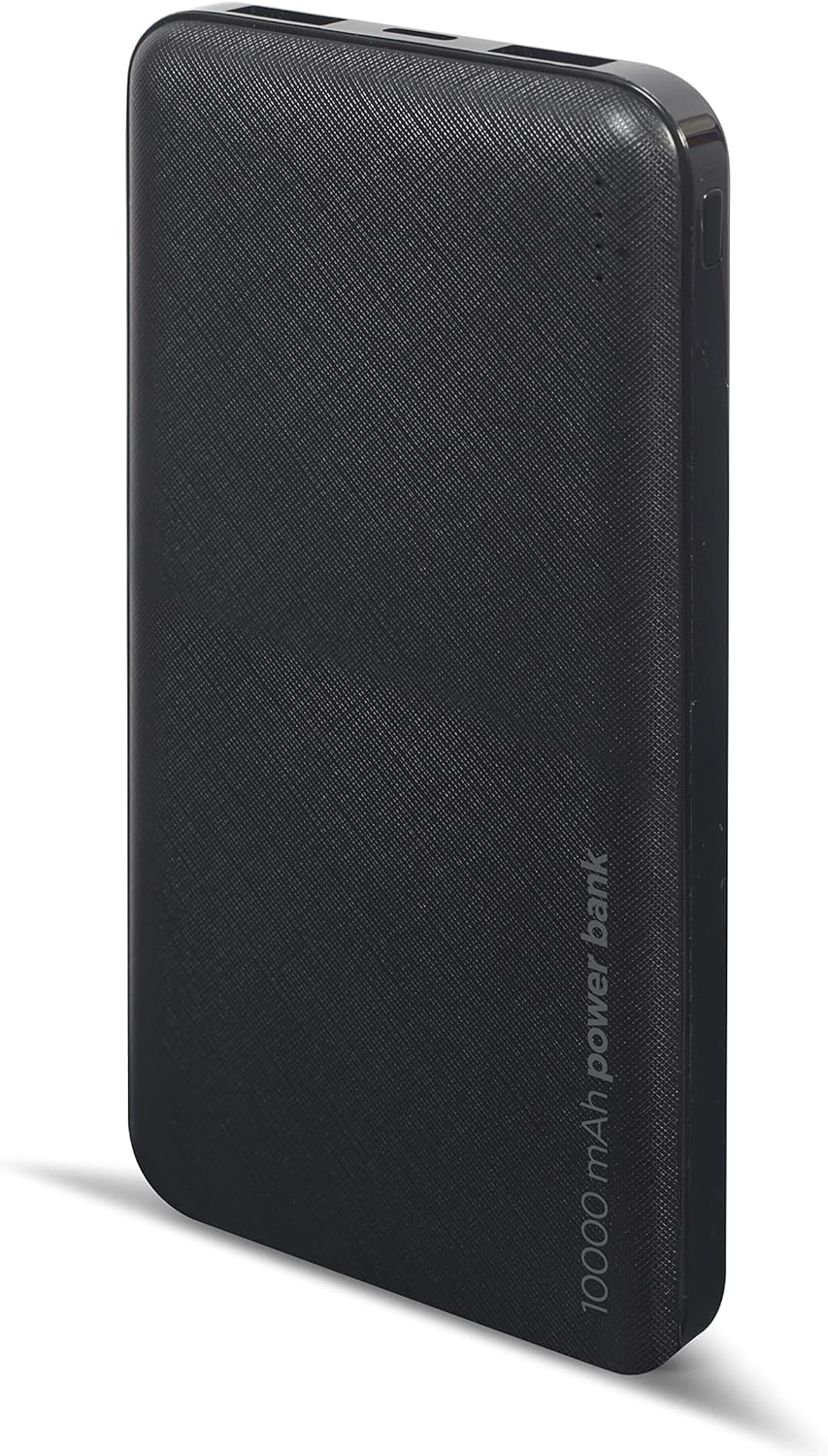
Aworan: Iwaju view of the Gembird Powerbank, showcasing its sleek black design and textured surface.

Aworan: Angled view of the Gembird Powerbank, highlighting the two USB-A output ports on one end.

Aworan: Apa view of the Gembird Powerbank, showing the Micro USB and USB Type-C input ports for charging the power bank itself.
Awọn eroja pataki:
- Awọn ibudo Ijade USB-A (x2): Lo lati gba agbara si ita awọn ẹrọ.
- Ibudowọle USB Micro: Ti a lo lati gba agbara si banki agbara.
- USB Type-C Input Port: Ti a lo lati gba agbara si banki agbara.
- Awọn itọkasi LED: Show the remaining battery level of the power bank.
- Bọtini agbara: Activates the power bank and checks battery level.
Ṣeto
Before first use, it is recommended to fully charge your Gembird Powerbank.
- Gbigba agbara si Bank agbara:
- Connect a compatible USB charging cable (Micro USB or USB Type-C) to one of the input ports on the power bank.
- Connect the other end of the cable to a USB wall adapter (not included), computer USB port, or other compatible USB power source.
- Awọn afihan LED yoo tan imọlẹ lati fihan ilọsiwaju gbigba agbara. Gbogbo awọn LED yoo jẹ ri to nigba ti gba agbara ni kikun.
- Ṣiṣayẹwo Ipele Batiri:
- Press the power button once. The LED indicators will light up to show the current battery level.
Ṣiṣẹ
Gbigba agbara si awọn ẹrọ rẹ:
- Rii daju pe banki agbara ti gba agbara to.
- So okun gbigba agbara ẹrọ rẹ pọ si ọkan ninu awọn ebute oko oju omi USB-A lori banki agbara.
- So opin miiran ti okun pọ si ẹrọ rẹ.
- The power bank should automatically begin charging your device. If not, press the power button once to initiate charging.
- The LED indicators on the power bank will show its remaining battery level during charging.
- Ge asopọ ẹrọ rẹ ni kete ti o ti gba agbara ni kikun tabi nigbati o ko nilo lati gba agbara si.
Note: The power bank can charge two devices simultaneously using both USB-A output ports.
Itoju
- Ninu: Use a soft, dry cloth to wipe the surface of the power bank. Do not use harsh chemicals or abrasive cleaners.
- Ibi ipamọ: Store the power bank in a cool, dry place away from direct sunlight and extreme temperatures. If storing for a long period, charge the power bank to about 50-70% capacity every 3-6 months to maintain battery health.
- Yago fun gbigba agbara-ju: Do not allow the power bank to completely drain its battery frequently, as this can reduce its lifespan.
Laasigbotitusita
| Isoro | Owun to le Fa | Ojutu |
|---|---|---|
| Bank agbara ko gba agbara. | Cable is faulty or not properly connected. Power source is insufficient. | Try a different charging cable. Ensure the cable is securely connected. Use a reliable USB wall adapter. |
| Ẹrọ naa ko gba agbara lati banki agbara. | Power bank battery is low. Device cable is faulty. Power bank is not activated. | Recharge the power bank. Try a different device charging cable. Press the power button on the power bank. |
| Gbigba agbara lọra. | Cable is not suitable. Device requires higher input. | Use a high-quality charging cable. Ensure your device is compatible with the power bank's output. |
| Awọn afihan LED ko ṣiṣẹ. | Power bank is completely discharged. Faulty unit. | Charge the power bank for an extended period. If problem persists, contact customer support. |
Awọn pato
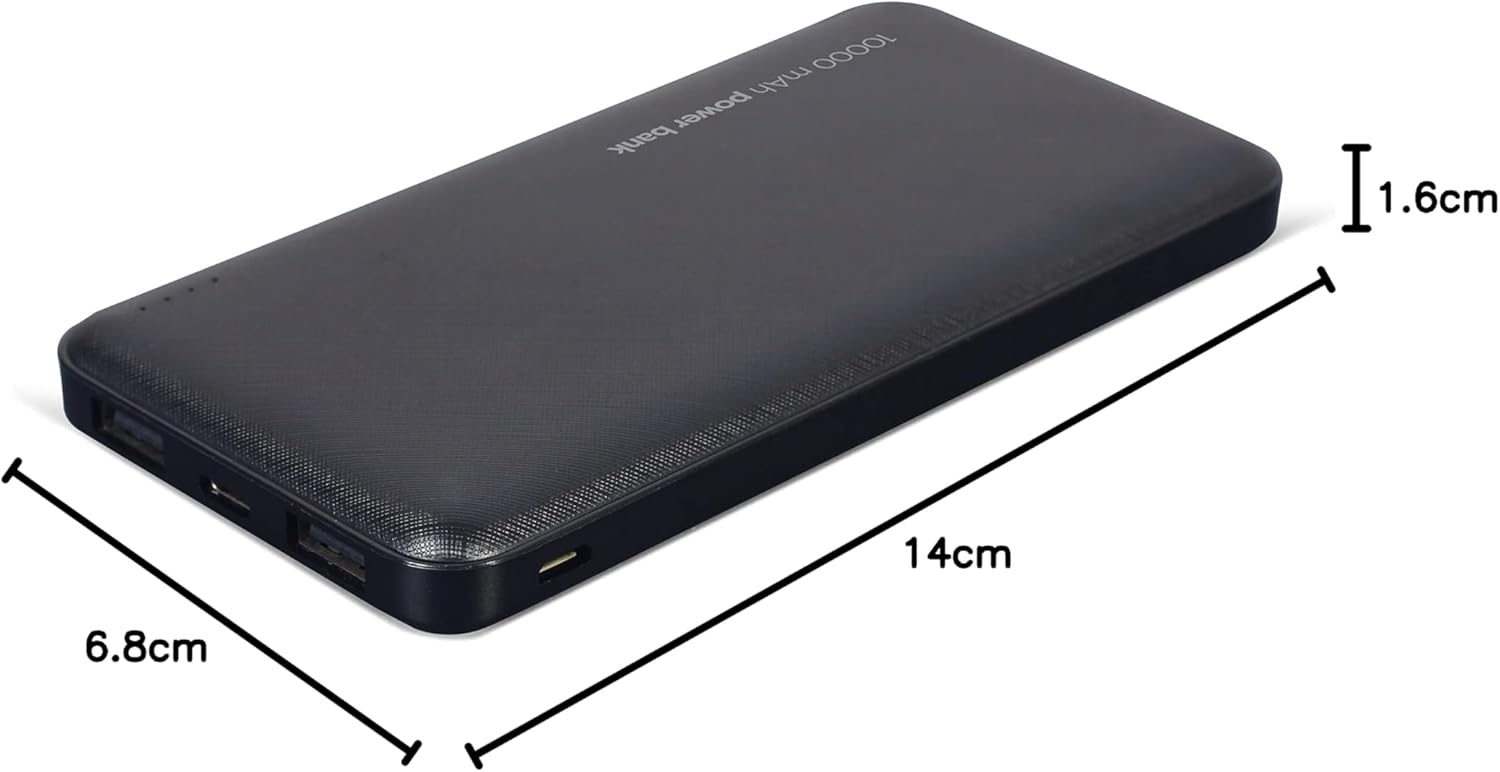
Image: The Gembird Powerbank with its approximate dimensions: 14cm length, 6.8cm width, and 1.6cm thickness.
| Awoṣe | PB10-02 |
| Batiri Iru | Li-polima |
| Agbara | 10,000 mAh |
| Wọle (USB Micro) | 5V DC, 2A (Max) |
| Iṣagbewọle (Iru-C USB) | 5V DC, 2A (Max) |
| Output (USB-A x2) | 5V DC, 2.1A (Max total) |
| Awọn iwọn | Isunmọ 14 cm x 6.8 cm x 1.6 cm |
| Iwọn | O fẹrẹ to 200 g |
| Àwọ̀ | Dudu |
Atilẹyin ọja ati Support
Gembird products are manufactured to the highest quality standards. For information regarding warranty terms and conditions, please refer to the warranty card included with your product or visit the official Gembird website. If you encounter any issues or have questions not covered in this manual, please contact Gembird customer support through their official channels.
Fun alaye atilẹyin ti ode-ọjọ, jọwọ ṣabẹwo: www.gembird.com


