Ọrọ Iṣaaju
Thank you for choosing the Varmilo Minilo VXB67 65% Bluetooth Mechanical Keyboard. This manual provides detailed instructions for setting up, operating, and maintaining your new keyboard. The VXB67 offers a compact 65% layout, dual-mode connectivity (wired USB-C and Bluetooth), and a comfortable typing experience with Varmilo EC Daisy V2 switches and durable ABS double-shot keycaps. It also features a Type-Cool sound dampening structure for a clear typing sound.

Image: The Varmilo Minilo VXB67 keyboard, showcasing apẹrẹ kekere ati eto awọ rẹ.
Package Awọn akoonu
Jọwọ ṣayẹwo awọn akoonu package lati rii daju pe gbogbo awọn ohun kan wa:
- Varmilo Minilo VXB67 Mechanical Keyboard
- Okun USB-C
- Keycap Puller
- Yipada Puller
- Ideri Eruku
- Afowoyi Olumulo (iwe-ipamọ yii)

Image: The Varmilo Minilo VXB67 keyboard alongside its USB-C cable, keycap puller, switch puller, and a clear dust cover.
Ṣeto
1. Ti firanṣẹ Asopọ
- Wa ibudo USB-C lori keyboard.
- So opin kan ti okun USB-C ti a pese mọ keyboard naa.
- So opin miiran ti okun USB-C si ibudo USB ti o wa lori kọnputa rẹ.
- Awọn bọtini itẹwe yoo jẹ idanimọ laifọwọyi nipasẹ ẹrọ iṣẹ rẹ.
2. Asopọ Bluetooth
The VXB67 keyboard can connect to up to 3 devices via Bluetooth.
- Rí i dájú pé keyboard náà ti gba agbára tàbí pé ó ti so pọ̀ nípasẹ̀ USB-C.
- Turn on Bluetooth on your device (computer, tablet, or smartphone).
- Lórí keyboard, tẹ kí o sì di mọ́lẹ̀ Fn bọtini ati ọkan ninu awọn bọtini Bluetooth (Q, W, tabi E) for 3-5 seconds to enter pairing mode. The indicator light will flash.
- On your device, search for Bluetooth devices and select "Varmilo VXB67" (or similar) from the list.
- Ni kete ti a ba so pọ, ina Atọka lori bọtini itẹwe yoo da didan duro yoo duro ṣinṣin.
- Repeat for up to two additional devices using the other Bluetooth keys.
3. Siṣàtúnṣe Keyboard igun
The keyboard features 3-level adjustable kickstands on the bottom to customize your typing angle for comfort.

Image: The underside of the keyboard, highlighting the foldable kickstands for ergonomic adjustment.
Video: Demonstrates the features of the Varmilo Minilo Eucalyptus keyboard, including the adjustable kickstands and multi-device connectivity.
Awọn ilana Iṣiṣẹ
1. Keycap ati Yipada Rirọpo
The VXB67 features hot-swappable switches, allowing you to change switches without soldering. Use the provided keycap and switch pullers for this process.
- Yiyọ awọn bọtini bọtini kuro: Use the keycap puller to gently grip the keycap and pull upwards.
- Yiyọ Awọn Yipada: Use the switch puller to carefully grip the top and bottom clips of the switch and pull upwards.
- Fifi sori Awọn Yipada: Align the pins of the new switch with the holes on the PCB. Press down firmly until the switch clicks into place. Ensure pins are not bent.
- Fifi sori awọn bọtini bọtini: Place the keycap over the switch stem and press down gently until it is secure.
Video: Demonstrates the process of changing switches and keycaps on the Varmilo Minilo 67 keyboard.
2. Iṣakoso Backlight
The keyboard features white LED backlighting. Use the following key combinations to control the backlight:
- Fn + \ |: Cycle through backlight effects.
- Fn + ↑: Mu imọlẹ ina ẹhin pọ si.
- Fn + ↓: Dín ìmọ́lẹ̀ ẹ̀yìn kù.
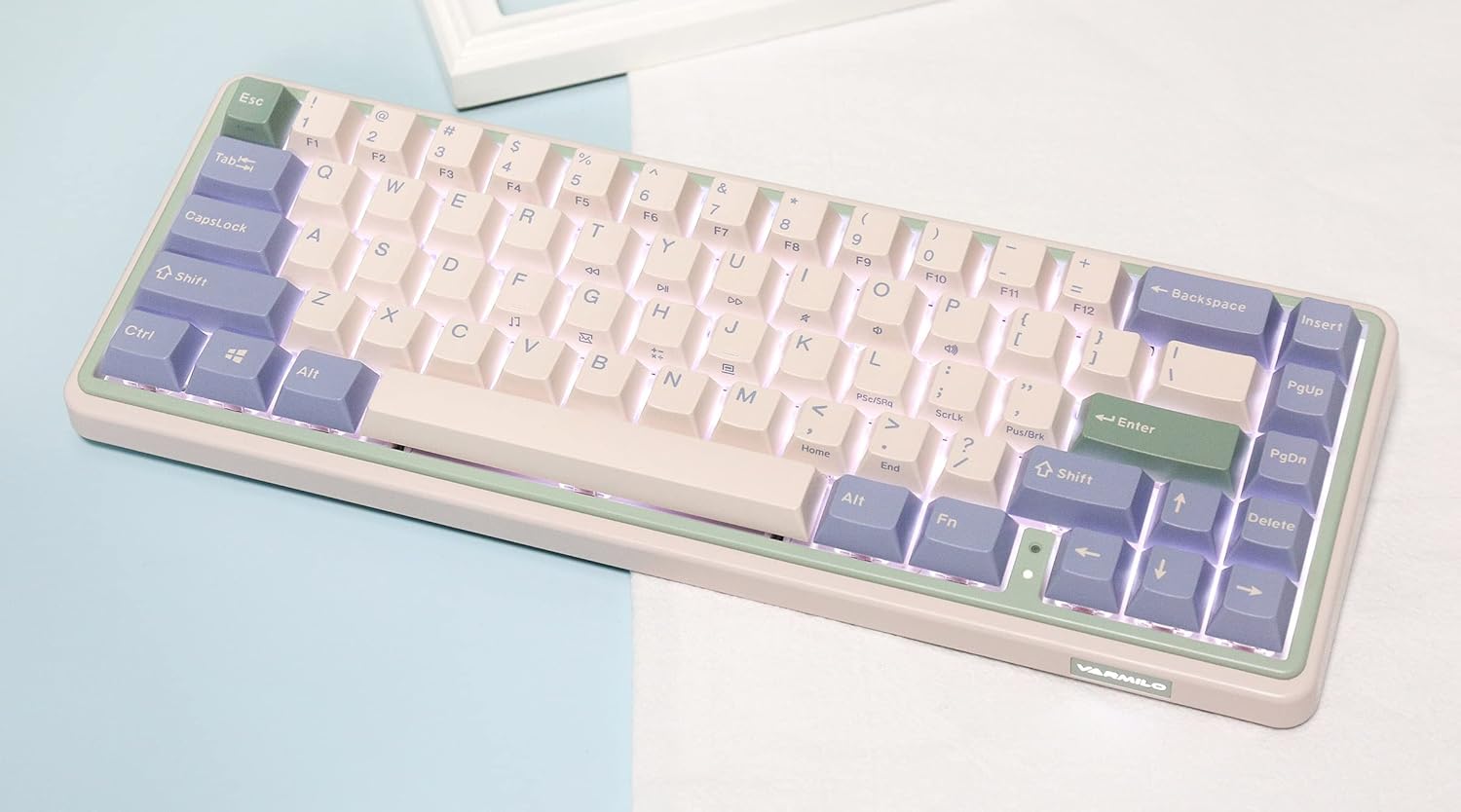
Image: The Varmilo Minilo VXB67 keyboard illuminated by its white LED backlighting.
3. Olona-Device Yipada
To switch between paired Bluetooth devices:
- Tẹ Fn + Q to switch to Bluetooth Device 1.
- Tẹ Fn + W to switch to Bluetooth Device 2.
- Tẹ Fn + E to switch to Bluetooth Device 3.
The keyboard will quickly connect to the selected device.
Itoju
- Ninu: Use a soft, dry cloth to wipe the keyboard surface. For deeper cleaning, remove keycaps using the provided keycap puller and use compressed air to clear debris.
- Ngba agbara batiri: Connect the keyboard via the USB-C cable to a power source (computer USB port or USB wall adapter). The Escape key will light up while charging and flash when the battery is low.
- Ibi ipamọ: When not in use, store the keyboard in a cool, dry place. Use the provided dust cover to protect it from dust and spills.
Laasigbotitusita
- Keyboard ti ko dahun (Ti firanṣẹ):
- Rii daju pe okun USB-C ti sopọ ni aabo si keyboard mejeeji ati kọnputa naa.
- Gbiyanju ibudo USB ti o yatọ lori kọnputa rẹ.
- Gbiyanju okun USB-C ti o yatọ.
- Kííbọọ̀dù kò dáhùn (Bluetooth):
- Rii daju pe Bluetooth ti ṣiṣẹ lori ẹrọ rẹ.
- Rii daju pe o ti gba agbara fun keyboard.
- Re-enter pairing mode (Fn + Q/W/E) and attempt to re-pair with your device.
- Forget the device on your computer/tablet/phone and try pairing again.
- Awọn bọtini ko forukọsilẹ:
- Ensure the keycap and switch are properly seated. Remove and re-install if necessary.
- If using hot-swappable switches, ensure the switch pins are not bent.
- Imọlẹ ẹhin ko ṣiṣẹ:
- Check backlight brightness settings (Fn + ↑/↓).
- Ensure the keyboard is not in a low power state.
Awọn pato
| Awoṣe | VXB67 |
| Ìfilélẹ | 65% (awọn bọtini 67) |
| Asopọmọra | Bluetooth 5.0, USB-C Ti firanṣẹ |
| Yipada | Varmilo EC Daisy V2 (Hot-swappable) |
| Awọn bọtini itẹwe | 1.5mm thick ABS Double Shot |
| Imọlẹ ẹhin | LED funfun |
| Agbara Batiri | 3400mAh |
| Awọn ẹrọ ibaramu | PC (and other Bluetooth-enabled devices) |
| Ohun elo | Acrylonitrile Butadiene Styrene (ABS) |
| Awọn iwọn | Approx. 15 x 7 x 2.5 inches (based on package dimensions) |
| Iwọn | 3.21 iwon |
Atilẹyin ọja ati Support
For warranty information and technical support, please refer to the official Varmilo webojula tabi kan si alagbata rẹ. Jeki ẹri rira rẹ fun awọn iṣeduro atilẹyin ọja.
Varmilo Osise Webojula: www.varmilo.com


