1. Ifihan
Welcome to the user manual for your Tunturi Centuri S100 Sprinter Exercise Bike. This manual provides essential information for the safe assembly, operation, maintenance, and troubleshooting of your new fitness equipment. Please read this manual thoroughly before using the exercise bike to ensure proper usage and to maximize your training experience.

Image 1.1: The Tunturi Centuri S100 Sprinter Exercise Bike, a robust indoor cycling solution.
2. Awọn Ilana Aabo pataki
Before beginning any exercise program, consult with your physician. It is essential to follow these safety guidelines to prevent injury and ensure the longevity of your equipment.
- Always place the exercise bike on a flat, stable surface.
- Ensure adequate clear space around the bike (at least 0.6 meters or 2 feet).
- Jeki awọn ọmọde ati awọn ohun ọsin kuro ninu ẹrọ nigba lilo.
- Wọ bata elere idaraya ati aṣọ.
- Inspect the bike for loose or damaged parts before each use. Do not use if damaged.
- Ṣètò ìjókòó àti ọ̀pá ìdábùú sí ipò tó rọrùn àti ààbò kí o tó bẹ̀rẹ̀ ìdánrawò rẹ.
- Use the emergency stop switch immediately if you feel unwell or experience any discomfort.
- Maximum user weight for this device is 150 kg (330 lbs).
3. Eto ati Apejọ
The Tunturi Centuri S100 Sprinter Exercise Bike requires some assembly. Please follow the detailed assembly instructions provided in the separate assembly guide included with your product. Once assembled, ensure all bolts and nuts are securely tightened.
3.1 Ṣíṣe àtúnṣe kẹ̀kẹ́ náà
Proper adjustment of the seat and handlebars is crucial for comfort and effective training.
- Atunṣe ijoko: The seat can be adjusted both vertically and horizontally. Loosen the adjustment knob located beneath the seat post, slide the seat to your desired position, and then securely tighten the knob.
- Atunse Pẹpẹ Handlebar: The handlebars can be moved forward, backward, up, and down. Loosen the adjustment knob on the handlebar post, position the handlebars for optimal comfort and reach, and then firmly tighten the knob.
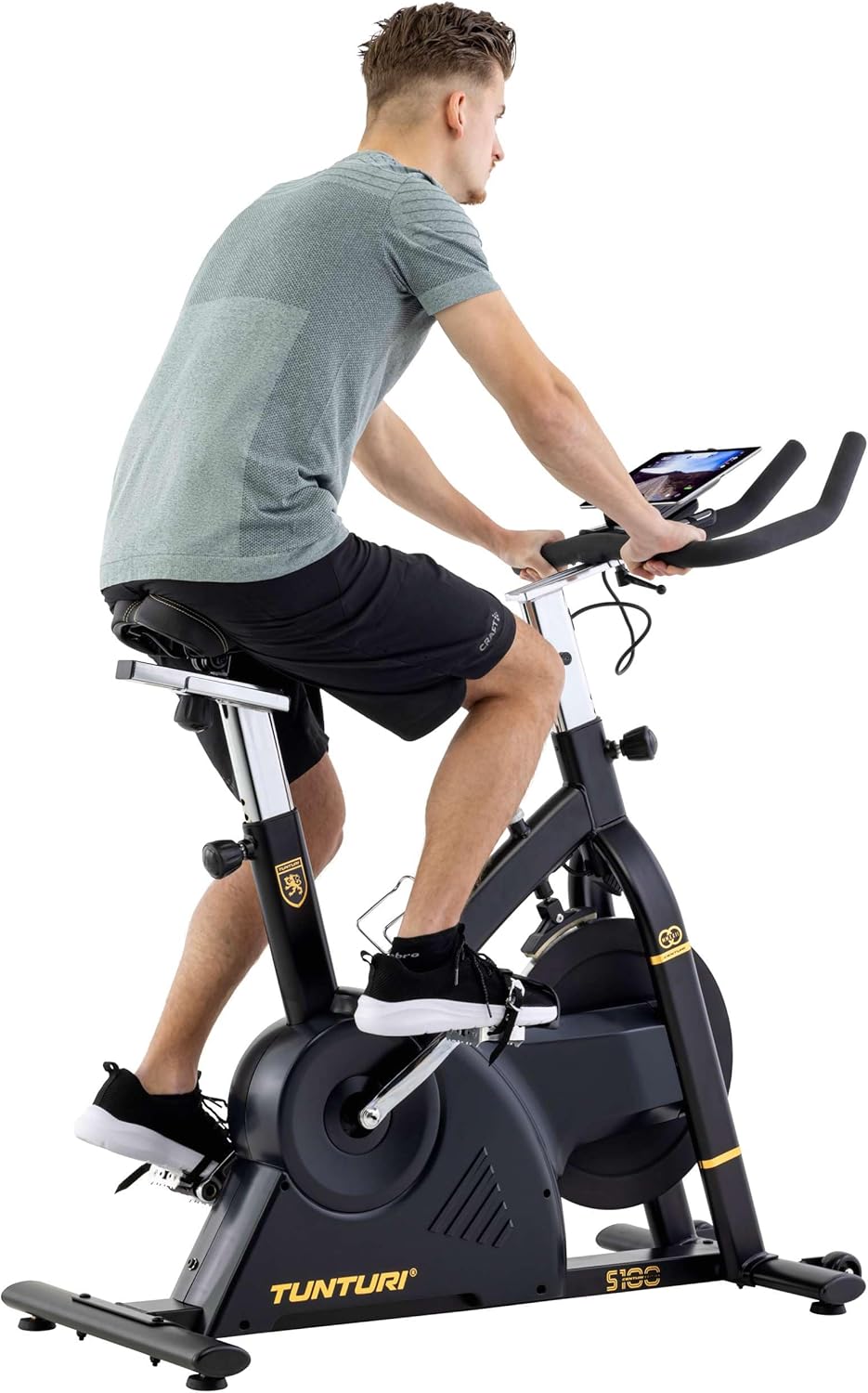
Image 3.1: A user adjusting the handlebars for a personalized fit.

Image 3.2: Proper riding posture on the Tunturi S100, demonstrating adjusted seat and handlebars.
4. Awọn ilana Iṣiṣẹ
4.1 Kọnsolù Lóríview
The S100 features a 5.5-inch backlit LCD display that shows important training parameters.

Image 4.1: Close-up of the S100's 5.5-inch backlit LCD display, showing time, pulse, speed, distance, watts, and calories.
The display provides real-time feedback on:
- Àkókò: Iye akoko adaṣe rẹ.
- Pulu: Heart rate (measured via handlebar sensors or compatible chest strap).
- Iyara: Iyara gigun kẹkẹ lọwọlọwọ.
- Ijinna: Lapapọ ijinna ti a bo lakoko adaṣe naa.
- Awọn kalori: Awọn kalori ifoju sun.
- Watt: Power output in watts.
Use the buttons below the display (RESET, START/STOP, RECOVERY, UP, MODE, DOWN) to navigate menus, select programs, and adjust settings.
4.2 Resistance and Programs
The S100 offers a varied and intense training experience with:
- 32 Resistance Levels: Adjust the intensity of your workout using the console controls.
- 21 Awọn eto: Choose from a variety of pre-set programs designed for different fitness goals. Refer to the console manual for detailed program descriptions.
4.3 Bluetooth Connectivity and Apps
The Tunturi S100 connects via Bluetooth to popular fitness applications, enhancing your training options.
- Awọn ohun elo ibaramu: Zwift, iConsole+ Training, and Kinomap.
- Awọn ipa ọna Tunturi: Experience virtual routes around the globe through compatible applications.
Lati sopọ:
- Rii daju pe Bluetooth ti ṣiṣẹ lori foonuiyara tabi tabulẹti rẹ.
- Download and open your preferred fitness app (e.g., Zwift, iConsole+ Training, Kinomap).
- Follow the app's instructions to pair with your Tunturi S100 exercise bike.
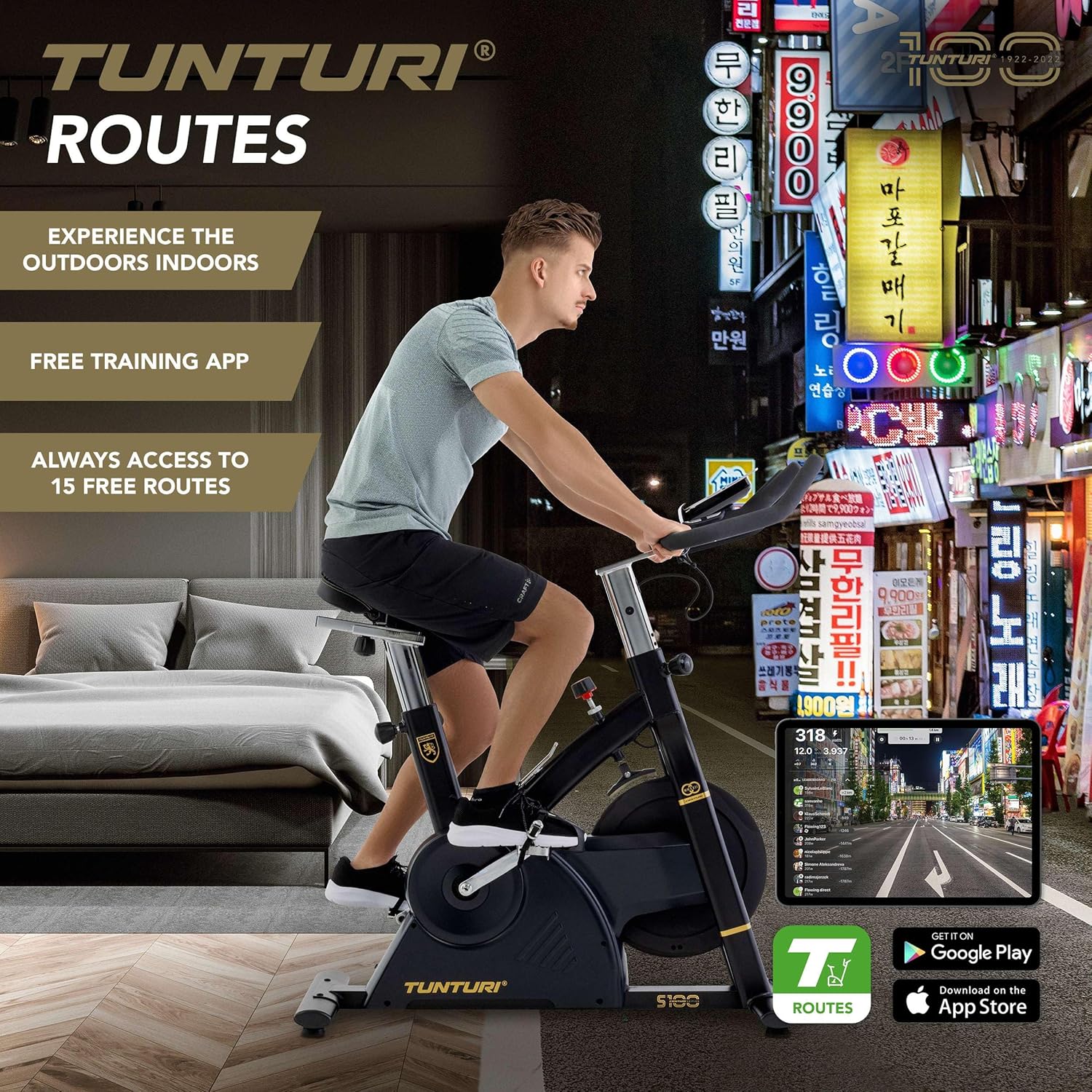
Image 4.2: A user engaging in a virtual cycling experience using the Tunturi Routes app on a tablet, connected via Bluetooth.

Image 4.3: The Tunturi Routes application interface displayed on a tablet, showcasing various training options and real-life video routes.
4.4 Afikun Awọn ẹya ara ẹrọ
- Yipada Iduro Pajawiri: Located on the frame, this switch allows for immediate cessation of the flywheel rotation for safety.
- Dimu tabulẹti: A convenient holder is integrated into the console for your tablet or smartphone.
- Dimu igo: Keep hydrated during your workout with the easily accessible bottle holder.
- Awọn kẹkẹ gbigbe: For easy relocation, the bike is equipped with transport wheels at the front stabilizer.
5. Itọju
Regular maintenance ensures the longevity and optimal performance of your Tunturi Centuri S100.
- Ninu: Pa keke naa kuro pẹlu ipolowoamp asọ lẹhin lilo kọọkan lati yọ lagun ati eruku kuro. Yago fun abrasive ose.
- Ayewo: Máa ṣàyẹ̀wò gbogbo àwọn bulọ́ọ̀tì, èso, àti àwọn ẹ̀yà tí ń gbéra láti mọ̀ bóyá wọ́n le koko tàbí wọ́n ti bàjẹ́. Mú kí àwọn ohun tí ó ń so mọ́ ara wọn di.
- Lubrication: Consult the separate assembly guide for any specific lubrication requirements for moving parts.
- Ibi ipamọ: Tọ́jú kẹ̀kẹ́ náà sí ibi gbígbẹ àti tútù, níbi tí oòrùn kò ti lè mú kí ó tàn tààrà tàbí kí ó má baà mú kí ó gbóná dáadáa.
6. Laasigbotitusita
If you encounter any issues with your Tunturi Centuri S100, refer to the following common problems and solutions.
| Isoro | Owun to le Fa | Ojutu |
|---|---|---|
| Konsoolu ko ṣe afihan data. | Asopọ okun waya ti o ni alaimuṣinṣin, awọn batiri ti o ti ku (ti o ba wulo). | Check all cable connections to the console. Replace batteries if the console is battery-powered. |
| Ariwo dani nigbati isẹ. | Loose parts, friction, or internal component issue. | Inspect all visible bolts and nuts for tightness. Ensure the bike is on a level surface. If noise persists, contact customer support. |
| Resistance not changing. | Issue with the resistance mechanism or console connection. | Ensure the console is properly connected. If the problem continues, contact customer support. |
| Bluetooth Asopọmọra oran. | Bluetooth not enabled, app issues, or interference. | Ensure Bluetooth is on for both devices. Restart the app and the bike. Move closer to the bike to reduce interference. |
For issues not listed here, or if solutions do not resolve the problem, please contact Tunturi customer support.
7. Awọn pato
| Ẹya ara ẹrọ | Ẹ̀kúnrẹ́rẹ́ |
|---|---|
| Awoṣe | Tunturi Centuri S100 Sprinter Exercise Bike |
| Awọn iwọn (L x W x H) | 110 x 52 x 120 cm (43.3 x 20.5 x 47.2 inches) |
| Iwọn Ọja | 45.25 kg (99.7 lbs) |
| O pọju User iwuwo | 150 kg (330 lbs) |
| Ifihan | 5.5-inch Backlit LCD |
| Awọn ipele Resistance | 32 |
| Awọn eto | 21 |
| Braking System | PMS, Servomotor |
| Iwuwo Flywheel | 17 kg (37.5 lbs) |
| Asopọmọra | Bluetooth (Zwift, iConsole+ Training, Kinomap compatible) |
| Ohun elo | Cast iron, plastic, metal, foam |
| Pataki Awọn ẹya ara ẹrọ | Adjustable seat (vertical & horizontal), adjustable handlebars (forward/backward, up/down), tablet holder, bottle holder, transport wheels, emergency stop switch. |
8. Atilẹyin ọja ati Support
For detailed warranty information, please refer to the warranty card included with your product or visit the official Tunturi webojula.
If you require technical assistance, spare parts, or have any questions regarding your Tunturi Centuri S100, please contact Tunturi customer support. Contact details can typically be found on the Tunturi webaaye tabi ninu apoti ọja rẹ.


