Ọrọ Iṣaaju
This manual provides detailed instructions for the Strex Bluetooth 2-in-1 Transmitter and Receiver, Model SP173. This versatile device allows you to wirelessly transmit or receive audio signals, enhancing your audio experience with various devices.
The Strex Bluetooth adapter supports both Atagba (TX) ati Olugba (RX) modes, utilizing Bluetooth 5.0 technology for stable, high-quality audio transmission.
Package Awọn akoonu
- Strex Bluetooth 2-in-1 Audio Transmitter/Receiver
- Micro USB Power Cable
- 3.5mm AUX Audio Cable
- 3.5mm to RCA Cable
- Afowoyi Olumulo (iwe-ipamọ yii)

Ẹrọ ti pariview
Familiarize yourself with the various components and ports of your Strex Bluetooth adapter.

- Tan/Pa Yipada: Fi agbara ẹrọ si tan tabi pa.
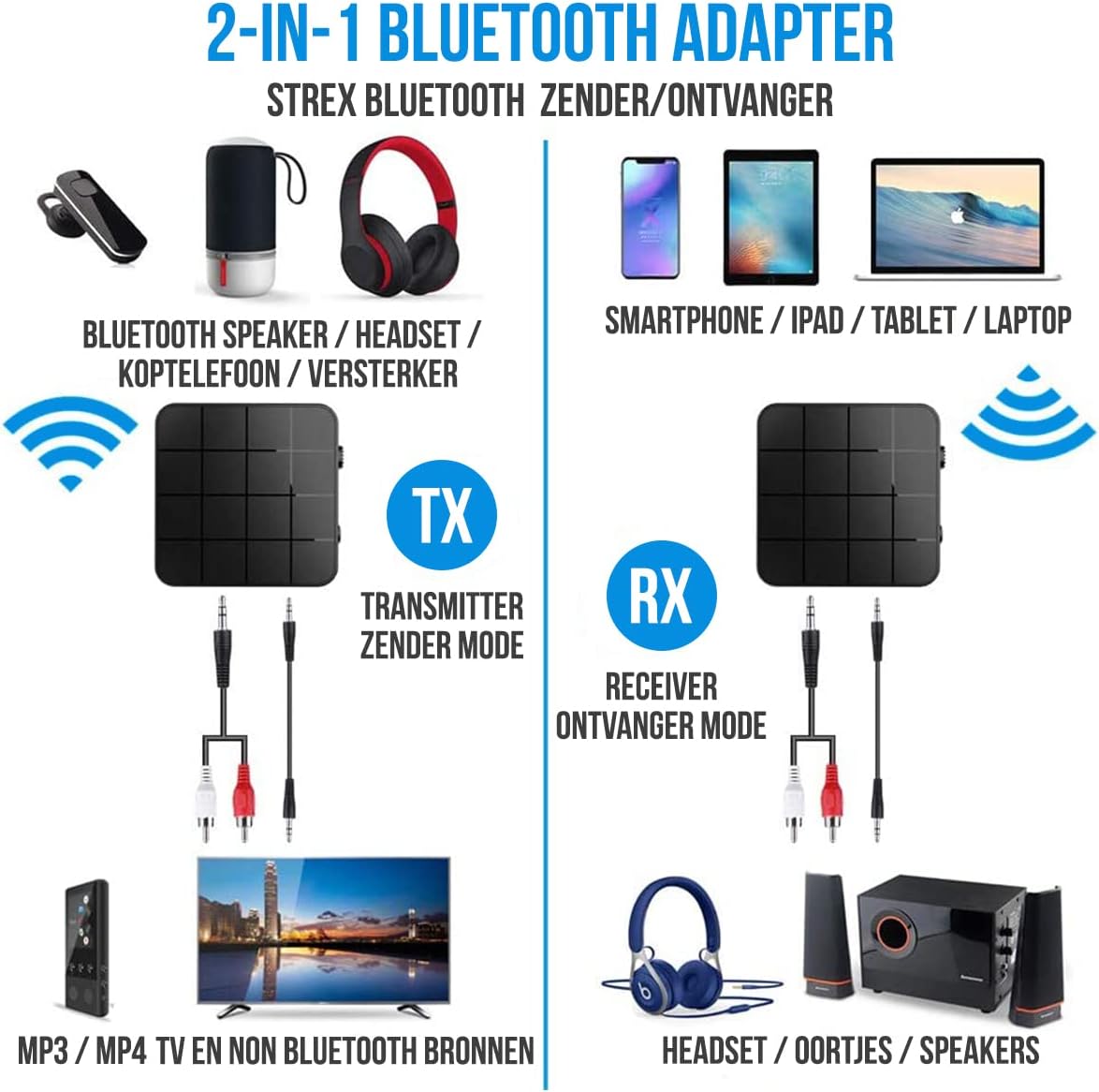
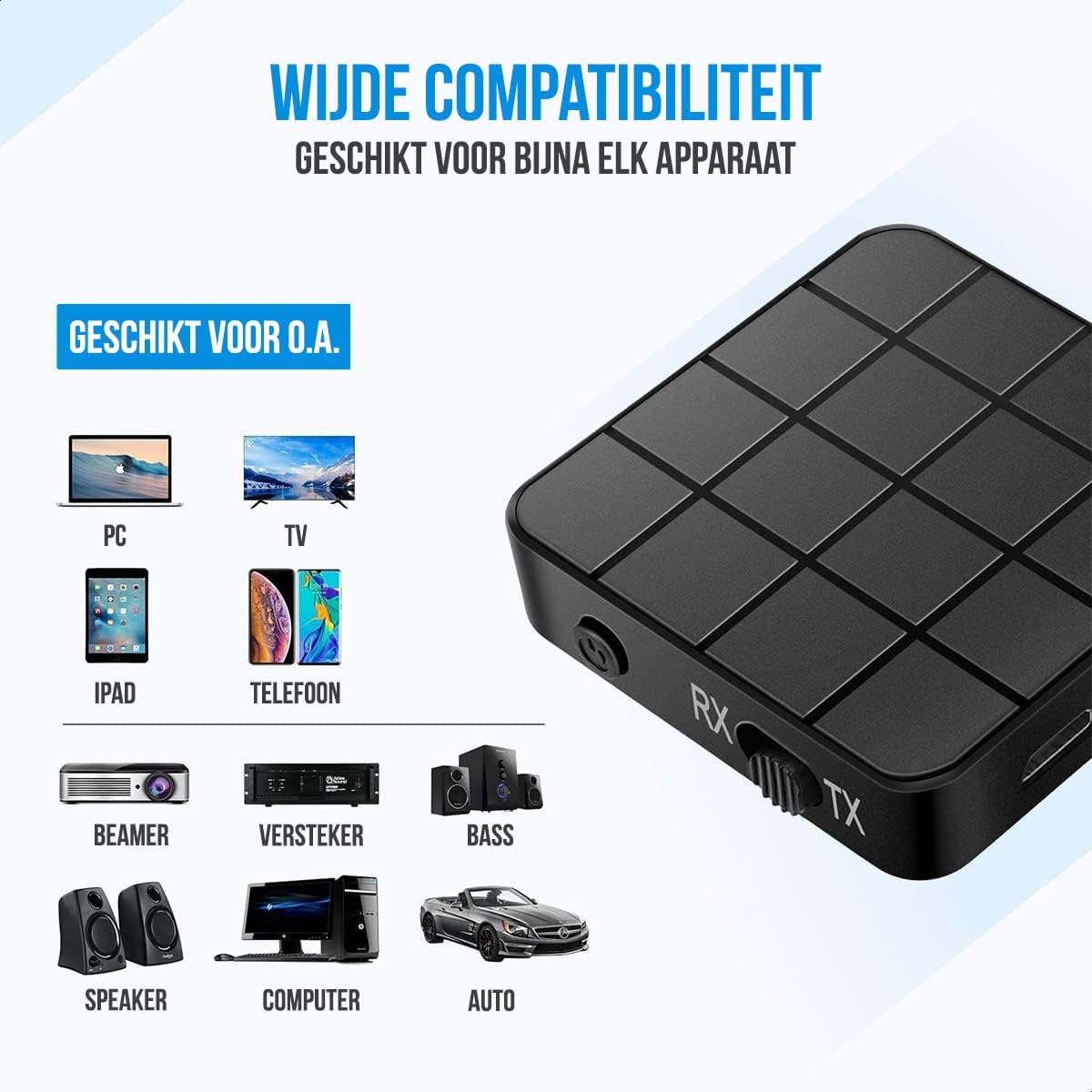
- Mode Switch (RX/TX): Selects between Receiver (RX) and Transmitter (TX) modes.
- Ipo LED: Indicates power, pairing, and connection status.
- Ibudo gbigba agbara USB Micro: Fun gbigba agbara ti abẹnu batiri.
- Ìbáwọlé/Ìjáde ohùn 3.5mm: Connects to audio sources or output devices using the provided cables.
Eto ati isẹ
Ngba agbara si Ẹrọ
Before first use, ensure the device is fully charged. Connect the Micro USB power cable to the charging port on the adapter and the other end to a USB power source (e.g., computer USB port, USB wall adapter).
- Gbigba agbara kikun gba to bii 90 iṣẹju.
- The device provides up to 6-8 wakati of continuous playtime on a single charge.

Ipo olugba (RX).
In RX mode, the Strex adapter receives audio wirelessly from a Bluetooth-enabled device (e.g., smartphone, tablet) and outputs it to a non-Bluetooth audio system (e.g., wired speakers, car stereo).
- Yipada ẹrọ naa si Ipo RX using the mode selector switch.
- Connect the Strex adapter to your non-Bluetooth audio system using either the 3.5mm AUX okun tabi awọn 3.5mm si okun RCA.
- Power on the Strex adapter. The Status LED will indicate pairing mode (typically blinking blue).
- On your Bluetooth-enabled device (e.g., smartphone), go to Bluetooth settings and search for available devices. Select "Strex" (or similar name) to pair.
- Once paired, the Status LED will show a solid blue light. You can now stream audio from your device to your audio system.

Ipo Atagba (TX).
In TX mode, the Strex adapter transmits audio wirelessly from a non-Bluetooth audio source (e.g., TV, PC, old stereo system) to a Bluetooth-enabled receiving device (e.g., Bluetooth headphones, Bluetooth speakers).
- Yipada ẹrọ naa si Ipo TX using the mode selector switch.
- Connect the Strex adapter to your non-Bluetooth audio source (e.g., TV's audio output) using either the 3.5mm AUX okun tabi awọn 3.5mm si okun RCA.
- Power on the Strex adapter. The Status LED will indicate pairing mode.
- Fi awọn agbekọri Bluetooth rẹ tabi awọn agbohunsoke sinu ipo sisọpọ.
- The Strex adapter will automatically search for and connect to nearby Bluetooth receiving devices. Once connected, the Status LED will show a solid light.
- Ensure your Bluetooth headphones/speakers are unpaired from any other devices (e.g., smartphone) before attempting to pair with the Strex adapter in TX mode.

Important Notes on Operation:
- The adapter cannot simultaneously send and receive audio. It must be set to either TX or RX mode.
- For optimal performance, ensure the adapter is within 10 meters (33 feet) of the connected Bluetooth device.
- Bluetooth 5.0 provides HD Audio with minimal latency, but some older Bluetooth devices may experience slight synchronization differences.
Itoju
- Ninu: Lo asọ asọ ti o gbẹ lati nu ẹrọ naa. Maṣe lo awọn olutọpa olomi tabi awọn aerosols.
- Ibi ipamọ: Tọju ẹrọ naa ni itura, aye gbigbẹ kuro lati orun taara ati awọn iwọn otutu to gaju.
- Itọju Batiri: Lati pẹ aye batiri, yago fun gbigba agbara si batiri ni kikun nigbagbogbo. Gba agbara si ẹrọ nigbagbogbo, paapaa ti ko ba wa ni lilo fun awọn akoko ti o gbooro sii.
Laasigbotitusita
- Ko si Agbara:
Ensure the device is charged. Connect it to a power source using the Micro USB cable and allow it to charge for at least 15 minutes before attempting to power on.
- Cannot Pair in RX Mode:
Make sure the adapter is in RX mode. Ensure your smartphone/tablet's Bluetooth is enabled and it is searching for new devices. If previously paired, try unpairing and re-pairing. Keep the devices within 10 meters.
- Cannot Pair in TX Mode:
Verify the adapter is in TX mode. Ensure your Bluetooth headphones/speakers are in pairing mode and are not connected to any other device. Some devices may require you to manually initiate pairing on the adapter (refer to Status LED indications).
- Ko si Ifihan/Ibuwọlu Ohùn:
Check all cable connections (3.5mm AUX or RCA) are secure. Ensure the volume on both the adapter and the connected audio device is turned up. Confirm the correct input/output source is selected on your audio system/TV.
- Audio Lag/Poor Quality:
Ensure devices are within range and there are no significant obstructions. Reduce interference from other wireless devices. While Bluetooth 5.0 minimizes lag, some older audio sources or receiving devices might introduce slight delays.
Awọn pato
| Nọmba awoṣe | SP173 |
| Ẹya Bluetooth | Bluetooth 5.0 (A2DP, AVRCP in Receiver mode) |
| Awọn ọna ṣiṣe | Atagba (TX) ati Olugba (RX) |
| Asopọmọra | 3.5mm AUX, RCA (via 3.5mm to RCA cable) |
| Alailowaya Ibiti | Titi de awọn mita 10 (33 ẹsẹ) |
| Batiri Iru | Li-polima |
| Agbara Batiri | 200 mAh |
| Akoko ere | O fẹrẹ to awọn wakati 6-8 |
| Akoko gbigba agbara | O fẹrẹ to iṣẹju 90 |
| Awọn iwọn (L x W x H) | 4.4 x 4.4 x 1.2 cm (1.73 x 1.73 x 0.47 inches) |
| Iwọn | 18 giramu (0.63 iwon) |
| Ohun elo | Ṣiṣu |
| Awọn ẹrọ ibaramu | Smartphones, Tablets, PCs, TVs, Audio Systems, Headphones, Speakers |

Alaye Aabo
- Do not dispose of batteries in fire. Batteries may explode.
- Jeki ẹrọ naa kuro ninu omi ati ọriniinitutu pupọ.
- Ma ṣe gba agbara si ẹrọ nitosi awọn ohun elo ina.
- The device has an operating range of 10 meters and may interfere with other wireless devices within this range.
- Always adhere to local regulations for the disposal of electronic waste.
Atilẹyin ọja ati Support
Specific warranty details are not provided in this manual. For warranty information or technical support, please refer to the product packaging or contact Strex customer service through their official webaaye tabi alagbata ti o ti ra ọja naa.


