1. Ifihan
This manual provides essential instructions for the safe and efficient operation, maintenance, and troubleshooting of your Cecotec Cumbia Power Matic-ccino 9000 S automatic coffee machine. Please read this manual thoroughly before first use and keep it for future reference.
The Cecotec Cumbia Power Matic-ccino 9000 S is a mega-automatic coffee machine featuring a Plug&Play system, designed to prepare a wide variety of coffees with a single touch. It offers 20 types of hot beverages, including espresso, ristretto, lungo, doppio, americano, latte, flat white, latte macchiato, cortado, hot milk, and cappuccino.
Key features include a Custom Coffee System for personalizing intensity, temperature, pressure, coffee quantity, milk, cream, and foam, as well as the pouring order. The machine can memorize your favorite coffee settings for quick access. It incorporates a rapid Thermoblock heating system for optimal temperature and a powerful 19-bar ForceAroma pressure pump for maximum cream and aroma. The All Cappuccino System automatically adds milk or foam for perfect lattes and cappuccinos.
The machine is equipped with a high-quality, interactive touch control panel, a 250g bean reservoir with an airtight lid, an integrated conical grinder with 5 grinding levels, and a removable 1.7L water tank. It also includes a 500ml Full Latte milk tank accessory and features an adjustable coffee spout (10.5 cm to 15 cm) and a cup warmer tray.

Aworan 1.1: Pariview of the Cecotec Cumbia Power Matic-ccino 9000 S coffee machine, showing two cups of coffee being dispensed and the milk tank.
2. Awọn ilana aabo
Nigbagbogbo tẹle awọn iṣọra aabo ipilẹ nigba lilo awọn ohun elo itanna lati dinku eewu ina, mọnamọna, ati ipalara.
- Ka gbogbo awọn ilana ṣaaju lilo.
- Maṣe fi ohun elo, okun agbara, tabi pulọọgi sinu omi tabi awọn olomi miiran.
- Rii daju voltage itọkasi lori ohun elo ibaamu awọn mains agbegbe rẹ voltage.
- Pa ohun elo naa kuro ni arọwọto awọn ọmọde.
- Yọọ ohun elo kuro ni iṣan agbara nigbati ko si ni lilo ati ṣaaju ṣiṣe mimọ.
- Ma ṣe ṣiṣẹ ohun elo pẹlu okun ti o bajẹ tabi plug.
- Ma ṣe lo awọn ẹya ẹrọ ti olupese ṣe iṣeduro.
- Lo ohun elo nikan fun idi ile ti a pinnu rẹ.
- Yago fun olubasọrọ pẹlu gbona roboto.
3. Ọja irinše
Familiarize yourself with the main parts of your coffee machine:
- Control Panel / Touch Screen
- Coffee Bean Hopper with Airtight Lid
- Water Tank (Removable, 1.7L capacity)
- Coffee Spout (Adjustable height)
- Drip Tray and Grids
- Ilẹ Kofi Eiyan
- Milk Tank (Full Latte, 500ml capacity)
- Cup igbona Atẹ
- Okun agbara

Image 3.1: Close-up of the interactive touch control panel, showing beverage selection options.
4. Eto
4.1 Unpacking ati Ibi Ibẹrẹ
- Fara yọ gbogbo awọn ohun elo apoti kuro.
- Place the machine on a stable, flat, heat-resistant surface, away from water sources and direct heat.
- Rii daju pe fentilesonu to ni ayika ohun elo naa.
4.2 Ni ibẹrẹ Cleaning
- Wash the removable water tank, milk tank, drip tray, and ground coffee container with warm, soapy water. Rinse thoroughly and dry.
- Mu ese ita ẹrọ naa pẹlu ipolowoamp asọ.
4.3 Kikun Omi Omi
- Remove the 1.7L water tank from the back of the machine.
- Fọwọsi rẹ pẹlu titun, omi tẹ ni kia kia tutu titi di afihan ipele MAX.
- Reinsert the water tank securely into its position.
4.4 Àgbáye Bean Hopper
- Open the airtight lid of the coffee bean hopper located on top of the machine.
- Tú awọn ewa kofi titun sinu hopper. Maṣe kun.
- Close the lid firmly to preserve aroma.
4.5 Connecting the Milk Tank (Optional)
- If preparing milk-based beverages, fill the 500ml Full Latte milk tank with fresh milk.
- Connect the milk tank to the designated port on the coffee machine as per the diagram in the quick start guide.
4.6 First Lo / Priming
- Pulọọgi ẹrọ naa sinu iṣan agbara ti ilẹ.
- Follow the on-screen instructions for the initial priming cycle. This typically involves dispensing hot water to rinse the internal circuits.
5. Awọn ilana Iṣiṣẹ
5.1 Agbara Tan / Pa
- Press the power button on the touch screen to turn the machine on. It will perform a brief self-cleaning cycle.
- To turn off, press the power button again. The machine will perform a final rinse before shutting down.
5.2 Selecting a Beverage
- On the touch screen, browse through the 20 available beverage options.
- Tap on your desired drink (e.g., Espresso, Latte, Cappuccino).
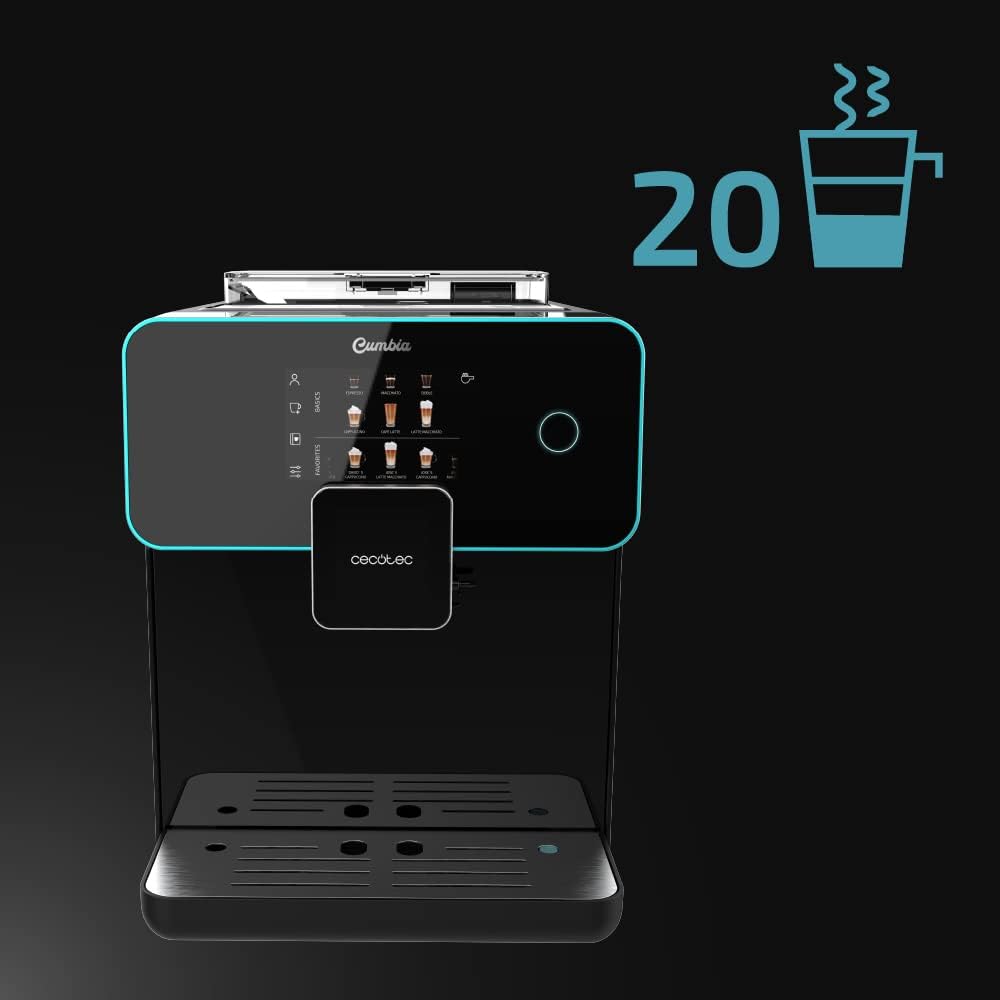
Image 5.1: The touch screen displaying the wide selection of 20 hot beverages available.
5.3 Customizing Beverages (Custom Coffee System)
- After selecting a drink, the Custom Coffee System interface will appear.
- Adjust parameters such as coffee intensity, temperature, pressure, coffee quantity, milk quantity, and foam level using the on-screen sliders.
- You can also customize the pouring order (e.g., milk first or coffee first).
- Confirm your selections to start brewing.

Image 5.2: The 'Custom Coffee' interface, allowing users to personalize various aspects of their drink.
5.4 Saving Favorite Coffees
- After customizing a beverage, you can save it as a favorite for quick access.
- Follow the on-screen prompt to name and save your personalized drink. It will appear on the main screen under your profile.

Image 5.3: Icon indicating the ability to save up to 10 user profiles or favorite drink settings.
5.5 Adjusting Spout Height
- The coffee spout can be adjusted vertically from 10.5 cm to 15 cm.
- Manually slide the spout up or down to fit your cup size, from small espresso cups to tall breakfast mugs.
5.6 Using the Cup Warmer Tray
- Place cups on the designated cup warmer tray on top of the machine.
- This feature helps maintain coffee temperature and enhances aroma and cream.
6. Itọju
Ṣiṣe deedee ati itọju ṣe idaniloju iṣẹ ṣiṣe ti o dara julọ ati igba pipẹ ti ẹrọ kofi rẹ.
6.1 Daily Cleaning
- Drip Atẹ: Tú àwo omi gbígbóná àti àwo ìfọ́ náà sílẹ̀ lójoojúmọ́ kí o sì fọ ẹ́.
- Apoti Kofi ilẹ: Empty the ground coffee container when prompted or daily to prevent mold growth.
- Eto wara: After each milk-based beverage, perform a quick rinse cycle for the milk system as prompted by the machine. For thorough cleaning, disassemble and wash the milk tank and frothing components with warm, soapy water.
6.2 Omi ojò Cleaning
- Clean the water tank weekly with warm, soapy water. Rinse thoroughly to remove any soap residue.
6.3 Bean Hopper and Grinder Maintenance
- Periodically empty the bean hopper and wipe it clean with a dry cloth. Ensure no coffee residue accumulates.
- The integrated conical grinder has 5 grinding levels. Adjust as needed for your preferred coffee strength. Refer to the on-screen menu for grinder adjustment options.
6.4 Nipasẹ
- Ẹ̀rọ náà yóò fi hàn nígbà tí ó bá yẹ kí a yọ ìgbóná kúrò nínú rẹ̀.
- Use a descaling solution recommended by Cecotec and follow the on-screen instructions for the descaling process.
- Regular descaling is crucial for maintaining machine performance and coffee quality, especially in areas with hard water.

Image 6.1: Icon representing the machine's 'Always Clean' feature, highlighting its automatic cleaning cycles.
7. Laasigbotitusita
Abala yii n ṣalaye awọn ọran ti o wọpọ ti o le ba pade. Fun awọn iṣoro ti ko ṣe akojọ si ibi, jọwọ kan si atilẹyin alabara.
| Isoro | Owun to le Fa | Ojutu |
|---|---|---|
| Ko si kofi ti a pin | Àpò omi ṣofo; ẹ̀wà kọfí ṣofo; ibi ìpèsè ọtí ti dí. | Refill water tank; refill bean hopper; clean the brewing unit as per maintenance instructions. |
| Kofi jẹ alailagbara pupọ | Grind setting too coarse; insufficient coffee quantity; old coffee beans. | Adjust grinder to a finer setting; increase coffee intensity in Custom Coffee settings; use fresh coffee beans. |
| Wara kii ṣe itọ daradara | Milk tank or frothing components dirty; milk type unsuitable; milk temperature too high/low. | Clean milk tank and frothing system thoroughly; use cold, fresh milk (preferably semi-skimmed or full-fat); ensure milk is cold. |
| Ifiranṣẹ aṣiṣe loju iboju | Specific machine fault; component not correctly inserted. | Refer to the specific error code in the full manual (if available) or contact customer support. Ensure all removable parts are correctly seated. |
8. Awọn pato
| Ẹya ara ẹrọ | Ẹ̀kúnrẹ́rẹ́ |
|---|---|
| Brand | Cecotec |
| Nọmba awoṣe | 01644 |
| Àwọ̀ | Serie Nera |
| Awọn iwọn Ọja (L x W x H) | 51.5 x 35.5 x 44 cm |
| Iwọn Nkan | 11.1 kilo |
| Omi ojò Agbara | 1.7 liters |
| Wara ojò Agbara | 500 ml (Full Latte accessory) |
| Agbara | 1500 Wattis |
| Titẹ fifa soke | 19 Bars (ForceAroma Technology) |
| Kofi Bean Hopper Agbara | 250g |
| Grinder Iru | Integrated Conical Grinder (5 levels) |
| Coffee Spout Height Adjustment | 10.5 cm si 15 cm |
| Pataki Awọn ẹya ara ẹrọ | Milk Frother, Touch Control Panel, Thermoblock System, Custom Coffee System, Auto-off |
| Ohun elo | Ṣiṣu |
| Apoju Awọn ẹya ara wiwa | ọdun meji 10 |
9. Atilẹyin ọja ati Support
9.1 atilẹyin ọja Alaye
Your Cecotec Cumbia Power Matic-ccino 9000 S coffee machine is covered by a manufacturer's warranty. Please refer to the warranty card included with your product or visit the official Cecotec webAaye fun alaye ofin ati ipo. Jeki ẹri rira rẹ fun awọn iṣeduro atilẹyin ọja.
9.2 Onibara Support
For technical assistance, spare parts, or any questions regarding your product, please contact Cecotec customer support. Contact details can typically be found on the official Cecotec webaaye tabi ni apoti ọja.


