1. Ifihan
Welcome to the user manual for your new Cecotec Cremmaet Macchia Super Automatic Coffee Machine. This manual provides essential information for the safe and efficient operation, maintenance, and troubleshooting of your appliance. Please read all instructions carefully before using the machine for the first time and keep this manual for future reference.
2. Awọn ilana aabo
Láti rí i dájú pé iṣẹ́ náà wà ní ààbò, máa tẹ̀lé àwọn ìlànà ààbò wọ̀nyí nígbà gbogbo:
- Aabo Itanna: Rii daju voltage itọkasi lori ohun elo ibaamu awọn mains agbegbe rẹ voltage before connecting. Do not immerse the appliance, power cord, or plug in water or any other liquid. Do not operate the machine with a damaged cord or plug.
- Heat and Hot Surfaces: The coffee machine generates hot water and steam. Avoid contact with hot surfaces and steam to prevent burns. Always use handles and knobs.
- Awọn ọmọde ati Awọn eeyan Alailagbara: Ohun elo yii le ṣee lo nipasẹ awọn ọmọde ti o jẹ ọdun 8 ati ju bẹẹ lọ ati awọn eniyan ti o dinku ti ara, ifarako tabi awọn agbara ọpọlọ tabi aini iriri ati imọ ti wọn ba ti fun wọn ni abojuto tabi itọnisọna nipa lilo ohun elo ni ọna ailewu ati loye awọn eewu ti o kan. . Awọn ọmọde ko gbọdọ ṣere pẹlu ohun elo naa. Ninu ati itọju olumulo ko le ṣe nipasẹ awọn ọmọde laisi abojuto.
- Ibi: Place the machine on a stable, level, heat-resistant surface, away from water sources and direct sunlight. Ensure adequate ventilation around the appliance.
- Ninu: Always unplug the machine before cleaning. Do not use abrasive cleaning agents or scourers.
3. Ọja Ipariview
Familiarize yourself with the main components of your Cecotec Cremmaet Macchia coffee machine.

Nọmba 3.1: Iwaju view of the Cecotec Cremmaet Macchia coffee machine, showcasing its compact design and elegant white and rose gold finish.

Nọmba 3.2: Close-up of the intuitive touch control panel located on the top of the machine, featuring various function icons.
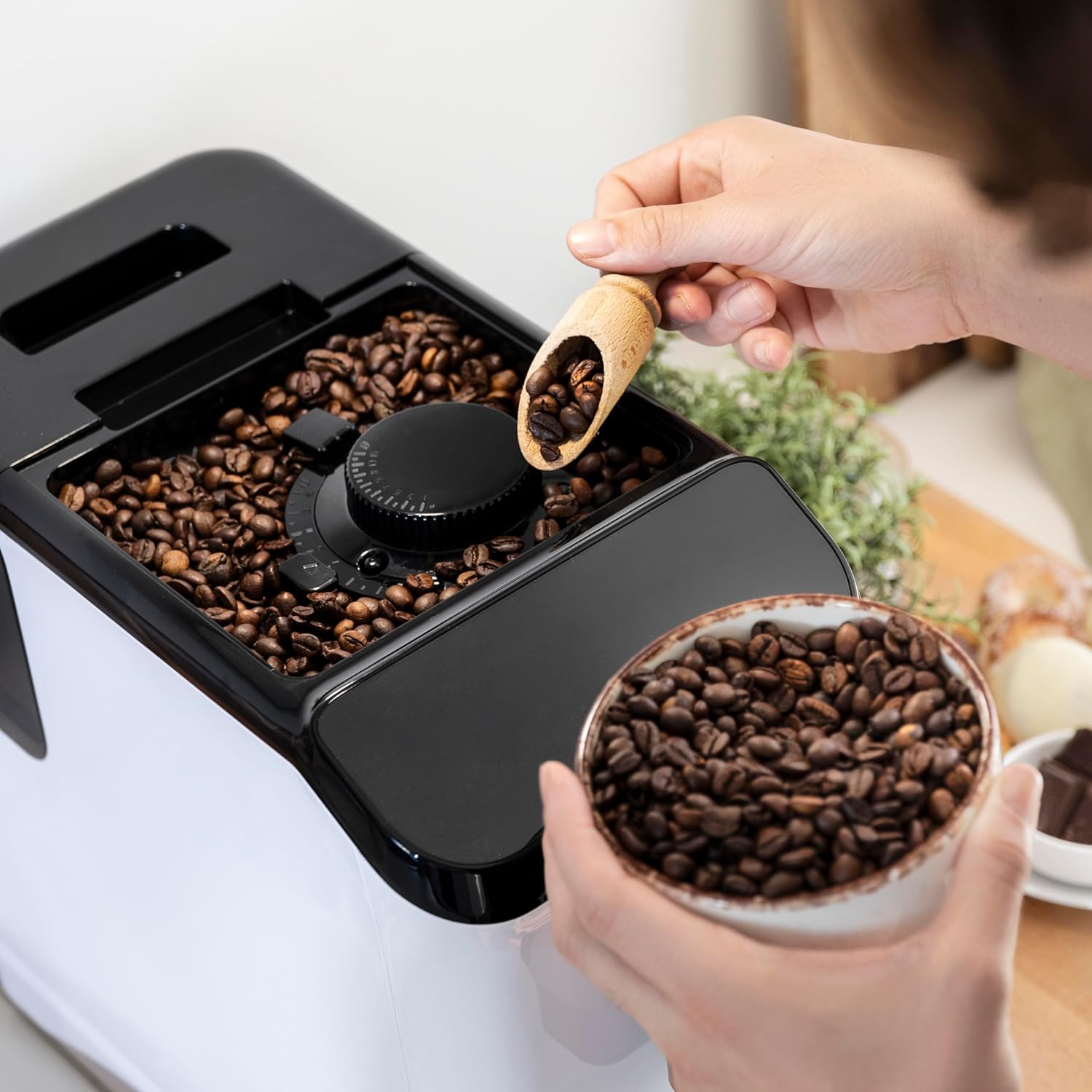
Nọmba 3.3: The integrated coffee bean hopper with a conical grinder, allowing for fresh grinding of beans for each cup.
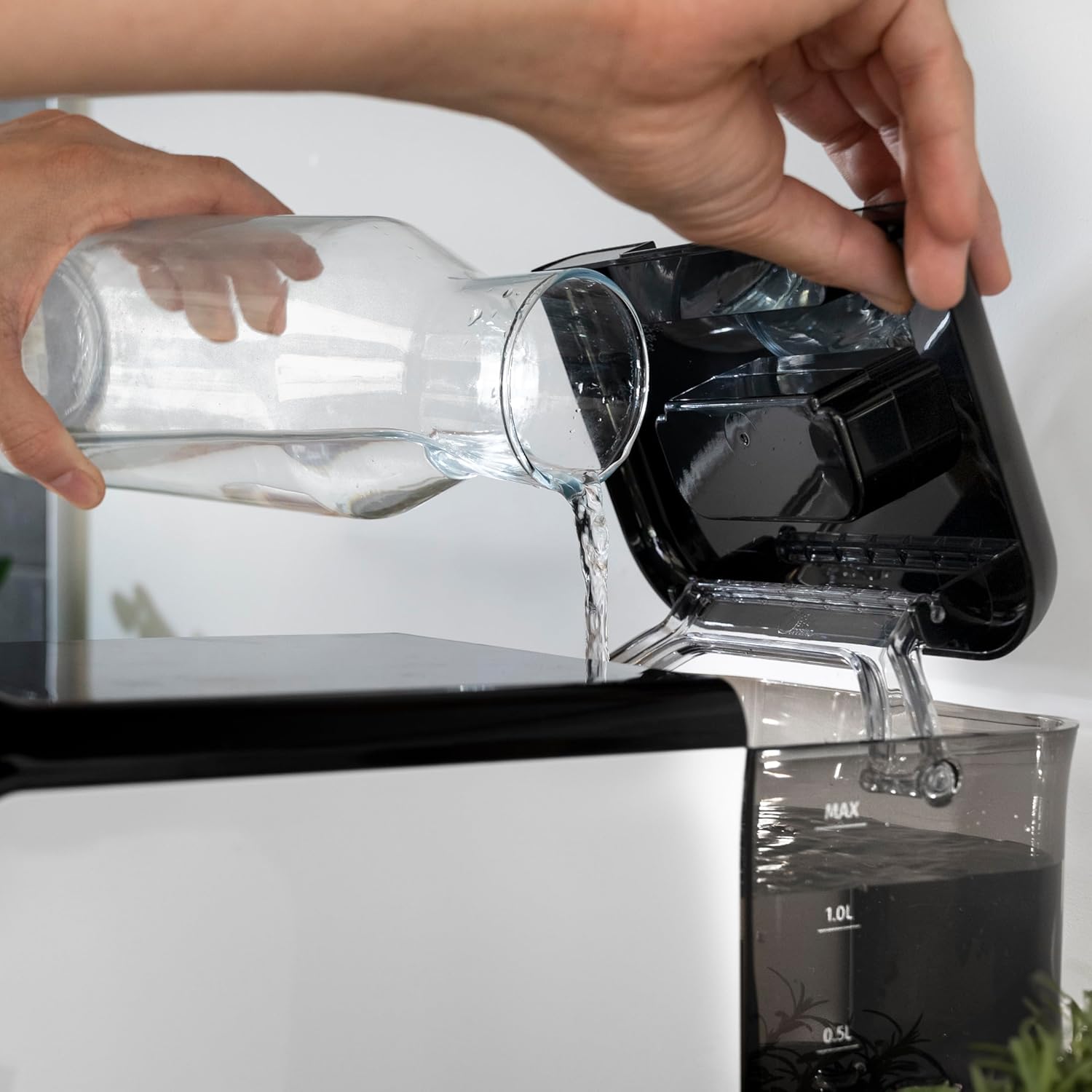
Nọmba 3.4: The removable 1.5-liter water tank, easily accessible for refilling and cleaning.
4. Eto
Tẹle awọn igbesẹ wọnyi lati ṣeto ẹrọ kọfi rẹ fun igba akọkọ:
- Ṣii silẹ: Fi pẹ̀lẹ́pẹ̀lẹ́ yọ ẹ̀rọ náà kúrò nínú àpò rẹ̀. Yọ gbogbo fíìmù ààbò àti àwọn ohun èlò ìdìpọ̀ kúrò.
- Ìfọ̀mọ́ àkọ́kọ́: Before first use, wash the water tank, drip tray, and coffee grounds container with warm water and a mild detergent. Rinse thoroughly and dry.
- Kun Omi Omi: Fill the removable water tank with fresh, cold drinking water up to the MAX level. Ensure the tank is properly seated in the machine.
Nọmba 4.1: Pouring fresh water into the machine's water tank.
- Fi awọn ewa kofi kun: Open the lid of the bean hopper and fill it with fresh whole coffee beans. The hopper has a capacity of 200g.
Nọmba 4.2: Adding whole coffee beans to the integrated grinder compartment.
- Wọle: So okun agbara pọ si ọna itanna to dara.
- First Use/Priming: The machine may perform an initial rinse cycle when first turned on or after a period of inactivity. Follow any on-screen prompts or indicator lights.
5. Awọn ilana Iṣiṣẹ
Your Cecotec coffee machine is designed for ease of use with its Plug & Play system.
5.1. Titan / Pa a
- Press the power button on the control panel to turn the machine on. The machine will heat up and perform a brief rinse cycle.
Nọmba 5.1: Activating the machine by pressing the power button on the touch control panel.
- Press the power button again to turn the machine off. It will perform a final rinse cycle before shutting down.
5.2. Ṣíṣe àtúnṣe sí àwọn ètò ìlọ
The integrated conical grinder offers 5 levels of grinding. Adjust the grind setting by rotating the dial inside the bean hopper. It is recommended to adjust the grinder only while it is operating to prevent damage.
5.3. Ṣiṣe Kofi
The machine can prepare espresso and American coffee.
- Gbe ife kan labẹ kofi spout.
- Select your desired coffee type (e.g., Espresso, Americano) from the control panel.
- Ẹ̀rọ náà yóò lọ àwọn èso náà láìfọwọ́sí, yóò ṣe é, yóò sì pín kọfí rẹ fún ọ.

Nọmba 5.2: Selecting a coffee option on the control panel as the machine prepares the beverage.
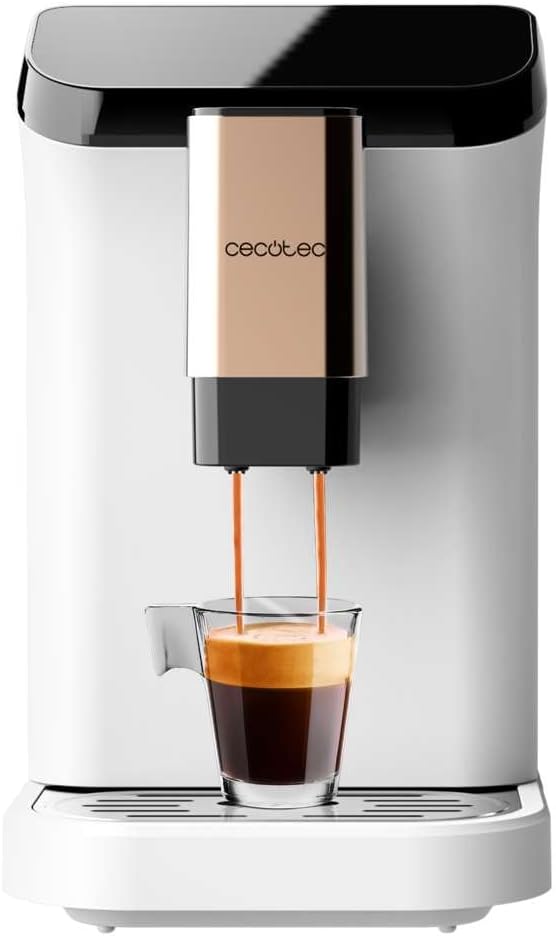
Nọmba 5.3: The machine actively dispensing freshly brewed coffee into a cup, highlighting the rich crema.
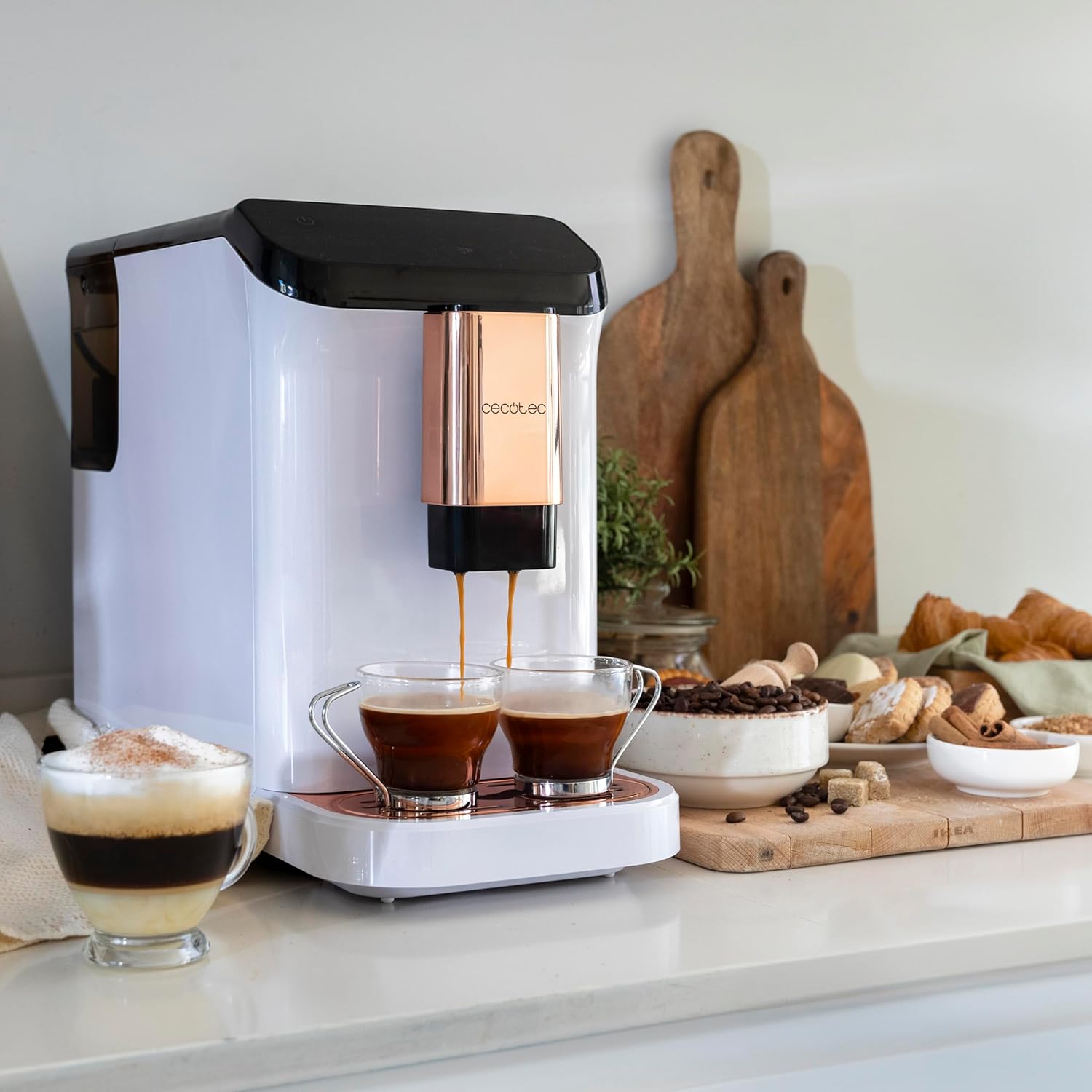
Nọmba 5.4: The machine's capability to brew and dispense two cups of coffee at once, ideal for sharing.
5.4. Customizing Coffee
You can easily customize and memorize the amount and intensity of your coffee to suit your taste preferences. Refer to the specific icons on the control panel for these adjustments.
6. Itọju ati Cleaning
Ìmọ́tótó àti ìtọ́jú déédéé yóò mú kí ẹ̀rọ kọfí rẹ pẹ́ títí, yóò sì ṣiṣẹ́ dáadáa.
- Fifọ aifọwọyi: The machine features an automatic cleaning function to keep it clear at all times. This typically occurs upon startup and shutdown.
- Emptying Grounds Container: The machine will indicate when the coffee grounds container needs to be emptied. Remove and clean it regularly.
- Cleaning Drip Tray: The drip tray collects excess water and coffee spills. Empty and clean it frequently to prevent overflow and maintain hygiene.
- Awọn Ẹya Yiyọ: Periodically remove and clean the water tank and other removable components as per the initial cleaning instructions.
- Fifọ: Over time, mineral deposits can build up inside the machine. The machine will indicate when descaling is required. Use a suitable descaling solution designed for coffee machines and follow the instructions provided with the descaler.
7. Laasigbotitusita
Ti o ba pade awọn ọran pẹlu ẹrọ kọfi rẹ, tọka si awọn iṣoro ti o wọpọ ati awọn ojutu wọnyi:
| Isoro | Owun to le Fa | Ojutu |
|---|---|---|
| Ẹrọ ko ni tan-an | Ko edidi ni; agbara otage | Ṣàyẹ̀wò ìsopọ̀ agbára; ṣàyẹ̀wò ẹ̀rọ ìfọ́wọ́sí. |
| Ko si kofi ti a pin | Omi omi ofo; ewa hopper ofo; ẹrọ nilo descaling. | Kun omi ojò; kun ewa hopper; ṣe descaling ọmọ. |
| Kofi jẹ alailagbara pupọ | Fífún nǹkan pọ̀ jù; ìwọ̀n kọfí tó pọ̀ tó. | Adjust grind to a finer setting; increase coffee intensity setting. |
| Omi n jo lati ẹrọ | Omi omi ko joko daradara; drip atẹ kun. | Ensure water tank is correctly inserted; empty and clean drip tray. |
| Error indicator light on | Specific issue indicated by light (e.g., grounds full, water empty). | Refer to the machine's indicator light guide for specific meaning and action. |
Tí ìṣòro náà bá ń bá a lọ lẹ́yìn gbígbìyànjú àwọn ìdáhùn wọ̀nyí, jọ̀wọ́ kan sí ìrànlọ́wọ́ oníbàárà Cecotec.
8. Awọn pato
Technical details for the Cecotec Cremmaet Macchia Super Automatic Coffee Machine:
- Brand: Cecotec
- Nọmba awoṣe: 01718
- Àwọ̀: White Rose
- Awọn iwọn ọja: 19 x 40 x 32 cm
- Ìwọ̀n Nkan: 7.9 kg
- Awọn ẹya pataki: Yiyọ ojò
- Irisi Ẹlẹda Kofi: Espresso ẹrọ
- Àlẹmọ Iru: Atunlo
- Pressure Pump: 19 igi
- Eto alapapo: gbona Àkọsílẹ
- Coffee Tank Capacity: 200 g (integrated grinder)
- Agbara Omi Omi: 1.5 lita
9. Atilẹyin ọja ati Support
Your Cecotec Cremmaet Macchia Super Automatic Coffee Machine comes with a manufacturer's warranty. For detailed information regarding warranty terms and conditions, please refer to the warranty card included with your product or visit the official Cecotec website. For technical support, spare parts, or service, please contact Cecotec customer service through their official channels.


