This manual provides detailed instructions for the VETEK 8K Camcorder, a versatile digital video camera designed for enthusiasts and beginners. It supports high-resolution video recording up to 8K (7680x4320) at 15fps, 5K at 30fps, and 4K at 60fps, along with 48.0MP image capture. Key features include an 18X digital zoom, a 3.0-inch rotatable touch screen, IR night vision, WiFi connectivity, and webcam functionality. Please read this manual thoroughly to ensure proper operation and to maximize your recording experience.
Ohun ti o wa ninu Apoti
Kamẹra Fidio 8K
32G Kaadi SD
Hood lẹnsi
Amuduro
Gbohungbohun ita
Two-color Fill Light
2 Awọn batiri
Isakoṣo latọna jijin
USB Data Cable
Gẹẹsi Afowoyi
Ṣaja Meji
Ṣaja
Figure 1: All components included with the VETEK 8K Camcorder.
Ṣeto
Fifi sori batiri
Insert the included Lithium Polymer batteries into the battery compartment, ensuring correct polarity. The camera requires two batteries for operation.
SD Card Igbaradi
Insert the 32GB SD card (or your own Class 10 or higher SD card up to 256GB) into the designated slot. For first-time use, it is recommended to format the SD card directly through the camera's menu to ensure compatibility and optimal performance.
Asopọmọra Awọn ẹya ẹrọ
The camcorder features a hot shoe mount for attaching the external microphone and the two-color fill light. The foldable handheld stabilizer can be attached to the bottom of the camera for improved stability during recording.
Figure 2: VETEK 8K Camcorder with microphone, fill light, and stabilizer attached.
Figure 3: The external fill light offers white, white glow, and warm light modes.
Figure 4: The foldable handheld stabilizer provides enhanced grip and stability.
Awọn ilana Iṣiṣẹ
Titan / Paa
To power on the camcorder, open the LCD screen. To power off, close the LCD screen or press and hold the Power button.
Awọn iṣakoso ipilẹ
Navigate through the camera's functions using the Mode, Menu, Up, Down, and OK buttons located on the side of the camcorder. The 3.0-inch touch screen also allows for intuitive navigation.
Figure 5: The VETEK 8K Camcorder supports 8K video and 48MP image resolution.
Gbigbasilẹ fidio
Press the Record button to start and stop video recording. The camcorder supports 8K (15fps), 5K (30fps), and 4K (60fps) video resolutions. Adjust video quality and other settings via the menu.
Video 1: A basic function introduction to the VETEK 8K camcorder, demonstrating various settings and features.
Video 2: A demonstration of the VETEK Vlog Camera, highlighting its digital video capabilities.
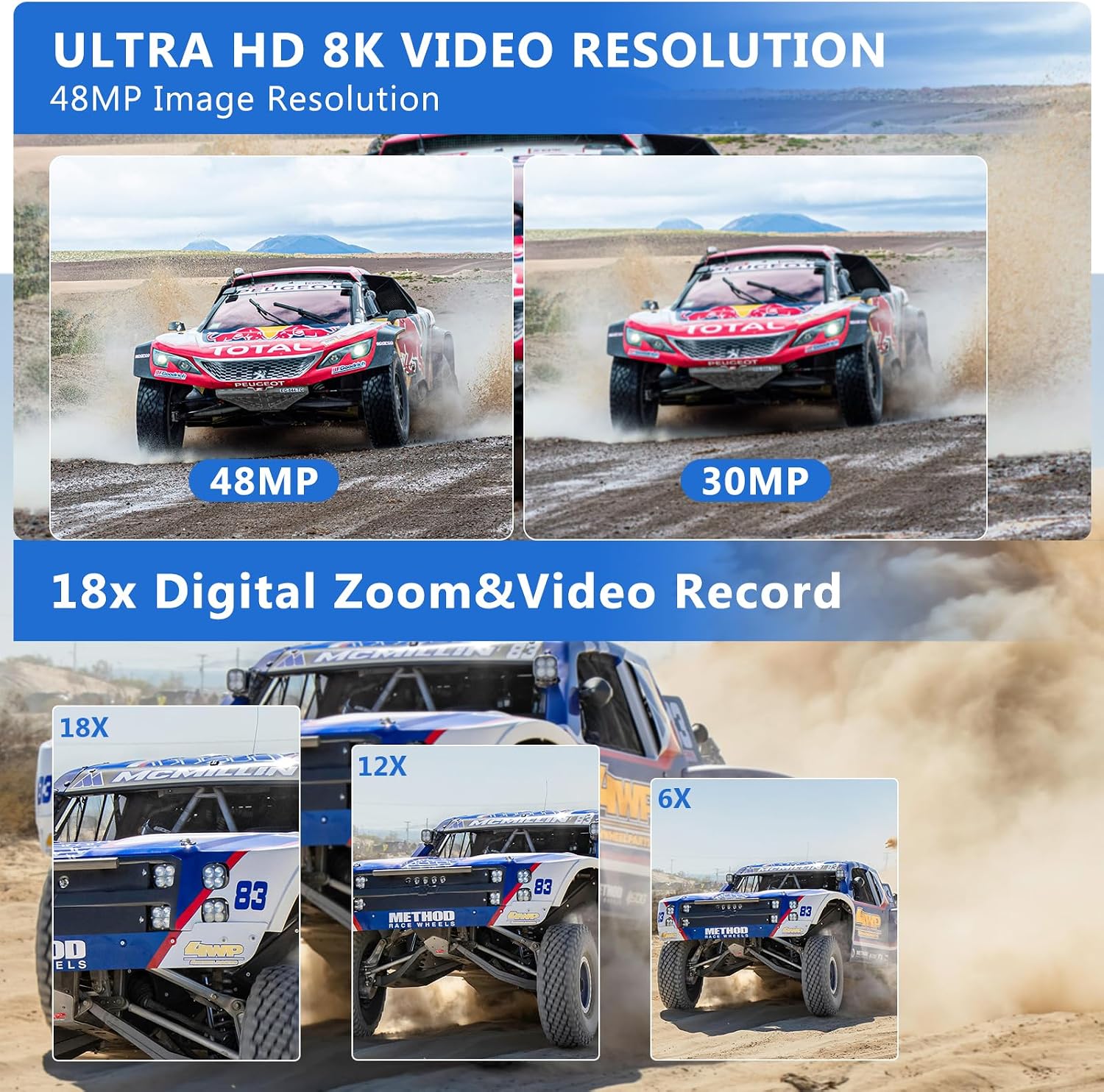
Figure 6: Visual comparison illustrating the clarity of 8K and 5K video resolutions.
Yaworan Fọto
Switch to Photo Mode using the Mode button. Press the Shutter button to capture 48.0MP still images. The camera offers various photo settings and filters.
Figure 7: Image quality comparison between 48MP and 30MP settings.
Digital Sisun
Utilize the 18X digital zoom to bring distant subjects closer. The zoom function can be controlled via the camera's buttons or the remote control.
Figure 8: Demonstration of the 18X digital zoom capability.
IR Night Iran
Activate the IR Night Vision mode for clear black and white recordings in low-light or dark environments. This feature enhances visibility for capturing content where traditional lighting is insufficient.
Figure 9: The camcorder's IR Night Vision captures clear images in dark conditions.
Video 3: This video demonstrates the camcorder's night vision capabilities, showing how it captures clear footage ni awọn agbegbe ina kekere.
WiFi Connectivity & App Control
Connect the camcorder to your smartphone or tablet via WiFi using the 'HelloCam' app. This allows for remote viewing, image capture, video shooting, and easy transfer and sharing of media files. Scan the QR code in the manual or on the camera screen to download the app.
Àwòrán 10: Ìṣàkóso láti ọ̀nà jíjìn àti file sharing are enabled through WiFi connectivity.
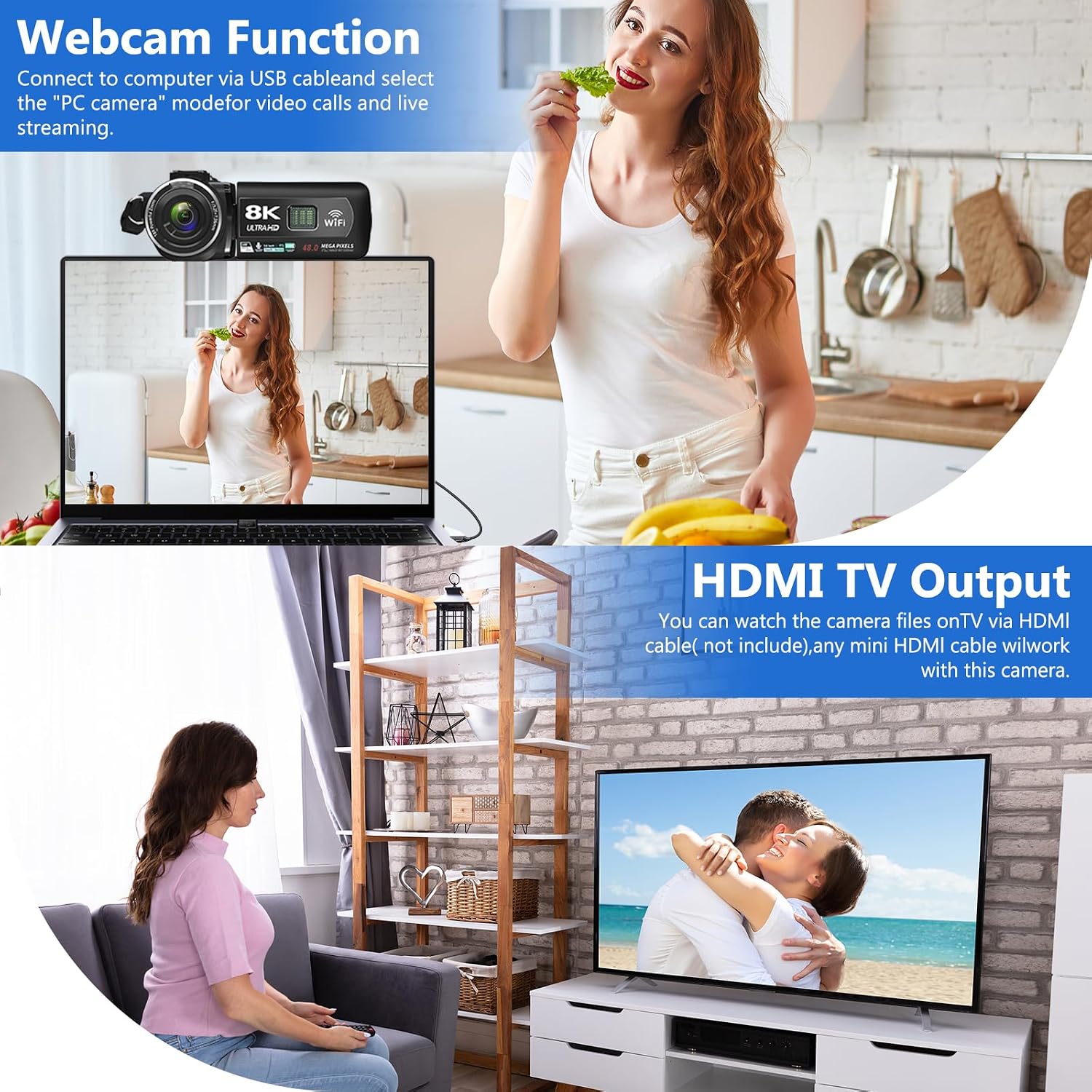
Connect the camcorder to your computer using the USB cable and select 'PC CAM' mode to use it as a webcam for video calls and live streaming.
HDMI TV Output
Connect the camcorder to a TV using an HDMI cable (not included) to view your recorded videos and photos on a larger screen.
Figure 11: The camcorder can function as a webcam or connect to a TV via HDMI.
File Gbigbe lọ si Kọmputa
Connect the camera to your computer via the USB cable. Select 'Mass Storage Mode' on the camera to access and transfer your video and photo filetaara si kọmputa rẹ.
Figure 12: Simple steps to transfer your recorded content to a computer.
Idinku Ariwo
The camcorder features a built-in noise reduction function. When recording video, activate this function to automatically minimize external noise, enhancing the clarity of your audio. The external microphone also aids in noise reduction.
Itoju
Jẹ́ kí kámẹ́rà náà mọ́ tónítóní nípa fífi aṣọ rírọ̀ tí ó gbẹ nu ún.
Yago fun ṣiṣafihan kamẹra si awọn iwọn otutu to gaju, ọriniinitutu, tabi eruku.
Store the camera and accessories in the provided camera bag when not in use.
Regularly format the SD card through the camera's menu to maintain optimal performance and prevent data corruption.
Ensure batteries are fully charged before use and stored properly when not in use.
Laasigbotitusita
Awọn imọran pataki
Please carefully read the user manual before using the video camera.
The camcorder is designed for amateurs, not professionals. Autofocus and optical zoom are not supported.
This camera has a fixed focus. The shooting distance should be more than 4 meters for clear pictures or videos.
After recording, check the video effect on a computer, as checking it on the camera reduces the resolution.
Format the memory card through this camera for the first time use. Supports 4-128GB SD card Class 10 or higher.
Figure 13: Key tips for optimal camcorder usage.
Awọn pato
Ẹya ara ẹrọ
Apejuwe
Brand
VETEK
Nọmba awoṣe
HDV01-8K
Ipinnu Yaworan fidio
8K (15fps), 5K (30fps), 4K (60fps)
Ipinnu Aworan
48.0MP
Digital Sisun
18X
Iwon iboju
3.0-inch LCD Touch Screen (270-degree rotatable)
Asopọmọra Technology
USB, WiFi, HDMI
Pataki Awọn ẹya ara ẹrọ
Portable, IR Night Vision, Webcam Function, Noise Reduction, Pause Function, Time-lapse, Slow Motion, Continuous Shooting, Beauty Function, Image Stabilization
Iwọn Nkan
9.9 iwon
Ọja Mefa
5.12 x 2.36 x 2.17 inches
Awọn batiri
2 Awọn batiri litiumu polima (pẹlu pẹlu)
Flash Memory Iru
SD (tó tó 256GB)
Atilẹyin ọja ati Support
VETEK is committed to providing cost-effective entry cameras and superior quality. All products are eligible for a free return within 30 days of purchase. For any concerns or assistance, please contact VETEK customer service via the email address provided in your product manual. We are dedicated to addressing your concerns and improving product quality based on customer feedback.
8K Digital Camcorder Easy Guide: Operation, Features, and Troubleshooting Comprehensive easy guide for the 8K Digital Camcorder (HDV01-8K) by SHENZHEN HAIJIXING TECHNOLOGY CO., LTD. Learn about setup, parts, controls, charging, power, interface, settings, memory card usage, playback, computer and Wi-Fi connectivity, maintenance, and troubleshooting.
Digital Camcorder Itọsọna Yara - Afọwọṣe olumulo Itọsọna iyara fun Kamẹra oni-nọmba, iṣeto ibora, iṣẹ ṣiṣe, gbigba agbara, ṣiṣiṣẹsẹhin, Asopọmọra, itọju, ati laasigbotitusita. Pẹlu awọn ikilọ ailewu ati ibamu FCC.
Itọsọna Fifi sori Kamẹra Dash: Iwaju ati Iṣeto Kamẹra Itọsọna okeerẹ lori bii o ṣe le fi kamẹra daaṣi ọkọ ayọkẹlẹ rẹ sori ẹrọ, ibora iwaju ati gbigbe kamẹra ẹhin, wiwu, ati awọn iṣe ti o dara julọ fun iṣẹ ṣiṣe to dara julọ. Pẹlu awọn imọran fun gbigbasilẹ fidio ti ko o.
Vivitar DVR 8K-KIT (v2) Digital Camcorder: Easy Guide and User Manual This comprehensive guide provides instructions for the Vivitar DVR 8K-KIT (v2) digital camcorder. Learn about setup, operation, features, connecting to devices, troubleshooting common issues, and warranty information.