1. Ifihan
This manual provides detailed instructions for the safe and effective use of your Technaxx TX-219 4-in-1 Multifunction Device. This versatile unit combines a jump starter, an air compressor, a power bank, and an LED light, designed for automotive and portable power needs. Please read this manual thoroughly before operation and retain it for future reference.
2. Awọn ilana aabo
Máa tẹ̀lé àwọn ìlànà ààbò wọ̀nyí nígbà gbogbo láti dènà ìpalára tàbí ìbàjẹ́ sí ẹ̀rọ tàbí ọkọ̀:
- Ka gbogbo awọn ilana ṣaaju lilo.
- Jeki kuro ni arọwọto awọn ọmọde.
- Wear eye protection when operating the jump starter.
- Ma ṣe fi ẹrọ naa han si ojo tabi ọrinrin.
- Do not operate if the device or cables are damaged.
- Rii daju pe fentilesonu to dara nigba lilo.
- So ibẹrẹ fo clamps correctly: positive to positive, negative to negative. Avoid short-circuiting.
- Ma ṣe gbiyanju lati fo bẹrẹ batiri tio tutunini.
- Disconnect the jump starter from the vehicle battery within 30 seconds after the engine starts.
- Do not use the air compressor continuously for more than 10 minutes to prevent overheating. Allow it to cool down.
- Tọju ẹrọ naa ni itura, aye gbigbẹ nigbati o ko ba wa ni lilo.
3. Package Awọn akoonu
Jẹrisi pe gbogbo awọn ohun kan wa ninu package:
- Technaxx Jump Starter TX-219 Unit
- Adapter Cable with Battery Clamps
- AC Adapter
- Compressed Air Hose
- Okun USB
- Car Adapter Cable
- Itọsọna olumulo

Nọmba 3.1: Pariview of the Technaxx TX-219 package contents, showing the main unit, battery clamps, various charging cables, and the air hose.
4. Ọja Ipariview
Familiarize yourself with the components of your Technaxx TX-219 device.

Nọmba 4.1: Igun view of the Technaxx TX-219 unit, showing the digital display, control buttons, USB ports, and LED light.
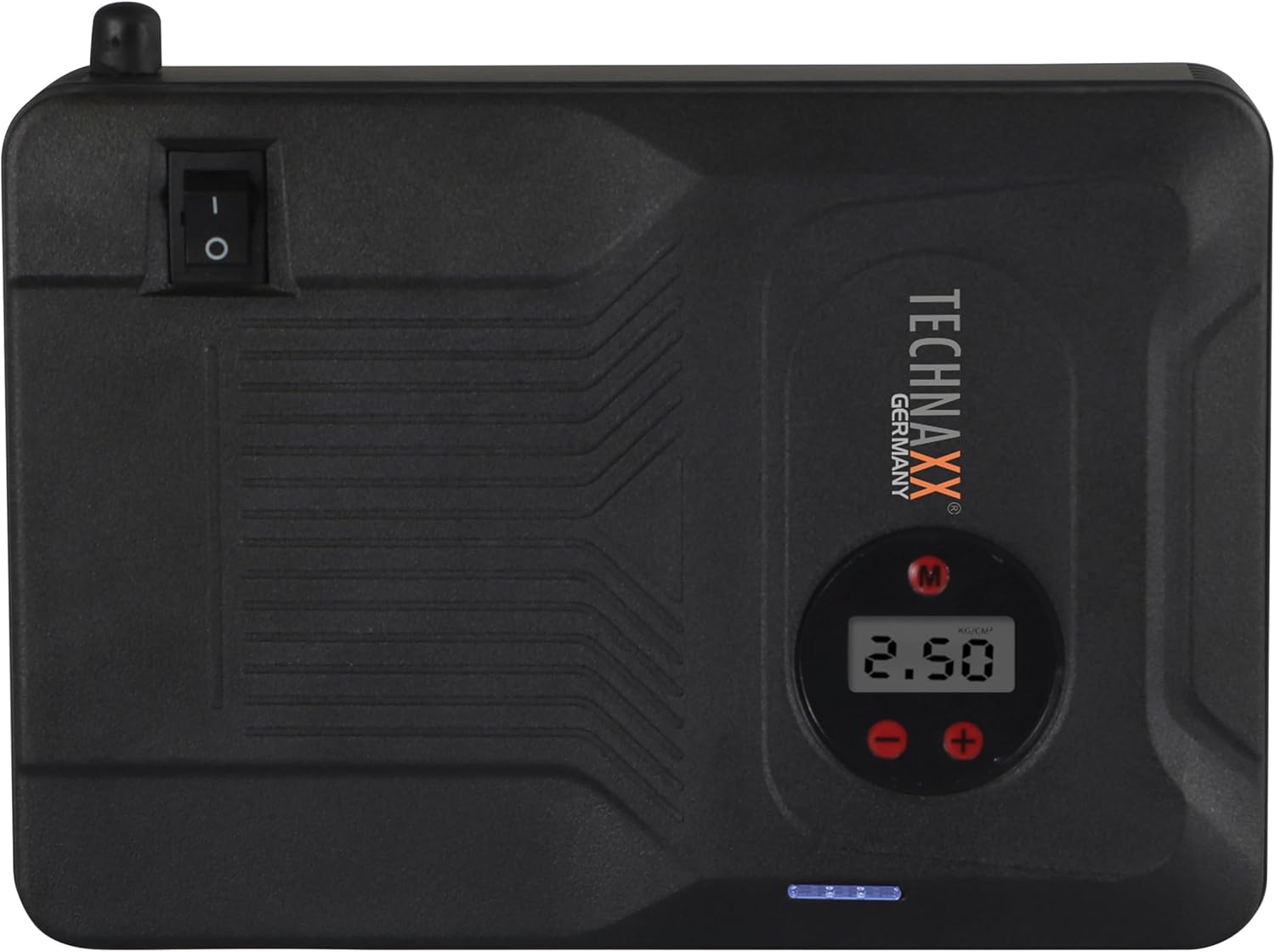
Nọmba 4.2: Oke view of the device, highlighting the power switch and the digital display for pressure readings.

Nọmba 4.3: Iwaju view of the device, showing the digital display, pressure adjustment buttons, and the power indicator lights.
Awọn eroja pataki:
- Ifihan Digital: Shows air pressure for the compressor and battery status.
- Awọn bọtini Iṣakoso: For adjusting pressure settings and operating the device.
- USB-A Output Ports (5V/1A, 5V/2A): For charging external electronic devices.
- 15V/0.4A Input Port: For charging the internal battery of the TX-219.
- Jump Start Output Port: Connects to the battery clamp okun.
- Imọlẹ LED: Pese itanna.
- Agbara Yi pada: On/Off control for the device.
- Isopọ Air Hose: For the air compressor function.
5. Setup and Charging the Device
Before first use, fully charge the Technaxx TX-219 unit. It is recommended to recharge the device every 3 months to maintain battery health.
- Connect the AC adapter to the 15V/0.4A input port on the TX-219.
- Pulọọgi AC ohun ti nmu badọgba sinu kan boṣewa iṣan iṣan.
- The battery indicator lights on the device will illuminate to show charging progress. All lights will be solid when fully charged.
- Alternatively, use the car adapter cable to charge the device from a vehicle's 12V accessory socket.

Nọmba 5.1: The Technaxx TX-219 unit being charged or used as a power bank to charge a smartphone.
6. Awọn ilana Iṣiṣẹ
6.1. Fo Bibẹrẹ Ọkọ
The TX-219 can jump start gasoline engines up to 4.0L and diesel engines up to 3.0L.
- Ensure the TX-219 is sufficiently charged (at least 75% battery indicated).
- Pa ina ọkọ ati gbogbo awọn ẹya ẹrọ.
- So pupa (+) clamp si ebute rere (+) ti batiri ọkọ.
- So dudu (-) clamp to a mọ, unpainted irin apa ti awọn ọkọ ká engine Àkọsílẹ tabi ẹnjini, kuro lati batiri. Do not connect to the negative (-) battery terminal directly unless specified by vehicle manufacturer.
- Connect the adapter cable to the jump start output port on the TX-219.
- Start the vehicle's engine. If it doesn't start immediately, wait 30 seconds before trying again. Do not crank for more than 3 seconds per attempt.
- Once the engine starts, immediately disconnect the adapter cable from the TX-219.
- Lẹ́yìn náà, yọ dúdú (-) cl kúròamp, lẹ́yìn náà ni pupa (+) clamp lati batiri ọkọ ayọkẹlẹ.

Nọmba 6.1: The Technaxx TX-219 connected to a vehicle battery using the provided clamps for jump starting.

Nọmba 6.2: A close-up of the jump starter connected to a car battery, illustrating the process of jump starting.
6.2. Lilo Air Compressor
The integrated air compressor can inflate tires up to 3.5 Bar (approximately 50 PSI) and features an automatic shut-off.
- Connect the compressed air hose to the air hose connection port on the TX-219.
- Attach the other end of the hose to the tire valve.
- Turn on the TX-219. The digital display will show the current tire pressure.
- Use the '+' and '-' buttons to set the desired pressure. The display supports Bar, KPA, kg/cm², and PSI units.
- Press the compressor start button to begin inflation.
- The compressor will automatically stop once the preset pressure is reached.
- Disconnect the air hose from the tire valve and the TX-219.

Nọmba 6.3: The Technaxx TX-219 being used to inflate a car tire, demonstrating the air compressor function.

Nọmba 6.4: A user inflating a tire with the TX-219, showing the digital display and the air hose connection.
6.3. Lilo bi Bank Power
The 14000 mAh battery can charge various USB-powered devices.
- Connect your device's USB charging cable to one of the USB-A output ports (5V/1A or 5V/2A) on the TX-219.
- The TX-219 will automatically begin charging your device.
- Monitor your device's charging status. Disconnect once fully charged.

Nọmba 6.5: The Technaxx TX-219 connected to a smartphone via USB, illustrating its power bank functionality.

Nọmba 6.6: The TX-219 acting as a portable power bank, charging a mobile device.
6.4. Lilo Imọlẹ LED
Imọlẹ LED ti a ṣepọ le ṣee lo fun itanna ni awọn agbegbe dudu.
- Locate the LED light button on the device.
- Tẹ bọtini ni ẹẹkan lati tan ina LED.
- Press again to cycle through different light modes (e.g., steady, strobe, SOS, if available).
- Press and hold the button to turn off the LED light.

Nọmba 6.7: The TX-219's LED light providing illumination in a vehicle's engine compartment.
7. Awọn pato
| Ẹya ara ẹrọ | Sipesifikesonu |
|---|---|
| Awoṣe | TX-219 |
| Batiri Iru | Lẹsẹmu Iron Iron |
| Agbara Batiri | 14000 mAh |
| Bibẹrẹ Lọwọlọwọ | 350 A (Max. 600 A) |
| Lọ Bẹrẹ Voltage | 12 Volts |
| Ibamu pẹlu ẹ̀rọ (Pẹtiróòlù) | Titi di 4.0 L |
| Ibamu pẹlu ẹ̀rọ (Dieseli) | Titi di 3.0 L |
| Ṣiṣejade USB-A 1 | 5 V, 2 A |
| Ṣiṣejade USB-A 2 | 5 V, 1 A |
| Air konpireso | 12 V / 100 W, Max 3.5 Bar (approx. 50 PSI) |
| Gbigba agbara Input | 15 V, 0.4 A (O pọju) |
| Imọlẹ LED | Awọn iṣẹ lọpọlọpọ |
| Awọn iwọn (L x W x H) | 19 x 13 x 5.5 cm |
| Iwọn | 1.16 kg |
| Awọn iwe-ẹri | CE |
8. Itọju
- Ninu: Mu ẹrọ naa nu pẹlu asọ ti o gbẹ. Maṣe lo awọn kẹmika ti o lewu tabi awọn afọmọ abrasive.
- Ibi ipamọ: Store the TX-219 in a cool, dry place, away from direct sunlight and extreme temperatures.
- Ngba agbara: Recharge the unit every three months, even if not in use, to prolong battery life.
- Ayẹwo USB: Regularly inspect all cables and clamps for any signs of damage, wear, or corrosion. Replace if necessary.
9. Laasigbotitusita
| Isoro | Owun to le Fa | Ojutu |
|---|---|---|
| Ẹrọ ko tan. | Batiri ti dinku. | Charge the TX-219 fully. |
| Ọkọ ko ni fo bẹrẹ. | Ti ko tọ clamp connection; TX-219 battery too low; vehicle battery severely damaged. | Rii daju clamps are connected correctly (+ to +, - to chassis). Recharge TX-219. Consult a mechanic if vehicle battery is faulty. |
| Air konpireso ko inflating. | Hose not securely connected; desired pressure already reached; device battery low. | Check hose connections. Verify desired pressure setting. Recharge TX-219. |
| Gbigba agbara USB ko ṣiṣẹ. | USB cable faulty; device not compatible; TX-219 battery low. | Try a different USB cable. Ensure your device is compatible. Recharge TX-219. |
| Imọlẹ LED ko ṣiṣẹ. | Battery depleted; light button not pressed correctly. | Recharge TX-219. Press the LED button firmly. |
10. Atilẹyin ọja ati Support
For warranty information and technical support, please refer to the warranty card included with your product or visit the official Technaxx webojula. Tọju iwe-ẹri rira rẹ bi ẹri rira.
Olupese: Technaxx
Nọmba awoṣe: 5031


