Ọrọ Iṣaaju
The Daytech Wireless Caregiver Pager System is designed to provide a reliable and efficient way for patients, the elderly, or anyone needing assistance to alert their caregiver. This system enhances independence and offers peace of mind by ensuring help is just a button press away. It is suitable for use in private homes, hospitals, nursing homes, and other care environments.

Pariview of the Daytech In-Home System with Watch Alarm.
Package Awọn akoonu
Your Daytech Wireless Caregiver Pager System (2 watches + 2 receivers variant) package includes the following components:
- 2 x Wireless Wrist Pagers (Watch Call Buttons)
- 2 x Plugin Receivers
- Required 12V batteries for transmitters (pre-installed or included)
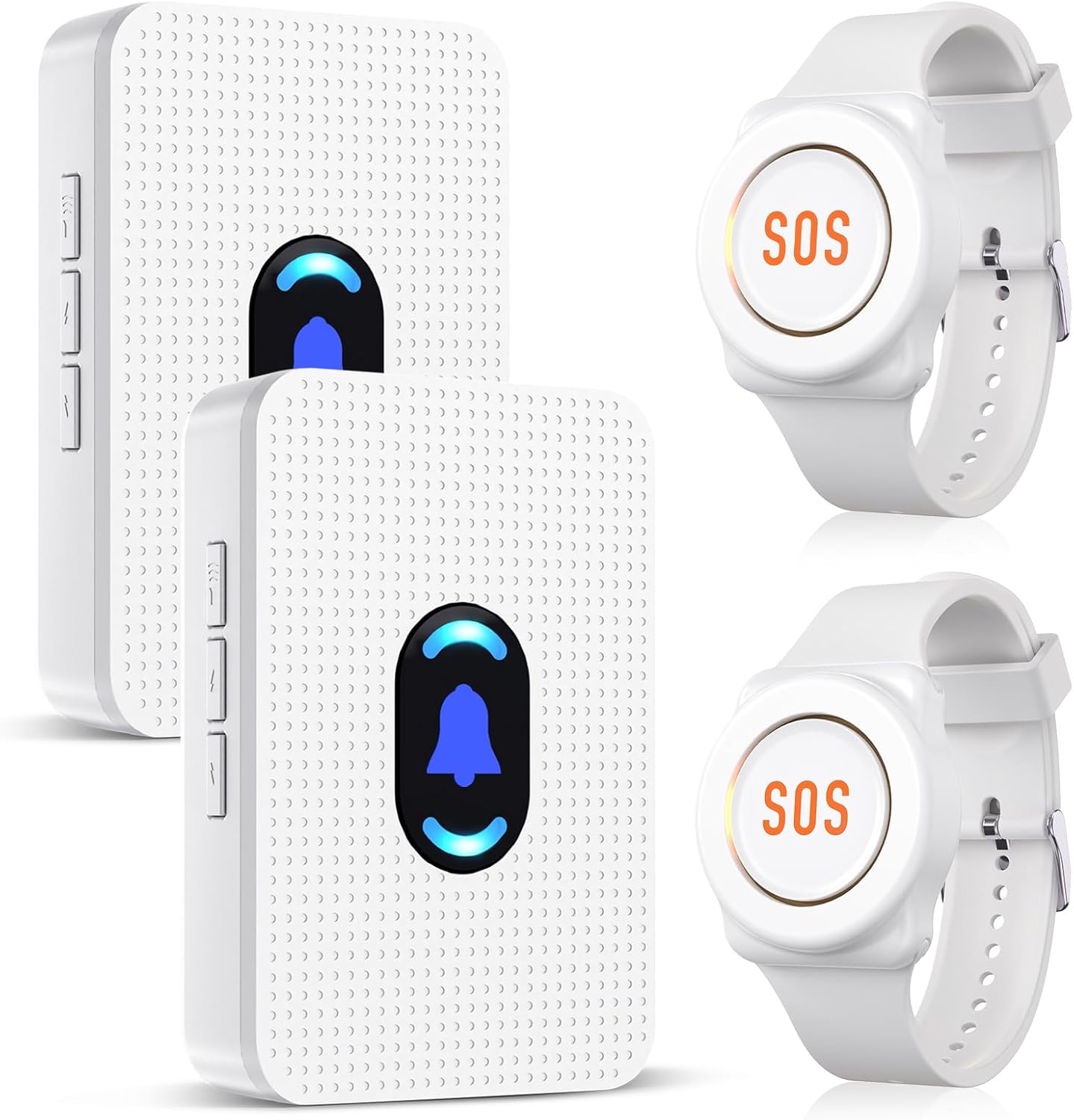
The main components of the Daytech Wireless Caregiver Pager System.
Ọja Pariview
The system consists of two primary types of devices: the receiver and the call buttons (wrist pager and optional pendant call button). Each component plays a crucial role in the system's functionality.
- Olugba: This unit plugs into a standard wall outlet and emits an audible alert and visual signal when a call button is pressed. It features volume control and buttons for selecting ringtones.
- Watch Call Button (Wrist Pager): Worn on the wrist, this device allows the user to easily press a button to send an alert to the receiver. It is designed for comfort and accessibility.
- Call Button (Pendant/Fixed): An additional, optional button that can be worn as a pendant or affixed to a wall (e.g., in a bathroom). It also sends an alert to the receiver when pressed.
Video demonstrating how assistance is provided with a simple push of a button.
Eto ati Sisopọ
The Daytech Pager System comes ready-to-use with factory settings. However, you can customize ringtones and pair additional transmitters if needed. Follow these steps for setup and pairing:
- So Olugba sii: Insert the receiver into a standard wall socket.
- Yan Ohun orin ipe: On the receiver, press the "Forward" or "Backward" button to cycle through the 20 available ringtones. Choose your preferred melody.
- Tẹ Ipo Sisopọ: Press and hold the "Volume Control" button on the receiver until it makes a "ding-dong" sound. This indicates the receiver is in pairing mode.
- Pair Call Button: While the receiver is in pairing mode, press the call button on the watch pager or the separate call button. The receiver will make another "ding-dong" sound, confirming successful pairing.
- Ṣatunṣe Iwọn didun: Use the volume control button on the receiver to set the desired alert volume. There are 5 volume levels available.

Visual guide for modifying ringtones and pairing the system.
Call Button Installation (Optional Pendant/Fixed Button)
For the separate call button, you have two installation options:
- Solution A: Attach Lanyard: Thread the included lanyard through the designated loop on the call button for wear as a pendant.
- Solution B: Wall Mounting: Use the provided 3M double-sided adhesive patch to affix the call button to a flat surface, such as a bathroom wall or beside a bed.
Methods for installing the call button.
Awọn ilana Iṣiṣẹ
Using the Daytech Wireless Caregiver Pager System is straightforward:
- To Send an Alert: Simply press the large "SOS" button on the wrist pager or the "CALL" button on the pendant/fixed call button. This will immediately send a signal to the paired receiver(s).
- Receiving an Alert: When an alert is sent, the receiver will sound the selected ringtone and illuminate its LED light, notifying the caregiver.
- Ipo Imọlẹ Alẹ: On the receiver, press and hold the middle button for 5 seconds to turn the night light on or off.

The watch pager is IP55 waterproof, easy to use, and portable.
The system offers a working range of up to 800 feet (90 meters), allowing caregivers to move freely around the house while remaining connected. The call button units are splash-proof (IP55 rated), making them suitable for use in bathrooms or other areas where splashes may occur. However, they cannot be immersed in water and should be removed before bathing or showering.

The system provides a simple one-press solution for summoning help.
Awọn ohun elo ati awọn anfani
This wireless pager system is versatile and can be used in various scenarios to provide assistance and peace of mind:
- Itọju Agba: Allows seniors to call for help without shouting, maintaining their dignity and independence.
- Patient/Disabled Care: Ideal for individuals with limited mobility or health conditions who may need immediate assistance.
- Kids Care: Can be used by children to alert parents or guardians in case of an emergency.
- Pregnancy Care: Provides a quick way for expectant mothers to call for help if needed.

Diverse applications of the Daytech system for various care needs.
The system's portability and ease of use contribute to a more relaxed and free environment for both the person needing care and the caregiver.
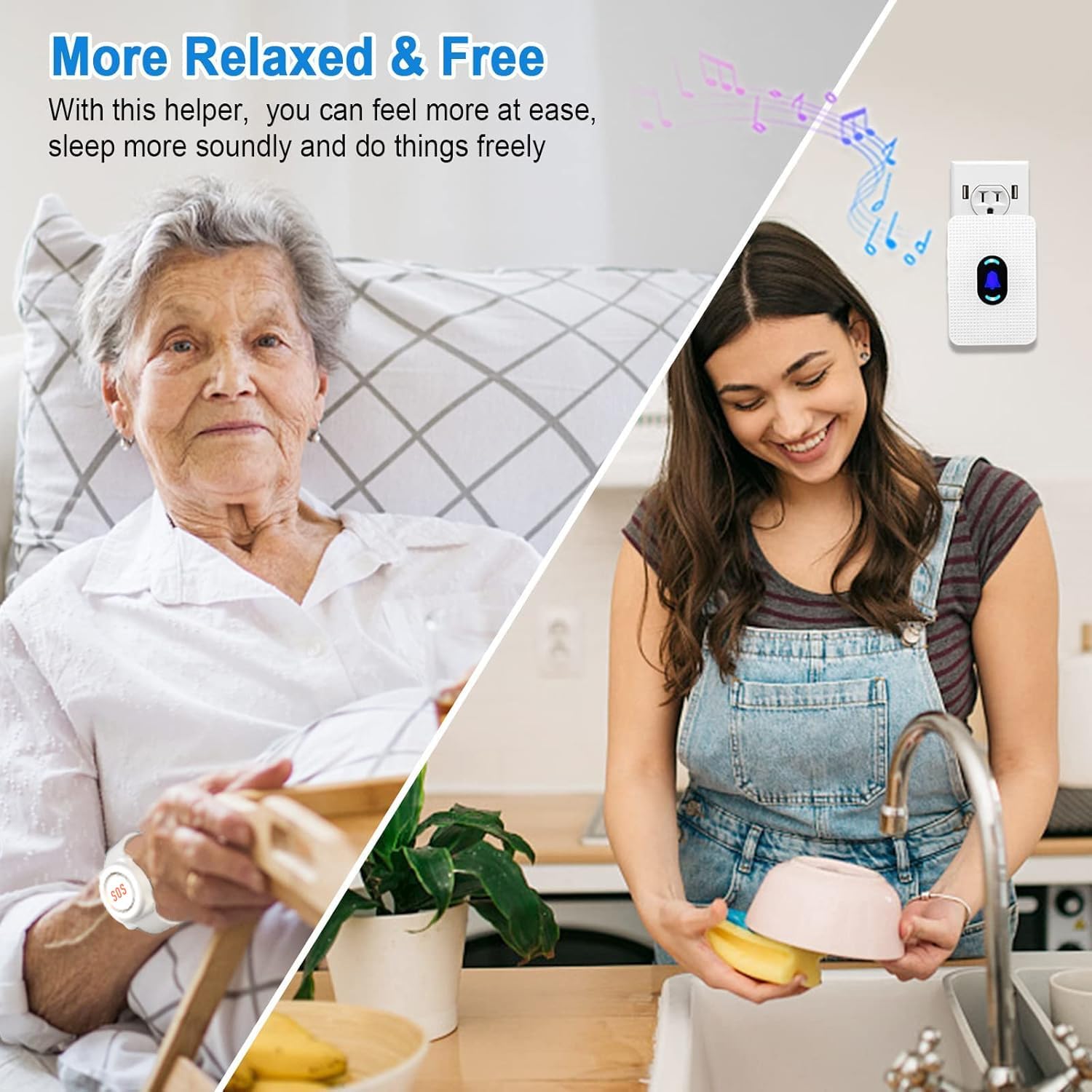
The system allows for greater freedom and peace of mind.
Awọn pato
| Ẹya ara ẹrọ | Ẹ̀kúnrẹ́rẹ́ |
|---|---|
| Nọmba awoṣe | E-01W |
| Ibiti o pọju | ẹsẹ 800 (mita 90) |
| Number of Ringtones | 20 |
| Awọn ipele iwọn didun | 5 |
| Ipele Ariwo ti o pọ julọ | 110 dB |
| Ọna Iṣakoso | Fọwọkan |
| Agbara atagba | Awọn batiri 2 x 12V (pẹlu) |
| Agbara olugba | Plugin (AC powered) |
| Water Resistance (Call Buttons) | IP55 (Imudaniloju Asesejade) |
| Awọn iwọn Ọja (Olugba) | 3.7 x 2.6 x 1.3 inches |
| Iwọn Nkan | 9.1 iwon (apapọ lapapọ) |

Key specifications and features of the Daytech Pager System.
Itoju
To ensure the longevity and optimal performance of your Daytech Wireless Caregiver Pager System, follow these maintenance guidelines:
- Ninu: Wipe the surfaces of the receiver and call buttons with a soft, dry cloth. Do not use abrasive cleaners or immerse any part of the system in water.
- Rirọpo Batiri: The watch pagers and call buttons are powered by 12V batteries. While designed for long life, if you notice a decrease in range or responsiveness, it may be time to replace the batteries. Refer to the specific battery compartment for instructions on opening and replacing.
- Ibi ipamọ: If storing the system for an extended period, remove batteries from the call buttons to prevent leakage. Store in a cool, dry place.
Laasigbotitusita
If you encounter any issues with your Daytech Wireless Caregiver Pager System, please refer to the following common troubleshooting steps:
| Isoro | Owun to le Fa | Ojutu |
|---|---|---|
| Olugba ko dun nigbati bọtini ti wa ni titẹ. |
|
|
| Limited range or intermittent alerts. |
|
|
| Receiver constantly beeps or makes unusual sounds. |
|
|
If the problem persists after trying these steps, please contact Daytech customer support for further assistance.
Atilẹyin ọja ati Onibara Support
Daytech is committed to providing reliable products and excellent customer service. Your Daytech Wireless Caregiver Pager System comes with a full year's warranty and a money-back guarantee.
- Atilẹyin ọja: Enjoy a full year of warranty coverage from the date of purchase. This covers manufacturing defects and malfunctions under normal use.
- Ẹri Owo-pada: If you are not completely satisfied with your purchase, you may be eligible for a money-back guarantee. Please refer to your purchase terms for details.
- Iṣẹ onibara: Daytech provides round-the-clock customer service to assist you with any questions, setup issues, or troubleshooting needs.
For support, please visit the official Daytech website or contact their customer service team directly using the contact information provided with your product packaging.


