1. Ifihan
Thank you for choosing the ZEBRONICS Pods 2 Wireless TWS Earbuds. These earbuds are designed to provide a high-quality audio experience with advanced features such as Bluetooth 5.3 connectivity, touch controls, and voice assistant support. This manual provides detailed instructions for setup, operation, and maintenance to ensure optimal performance and longevity of your device.
2. Package Awọn akoonu
Jọwọ rii daju pe gbogbo awọn ohun kan wa ninu apo rẹ:
- Earbuds - 2 Units (Left and Right)
- Charging Case - 1 Unit
- Okùn gbigba agbara (Iru-C) - Ẹyọ kan
- Extra Eartips - Multiple Sizes
- Ìtọ́sọ́nà Kóòdù QR - Ẹyọ kan

Image: ZEBRONICS Pods 2 Earbuds and their transparent charging case.
3. Ọja Ipariview
The ZEBRONICS Pods 2 feature a compact design with a transparent charging case that includes an LED display for battery percentage indication. The earbuds are equipped with 6mm dynamic drivers for clear audio output.
3.1 Awọn alafo eti
- Agbegbe Iṣakoso Fọwọkan: For media playback, call management, and voice assistant activation.
- Gbohungbohun: Built-in for call function and voice assistant.
- Atọka LED: Displays connection status and charging status.
3.2 Ngba agbara Naa
- Awọn Iho gbigba agbara Earbud: Ó di àwọn ètí ìgbọ́rọ̀ náà mú dáadáa, ó sì ń gba agbára.
- Ifihan LED: Shows the charging case battery level and earbud charging status.
- Ibudo Ngba agbara Iru-C: Fún àtúnṣe àpò náà.

Image: The transparent charging case with its digital battery display.
4. Eto
4.1 Ngba agbara si Earbuds ati Ọran
Ṣaaju lilo akọkọ, gba agbara ni kikun awọn agbekọri ati apoti gbigba agbara.
- Fi àwọn ètí ìgbọ́rọ̀ méjèèjì sínú àpótí ìgbóná. Rí i dájú pé wọ́n jókòó dáadáa.
- So okun gbigba agbara Iru-C pọ si ibudo gbigba agbara lori ọran naa ati opin miiran si orisun agbara USB (fun apẹẹrẹ, ohun ti nmu badọgba odi, ibudo USB kọnputa).
- The LED display on the case will indicate the charging status. A full charge is indicated when the display shows 100%.
- Ni kete ti o ti gba agbara ni kikun, ge asopọ okun gbigba agbara.
The earbuds offer up to 10 hours of playback time on a single charge, with additional charges provided by the case.
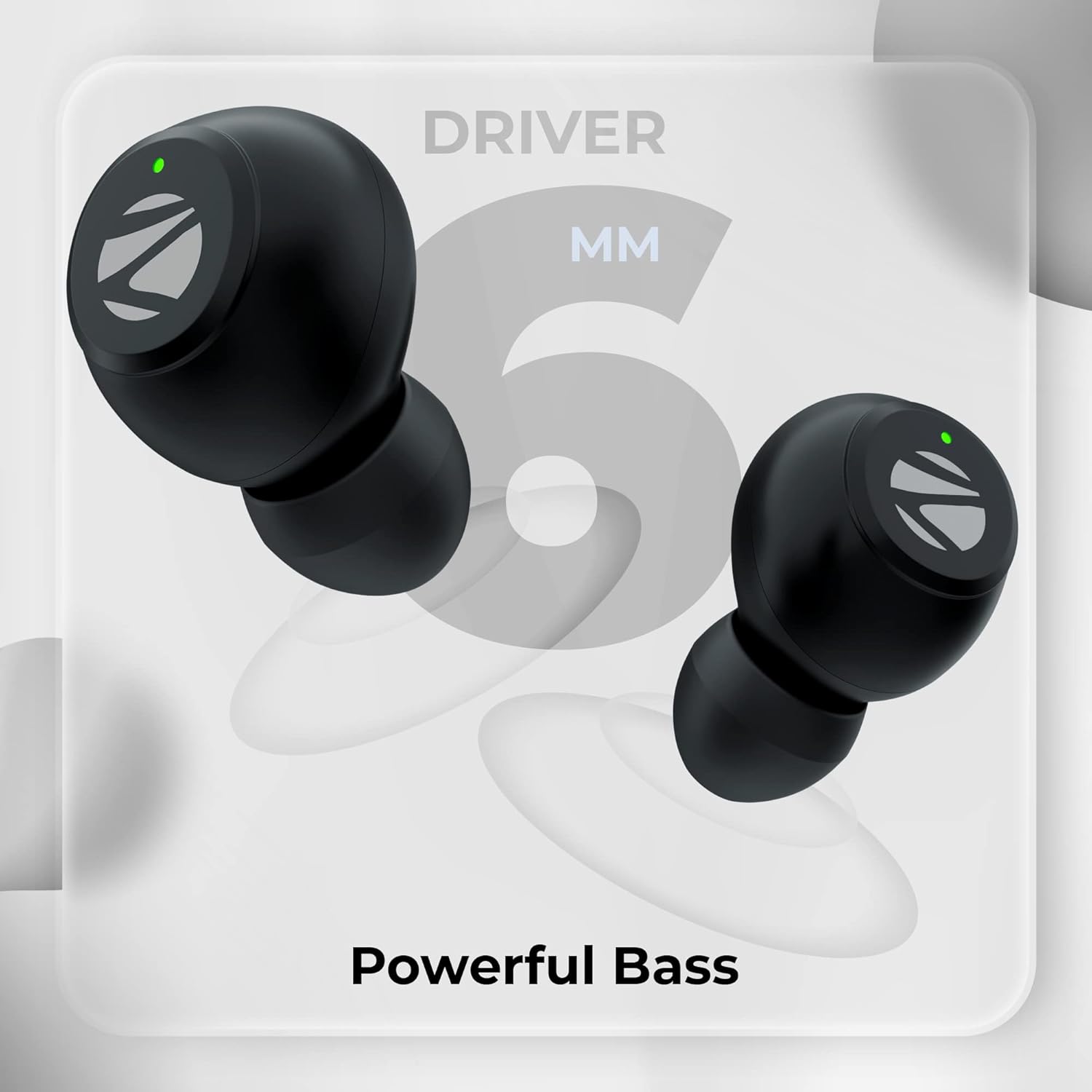
Image: Visual representation of Type-C charging, battery level indication, splash-proof design, and touch control functionality.
4.2 Sisopọ Bluetooth
Follow these steps to pair your ZEBRONICS Pods 2 with your device:
- Rii daju pe awọn agbekọri ti gba agbara ati gbe sinu apoti gbigba agbara.
- Ṣii ideri apoti gbigba agbara. Awọn agbekọri yoo tẹ ipo isọpọ sii laifọwọyi.
- Lori foonuiyara rẹ, tabulẹti, tabi ẹrọ miiran ti o ni Bluetooth, lọ si awọn eto Bluetooth.
- Wa fun awọn ẹrọ ti o wa ki o yan "ZEB-PODS 2"lati akojọ.
- Once connected, you will hear an audible confirmation, and the earbud LED indicators will change.
- Awọn agbekọri naa yoo tun sopọ laifọwọyi si ẹrọ ti o so pọ to kẹhin nigbati o ba yọ kuro ninu ọran naa, ti o ba mu Bluetooth ṣiṣẹ lori ẹrọ naa.

Image: Depiction of voice assistant integration, call function, Bluetooth 5.3 technology, and a device's Bluetooth pairing screen showing "ZEB-Pods 2".
5. Awọn ilana Iṣiṣẹ
5.1 Fọwọkan Iṣakoso
The ZEBRONICS Pods 2 feature intuitive touch controls on each earbud:
- Ṣiṣẹ/Daduro: Fọwọ ba ẹyọkan lori boya agbekọri.
- Orin t’okan: Fọwọ ba lẹẹmeji lori agbekọri ọtun.
- Tẹlẹ Orin: Fọwọ ba lẹẹmeji lori agbekọri osi.
- Idahun/Ipe Ipari: Tẹ ẹyọkan lori boya agbekọri lakoko ipe ti nwọle.
- Kọ Ipe: Tẹ mọlẹ boya agbekọri fun iṣẹju meji 2 lakoko ipe ti nwọle.
- Mu Oluranlọwọ Ohun ṣiṣẹ: Fọwọ ba meteta lori boya agbekọri.
5.2 Iranlọwọ ohun
The earbuds support voice assistants like Google Assistant (Android) and Siri (iOS). Triple tap either earbud to activate your device's voice assistant.
5.3 Ipe Išė
With the built-in microphone, you can make and receive calls directly through the earbuds. Refer to the touch controls section for call management.
6. Itọju
Láti rí i dájú pé àwọn agbekọri rẹ pẹ́ títí àti pé wọ́n ń ṣiṣẹ́ dáadáa, tẹ̀lé àwọn ìlànà ìtọ́jú wọ̀nyí:
- Ninu: Máa fi aṣọ gbígbẹ tó rọ, tó sì le koko fọ àwọn ètí àti àpótí ìgbóhùnsáfẹ́fẹ́ déédéé. Máa yẹra fún lílo àwọn kẹ́míkà líle tàbí àwọn ohun èlò ìpalára.
- Ibi ipamọ: Nigbati o ko ba si ni lilo, tọju awọn afikọti sinu apoti gbigba agbara wọn lati daabobo wọn ki o jẹ ki wọn gba agbara.
- Omi Resistance: The earbuds are splash-proof. Avoid submerging them in water or exposing them to heavy rain. Dry them thoroughly if they get wet.
- Iwọn otutu: Yago fun ṣiṣafihan awọn agbekọri si awọn iwọn otutu pupọ (gbona tabi otutu) tabi oorun taara fun awọn akoko gigun.
- Gbigba agbara: Lo okùn Type-C tí a pèsè tàbí okùn tí a fọwọ́ sí nìkan fún gbígbà agbára.
7. Laasigbotitusita
If you encounter issues with your ZEBRONICS Pods 2, refer to the following common solutions:
| Isoro | Owun to le Solusan |
|---|---|
| Earbuds ko so pọ |
|
| Agbekọri agbekọri kan ṣoṣo ti n ṣiṣẹ |
|
| Ko si ohun tabi iwọn didun kekere |
|
| Ngba agbara ko gba agbara |
|
8. Awọn pato
| Ẹya ara ẹrọ | Ẹ̀kúnrẹ́rẹ́ |
|---|---|
| Orukọ awoṣe | ZEB-PODS 2 |
| Asopọmọra Technology | Ailokun (Bluetooth) |
| Ẹya Bluetooth | 5.3 |
| Bluetooth Ibiti | 10 Mita |
| Audio Driver Type | Awakọ Yiyipo (6mm) |
| Akoko Sisisẹsẹhin | Títí dé wákàtí 10 (Earbuds) |
| Akoko gbigba agbara | Not specified for earbuds, case charging time varies. |
| Ngba agbara Interface | Iru-C |
| Iṣakoso Iru | Iṣakoso Ifọwọkan, Iṣakoso Ohun |
| gbohungbohun kika | Ti a ṣe sinu |
| Omi Resistance Ipele | Ohun tí kò ní omi (Ẹ̀tọ́ síta) |
| Awọn ẹrọ ibaramu | Smartphones, Tablets, Laptops, PC, Smart TVs (Bluetooth enabled) |
| Iwọn Nkan | 30 giramu |
| Ohun elo | Ṣiṣu |
| Àwọ̀ | Dudu |
9. Atilẹyin ọja ati Support
The ZEBRONICS Pods 2 Wireless TWS Earbuds come with a 1-odun atilẹyin ọja from the date of purchase. For warranty claims, technical support, or service inquiries, please refer to the contact information provided in the QR code guide included in your package or visit the official ZEBRONICS webojula.
Jọwọ ṣe idaduro iwe rira rẹ bi ẹri rira fun awọn idi atilẹyin ọja.


