1. Ifihan
This manual provides essential information for the safe and efficient use of your AOC CU34P3CV 34-inch Ultrawide Quad HD LED Monitor. Please read this manual thoroughly before operating the device and retain it for future reference.
The AOC CU34P3CV is a 34-inch ultrawide curved monitor designed for productivity and immersive viewing, featuring a 3440 x 1440 Quad HD resolution, a VA panel, and a versatile USB-C docking solution.
2. Alaye Aabo
- Orisun Agbara: Lo okun agbara nikan ati ohun ti nmu badọgba ti a pese pẹlu atẹle naa. Rii daju pe iṣan agbara ti wa ni ilẹ daradara.
- Afẹfẹ: Ma ṣe dina awọn ṣiṣi atẹgun. Gba aaye to peye ni ayika atẹle fun sisan afẹfẹ to dara.
- Ifihan Olomi: Keep the monitor away from water or other liquids. Do not operate in high humidity environments.
- Ninu: Ge asopọ okun agbara ṣaaju ṣiṣe mimọ. Lo asọ asọ ti o gbẹ. Yago fun olomi tabi aerosol ose.
- Ibi: Place the monitor on a stable, level surface. Avoid direct sunlight, heat sources, or excessive dust.
- Ṣiṣẹ: Maṣe gbiyanju lati ṣe iṣẹ atẹle naa funrararẹ. Tọkasi gbogbo iṣẹ si awọn oṣiṣẹ iṣẹ ti o peye.
3. Package Awọn akoonu
Jọ̀wọ́ ṣàyẹ̀wò ohun tó wà nínú àpò náà nígbà tí o bá ń tú u. Tí àwọn nǹkan kan bá sọnù tàbí tí wọ́n bá bàjẹ́, pe olùtajà rẹ.
- AOC CU34P3CV Monitor
- Iduro Iduro (Ipilẹ ati Ọrun)
- Okun agbara
- Okun HDMI
- Okun DisplayPort
- Okun USB-C
- Afowoyi Olumulo (iwe-ipamọ yii)
4. Eto
4.1. Nto Iduro
- Farabalẹ gbe atẹle naa si isalẹ lori rirọ, dada ti o mọ lati ṣe idiwọ awọn itọ.
- Attach the stand neck to the back of the monitor. Secure with screws if provided.
- So ipilẹ iduro si ọrun imurasilẹ. Ṣe aabo pẹlu skru atanpako tabi awọn skru ti a pese.
Image: AOC CU34P3CV Monitor Front View
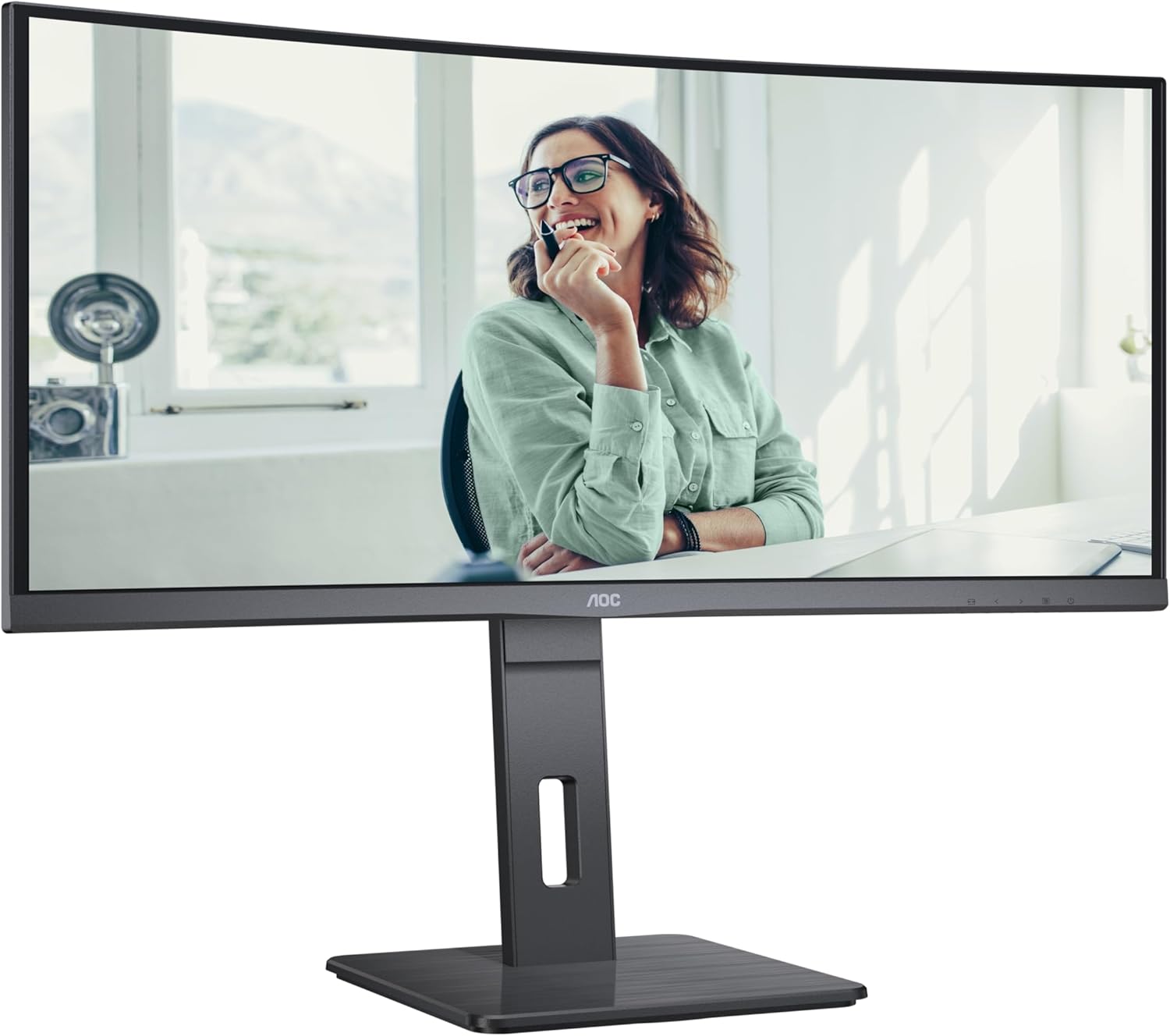
This image shows the AOC CU34P3CV monitor from the front, with its stand, displaying a vibrant image on its curved screen.
Image: AOC CU34P3CV Monitor Features Overview

Àwòrán yìí fi hàn pé ó ní iwájú view of the AOC CU34P3CV monitor, with graphical overlays indicating its key features such as 34-inch size, WQHD resolution, VA panel, 3-sided frameless design, adjustable stand, and curved display.
4.2. Nsopọ Atẹle
Tọkasi si awọn ru view aworan fun awọn ipo ibudo.

This image displays the rear of the AOC CU34P3CV monitor, detailing the arrangement of its power input, video input ports (HDMI, DisplayPort, USB-C), and USB hub ports.
- Asopọ agbara: So okùn agbára náà mọ́ ibi tí a fi ń lo ẹ̀rọ alágbékalẹ̀ náà, lẹ́yìn náà so mọ́ ibi tí a fi ń lo ẹ̀rọ alágbékalẹ̀ mọ́.
- Asopọ fidio:
- USB-C: For a single-cable solution providing video, data, and power delivery (up to 65W), connect the USB-C cable from your computer to the monitor's USB-C port.
- HDMI/Port Ifihan: Connect an HDMI or DisplayPort cable from your computer's video output to the corresponding port on the monitor.
- Ibudo USB: Connect the upstream USB-C cable (if using USB-C for video) or a separate USB upstream cable (if using HDMI/DP) from your computer to the monitor to enable the integrated USB hub ports.
- Nẹtiwọọki (RJ45): If your monitor supports an integrated Ethernet port via USB-C docking, connect an Ethernet cable from your network router/modem to the RJ45 port on the monitor.
4.3. Agbara akọkọ Lori
- Rii daju pe gbogbo awọn kebulu ti sopọ ni aabo.
- Tẹ bọtini agbara lori atẹle naa.
- Turn on your computer. The monitor should automatically detect the input signal. If not, you may need to manually select the input source using the On-Screen Display (OSD) menu.
5. Awọn ilana Iṣiṣẹ
5.1. Agbara Tan / Paa
Tẹ bọtini agbara, nigbagbogbo ti o wa ni apa ọtun tabi ẹhin atẹle, lati tan atẹle naa tan tabi pa.
5.2. On-iboju Ifihan (OSD) Akojọ aṣyn
The OSD menu allows you to adjust various monitor settings. Use the control buttons (joystick or individual buttons) typically located on the bottom or rear of the monitor to navigate the menu.
- Aṣayan titẹ sii: Choose between USB-C, HDMI, or DisplayPort inputs.
- Eto aworan: Adjust Brightness, Contrast, Gamma, Color Temperature, and various picture modes.
- Iṣeto awọ: Fine-tune color settings.
- Eto OSD: Ṣatunṣe ede OSD, akoyawo, ati akoko ipari.
- Afikun: Access information about the current resolution and refresh rate.
5.3. Siṣàtúnṣe iwọn Atẹle
The monitor stand allows for ergonomic adjustments.
- Atunse Giga: Fi ọwọ́ rọra tẹ tabi fa iboju naa soke tabi isalẹ lati ṣatunṣe giga rẹ.
- Atunṣe tẹlọrun: Tẹ̀ iboju iboju naa siwaju tabi sẹhin lati wa ayanfẹ rẹ viewigun igun.
- Atunṣe Swivel: Yi iboju naa pada si apa osi tabi ọtun lori ipilẹ rẹ.
Image: AOC CU34P3CV Monitor Side View pẹlu USB Ports

Àwòrán yìí fi àwọn ògbóǹtarìgì ẹ̀gbẹ́ kan hànfile of the AOC CU34P3CV monitor, highlighting two easily accessible USB ports on the side of the display.
Image: AOC CU34P3CV Monitor Side View with Stand Adjustment

This image illustrates the side view of the AOC CU34P3CV monitor, showcasing the flexibility of its stand for height and tilt adjustments.
Image: AOC CU34P3CV Monitor Top View
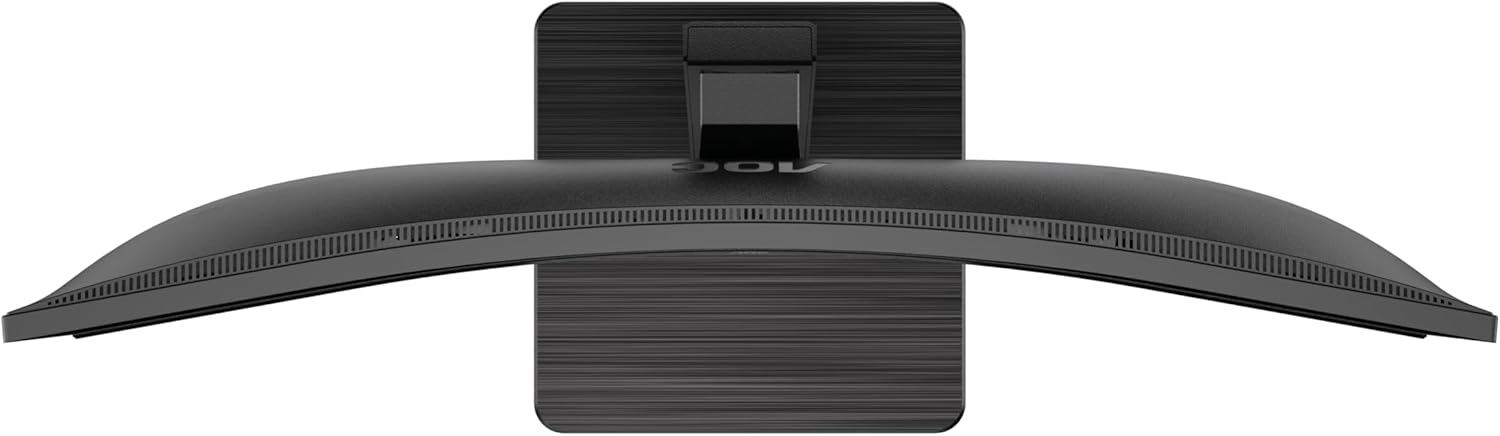
This image provides a top-down perspective of the AOC CU34P3CV monitor, clearly showing the curvature of its ultrawide screen.
6. Itọju
6.1. Ninu Atẹle
- Nigbagbogbo yọọ atẹle naa kuro ni iṣan agbara ṣaaju ṣiṣe mimọ.
- Lo aṣọ rirọ, ti ko ni awọ lati nu iboju ati awọn oju ita rẹ pẹlu rọra.
- Fun awọn ami alagidi, fẹẹrẹ dampen asọ pẹlu omi tabi kan ìwọnba, ti kii-abrasive iboju regede. Maṣe fun sokiri regede taara sori iboju.
- Yẹra fún lílo àwọn ohun ìfọmọ́ tí a fi ammonia ṣe, tàbí àwọn ohun ìfọmọ́ tí a fi amúlétutù ṣe.
7. Laasigbotitusita
Ti o ba pade awọn ọran pẹlu atẹle rẹ, tọka si awọn iṣoro ti o wọpọ ati awọn ojutu wọnyi:
| Isoro | Owun to le Fa | Ojutu |
|---|---|---|
| No power/No image | Power cable not connected; Monitor off | Ensure power cable is securely connected; Press the power button to turn on the monitor. |
| No signal/"No Input" message | Fidio USB ko ti sopọ; Ti yan orisun titẹ sii ti ko tọ | Check video cable connections (HDMI, DisplayPort, USB-C); Use OSD menu to select the correct input source. |
| Àwòrán náà dúdú jù/mọ́lẹ̀ jù | Awọn eto Imọlẹ/Iyatọ ti ko tọ | Adjust Brightness and Contrast settings via the OSD menu. |
| Aworan didan | Incorrect refresh rate; Loose cable | Ensure refresh rate is set to 60Hz in your computer's display settings; Check video cable connections. |
| Awọn ebute oko USB ko ṣiṣẹ | USB upstream cable not connected; Driver issue | Ensure the USB-C cable (for video and data) or a separate USB upstream cable is connected to your computer; Check computer's device manager for USB driver issues. |
8. Awọn pato
Awoṣe: AOC CU34P3CV
| Ẹya ara ẹrọ | Sipesifikesonu |
|---|---|
| Iwon iboju | 34 inches (86.4 cm) |
| Ipinnu | 3440 x 1440 Quad HD |
| Apakan Ipin | 21:9 |
| Panel Iru | VA nronu |
| Oṣuwọn sọtun | 60 Hz |
| Eto Itansan Aworan | 1000:1 |
| Asopọmọra | USB-C (with Power Delivery), HDMI, DisplayPort, USB Hub, Ethernet (RJ45) |
| Lilo Agbara (SDR) | 32.0 W |
| Lilo Agbara (HDR) | 35.0 W |
| Lilo Agbara (Ipo Pipa) | 0.3 W |
| Lilo Agbara (Iduroṣinṣin) | 0.5 W |
| Awọn iwọn Ọja (isunmọ.) | 11.81 x 11.81 x 11.81 inches (pẹlu iduro) |
| Ìwúwo Ohun kan (tó fẹ́rẹ̀ẹ́ tó) | 2.2 poun (laisi iduro) |
| Guaranteed Software/Firmware Updates | ọdun meji 8 |
| Guaranteed Spare Parts | ọdun meji 7 |
| Guaranteed Product Support | ọdun meji 8 |
Image: Product Information Sheet
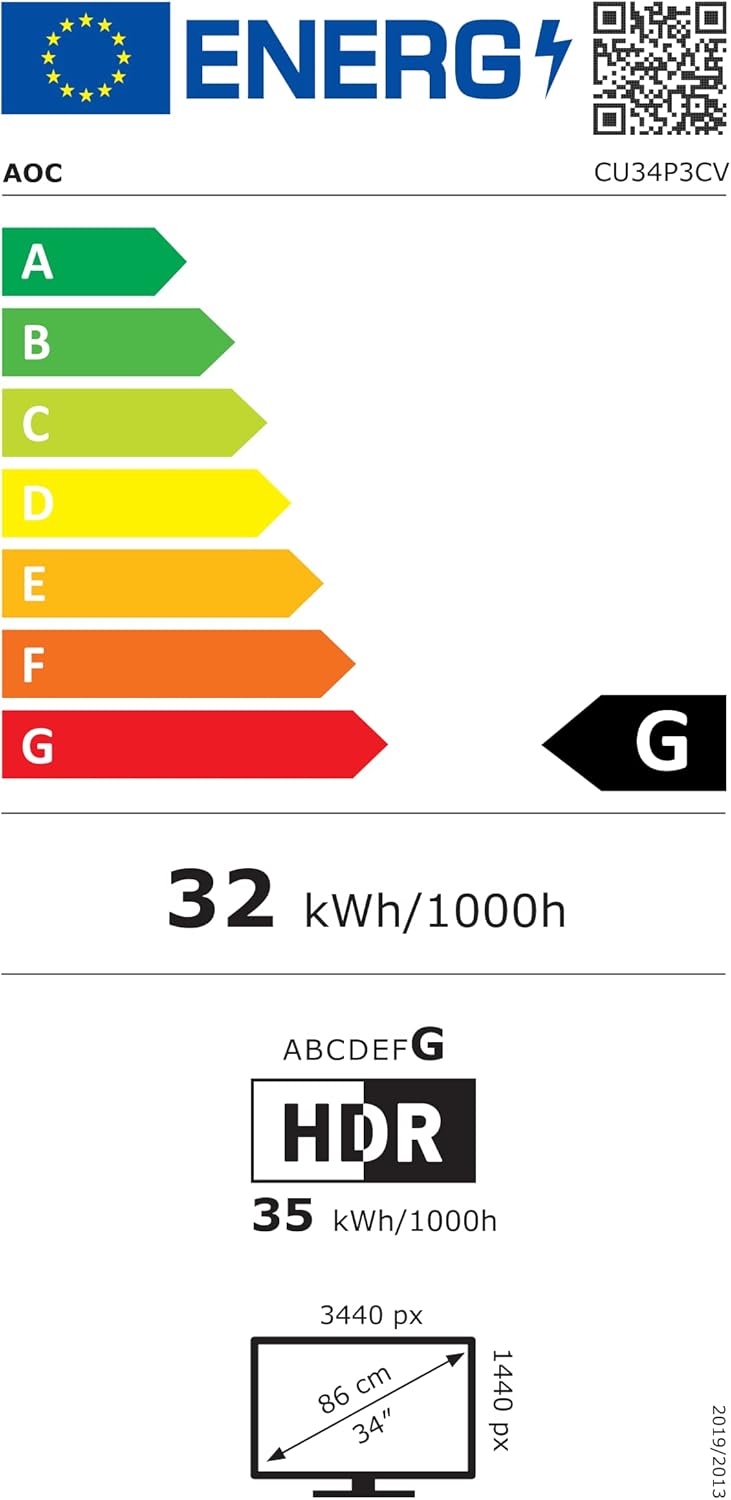
This image displays the official Product Information Sheet for the AOC CU34P3CV monitor, providing detailed technical specifications and compliance information.
Image: Energy Label
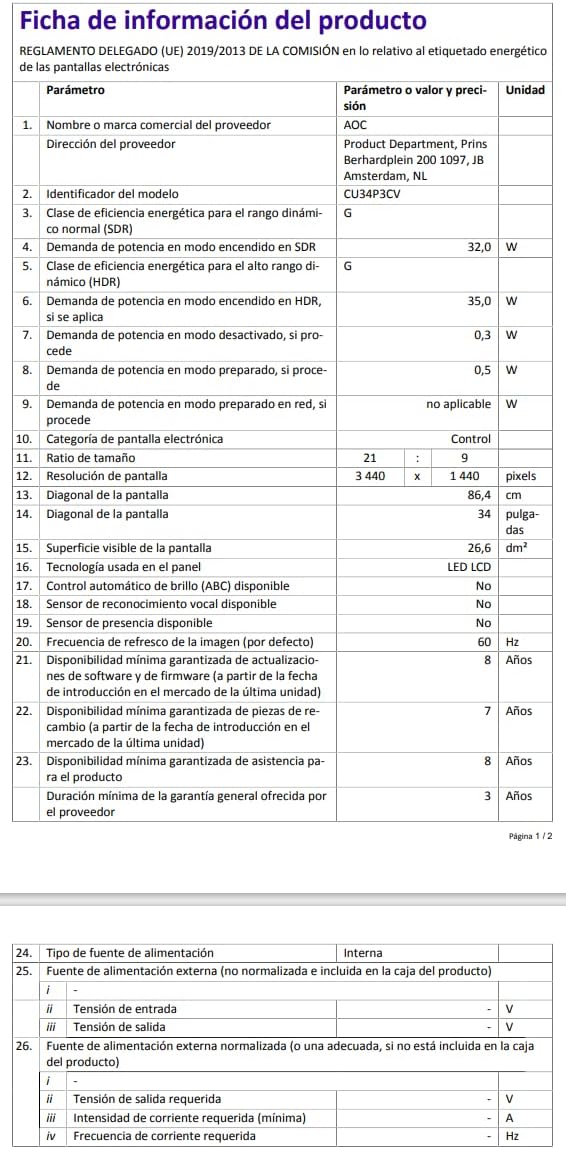
This image presents the EU Energy Label for the AOC CU34P3CV monitor, indicating its energy efficiency class and annual power consumption.
Fun alaye siwaju sii nipa agbara, jọwọ ṣabẹwo si ibi ipamọ data EPREL: https://eprel.ec.europa.eu/qr/1362085
9. Atilẹyin ọja ati Support
Your AOC CU34P3CV monitor comes with a minimum general guarantee of ọdun meji 3 provided by the supplier. Additionally, AOC guarantees minimum availability of software and firmware updates for 8 years, spare parts for 7 years, and product support for 8 years from the date of end of placement on the market.
For technical support, warranty claims, or further assistance, please visit the official AOC website or contact your local AOC customer service center. Keep your purchase receipt as proof of purchase for warranty purposes.


