1. Ifihan
O ṣeun fun riraasing the COBY CPA905BK Bluetooth Party Speaker. This manual provides essential information for the safe and efficient operation of your device. Please read it thoroughly before use and retain it for future reference.

Image 1.1: The COBY CPA905BK Bluetooth Party Speaker, showcasing its vibrant multi-color LED lighting.
2. Alaye Aabo pataki
- Má ṣe fi agbọ́rọ̀sọ náà sí omi, ọrinrin tàbí ooru tó le koko.
- Yago fun sisọ tabi tẹriba agbọrọsọ si awọn ipa to lagbara.
- Ma ṣe gbiyanju lati tu tabi tun ẹya ara rẹ ṣe. Tọkasi gbogbo iṣẹ si oṣiṣẹ oṣiṣẹ.
- Jẹ́ kí agbọ́hùnsọ̀ náà jìnnà sí àwọn orísun ooru bíi radiators, àwọn ìwé ìforúkọsílẹ̀ ooru, sítóòfù, tàbí àwọn ẹ̀rọ mìíràn tí ó ń mú ooru jáde.
- Lo okun gbigba agbara ti a pese nikan.
- Mọ pẹlu asọ gbigbẹ nikan.
- Gbigbọ gigun ni awọn ipele iwọn didun giga le fa ibajẹ igbọran. Ṣatunṣe iwọn didun si ipele iwọntunwọnsi.
3. Package Awọn akoonu
Jọwọ ṣayẹwo package fun awọn nkan wọnyi:
- COBY CPA905BK Bluetooth Party Speaker
- Micro USB Ngba agbara USB
- Afowoyi Olumulo (iwe-ipamọ yii)
4. Ọja Ipariview
Familiarize yourself with the various parts and controls of your COBY CPA905BK speaker.

Image 4.1: Top panel of the COBY CPA905BK speaker, illustrating the control buttons and ports.
Awọn iṣẹ igbimọ Iṣakoso:
- TAN/PA Yipada: Ó ń tan tàbí pa agbọ́hùnsọ̀.
- Ibudo gbigba agbara: Micro USB input for charging the speaker.
- Atọka LED gbigba agbara: Ṣe afihan ipo gbigba agbara.
- Iho Kaadi TF: Insert a TF (microSD) card for direct music playback.
- Ibudo USB: Insert a USB flash drive for direct music playback.
- Bọtini LED: Ó ń yípo nípasẹ̀ àwọn ọ̀nà ìmọ́lẹ̀ tó yàtọ̀ síra.
- Bọtini EQ: Activates or changes equalizer presets.
- Iṣakoso Iwọn didun (VOL+ / VOL-): Ṣe atunṣe iwọn didun agbọrọsọ.
- Previous / Next Song Buttons: Rekọja si išaaju tabi orin atẹle.
- Speaker Mode Button: Changes input mode (Bluetooth, USB, TF Card).
- Play / Pause / Scan Button: Plays or pauses music; initiates FM radio scan (if applicable).
- Mu: Mu ohun èlò ìrù tí a so pọ̀ fún gbígbé.
5. Eto ati First Lo
5.1 Gbigba agbara si Agbọrọsọ
Before first use, fully charge the speaker. Connect the Micro USB charging cable to the speaker's charging port (2) and the other end to a USB power adapter (not included) or a computer's USB port. The Charging LED Indicator (3) will illuminate during charging and turn off when fully charged. A full charge provides up to 7 hours of playtime.
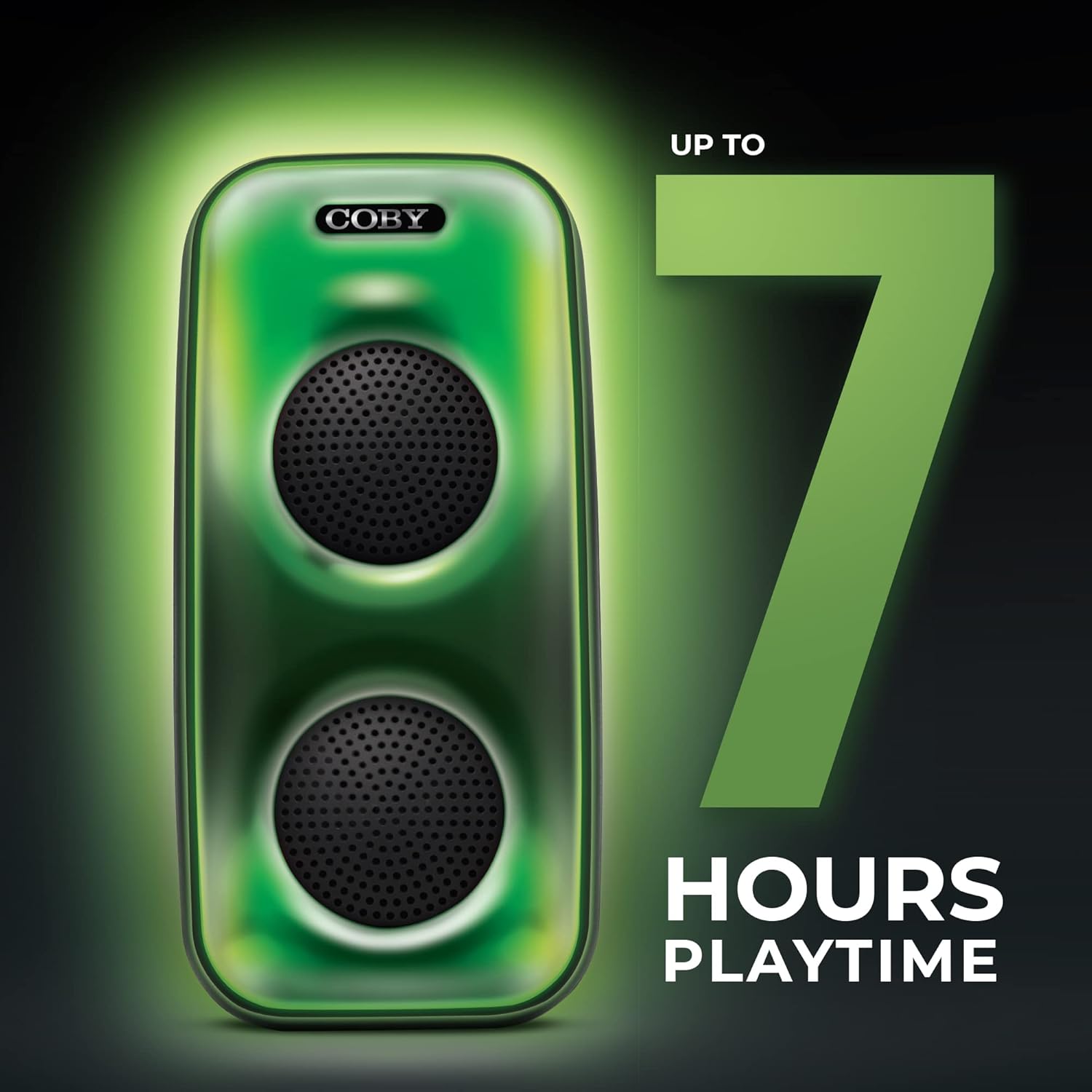
Image 5.1: The COBY CPA905BK speaker highlighting its battery life of up to 7 hours.
5.2 Titan / Pa a
Gbe awọn ON / PA Yipada (1) to the "ON" position to power on the speaker. Slide it to "OFF" to power off.
6. Awọn ilana Iṣiṣẹ
6.1 Bluetooth Asopọ
- Rí i dájú pé a ti tan agbọrọsọ naa ati pe o wa ni ipo Bluetooth. Ti ko ba ri bẹẹ, tẹ bọtini naa. Speaker Mode Button (10) until you hear a prompt indicating Bluetooth mode.
- Mu Bluetooth ṣiṣẹ lori foonuiyara rẹ tabi ẹrọ ibaramu miiran.
- Wa fun "COBY CPA905BK" in your device's Bluetooth settings.
- Select "COBY CPA905BK" to pair. A confirmation sound will indicate successful pairing.
- O le mu ohun ṣiṣẹ bayi lati ẹrọ rẹ nipasẹ agbọrọsọ.

Image 6.1: Illustration of the COBY CPA905BK speaker establishing a quick and easy Bluetooth connection with a smartphone.
6.2 Otitọ Sitẹrio Alailowaya (TWS) Sisọpọ
To achieve a stereo sound experience, you can pair two COBY CPA905BK speakers together:
- Rii daju pe awọn agbohunsoke mejeeji wa ni titan ati ni ipo Bluetooth, ṣugbọn ko sopọ si eyikeyi ẹrọ.
- Lori ọkan ninu awọn agbohunsoke (eyi yoo jẹ agbọrọsọ akọkọ), tẹ mọlẹ Speaker Mode Button (10) for a few seconds until you hear a pairing tone.
- The two speakers will automatically search and pair with each other. A confirmation tone will sound once paired.
- Now, connect your smartphone or device to the primary speaker via Bluetooth as described in section 6.1. Audio will play through both speakers in stereo.

Image 6.2: Two COBY CPA905BK speakers demonstrating True Wireless Stereo (TWS) functionality for enhanced sound.
6.3 USB and TF Card Playback
The speaker supports direct playback from USB flash drives and TF (microSD) cards.
- Fi okun filasi USB sinu Ibudo USB (5) tabi kaadi TF kan sinu Iho TF Kaadi (4).
- Agbọrọsọ naa yoo yipada laifọwọyi si ipo ti o baamu ati bẹrẹ si dun ohun naa files. Tí kò bá rí bẹ́ẹ̀, tẹ Speaker Mode Button (10) to select the correct input.
- Lo awọn Previous / Next Song Buttons (9) to navigate tracks and the Bọtini ṣiṣẹ / sinmi (11) to control playback.
6.4 Awọn Ipo Imọlẹ
The speaker features three distinct light modes:
- Polychromatic: Displays a dynamic range of colors.
- Onitẹsiwaju: Àwọn àwọ̀ máa ń yípadà láìsí ìṣòro.
- Pulu: Lights react to the rhythm of the music.
Tẹ awọn Bọtini LED (6) repeatedly to cycle through these light modes or to turn the lights off.

Image 6.3: The COBY CPA905BK speaker demonstrating its three distinct light modes.
6.5 Oluṣeto (EQ)
Tẹ awọn Bọtini EQ (7) to cycle through available equalizer presets, optimizing the sound for different music genres or personal preferences.
7. Itọju
- Ninu: Lo aṣọ rírọrùn tí ó gbẹ láti nu ìta agbọ́hùnsọ náà. Má ṣe lo àwọn ohun èlò ìfọmọ́ omi tàbí aerosol.
- Ibi ipamọ: Nigbati o ko ba wa ni lilo fun awọn akoko ti o gbooro sii, tọju agbohunsoke si ibi ti o tutu, ti o gbẹ kuro ni imọlẹ orun taara.
- Itọju Batiri: Láti mú kí batiri pẹ́ sí i, má ṣe jẹ́ kí agbọ́hùnsọ̀ náà máa tú jáde dáadáa nígbà gbogbo. Gba agbára rẹ̀ déédéé, kódà bí kò bá tiẹ̀ wà ní lílò.
8. Laasigbotitusita
| Isoro | Owun to le Fa | Ojutu |
|---|---|---|
| Agbọrọsọ ko ni agbara lori. | Batiri ti dinku. | Gba agbara si agbọrọsọ nipa lilo okun USB Micro ti a pese. |
| Ko si ohun lati agbọrọsọ. | Volume is too low; incorrect input mode; device not paired. | Increase volume; press Speaker Mode Button (10) to select correct input; re-pair Bluetooth device. |
| Bluetooth device cannot find the speaker. | Speaker is not in Bluetooth pairing mode; speaker is already connected to another device. | Ensure speaker is in Bluetooth mode; disconnect from other devices; restart speaker and device. |
| TWS sisopọ kuna. | Àwọn agbọ́rọ̀sọ ti jìnnà jù; a ti so agbọ́rọ̀sọ kan pọ̀ mọ́ ẹ̀rọ kan tẹ́lẹ̀. | Ensure speakers are close to each other; disconnect both speakers from any Bluetooth devices before initiating TWS pairing. |
| USB/TF card playback not working. | Ti ko tọ file format; card/drive not inserted correctly; speaker not in correct mode. | Ṣe idaniloju ohun afetigbọ files are in a compatible format (e.g., MP3); reinsert card/drive; press Speaker Mode Button (10) to select USB or TF mode. |
9. Awọn pato
| Ẹya ara ẹrọ | Ẹ̀kúnrẹ́rẹ́ |
|---|---|
| Nọmba awoṣe | CPA905BK |
| Brand | Coby |
| Asopọmọra Technology | Bluetooth 5.3, USB, TF Card |
| Orisun agbara | Agbara Batiri (batiri Lithium ion 1, to wa) |
| Akoko ere | Titi di wakati 7 |
| Input Audio | Bluetooth, USB, TF Card |
| Awọn iwọn Ọja (L x W x H) | 5.52 x 5.52 x 11.43 inches |
| Iwọn Nkan | 2.3 iwon |
| Ohun elo | Irin, Ṣiṣu |
| UPC | 810071491368 |
10. Atilẹyin ọja ati Support
For warranty information and technical support, please refer to the documentation provided with your purchase or visit the official Coby webojula. Jeki ẹri rira rẹ fun awọn iṣeduro atilẹyin ọja.
Olupese: Summit Electronics, LLC
Webojula: Ṣabẹwo si Ile itaja Coby lori Amazon


