Ọja Pariview
The Beliani LED Dimmable Desk Lamp, Model 379013, is designed to provide versatile lighting for various tasks. Featuring an adjustable arm, touch controls, multiple light temperature modes, and integrated wireless charging, this lamp combines functionality with a modern aesthetic.
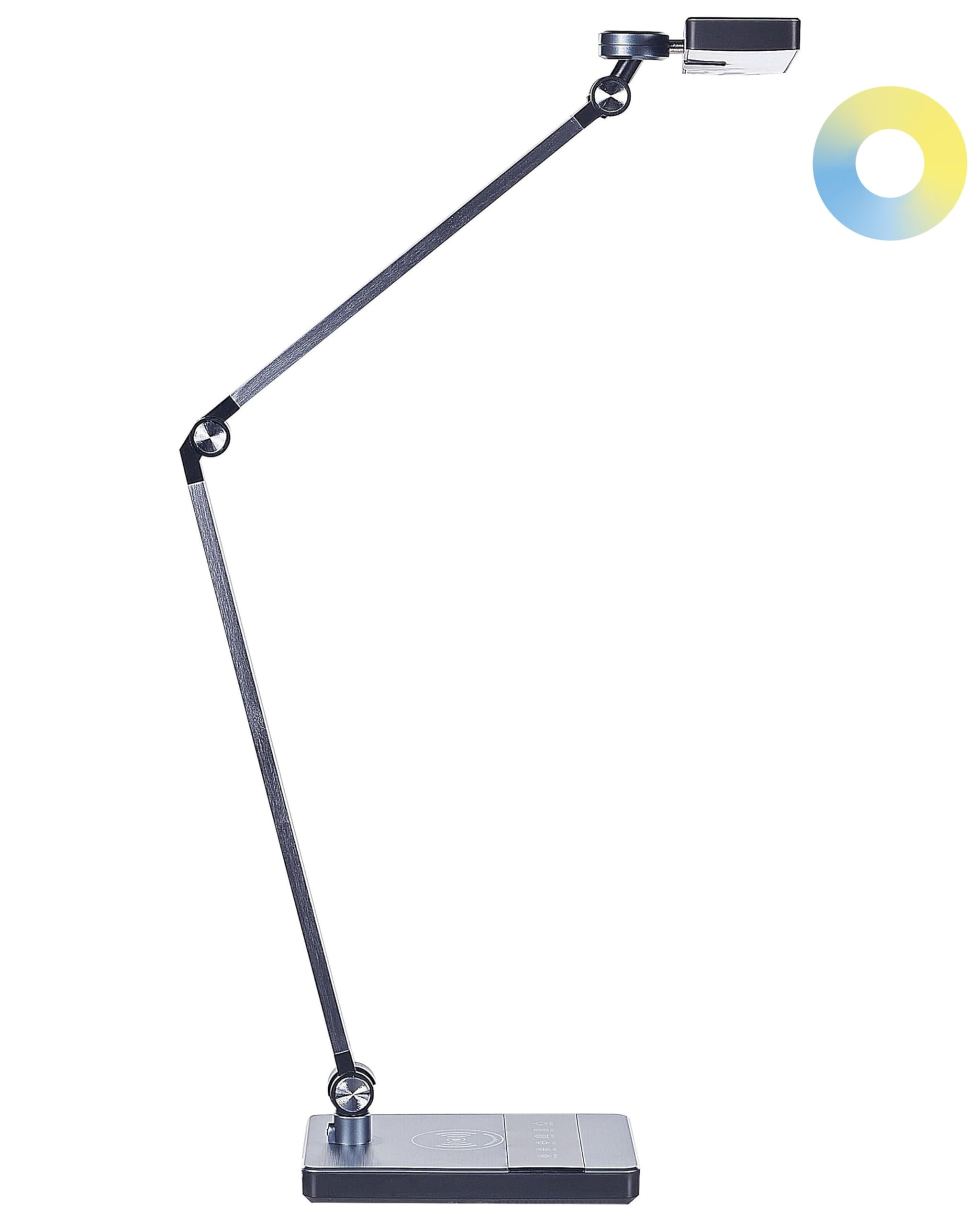
Image: The Beliani LED Dimmable Desk Lamp in a modern office setting, showcasing its adjustable arm and sleek design.
Awọn ilana iṣeto
Eleyi lamp is designed for immediate use and requires no assembly. Follow these simple steps to begin using your lamp:
- Yọọ kuro: Fara yọ lamp lati apoti rẹ.
- Ibi: Gbe lamp lori iduro, dada alapin.
- So agbara: Pulọọgi ohun ti nmu badọgba agbara sinu lamp's power input port, then connect the adapter to a standard electrical outlet (230V, 50Hz).
Awọn ilana Iṣiṣẹ
Awọn lamp awọn iṣakoso ifọwọkan ti o ni oye ti o wa ni ipilẹ rẹ.

Aworan: A sunmọ-soke view ti lamp's base, highlighting the touch control panel and the integrated wireless charging pad.
- Titan/Apapa: Fi ọwọ kan awọn TAN/PA icon to turn the lamp tan tabi pa.
- Adjust Brightness (Dimmer): Pẹlu lamp on, touch and hold the Imọlẹ icon to gradually increase or decrease the light intensity. Release when the desired brightness is reached.
- Change Light Temperature: Fi ọwọ kan awọn Imọlẹ icon to cycle through the three available light temperature modes:
- Ipo isinmi: A warm light setting, ideal for unwinding.
- Ka Ipo: A balanced light suitable for reading.
- Ipò Iṣẹ: A brighter, cooler light for focused tasks.
- Ṣe atunṣe Lamp Arm and Head: Awọn lamp features an adjustable arm and lampshade. Gently pivot the arm and rotate the lampshade to direct the light as needed.
- Gbigba agbara Alailowaya: Place your compatible mobile phone or other electronic device on the designated wireless charging pad on the lamp's base. Ensure the device is centered for optimal charging. The charging function operates independently of the lamp'imọlẹ.
Itoju
The Beliani LED Desk Lamp is designed for easy maintenance.
- Ninu: Ge asopọ lamp láti orísun agbára kí o tó sọ ọ́ di mímọ́. Lo aṣọ rírọ̀ tí ó gbẹ láti nu omi náà.amp's surfaces. Do not use abrasive cleaners, solvents, or harsh chemicals, as these can damage the finish.
- Ibi ipamọ: Ti o ba tọju lamp, rí i dájú pé ó mọ́ tónítóní àti gbígbẹ. Tọ́jú sí ibi tí ó tutù tí ó sì gbẹ, tí kò sí ibi tí oòrùn lè tàn dé.
Laasigbotitusita
Ti o ba pade awọn iṣoro pẹlu l rẹamp, jọwọ wo awọn ojutu ti o wọpọ wọnyi:
- Lamp ko tan:
- Rii daju pe ohun ti nmu badọgba agbara ti wa ni edidi ni aabo sinu awọn mejeeji lamp ati itanna iṣan.
- Rí i dájú pé ibi tí iná mànàmáná náà ti ń ṣiṣẹ́ nípa dídán an wò pẹ̀lú ẹ̀rọ mìíràn.
- A ko le ṣatunṣe kikankikan imọlẹ tabi iwọn otutu awọ:
- Ensure you are using the correct touch controls as described in the Operating Instructions.
- Try turning the lamp pa ati lẹẹkansi.
- Wireless charging is not working:
- Confirm your device is compatible with wireless charging (Qi standard).
- Ensure your device is placed correctly and centered on the charging pad.
- Yọ eyikeyi awọn ọran foonu ti o nipọn ti o le dabaru pẹlu gbigba agbara alailowaya.
- Ṣayẹwo boya lamp ti sopọ si agbara.
If problems persist, please contact Beliani customer support for assistance.
Awọn pato

Image: A technical diagram illustrating the dimensions of the Beliani LED Dimmable Desk Lamp, including height, width, and base measurements.
| Ọja Iru | Tabili Lamp |
| Nọmba awoṣe | 379013 |
| Ara | Ilé iṣẹ́ |
| Awọ akọkọ | Dudu |
| LED Awọ otutu | Warm White (3 modes: Relax, Read, Work) |
| Ohun elo akọkọ | Aluminiomu |
| Ohun elo Atẹle | Ohun elo Sintetiki |
| adijositabulu Parts | Lampshade, Arm |
| Agbara | 9 W |
| Pari | Fẹlẹ |
| IP Protection Code | IP20 |
| Imọlẹ Itanna LED | 920 lm |
| LED Iru | SMD 2835 |
| Voltage | 230V (50 Hz) |
| Awọn iwọn mimọ | 15 x 19 cm |
| USB Ipari | 130 cm |
| Overall Dimensions (approx.) | 19 cm (Ijinle) x 28 cm (Iwọn) x 73 cm (Iga) |
| Iwọn | 1.5 kg |
| Key Awọn ẹya ara ẹrọ | Light dimmer, Touch control, Integrated LED, 3 LED lighting modes, Integrated wireless charger |
Atilẹyin ọja ati Support
For warranty information or technical support, please refer to your purchase documentation or contact Beliani customer service directly. Ensure you have your model number (379013) and proof of purchase available when contacting support.
You can typically find support contact details on the official Beliani webaaye tabi nipasẹ alagbata ti o ti ra ọja naa.


