1. Ifihan
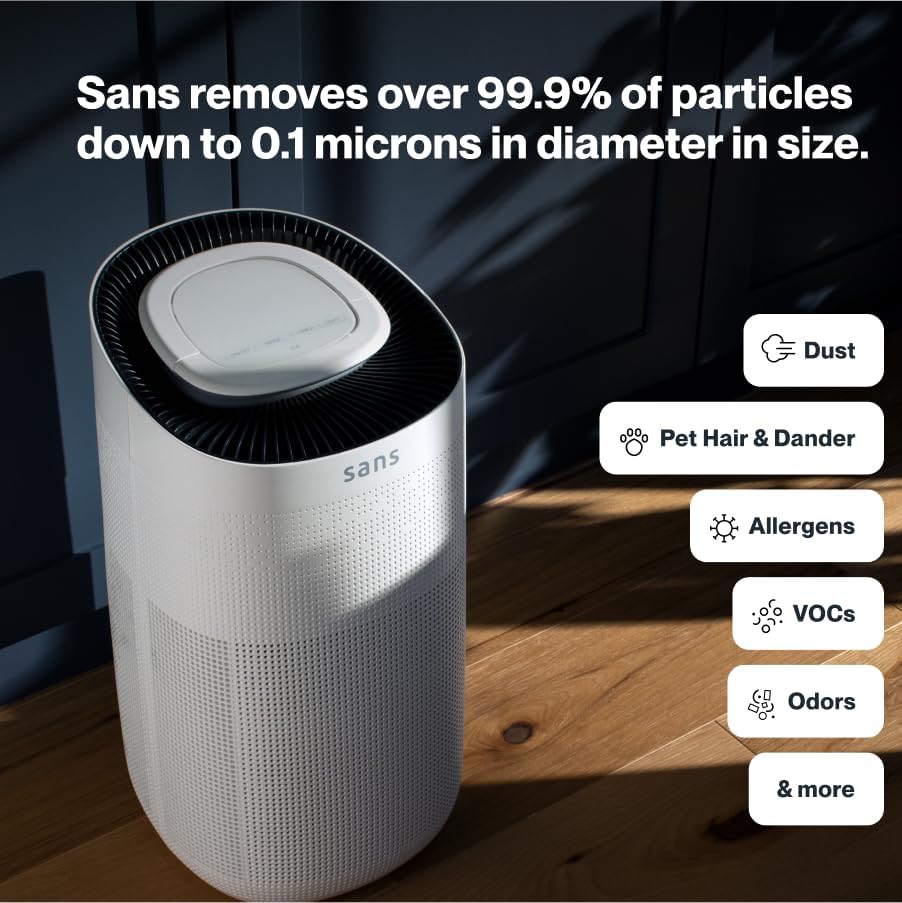
The Sans HEPA 13 Air Purifier is designed to provide cleaner, healthier air in your home or workplace. It features advanced filtration technology to effectively remove airborne particles and improve indoor air quality.

Awọn ẹya pataki:
- Ibora ti o gbooro: Purifies air in spaces up to 1560 sq. ft. every hour.
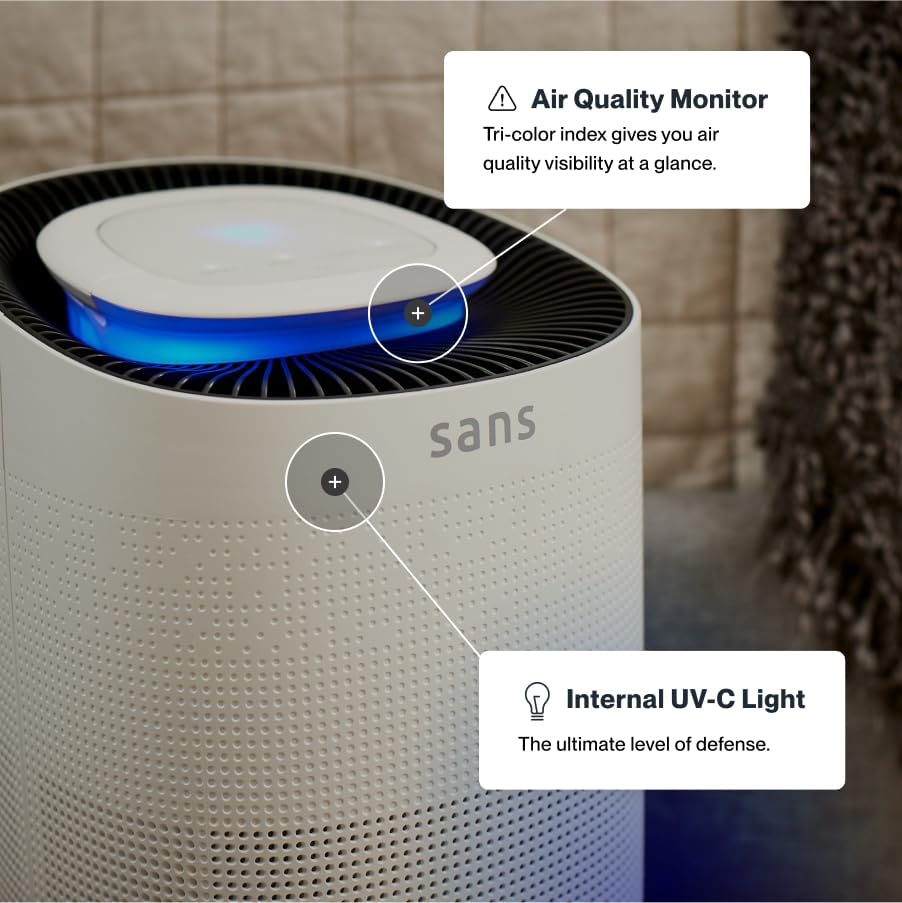
- Eto Sisẹ To ti ni ilọsiwaju: Equipped with a pre-filter, medical-grade HEPA 13 filter, activated carbon filter, and a powerful internal UV-C light.
- Aabo ti o ni kikun: Removes over 99.9% of particles down to 0.1 microns, including pollutants, allergens, dust, dander, harmful chemicals, gases, odors, and smoke.
- Isẹ idakẹjẹ: Designed for ultra-quiet performance, especially in sleep mode.
- Smart Auto-Mode: Utilizes precise sensors to measure air quality and automatically adjusts fan settings for optimal purification and energy efficiency.
- Ifihan Didara Afẹfẹ: Features an easy-to-read display showing the Air Quality Index (AQI) in real-time.
2. Eto
- Unpack the Purifier: Fara yọ afẹfẹ purifier kuro ninu apoti rẹ. Rii daju pe gbogbo awọn ohun elo iṣakojọpọ ti yọkuro.
- Ipo: Place the air purifier on a flat, stable surface in the desired room. For optimal performance, ensure there is adequate space around the air intake and outlet vents.
- Fifi sori ẹrọ Filter: The filter is typically pre-installed but may require removal of protective packaging. Refer to the 'Maintenance' section for detailed filter access instructions. Ensure the filter is correctly seated before closing the cover.
- Asopọ agbara: Pulọọgi okun agbara sinu kan boṣewa itanna iṣan.
3. Awọn ilana Iṣiṣẹ
The Sans HEPA 13 Air Purifier features an intuitive control panel located on the top of the unit.

- Titan/Apapa: Tẹ awọn TAN/PA bọtini lati tan tabi pa kuro.
- Aṣayan Ipo: Tẹ awọn MODE button to cycle through different operating modes: Auto, Low, Medium, High.
- Ipo Aifọwọyi: In Auto-Mode, the purifier uses precise sensors to detect real-time air quality and automatically adjusts the fan speed to maintain optimal air purification.
- Iṣẹ Aago: Lo awọn Aago button to set the operating duration (e.g., 2, 4, or 8 hours). The unit will automatically shut off after the set time.
- Iṣakoso ina: Awọn Imọlẹ button controls the ambient light feature. Press to turn the light on or off.
- Ipo orun: When activated, Sleep Mode operates the purifier at its lowest, quietest setting and turns off all display lights to ensure an undisturbed sleeping environment.
- Atọka Didara Afẹfẹ (AQI): The digital display shows the current Air Quality Index (AQI) in your space. A lower number indicates cleaner air. The color of the top light ring may also change to reflect air quality (e.g., blue for good, red for poor).
- Imọlẹ UV-C: The internal UV-C light provides an additional layer of air purification. It can be toggled on or off via the control panel.
Fidio Ọja Oṣiṣẹ:
4. Itọju
Regular maintenance ensures the longevity and optimal performance of your Sans HEPA 13 Air Purifier.
Iyipada Ajọ:
The air purifier is equipped with a filter replacement indicator that will illuminate when it's time to change the filter. It is generally recommended to replace the filter every 3 months, depending on usage and air quality.
- Agbara Pa: Always turn off and unplug the air purifier before performing any maintenance.
- Wiwọle Àlẹmọ Ibi: Locate the filter access panel, typically on the back or bottom of the unit. Open the panel by pressing the release tab or rotating the base as indicated in the diagram.
- Yọ Ajọ atijọ kuro: Carefully pull out the used filter by its tabs. Dispose of the old filter responsibly.
- Fi Ajọ Tuntun sori ẹrọ: Remove the new filter from its protective packaging. Insert the new filter into the compartment, ensuring it is seated correctly.
- Pa Panel: Ni aabo pa nronu wiwọle àlẹmọ.
- Atọka Ajọ Tunto: After replacing the filter, press and hold the filter reset button (often combined with another function button) for a few seconds until the indicator light turns off.
Ninu Ode:
Fi aṣọ rírọrùn tí ó gbẹ nu ìta ẹ̀rọ ìwẹ̀nùmọ́ afẹ́fẹ́ náà. Má ṣe lo àwọn ohun ìwẹ̀nùmọ́ tàbí àwọn ohun èlò ìfọ́mọ́.
5. Laasigbotitusita
| Isoro | Owun to le Fa | Ojutu |
|---|---|---|
| Ẹka ko ni tan-an | No power; power cord not properly connected. | Rii daju pe okun agbara ti wa ni edidi ni aabo sinu iṣan-iṣẹ iṣẹ. Ṣayẹwo agbara yipada. |
| Poor air purification performance | Clogged filter; incorrect mode setting. | Replace the filter if the indicator is on. Select a higher fan speed or Auto-Mode. |
| Ariwo ti ko wọpọ | Ìdènà nínú afẹ́fẹ́; ẹ̀rọ náà kò sí lórí ilẹ̀ tí ó dúró ṣinṣin. | Turn off and unplug the unit. Check for any foreign objects. Place on a stable surface. |
| Air Quality Index (AQI) remains high | High level of pollutants; unit not running long enough. | Allow the unit to run longer, especially in Auto-Mode. Ensure proper room size coverage. |
6. Awọn pato
- Nọmba awoṣe: Sans Purificatore d'aria HEPA 13
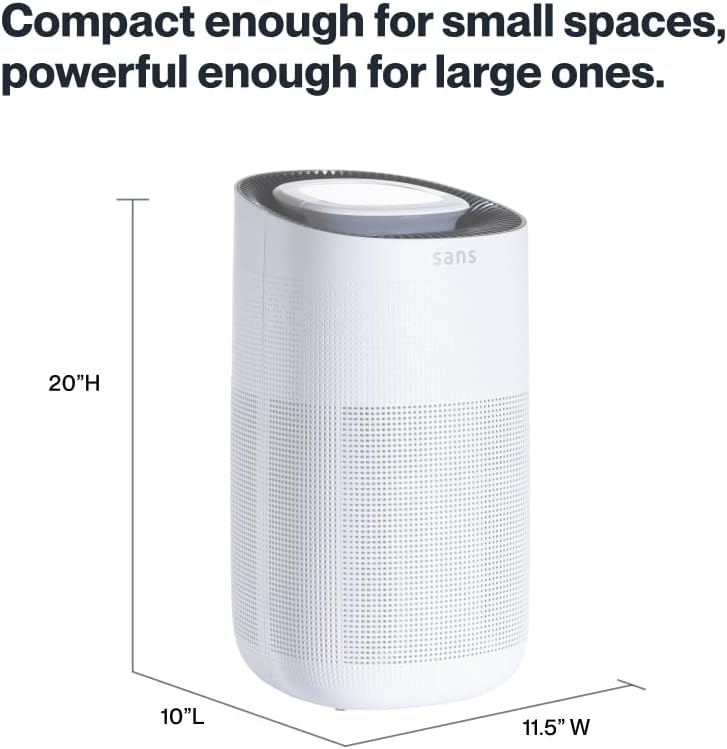
- Awọn iwọn ọja: 10"D x 11.5"W x 20"H
- Ìwọ̀n Nkan: 14 iwon
- Orisun Agbara: Okun Itanna
- Àwọ̀: Ọganjọ
- Àlẹmọ Iru: Pre-Filter, Medical Grade HEPA 13, Activated Carbon, UV-C Light
- Agbegbe Ibo: Up to 1560 sq. ft. per hour
7. Atilẹyin ọja ati Support
For warranty information and customer support, please refer to the product packaging or contact Sans customer service directly. Keep your purchase receipt for warranty claims.


