1. Ọja Ipariview
The Xiaomi Redmi Buds 4 Lite are True Wireless Stereo (TWS) earbuds designed for a comfortable audio experience. They feature Bluetooth 5.3 connectivity, AI Call Noise Cancelling, and an IP54 water resistance rating, making them suitable for various activities including gaming, calls, music, and exercise.

Image: Xiaomi Redmi Buds 4 Lite TWS Wireless Earbuds in their charging case.
2. Package Awọn akoonu
Rii daju pe gbogbo awọn nkan wa ninu package:
- Àwọn Earbud Xiaomi Redmi Buds 4 Lite (Òsì àti Ọ̀tún)
- Ngba agbara Case
- Afowoyi Olumulo (iwe-ipamọ yii)
3. Eto
3.1. Gbigba agbara akọkọ
Before first use, fully charge the earbuds and the charging case. Connect the charging case to a power source using a compatible USB cable. The indicator light on the case will show charging status.

Image: The charging case connected to a power source for charging.
3.2. Sisopọ pẹlu Ẹrọ kan
- Rii daju pe awọn afikọti wa ninu apoti gbigba agbara ati pe ideri ọran wa ni sisi.
- Lori ẹrọ rẹ (foonuiyara, tabulẹti, ati be be lo), jeki Bluetooth.
- Wa fun available Bluetooth devices and select "Redmi Buds 4 Lite" from the list.
- The earbuds will automatically connect. A voice prompt or indicator light will confirm successful pairing.
The Redmi Buds 4 Lite support Google Yara bata for quick and seamless connection with compatible Android devices.

Image: Earbuds and case illustrating Google Fast Pair feature.
3.3. Wọ awọn Earbuds
Gently insert the earbuds into your ears. Adjust them for a snug and comfortable fit. The lightweight design and rounded tips ensure they stay securely in place during various activities.
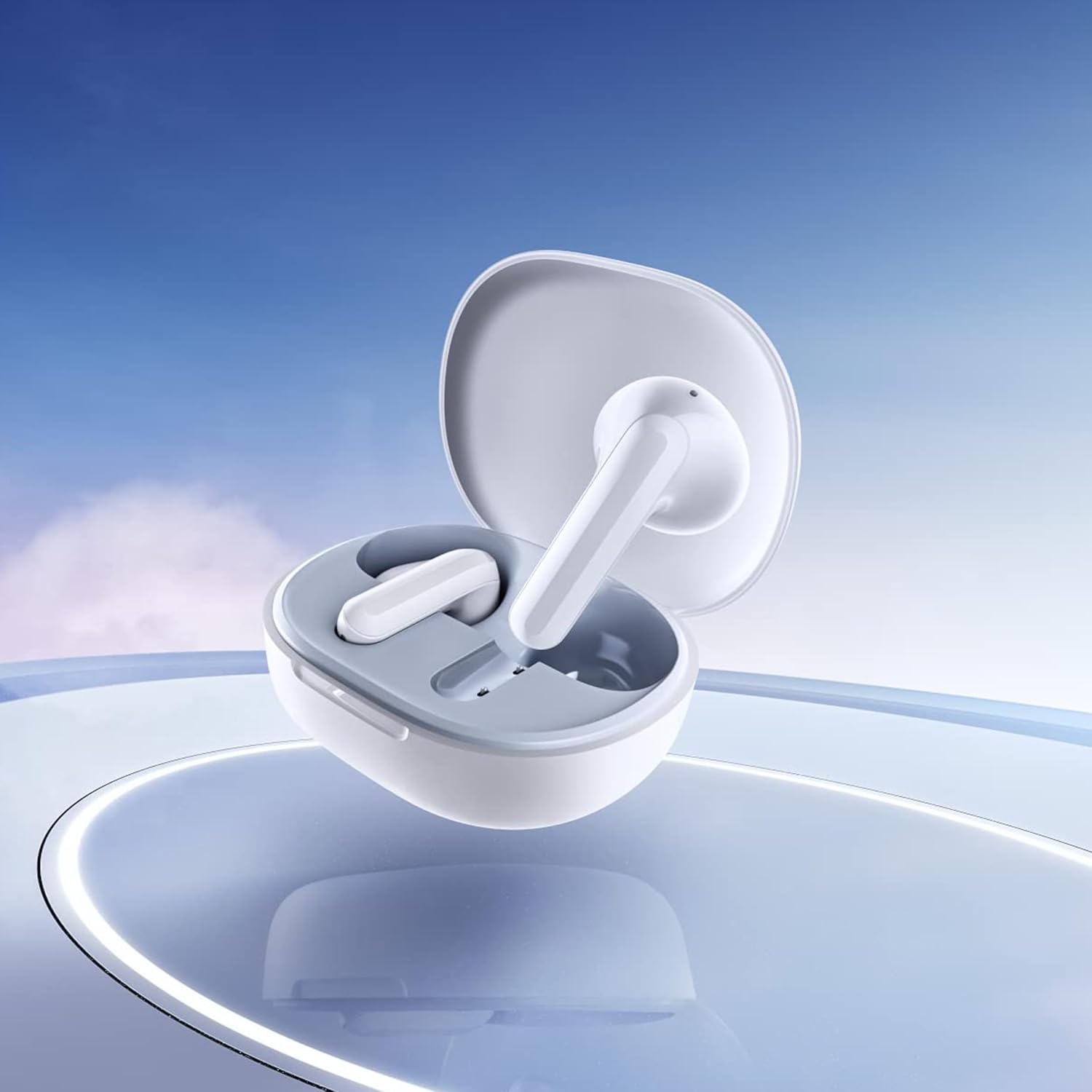
Image: Close-up of the individual earbuds, highlighting their design.
4. Awọn ilana Iṣiṣẹ
4.1. Awọn iṣakoso ifọwọkan
The Redmi Buds 4 Lite feature intuitive touch controls for media playback and call management. Specific touch gestures may vary slightly, but common functions include:
- Ṣiṣẹ/Daduro: Fọwọ ba ẹyọkan lori boya agbekọri.
- Orin t’okan: Fọwọ ba lẹẹmeji lori agbekọri ọtun.
- Tẹlẹ Orin: Fọwọ ba lẹẹmeji lori agbekọri osi.
- Idahun/Ipe Ipari: Fọwọ ba ẹyọkan lori boya agbekọri.
- Kọ Ipe: Tẹ mọlẹ lori boya agbekọri.
- Mu Oluranlọwọ Ohun ṣiṣẹ: Fọwọ ba meteta lori boya agbekọri.
4.2. Fagilé Ariwo Ipe AI
The earbuds are equipped with AI Call Noise Cancelling technology to enhance call clarity by reducing background noise during phone conversations.
4.3. Ipo Ere-idaraya Latency-kekere
For an optimized gaming experience, the earbuds offer a low-latency mode. Refer to your device's Bluetooth settings or the official Xiaomi app (if available) for activation instructions.
5. Itọju
5.1. Ninu
Regularly clean your earbuds and charging case to maintain optimal performance and hygiene. Use a soft, dry, lint-free cloth. Do not use abrasive cleaners or immerse the earbuds or case in water.
5.2. Omi Resistance (IP54)
The Redmi Buds 4 Lite have an IP54 rating, meaning they are protected against dust ingress and splashing water from any direction. This makes them suitable for workouts and light rain. However, they are not designed for swimming or showering. Avoid exposing them to high-pressure water or submerging them.

Image: Earbuds shown with an IP54 water resistance indicator.
5.3. Ibi ipamọ
Tí o kò bá lò ó, fi àwọn ètítíkì sínú àpótí ìgbóná wọn láti dáàbò bò wọ́n kí o sì rí i dájú pé wọ́n ń gba agbára. Tọ́jú sí ibi tí ó tutù, tí ó gbẹ, tí kò sí ìmọ́lẹ̀ tààrà àti ooru tó le koko.
6. Laasigbotitusita
6.1. Àwọn etí tí kò so pọ̀
- Rii daju pe awọn agbekọri mejeeji ti gba agbara.
- Place earbuds back in the case, close the lid, then open it again to reset.
- Paa ati tan Bluetooth ẹrọ rẹ.
- Forget "Redmi Buds 4 Lite" from your device's Bluetooth list and try pairing again.
6.2. Kò sí ohùn tàbí ohùn kékeré
- Ṣayẹwo ipele iwọn didun lori ẹrọ rẹ mejeeji ati awọn agbekọri.
- Rii daju pe awọn agbekọri ti joko daradara ni awọn eti rẹ.
- Nu eyikeyi idoti kuro lati awọn agbohunsoke agbekọri.
- Tun awọn agbekọri pọ mọ ẹrọ rẹ.
6.3. Àwọn Ìṣòro Dídára Ìpè
- Rii daju pe awọn agbekọri ti gba agbara ni kikun.
- Sunmọ ẹrọ ti o sopọ lati yago fun kikọlu ifihan.
- The AI Call Noise Cancelling feature helps, but extreme noisy environments may still affect clarity.
6.4. Àwọn agbetí kò gba agbára
- Rii daju pe okun gbigba agbara ti sopọ ni aabo si ọran mejeeji ati orisun agbara.
- Rii daju pe awọn olubasọrọ gbigba agbara lori awọn agbekọri ati inu ọran naa jẹ mimọ ati laisi idoti.
- Gbiyanju okun gbigba agbara ti o yatọ tabi ohun ti nmu badọgba agbara.
7. Awọn pato
| Ẹya ara ẹrọ | Ẹ̀kúnrẹ́rẹ́ |
|---|---|
| Orukọ awoṣe | Redmi Buds 4 Lite |
| Asopọmọra Technology | Ailokun (Bluetooth 5.3) |
| Ẹya Bluetooth | 5.3 |
| Bluetooth Ibiti | 10 Mita |
| Audio Driver Type | Awakọ Yiyipo (12mm) |
| Igbesi aye batiri | Titi di Awọn wakati 20 (pẹlu ọran gbigba agbara) |
| Ọna Iṣakoso | Fọwọkan, Media Iṣakoso |
| Àwọn Ẹ̀yà Ìṣàkóso Ariwo | Fagilé Ariwo Ipe AI |
| Omi Resistance Ipele | IP54 (Atako omi) |
| Iwọn Nkan | 39 Grams (total), 1.38 ounces (product) |
| Ọja Mefa | 2.56 x 1.89 x 1.02 inches |
| Ohun elo | Plastic (earbuds and case) |
| Àwọ̀ | Funfun |
| Gbigbe Eti | Ninu Eti |
| Awọn ẹrọ ibaramu | Devices with Bluetooth 5.3 and supporting A2DP, AVRCP, HFP profiles |

Aworan: Iwaju view of the Redmi Buds 4 Lite in their charging case.

Aworan: Apa view of the Redmi Buds 4 Lite in their charging case.
8. Atilẹyin ọja ati Support
8.1. atilẹyin ọja Information
Warranty details for the Xiaomi Redmi Buds 4 Lite are typically provided with your purchase documentation. Please refer to the warranty card or contact your retailer for specific terms and conditions regarding your product's warranty coverage.
8.2. Onibara Support
For further assistance, technical support, or inquiries, please visit the official XIAOMI website or contact their customer service department. You can often find support contact information on the product packaging or the brand's official online channels.
Ile itaja Xiaomi osise: Ile itaja Xiaomi lori Amazon


