1. Ifihan
O ṣeun fun riraasing the LODADRA 20'' Low Profile Ceiling Fan with Light and Remote. This modern and space-saving ceiling fan is designed to provide optimal air circulation and adjustable lighting for various rooms, including bedrooms, living rooms, and kitchens. Equipped with a quiet DC motor and versatile features, it ensures comfort and convenience. Please read this manual thoroughly before installation and operation to ensure safe and efficient use.
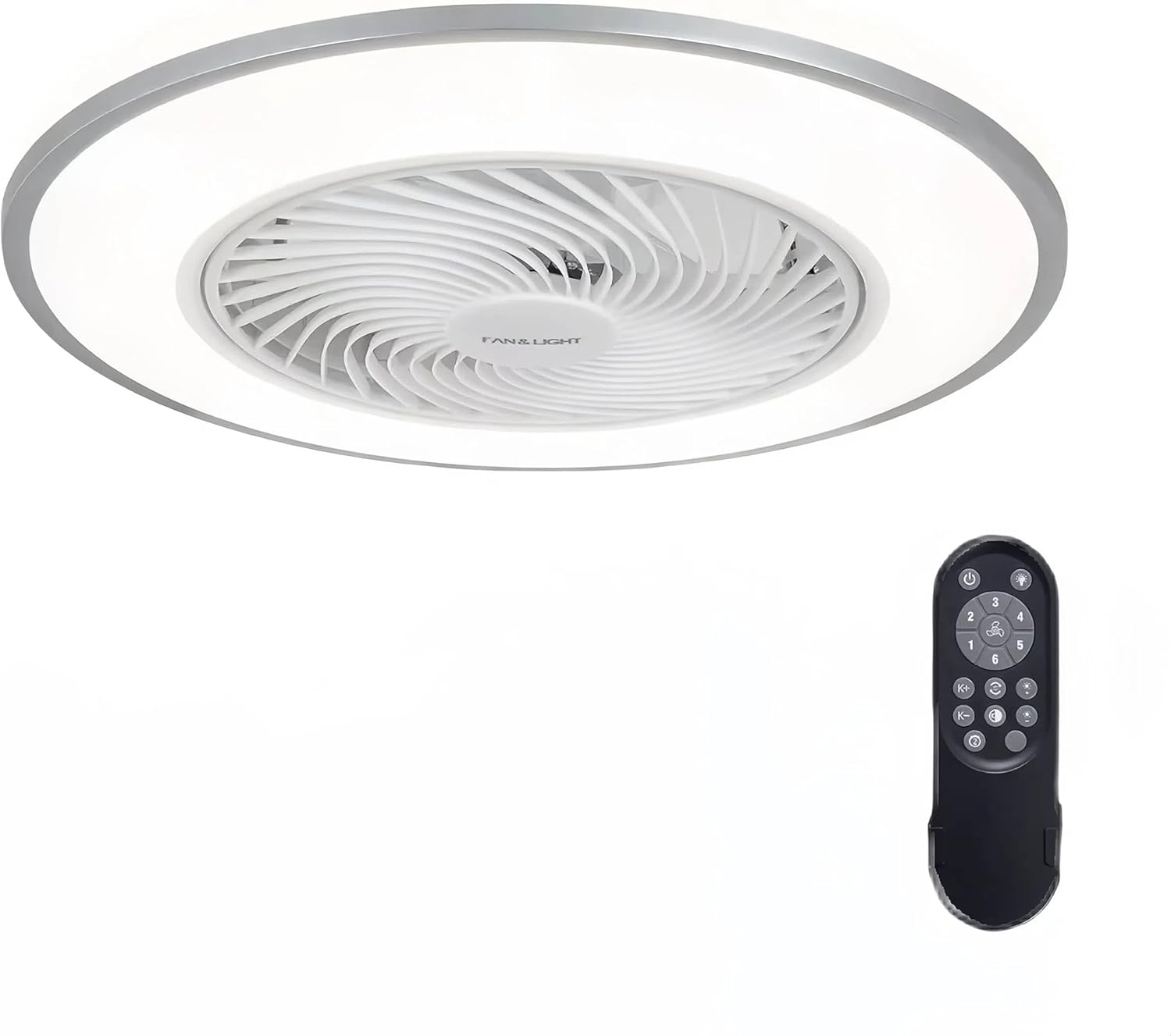
Figure 1: LODADRA 20'' Low Profile Ceiling Fan with Light and Remote.
2. Alaye Aabo
IKILO: Lati dinku eewu ina, mọnamọna, tabi ipalara ti ara ẹni, nigbagbogbo tẹle awọn iṣọra ipilẹ wọnyi:
- Ka gbogbo awọn ilana ṣaaju fifi sori ẹrọ afẹfẹ.
- Fifi sori gbọdọ wa ni ošišẹ ti a oṣiṣẹ ina.
- Ensure the power is OFF at the circuit breaker before installation or maintenance.
- Gbogbo onirin gbọdọ wa ni ibamu pẹlu awọn koodu itanna ti orilẹ-ede ati agbegbe.
- The mounting structure must be capable of supporting the fan's weight.
- Má ṣe fi àwọn nǹkan sínú abẹ́ afẹ́fẹ́ nígbà tí afẹ́fẹ́ náà bá ń ṣiṣẹ́.
- Pa awọn ọmọde ati awọn ohun ọsin kuro lati inu afẹfẹ nigba iṣẹ.
- Ọja yii jẹ apẹrẹ fun lilo inu ile nikan.
3. Package Awọn akoonu
Daju pe gbogbo awọn paati wa ati pe ko bajẹ ṣaaju ibẹrẹ fifi sori:
- Pro kekerefile Ceiling Fan (1)
- Iṣakoso latọna (1)
- Installation Hardware Kit (screws, wire nuts, etc.)
- Afowoyi Olumulo (iwe-ipamọ yii)
4. Awọn pato
| Ẹya ara ẹrọ | Sipesifikesonu |
|---|---|
| Brand | LODADRA |
| Orukọ awoṣe | Pro kekerefile Aja Fan pẹlu Light |
| Nọmba Awoṣe Nkan | LA04 |
| Àwọ̀ | White+Silver |
| Ohun elo | Ejò, Ṣiṣu |
| Ọja Mefa | 19.2"L x 19.2"W x 8.7"H |
| Iwọn | 20 '' |
| Orisun agbara | DC |
| Voltage | 110 Volts |
| Wattage | 36 watt |
| Imọlẹ Orisun Orisun | LED |
| Light Awọ otutu | 3000K-6000K (Warm, Neutral, White) |
| Awọn iyara Fan | 6 Awọn iyara |
| Ọna Iṣakoso | Isakoṣo latọna jijin |
| Pataki Awọn ẹya ara ẹrọ | Remote Controlled, LED Light, Bladeless, Reversible Blades, Memory Function, Smart Timing |
| Iru fifi sori ẹrọ | Ẹke Fula |
| inu ile / ita gbangba Lilo | Ninu ile |
5. Eto & Fifi sori
The LODADRA ceiling fan is designed for semi-flush mount installation, with most functional parts pre-assembled for quick and easy setup. Ensure power is off at the circuit breaker before starting.
- Mura Akọmọ Iṣagbesori: Secure the mounting bracket to the ceiling junction box using the provided screws. Ensure it is firmly attached and can support the fan's weight.
- Asopọmọra Waya: Connect the fan's electrical wires to the household wiring according to the wiring diagram in the detailed assembly instructions. Use appropriate wire nuts to secure connections.
- Attach the Fan Body: Carefully lift the fan body and align it with the mounting bracket. Secure the fan body to the bracket using the designated screws.
- Awọn ayẹwo Ipari: Once secured, ensure all connections are tight and the fan is stable. Restore power at the circuit breaker.

Figure 2: Visual guide for connecting wires and mounting the fan.
Video 1: Official installation and feature overview of the LODADRA Low Profile Ceiling Fan with Light. This video demonstrates the ease of installation and highlights key functionalities.
6. Awọn ilana Iṣiṣẹ
Your LODADRA ceiling fan comes with a remote control for convenient operation of all its features.
6.1. Iṣakoso ina
- Titan/Apapa: Use the dedicated light button on the remote to turn the light on or off.
- Ṣatunṣe iwọn otutu awọ: Cycle through three color temperatures (3000K Warm, 4000K Neutral, 6000K White) using the remote.
- Atunse Imọlẹ: Adjust brightness from 10% to 100% steplessly by holding the light button.
- Iṣẹ Iranti: The fan remembers your last light color temperature and brightness setting when turned off via the remote, restoring it upon the next power-on.

Figure 3: Demonstrates the adjustable color temperature and brightness of the LED light.

Figure 4: Stepless dimming feature allows precise control over light intensity.

Figure 5: The memory function retains your preferred light settings.
6.2. Iṣakoso àìpẹ
- Iyara Olufẹ: Select from 6 fan speeds using the remote control to achieve your desired airflow.
- Awọn Abẹ Yipada: The fan features a reversible motor for year-round comfort.
- Ipo Ooru (Sisalẹ Atẹgun): Ó ń ṣẹ̀dá afẹ́fẹ́ tútù.
- Ipo Igba otutu (Sisan Atẹgun ti oke): Ó ń tú afẹ́fẹ́ gbígbóná tí ó wà nítòsí àjà ilé ká.
- Eto Aago: Utilize the sleep timer settings for automatic fan shut-off.

Figure 6: Illustration of the fan's reversible airflow for seasonal use.

Figure 7: The 6-speed fan offers various airflow options from low to high.

Figure 8: Easily switch between summer and winter modes for optimal comfort.
7. Itọju
Itọju deede ṣe iranlọwọ fun igbesi aye gigun ati iṣẹ ti olufẹ aja rẹ.
- Ninu: Lati nu afẹfẹ naa, nu pẹlu asọ, damp cloth. Do not use abrasive cleaners or solvents. Ensure the power is off before cleaning.
- Eruku: Regularly dust the fan and light fixture to prevent dust buildup, which can affect performance and light output.
- Ko si Lubrication Nilo: A fi epo kun mọto afẹfẹ naa titi lai, ko si nilo epo.
8. Laasigbotitusita
If you encounter issues with your LODADRA ceiling fan, refer to the following common problems and solutions:
| Isoro | Owun to le Fa | Ojutu |
|---|---|---|
| Fan ko ṣiṣẹ | Ko si agbara si awọn àìpẹ; Awọn asopọ okun alaimuṣinṣin; Batiri iṣakoso latọna jijin kekere tabi ko so pọ. | Check circuit breaker and wall switch; Verify all wire connections are secure; Replace remote battery or re-pair remote with fan (refer to remote pairing instructions in full manual). |
| Imọlẹ ko tan | Loose wire connection to light; LED module failure; Remote control issue. | Check light wiring connections; Contact customer support if LED module is faulty; Ensure remote battery is good and remote is paired. |
| Afẹ́fẹ́ máa ń pariwo púpọ̀ jù | Loose mounting screws; Internal component issue. | Tighten all mounting screws; If noise persists, contact customer support. |
| Isakoṣo latọna jijin ko ṣiṣẹ | Low battery; Not paired with fan; Obstruction between remote and receiver. | Replace battery; Re-pair remote with fan; Ensure clear line of sight to fan. |
9. Atilẹyin ọja & Atilẹyin
LODADRA products are manufactured to the highest quality standards. This product comes with a standard manufacturer's warranty covering defects in materials and workmanship. For specific warranty details, claims, or technical support, please refer to the warranty card included with your purchase or contact LODADRA customer service directly.
Iṣẹ onibara: Please visit the official LODADRA website or contact your retailer for support information.

