Ọrọ Iṣaaju
Welcome to the Wicked Audio Mojo 500 True Wireless Earbuds user manual. This guide provides detailed instructions to help you set up, operate, and maintain your new earbuds, ensuring you get the most out of their advanced features.

Figure 1: Wicked Audio Mojo 500 Earbuds and Charging Case.
Ohun ti o wa ninu Apoti
- USB
- Awọn iṣu Eti
- Ngba agbara Case
Ọja Pariview
- WICKED AUDIO APP: Get the most out of your earbuds. App features include; GPS Bud Locator, Transparency Mode, Wear Detect, Endless EQ Modes, Active Noise Cancelling, Customizable Controls, Easy Access User Guide, Battery Life Indicator, Forever Future Updates, App Controlled Volume, Low Latency (Gaming Mode), Dark/Light Mode Control. Find the Wicked Audio App on the Google Play Store or the Apple App Store.
- 3 NOISE CONTROL MODES: How much ambient noise do you want? Get the best setup for your situation. Choose between transparency mode, passive noise cancelling, or active noise cancellation.
- EASY FLEX CONNECT: Dual options. Pair a single bud, pair them both. With ergonomic shaped housing to be small and comfortable, you’re ready to go right out of the case.
- LONG BATTERY LIFE: Up to 23 total hours of rockin’ bass. Up to 5 hours of playtime with an additional 18 hours from the charging case. Charge the case with included USB-C charging cable.
- CLEAR ADAPTIVE MICS: Multiple mics are adapting to the environment to make your voice as clear as possible.
Ṣeto
Initial Pairing (Easy Flex Connect)
The Mojo 500 earbuds offer dual pairing options. You can pair a single earbud or both simultaneously. Simply remove them from the charging case, and they will be ready to connect to your device.
Mobile App Download
To unlock the full potential of your Mojo 500 earbuds, download the Wicked Audio App. It is available on both the Google Play Store and the Apple App Store.
Awọn ilana Iṣiṣẹ
Awọn iṣakoso ipilẹ
The earbuds feature customizable controls for managing music playback, calls, and other functions directly from the earbuds. Refer to the Wicked Audio App for detailed customization options.
Wear Detect
The Wear Detect feature allows the earbuds to automatically pause playback when removed from your ears and resume when put back in. This provides seamless listening experience.

Figure 2: Earbuds in use, demonstrating Wear Detect functionality.
Mobile App Awọn ẹya ara ẹrọ
The Wicked Audio App enhances your earbud experience with a variety of features:
- GPS Bud Locator: Helps you find misplaced earbuds.
- Ipo akoyawo: Allows ambient sounds to pass through for awareness.
- Endless EQ Modes: Customize your audio experience with various equalizer settings.
- Fagilee Ariwo Ti n ṣiṣẹ: Dinku ariwo ita fun gbigbọ immersive.
- Awọn iṣakoso isọdi: Personalize touch controls on your earbuds.
- Easy Access User Guide: Quick access to the manual within the app.
- Atọka Igbesi aye Batiri: Monitor earbud and case battery levels.
- App Controlled Volume: Adjust volume directly from the app.
- Low Latency (Gaming Mode): Reduces audio delay for gaming.
- Dark/Light Mode Control: Adjust app interface theme.

Figure 3: Wicked Audio App interface demonstrating EQ modes.
Awọn ọna Iṣakoso Ariwo
The Mojo 500 offers three distinct noise control modes to suit your environment:
- Ipo akoyawo: Gba ọ laaye lati gbọ agbegbe rẹ lakoko ti o n gbadun ohun.
- Passive Noise Cancelling: Achieved through the physical design of the earbuds, blocking some ambient noise.
- Ifagile Ariwo Nṣiṣẹ (ANC): Electronically reduces a wider range of ambient noise for a more immersive audio experience.
batiri Life & Ngba agbara
Enjoy extended listening with the Mojo 500 earbuds:
- Titi di awọn wakati 5 ti akoko ere lori idiyele kan.
- An additional 18 hours of battery life provided by the charging case.
- Total playtime of up to 23 hours.
- The charging case is recharged using the included USB-C charging cable.
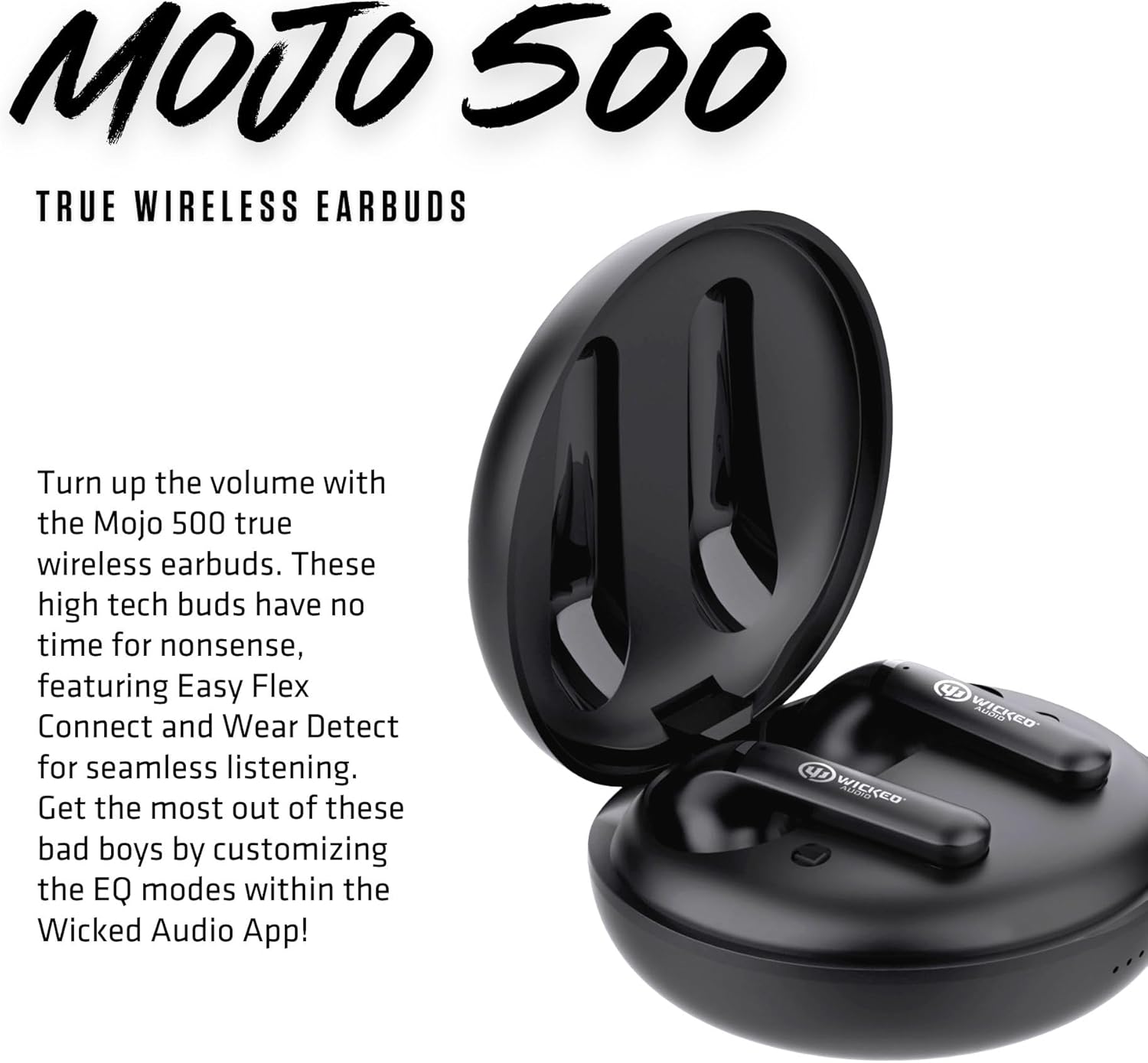
Àwòrán 4: Àwọn etí inú àpótí ìgbara.
Audio Quality & Calls
The Mojo 500 earbuds are designed for clear audio and communication:
- Equipped with Clear Adaptive Mics that adjust to your environment to ensure your voice is transmitted clearly during calls.
- Features a Dynamic Audio Driver for rich sound.
- Frequency Range: 20 Hz - 20,000 Hz.
Asopọmọra
The Mojo 500 earbuds utilize Bluetooth technology for seamless wireless connection:
- Wireless Communication Technology: Bluetooth.
- Bluetooth Range: 10 Meters.
- Compatible Devices: Cellphones, Gaming Consoles, Tablets, Laptops, Desktops.
Comfort & Durability
Designed for comfort and resilience:
- Ergonomic shaped housing ensures a small and comfortable fit.
- Water Resistance Level: Water Resistant, making them suitable for workouts and outdoor activities.
- Item Weight: 0.18 Pounds (earbuds only).
- Included Components: Ear Cushions for a secure and comfortable fit.

Figure 5: Earbuds designed for comfortable in-ear placement.
Awọn pato
| Ẹya ara ẹrọ | Ẹ̀kúnrẹ́rẹ́ |
|---|---|
| Orukọ awoṣe | Mojo 500 True Wireless Earbuds |
| Ariwo Iṣakoso | Ti nṣiṣe lọwọ Noise Ifagile |
| Asopọmọra Technology | Ailokun |
| Imọ-ẹrọ Ibaraẹnisọrọ Alailowaya | Bluetooth |
| Awọn irinše to wa | Cable, Charging Case, Ear Cushions |
| Niyanju Lilo Fun Ọja | Video Calls, Running, Skateboarding, Exercising |
| Awọn ẹrọ ibaramu | Awọn foonu alagbeka, Awọn kọnputa ere, Awọn tabulẹti, Kọǹpútà alágbèéká, Awọn kọnputa agbeka |
| Iṣakoso Iru | Ariwo Iṣakoso |
| Omi Resistance Ipele | Omi sooro |
| Iwọn Igbohunsafẹfẹ | 20 Hz - 20,000 Hz |
| Igbesi aye batiri | 27 Hours (Total) |
| Bluetooth Ibiti | 10 Mita |
| Iwọn Nkan | 2.88 iwon |
| Àwọ̀ | Dudu |
| Gbigbe Eti | Ninu Eti |
| Fọọmù ifosiwewe | Ninu Eti |
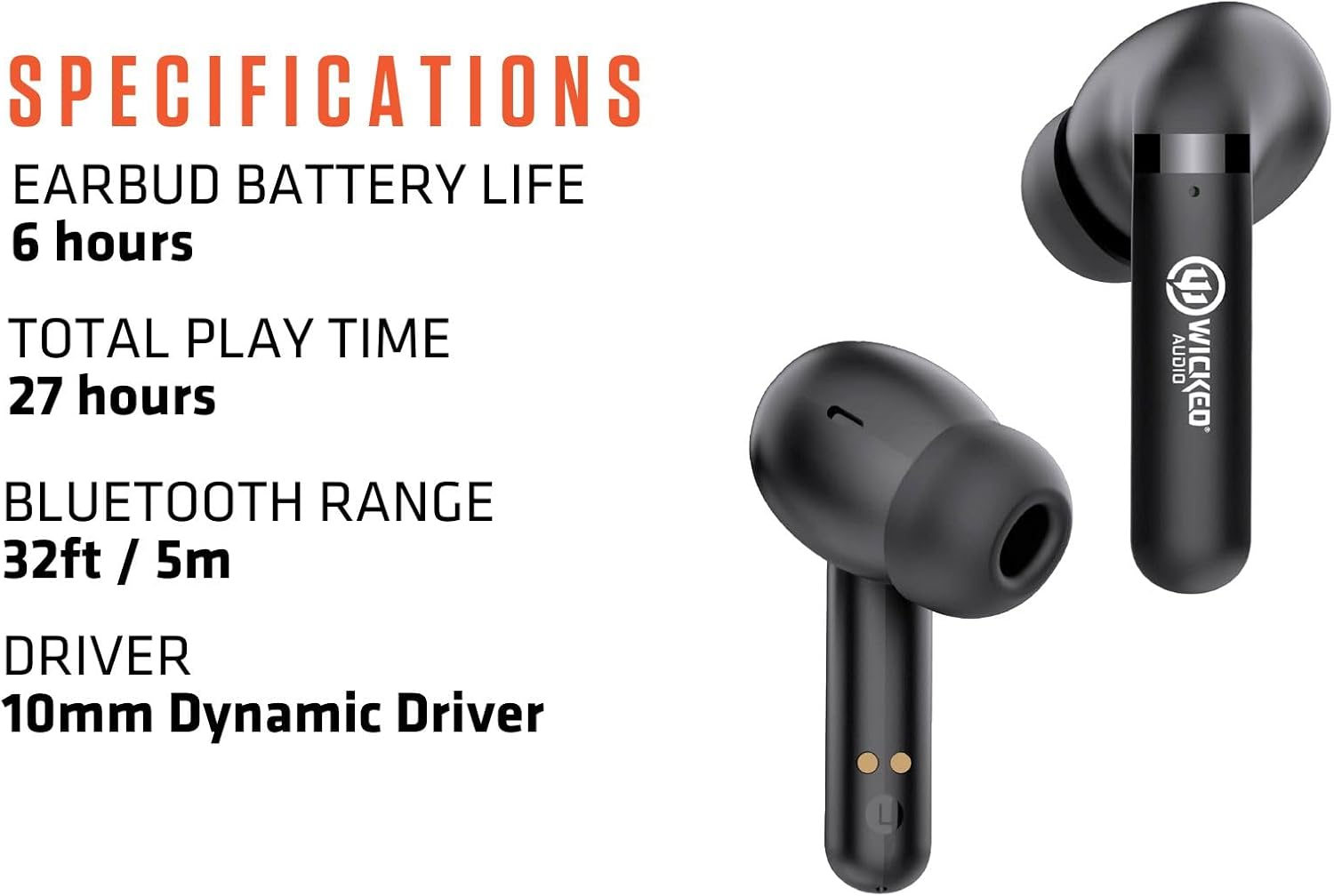
Figure 6: Key specifications of the Mojo 500 Earbuds.
Laasigbotitusita
If you encounter any issues with your Wicked Audio Mojo 500 earbuds, please refer to the Easy Access User Guide within the Wicked Audio App for detailed troubleshooting steps. Common issues often relate to pairing, connectivity, or charging.
- Ko si Ohun: Rii daju pe awọn agbekọri ti gba agbara ati so pọ daradara. Ṣayẹwo iwọn didun ẹrọ.
- Awọn oran Isopọpọ: Turn off Bluetooth on other devices. Reset earbuds and try pairing again.
- Awọn iṣoro gbigba agbara: Ensure USB-C cable is securely connected to both the case and power source. Check for debris in charging ports.
Atilẹyin ọja & Atilẹyin
For warranty information and customer support, please visit the official Wicked Audio webojula tabi kan si wọn onibara iṣẹ taara. Jeki ẹri rira rẹ fun awọn iṣeduro atilẹyin ọja.
Alaye Aabo
Please read all safety warnings and instructions before using this product to avoid injury or damage. Keep out of reach of children. Avoid prolonged exposure to high volume levels to prevent hearing damage. Do not disassemble or attempt to repair the device yourself.


