1. Ifihan
O ṣeun fun riraasing the ZEBRONICS Juke BAR 9102 PRO 240W Dolby Soundbar. This manual provides essential information for the proper setup, operation, and maintenance of your soundbar system. Please read this manual thoroughly before use to ensure optimal performance and safety.
2. Awọn ilana aabo
- Orisun Agbara: Lo oluyipada agbara pàtó kan. Rii daju pe voltage ni ibamu pẹlu ipese agbara agbegbe rẹ.
- Afẹfẹ: Do not block any ventilation openings. Maintain adequate space around the unit for proper airflow.
- Omi ati Ọrinrin: Do not expose the soundbar or subwoofer to water, rain, or moisture. Avoid placing objects filled with liquids, such as vases, on or near the unit.
- Awọn orisun Ooru: Jeki ẹyọ kuro lati awọn orisun ooru gẹgẹbi awọn imooru, awọn iforukọsilẹ ooru, awọn adiro, tabi awọn ohun elo miiran ti nmu ooru.
- Ninu: Ge asopọ agbara ṣaaju ṣiṣe mimọ. Lo asọ asọ ti o gbẹ. Maṣe lo awọn olutọpa olomi tabi awọn ẹrọ aerosol.
- Ṣiṣẹ: Maṣe gbiyanju lati ṣiṣẹ ọja yi funrararẹ. Tọkasi gbogbo iṣẹ si oṣiṣẹ oṣiṣẹ ti o peye.
- Ibi: Place the soundbar on a stable, flat surface or mount it securely on a wall as instructed.
3. Package Awọn akoonu
Daju pe gbogbo awọn nkan ti a ṣe akojọ rẹ si isalẹ wa ninu package rẹ:
- Soundbar - 1 Unit
- Subwoofer - 1 Unit
- Remote Control - 1 Unit
- QR Code User Manual - 1 Unit (Digital access)
- Wall Mount Bracket and Fasteners
4. Ọja Ipariview
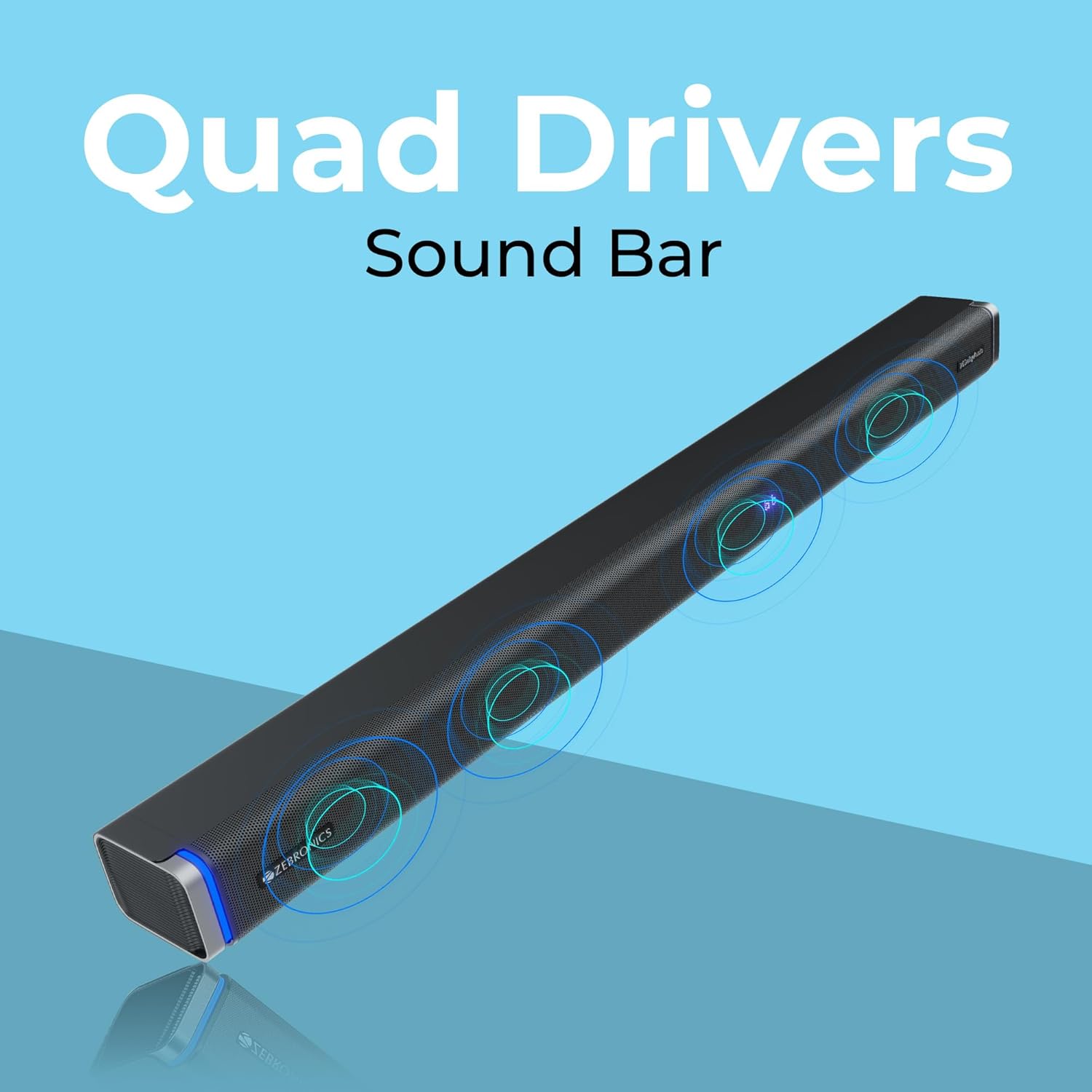
The ZEBRONICS Juke BAR 9102 PRO is a 240W output Dolby soundbar system designed to enhance your audio experience. It features a soundbar with quad drivers and a powerful 6.5-inch wired subwoofer.



5. Eto
5.1 Ibẹrẹ Ibẹrẹ
- Fi ọpa ohun si aarin ni isalẹ tẹlifisiọnu rẹ.
- Position the subwoofer on the floor near the soundbar for optimal bass response.
5.2 Asopọ agbara
- So okùn agbára pọ̀ mọ́ ìtẹ̀síwájú agbára ohùn.
- Connect the power cable to the subwoofer's power input.
- Plug both power cables into a suitable wall outlet.
5.3 Ìsopọ̀ Subwoofer
The subwoofer connects to the soundbar via a wired connection. Ensure the subwoofer cable is securely connected to both units.
6. Awọn ilana Iṣiṣẹ
6.1 Agbara Tan / Pa
Press the power button on the soundbar or the remote control to turn the unit on or off. The LED display will indicate the power status.
6.2 Iṣakoso iwọn didun
Lo awọn bọtini iwọn didun soke (+) ati iwọn didun isalẹ (-) lori ọpa ohun tabi iṣakoso latọna jijin lati ṣatunṣe ipele ohun.
6.3 Aṣayan ipo
Press the 'Mode' button on the soundbar or remote control to cycle through available input modes (Bluetooth, HDMI ARC, Optical, AUX, USB). The LED display will show the current mode (e.g., 'BT' for Bluetooth, 'ARC' for HDMI ARC).
6.4 Equalizer (EQ) Awọn ipo
The soundbar features 3D EQ alternatives. Use the EQ button on the remote to switch between modes. The LED display will show 'E1', 'E2', 'E3' for different sound profiles, and '3D' for the virtual 5.1 effect. Common EQ modes include:
- Ẹ1: Ipo orin
- Ẹ2: Ipo fiimu
- Ẹ3: News/Voice mode
- Ọdun 3: Virtual Surround Sound mode
6.5 RGB LED imọlẹ
The soundbar includes RGB LED lights. These can be controlled and changed using the remote control to suit your preference.
7. Asopọmọra Aw
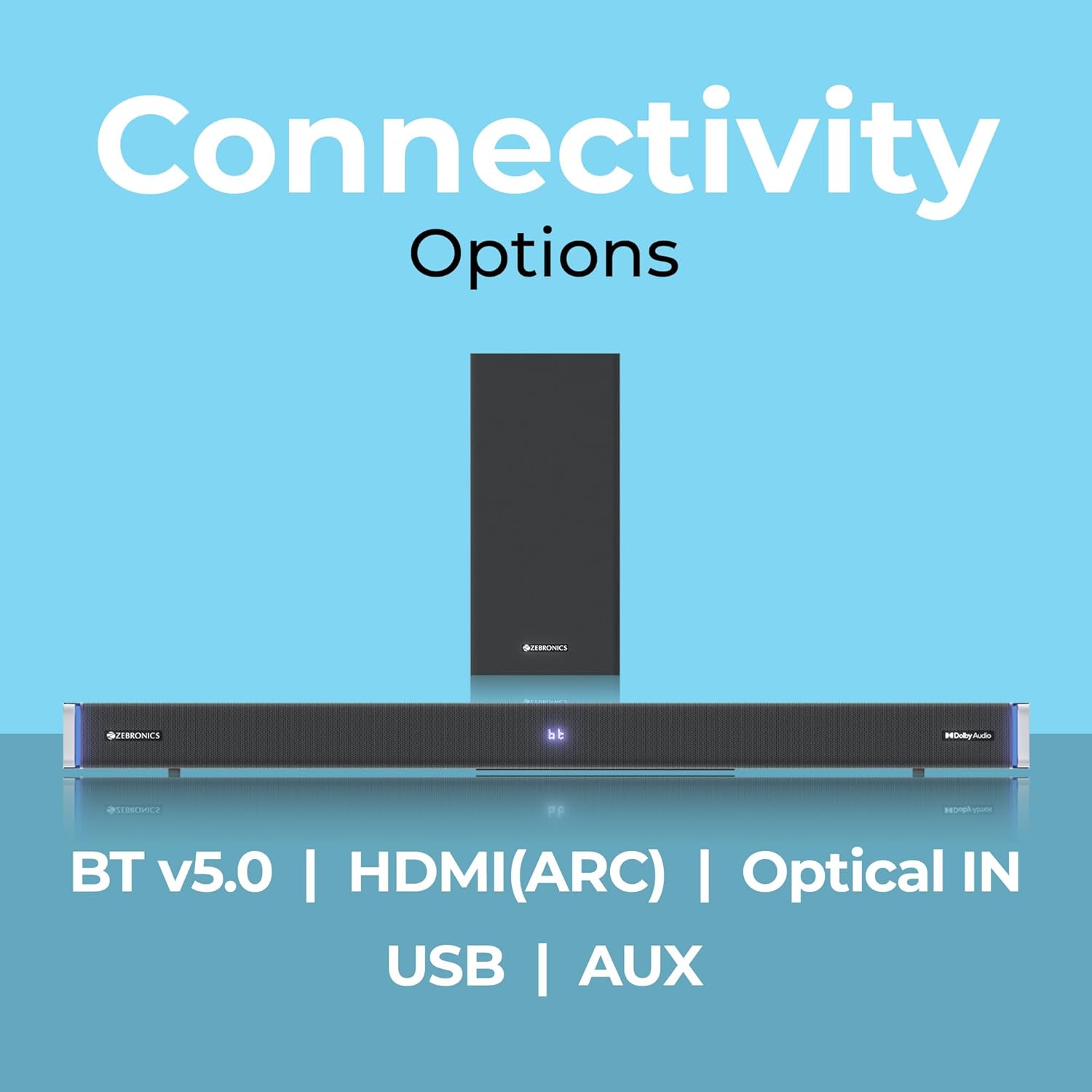
The ZEBRONICS Juke BAR 9102 PRO offers multiple connectivity options for versatile use.
7.1 Bluetooth v5.0
- Press the 'Mode' button until 'BT' appears on the LED display.
- On your mobile device or computer, search for Bluetooth devices and select 'ZEB-JUKE BAR 9102 PRO'.
- Once paired, audio will stream wirelessly to the soundbar.
7.2 HDMI (ARC)
- Connect an HDMI cable (ARC compatible) from the HDMI ARC port on your television to the HDMI ARC port on the soundbar.
- Select 'ARC' mode on the soundbar.
- Ensure your TV's audio output is set to HDMI ARC.
7.3 Optical IN
- Connect an optical cable from your audio source (e.g., TV, DVD player) to the 'Optical IN' port on the soundbar.
- Select 'OPT' mode on the soundbar.
7.4 3.5mm AUX Cable
- Connect a 3.5mm AUX cable from your audio source to the 'AUX' port on the soundbar.
- Select 'AUX' mode on the soundbar.
7.5 USB Sisisẹsẹhin
- Insert a USB pen drive (up to 32GB, supporting MP3 audio format) into the USB port on the soundbar.
- Select 'USB' mode on the soundbar. The soundbar will automatically begin playing compatible audio files.
8. Iṣagbesori Odi
The soundbar can be wall-mounted to save space. A wall mount bracket and fasteners are included in the package.
- Determine the desired mounting location on the wall, ensuring it is structurally sound and can support the weight of the soundbar.
- Mark the positions for drilling holes using the wall mount bracket as a template.
- Lu awọn ihò atupalẹ ki o si fi awọn ìdákọ̀ró ogiri ti o yẹ sii ti o ba jẹ dandan.
- Secure the wall mount bracket to the wall using the provided fasteners.
- Carefully attach the soundbar to the mounted bracket. Ensure it is securely fastened before releasing.
Akiyesi: Professional installation is recommended for wall mounting to prevent damage or injury.
9. Itọju
9.1 Ninu
Wipe the surfaces of the soundbar and subwoofer with a soft, dry, lint-free cloth. Do not use abrasive cleaners, waxes, or solvents as they may damage the finish.
9.2 Ibi ipamọ
Ti o ba tọju ẹyọ naa fun akoko ti o gbooro sii, ge asopọ kuro ni ipese agbara ki o tọju si ni itura, aaye gbigbẹ, kuro lati orun taara ati awọn iwọn otutu to gaju.
10. Laasigbotitusita
| Isoro | Owun to le Fa | Ojutu |
|---|---|---|
| Ko si agbara | Okun agbara ko sopọ; Agbara iṣan ko ṣiṣẹ | Rí i dájú pé àwọn okùn agbára so pọ̀ dáadáa àti pé ìjáde náà ń ṣiṣẹ́ dáadáa. |
| Ko si ohun | Incorrect input mode; Volume too low; Cables not connected properly | Select the correct input mode. Increase volume. Check all audio cables for secure connection. |
| Awọn oran sisopọ Bluetooth | Ìdáhùn ohùn kò sí ní ipò ìsopọ̀; Ẹ̀rọ náà ti jìnnà jù; Ìdádúró | Ensure soundbar is in 'BT' mode. Move device closer. Restart both devices. |
| Isakoṣo latọna jijin ko ṣiṣẹ | Àwọn bátìrì ti dínkù; Ìdènà láàrín ọ̀nà jíjìn àti ibi ìró ohùn | Rọpo awọn batiri isakoṣo latọna jijin. Yọ awọn idena eyikeyi kuro. |
| Ohun ti o daru | Volume too high; Poor audio source quality; Incorrect EQ setting | Reduce volume. Try a different audio source. Adjust EQ settings. |
11. Awọn pato
| Ẹya ara ẹrọ | Ẹ̀kúnrẹ́rẹ́ |
|---|---|
| Orukọ awoṣe | ZEB-JUKE Pẹpẹ 9102 PRO |
| Agbara Ijade | 240 Wattis (RMS) |
| Subwoofer Opin | 6.5 inches |
| Audio Driver Iwon | 5.5 cm (Quad Drivers) |
| Asopọmọra | Bluetooth v5.0, HDMI (ARC), Optical IN, 3.5mm AUX, USB |
| Kakiri Ohun iṣeto ni | Foju 5.1 |
| Idahun Igbohunsafẹfẹ | 20 Hz - 20 kHz |
| Ifihan Ibuwọlu-si-Noise | 65 dB |
| Ipalara | 15 ohms |
| Ọna Iṣakoso | Isakoṣo latọna jijin |
| Awọn iwọn Ọja (ọpa ohun) | Approx. 98.5W x 17.3D x 40.2H Centimeters |
| Iwọn Nkan | 5.8 kg |
| Orisun agbara | Okun Itanna |
| Pataki Awọn ẹya ara ẹrọ | Dolby Audio, LED Display, RGB LED Lights, Wall Mountable |
12. Atilẹyin ọja ati Support
12.1 atilẹyin ọja Alaye
This ZEBRONICS product comes with a 1-odun atilẹyin ọja from the date of purchase. The warranty covers manufacturing defects under normal use. Please retain your purchase receipt for warranty claims.
12.2 Onibara Support
For technical assistance, troubleshooting, or warranty inquiries, please contact ZEBRONICS customer support. Refer to the official ZEBRONICS website or the QR Code User Manual for contact details.


