1. Ifihan
Thank you for choosing the IMILAB C20 Pro Home Security Camera. This manual provides detailed instructions for setting up, operating, and maintaining your camera to ensure optimal performance. The C20 Pro offers 2K crystal clear images, 360° free rotation, infrared night vision, human detection, and two-way audio communication for comprehensive home monitoring.

Figure 1.1: IMILAB C20 Pro Home Security Camera
Jọwọ ka iwe afọwọkọ yii daradara ṣaaju lilo ati mu u duro fun itọkasi ọjọ iwaju.
2. Package Awọn akoonu
Lẹhin ṣiṣi silẹ, jọwọ rii daju pe gbogbo awọn nkan wọnyi wa pẹlu:
- IMILAB C20 Pro Home Security Camera
- Adapter agbara
- Okun USB
- Wall Mounting Accessories (screws, wall plugs)
- Itọsọna olumulo
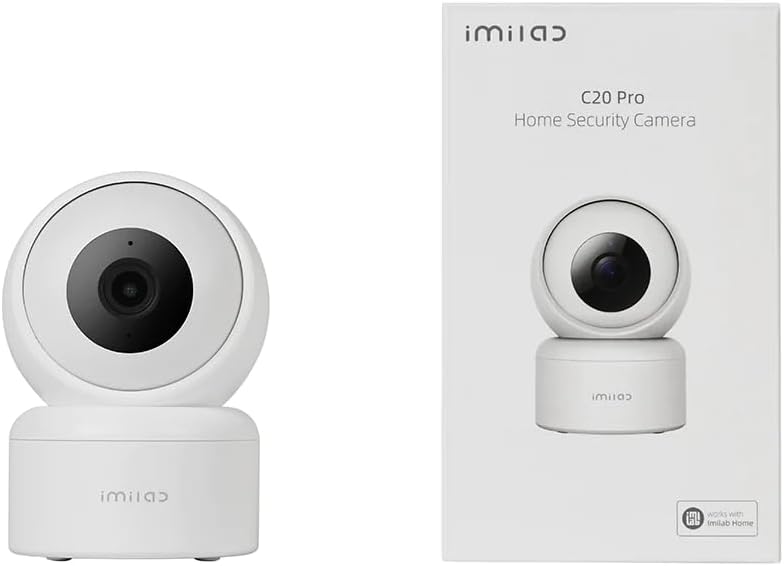
Figure 2.1: Camera and typical packaging contents. Actual packaging may vary.
3. Ọja Ipariview
Familiarize yourself with the various components of your IMILAB C20 Pro camera.

olusin 3.1: Apa View

olusin 3.2: Pada View (showing power port, reset button, and Micro SD card slot)
- Lẹnsi: Ya fidio footage.
- Imọlẹ Atọka: Shows camera status (e.g., blue for connected, orange for waiting for connection).
- Gbohungbohun: Fun titẹ sii ohun ati ibaraẹnisọrọ ọna meji.
- Agbọrọsọ: Fun ohun ti o jade ati ibaraẹnisọrọ ọna meji.
- Micro SD Kaadi Iho: Fún ibi ìpamọ́ fídíò agbègbè (ó lè ṣe àtìlẹ́yìn títí dé 64GB, káàdì kò sí nínú rẹ̀).
- Bọtini atunto: Press and hold to reset the camera to factory settings.
- Ibudo Agbara: Sopọ si ohun ti nmu badọgba agbara.
4. Eto
Follow these steps to set up your IMILAB C20 Pro camera.
- Download the IMILAB Home App: Wa fun 'IMILAB Home' in your smartphone's app store (Google Play Store or Apple App Store) and install the application.
- Ṣẹda akọọlẹ kan: Open the IMILAB Home app and follow the on-screen instructions to register a new account or log in if you already have one.
- Agbara Lori Kamẹra: Connect the provided USB cable to the camera's power port and the power adapter, then plug the adapter into a power outlet. The camera's indicator light will turn orange and blink, indicating it is ready for connection.
- Fi ẹrọ kun: In the IMILAB Home app, tap the '+' icon to add a new device. Select 'IMILAB C20 Pro' from the list of available devices.
- Sopọ si Wi-Fi: Follow the app's instructions to connect the camera to your 2.4GHz Wi-Fi network. You will be prompted to scan a QR code generated by the app using the camera's lens. Hold your phone approximately 15-20 cm (6-8 inches) from the camera lens until you hear a voice prompt confirming successful scanning.
- Ibi ati fifi sori:
The camera can be placed on a flat surface or mounted on a wall or ceiling. For ceiling mounting, the camera supports inverted installation.

Olusin 4.1: Example of Inverted Installation
If mounting, use the provided mounting accessories. Ensure the camera is securely fastened. In the app settings, you can enable 'Inverted Image' if the camera is mounted upside down to correct the video orientation.
5. Awọn ilana Iṣiṣẹ
Once your camera is set up, you can access its features through the IMILAB Home app.
5.1 Live View ati Pan / Pulọọgi Iṣakoso
Open the IMILAB Home app and select your C20 Pro camera to view the live feed. You can use the on-screen controls to pan (horizontal) and tilt (vertical) the camera lens, providing a 360° coverage of the area.

Figure 5.1: 360° Free Rotation Capability
5.2 Meji-Ona Audio Communication
The camera supports two-way audio, allowing you to speak through the camera and hear audio from its vicinity. Tap the microphone icon in the live view interface to activate this feature.
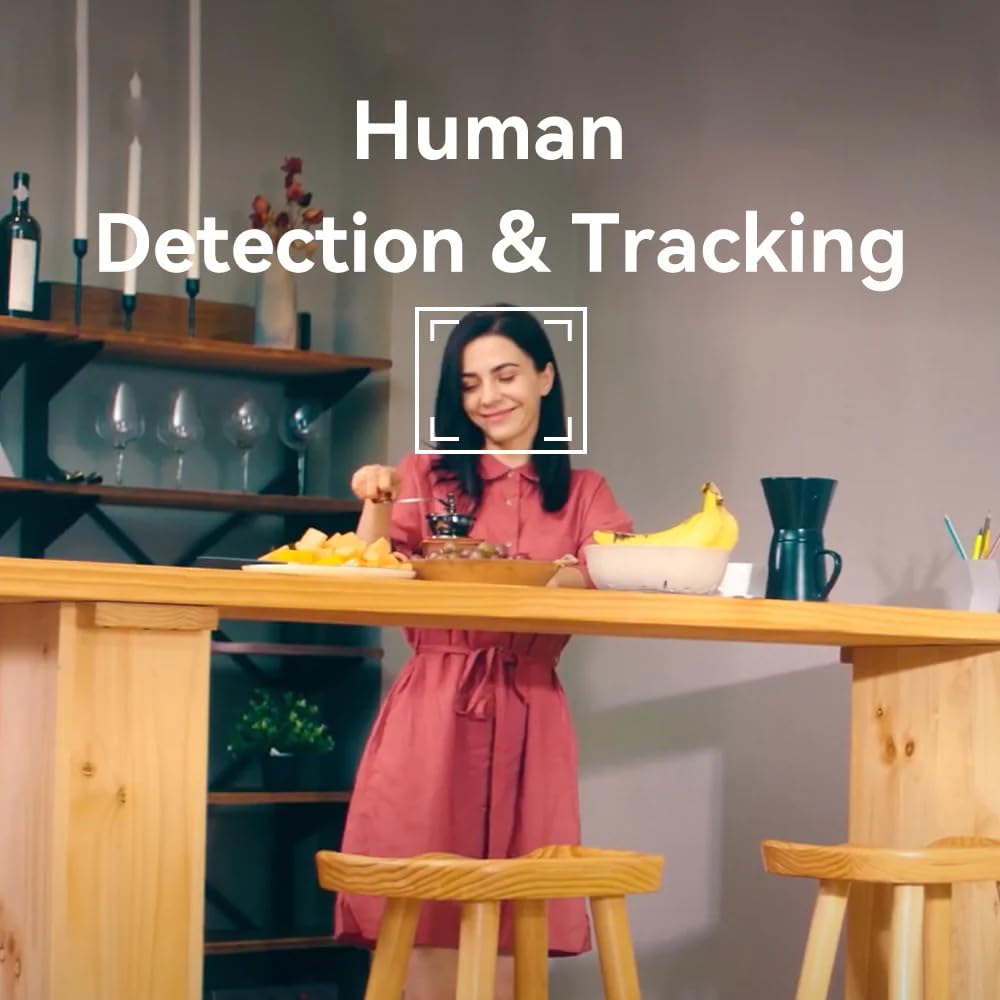
Figure 5.2: Two-Way Video Talk Feature
5.3 Human Detection & Tracking
The C20 Pro can detect human figures and track their movement within its field of view. Enable this feature in the app settings to receive alerts and automatically record relevant events.

Figure 5.3: Human Detection & Tracking in action
5.4 infurarẹẹdi Night Vision
The camera automatically switches to infrared night vision in low-light conditions, providing clear black-and-white video footage up to a certain distance.
5.5 Gbigbasilẹ ati Ibi ipamọ Fidio
The camera supports continuous recording or event-triggered recording. Footage can be stored on a Micro SD card (purchased separately) or via cloud storage services (subscription may be required). The camera provides 2K (3MP) high-resolution video for detailed monitoring.

Figure 5.4: 2K High Resolution Video Quality
6. Itọju
Itọju deede ṣe idaniloju igbesi aye gigun ati iṣẹ to dara julọ ti kamẹra rẹ.
- Ninu: Fi aṣọ rírọrùn gbẹ nu lẹ́ńsì kámẹ́rà àti ara rẹ̀. Yẹra fún lílo àwọn kẹ́míkà líle tàbí àwọn ohun èlò ìfọ́ tí ó lè ba ojú rẹ̀ jẹ́.
- Awọn imudojuiwọn famuwia: Periodically check the IMILAB Home app for available firmware updates. Keeping your camera's firmware up-to-date ensures you have the latest features and security enhancements.
- Awọn ipo Ayika: Ensure the camera is used within its specified operating temperature and humidity ranges. Avoid exposing it to extreme temperatures, direct sunlight, or excessive moisture.
7. Laasigbotitusita
If you encounter issues with your IMILAB C20 Pro camera, refer to the following common problems and solutions:
| Isoro | Owun to le Fa | Ojutu |
|---|---|---|
| Kamẹra aisinipo | No power, Wi-Fi disconnected, poor Wi-Fi signal | Check power connection. Restart camera and router. Ensure camera is within Wi-Fi range. |
| Ko le sopọ si Wi-Fi | Incorrect Wi-Fi password, 5GHz network, camera too far from router | Verify Wi-Fi password. Ensure you are connecting to a 2.4GHz network. Move camera closer to router. Reset camera and try again. |
| Didara fidio ti ko dara | Insufficient bandwidth, dirty lens | Check internet speed. Clean the camera lens. Adjust video resolution in app settings. |
| No audio or two-way talk issues | Microphone/speaker blocked, app settings | Ensure nothing is obstructing the microphone or speaker. Check audio settings in the IMILAB Home app. |
| Micro SD card not recognized | Card not inserted correctly, incompatible card, faulty card | Reinsert the card. Ensure it is a compatible Micro SD card (Class 10 or higher, up to 64GB). Try formatting the card in the app or with a computer. |
If the problem persists after trying these solutions, please contact IMILAB customer support.
8. Awọn pato
| Ẹya ara ẹrọ | Ẹ̀kúnrẹ́rẹ́ |
|---|---|
| Orukọ awoṣe | CMSXJ56B C20 Pro |
| Brand | IMILAB |
| Ipinnu | 3MP (2K) |
| Asopọmọra Technology | Alailowaya (Wi-Fi 2.4GHz) |
| Pan/Tit | 360° Free Yiyi |
| Alẹ Iranran | Infurarẹẹdi Night Iran |
| Pataki Awọn ẹya ara ẹrọ | Human Detection & Tracking, Two-Way Call, Motion & Human Alerts, Sounds Detection, Inverted Installation |
| Awọn aṣayan ipamọ | Cloud Storage, Micro SD Card (up to 64GB) |
| Fidio funmorawon | H.265/H.264 |
| Orisun agbara | Okun Itanna |
| Iṣeduro Lilo | Aabo inu ile |
| Ọja Mefa | 50 x 4999.99 x 50 cm; 250g |
9. Atilẹyin ọja ati Support
IMILAB products are designed for reliability and performance. For specific warranty information, please refer to the warranty card included with your product or visit the official IMILAB website. For technical support, frequently asked questions, or to report an issue, please contact IMILAB customer service through their official channels.
Osise Webojula: www.imilab.com
10. Alaye Aabo
- Do not disassemble, repair, or modify the camera.
- Use only the provided power adapter and cable to avoid damage or fire.
- Pa kamẹra naa mọ kuro ninu omi, ina, ati iwọn otutu to le koko.
- Yẹra fún gbígbé kámẹ́rà sí ẹ̀gbẹ́ àwọn pápá oníná mànàmáná tó lágbára.
- Ensure the camera is installed securely to prevent it from falling.
- This product is intended for indoor use only, despite some specifications mentioning 'Outdoor' usage, the primary recommended use is 'Indoor Security'.


