1. Ifihan
This manual provides essential information for the proper setup, operation, and maintenance of your JBL Cinema SB270 2.1 Channel Soundbar with Wireless Subwoofer. Please read these instructions thoroughly before using the product to ensure optimal performance and safety.
The JBL Cinema SB270 system delivers a powerful 220W output, deep bass from its wireless subwoofer, and features Dolby Digital for an enhanced audio experience. It supports Bluetooth streaming and offers a single-cable connection via HDMI ARC.
2. Ohun ti o wa ninu Apoti
Rii daju pe gbogbo awọn paati wa ninu apoti:
- JBL cartoons SB270 Soundbar
- Alailowaya Subwoofer
- Isakoṣo latọna jijin pẹlu awọn batiri
- Awọn okun agbara (fun Ohun orin ati Subwoofer)
- Okun HDMI
- Àwọn ìkọ́lé tí a gbé kalẹ̀ ní ògiri pẹ̀lú àwọn skru
- Itọsọna Ibẹrẹ kiakia (iwe yii)
- Aabo Dì

Image: JBL Cinema SB270 Soundbar and Wireless Subwoofer with Remote Control. This image displays the main soundbar unit, the wireless subwoofer, and the included remote control, providing a complete view of the primary components.

Image: JBL Cinema SB270 accessories including remote, HDMI cable, and wall mount kit. This image shows the remote control, an HDMI cable, and the wall mounting brackets with screws, illustrating the additional items provided for installation and control.
3. Eto
3.1 Ibi
Pẹpẹ ohun: Place the soundbar on a stable, flat surface directly in front of your television. Ensure there are no obstructions blocking the sound path from the soundbar to your listening area. Alternatively, the soundbar can be wall-mounted using the provided brackets.

Aworan: Iwaju view of the JBL Cinema SB270 Soundbar. This image provides a clear view of the soundbar's front grille and sleek design, suitable for placement below a television.
Subwoofer Alailowaya: The wireless subwoofer can be placed anywhere in the room, ideally within 10 meters (33 feet) of the soundbar. For optimal bass performance, experiment with different locations to find the best sound for your room.

Image: JBL Cinema SB270 Wireless Subwoofer placed next to a wooden cabinet. This image demonstrates a typical placement for the wireless subwoofer in a living space, highlighting its compact design.
3.2 Awọn isopọ
Before making any connections, ensure both the soundbar and your television are powered off.
- Asopọ HDMI ARC (A ṣeduro): Connect one end of the provided HDMI cable to the HDMI OUT (ARC) port on the soundbar and the other end to the HDMI ARC port on your television. This connection allows audio from your TV to be sent to the soundbar and enables control of the soundbar's volume using your TV remote.
- Ìsopọ̀ Opitika (Iyanran): If your TV does not have an HDMI ARC port, connect an optical cable (not included) from the OPTICAL IN port on the soundbar to the Optical Digital Audio Out port on your television.
- Asopọ agbara: So awọn okun agbara pọ si ọpa ohun ati subwoofer alailowaya, lẹhinna pulọọgi wọn sinu iṣan ogiri kan.

Aworan: Ẹyin view of the JBL Cinema SB270 Soundbar showing connection ports. This image illustrates the back panel of the soundbar, detailing the HDMI ARC and Optical input ports for audio connections.
3.3 Alailowaya Subwoofer Sisopọ
The wireless subwoofer should automatically pair with the soundbar when both units are powered on. If the subwoofer does not connect automatically, ensure both units are powered on and within range. If pairing issues persist, refer to the troubleshooting section.
4. Awọn ilana Iṣiṣẹ
4.1 Agbara Tan / Pa
Tẹ awọn Agbara bọ́tìnì lórí ibi ìró ohùn tàbí ìṣàkóso latọna jijin láti tan tàbí pa ètò náà.
4.2 Orisun Aṣayan
Tẹ awọn Orisun button on the remote control or the soundbar to cycle through available input sources: HDMI ARC, Optical, and Bluetooth.
4.3 Bluetooth śiśanwọle
Lati san ohun afetigbọ lailowa lati ẹrọ Bluetooth-ṣiṣẹ:
- Tẹ awọn Bluetooth button on the remote control or the soundbar to enter Bluetooth pairing mode. The Bluetooth indicator on the soundbar will flash.
- On your device (e.g., smartphone, tablet), enable Bluetooth and search for available devices. Select "JBL Cinema SB270" from the list.
- Once connected, the Bluetooth indicator on the soundbar will glow solid. You can now play audio from your device through the soundbar.
4.4 Awọn ipo ohun
The JBL Cinema SB270 offers dedicated sound modes to optimize your listening experience:
- Ohùn: Enhances voice clarity, ideal for dialogue-heavy content like news or talk shows.
- ORIN: Pese pro iwe ohun iwọntunwọnsifile suitable for music playback.
- Fiimu: Delivers a dynamic and immersive sound experience for films and cinematic content.
Press the corresponding button on the remote control to select your desired sound mode.
4.5 Iṣakoso iwọn didun
Lo awọn Iwọn didun soke (+) ati Iwọn didun isalẹ (-) buttons on the remote control or the soundbar to adjust the master volume. Press the Pa ẹnu mọ́ bọtini lati fi si ipalọlọ awọn iwe ohun fun igba diẹ.
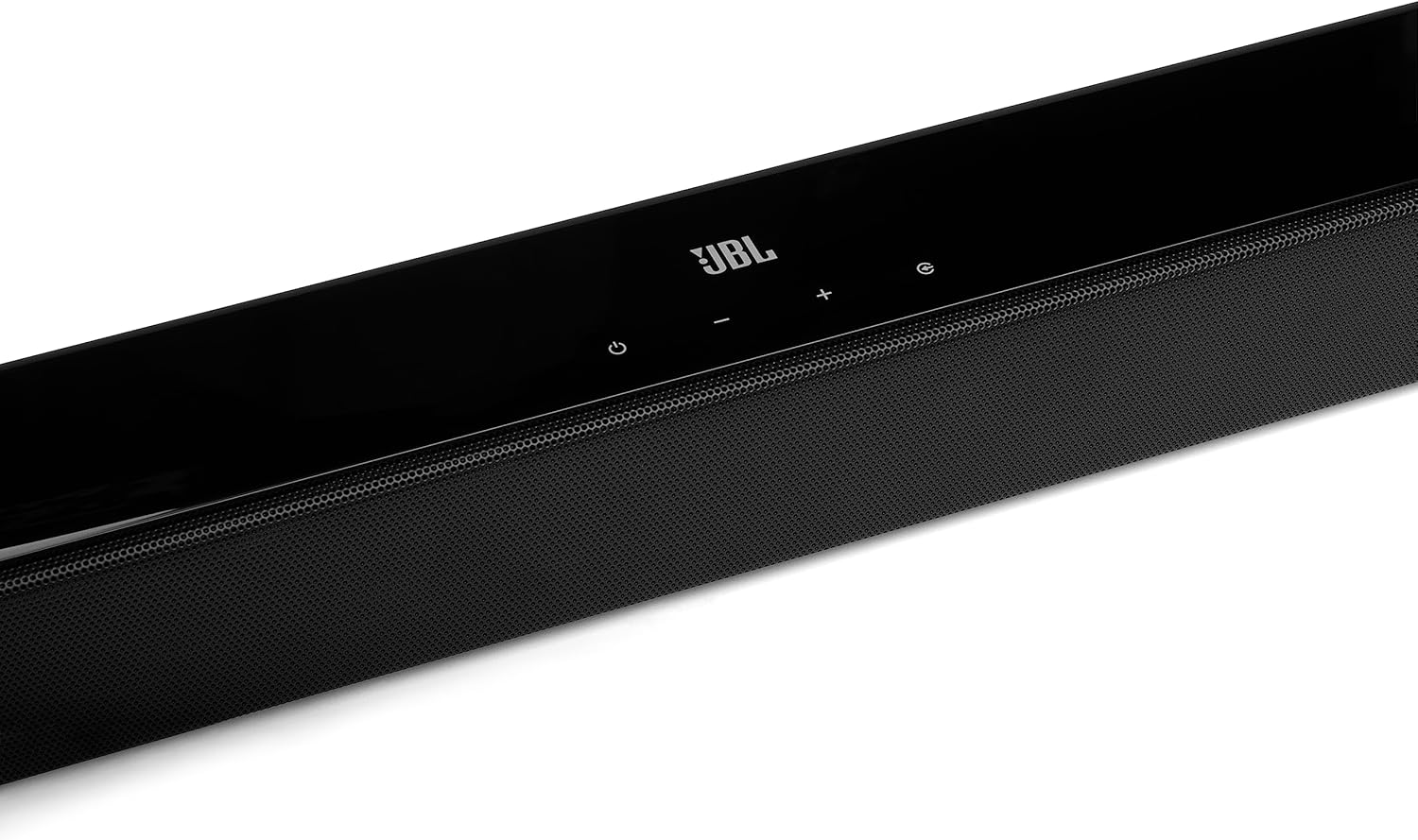
Aworan: Apa view of the JBL Cinema SB270 Soundbar. This image highlights the sleek profile of the soundbar, showing its compact design and integrated controls on the top surface.
5. Itọju
To maintain the performance and appearance of your JBL Cinema SB270 Soundbar System:
- Ninu: Lo aṣọ rírọrùn tí ó gbẹ láti nu ojú ibi ìró ohùn àti subwoofer. Má ṣe lo àwọn ohun èlò ìfọmọ́ omi tàbí àwọn ohun èlò ìpara, nítorí wọ́n lè ba ìparí rẹ̀ jẹ́.
- Afẹfẹ: Ensure that the ventilation openings on the soundbar and subwoofer are not blocked.
- Ibi ipamọ: Ti o ba tọju ẹyọ naa fun akoko ti o gbooro sii, ge asopọ kuro ni iṣan agbara ki o tọju rẹ ni itura, aaye gbigbẹ.
6. Laasigbotitusita
Tí o bá ní ìṣòro pẹ̀lú JBL Cinema SB270 rẹ, wo àwọn ìṣòro àti ojútùú tó wọ́pọ̀ wọ̀nyí:
| Isoro | Owun to le Fa | Ojutu |
|---|---|---|
| Ko si agbara | Okun agbara ko sopọ; iṣan agbara ko ṣiṣẹ. | Rí i dájú pé àwọn okùn agbára so mọ́ ibi ìró ohùn, subwoofer, àti ibi ìjáde agbára tí ń ṣiṣẹ́ dáadáa. |
| Ko si ohun lati bar ohun | Incorrect input source selected; volume too low; audio cable not connected properly. | Select the correct input source (HDMI ARC, Optical); increase volume; check audio cable connections. |
| Ko si ohun lati subwoofer | Subwoofer not paired; subwoofer not powered on. | Ensure subwoofer is powered on. If not paired, power cycle both soundbar and subwoofer. Ensure they are within range. |
| Awọn oran asopọ Bluetooth | Ẹ̀rọ náà ti jìnnà jù; ìdènà; ìró ohùn kò sí ní ipò ìsopọ̀. | Move device closer to soundbar; ensure no other devices are interfering; put soundbar into Bluetooth pairing mode. |
| Isakoṣo latọna jijin ko ṣiṣẹ | Batteries depleted; obstruction between remote and soundbar. | Replace batteries; remove any obstructions; point remote directly at the soundbar. |
7. Awọn pato
Key technical specifications for the JBL Cinema SB270 Soundbar System:
| Ẹya ara ẹrọ | Sipesifikesonu |
|---|---|
| Ọja Mefa | 6.2 x 90 x 6.7 cm (Ohùn ìró); 8.82 kg (Àpapọ̀ Ìwúwo) |
| Olupese | JBL |
| Nọmba Awoṣe Nkan | JBLSB270BLK |
| Orukọ Brand | JBL |
| Agbọrọsọ Agbara Ijade ti o pọju | 220 Wattis |
| Idahun Igbohunsafẹfẹ | 20 kHz |
| Asopọmọra Technology | Bluetooth, HDMI |
| Ipo Ijade Ohun | Ayika |
| Iṣagbesori Iru | Tabili |
| Ohun elo | Thermoplastic Polyurethane (TPU) |
| Agbọrọsọ Iru | Subwoofer |
| Pataki Awọn ẹya ara ẹrọ | Bluetooth, Alailowaya |
8. Atilẹyin ọja ati Support
For warranty information and customer support, please refer to the warranty card included with your product or visit the official JBL website. You can also contact JBL customer service for assistance with product registration, technical support, or service inquiries.


