1. Ifihan
This manual provides essential information for the installation, operation, and maintenance of your Phillips MX7053 Digital Deadbolt PCD-360. Please read these instructions carefully before installation and use to ensure proper function and longevity of the product.
The Phillips MX7053 Digital Deadbolt is designed for interior wood or metal doors, offering secure keyless entry via a numeric keypad or traditional key access. It features a light indicator for status updates and supports up to 50 unique user codes.
2. Awọn ẹya Ọja
- Fifi sori Rọrun: Designed for straightforward installation using basic tools.
- Iṣagbesori pupọ: Features an interior mounting plate that can be screwed or welded.
- Nọmba bọtini foonu: Exterior keypad supports 4 to 10-digit codes for up to 50 users.
- Atọka ipo: Integrated light indicator shows lock/unlock status and alerts for incorrect code entries.
- Iwọle Meji: Keyless entry via keypad or traditional high-security key access.
- Batiri Ti Ṣiṣẹ: Requires 4 AA batteries (not included), eliminating the need for electrical wiring.
3. Package Awọn akoonu
Daju pe gbogbo awọn paati wa ṣaaju ki o to bẹrẹ fifi sori:
- Phillips MX7053 Digital Deadbolt (Exterior Keypad Unit)
- Interior Thumb Turn Unit
- Iṣagbesori Awo
- High-Security Keys (Quantity may vary)
- Àwọn skru ìfìsílé àti ohun èlò
- Itọsọna Afowoyi (Iwe yii)

Aworan 3.1: Packaging of the Phillips MX7053 Digital Deadbolt, illustrating the included components and highlighting the 1-year warranty.
4. Awọn pato
| Olupese | Phillips |
| Nọmba awoṣe | MX7053 |
| Àwọ̀ | Dudu |
| Pari | Fẹlẹ |
| Ohun elo | Irin, Ṣiṣu |
| Titiipa Iru | Iku |
| Pataki Awọn ẹya ara ẹrọ | Touch keypad, Keyless entry |
| Orisun agbara | Awọn batiri AA 4 (kii ṣe pẹlu) |
| Iwọn | 1.12 kilo |
| Awọn iwọn (L x W x H) | 21.01 x 11 x 23.01 cm |
5. Alaye Aabo
- Do not expose the lock to extreme temperatures or direct moisture.
- Use only specified AA alkaline batteries. Do not mix old and new batteries or different types of batteries.
- Keep keys in a secure location away from the lock.
- Regularly check battery levels and replace batteries when indicated to prevent lock-out.
- Yago fun lilo abrasive ose tabi epo lori dada titiipa.
6. fifi sori
The Phillips MX7053 Digital Deadbolt is designed for surface-mount installation on interior wood or metal doors. It is compatible with both left and right-opening doors.
6.1 Awọn irinṣẹ ti a beere
- Screwdriver (a ṣe iṣeduro ori Philips)
- Drill (if new holes are required)
- Iwọn teepu tabi alakoso
- Ikọwe
6.2 fifi sori Igbesẹ
- Ṣetan ilẹkun: Ensure the door is clean and free of obstructions. If replacing an existing lock, remove it.
- Fi Deadbolt Latch sori ẹrọ: Insert the deadbolt latch into the door edge. Ensure the latch is oriented correctly for your door's handing (left or right).
- Mount the Exterior Keypad: Position the exterior keypad unit on the outside of the door, aligning it with the deadbolt latch.
- Fi sori ẹrọ Awo iṣagbesori inu inu: On the inside of the door, attach the interior mounting plate. Secure it with the provided screws. This plate can be screwed directly or welded for added security.
- Connect the Interior Unit: Connect the cable from the exterior keypad to the interior thumb turn unit. Carefully tuck any excess cable into the door cavity.
- Secure the Interior Unit: Attach the interior thumb turn unit to the mounting plate using the remaining screws. Ensure it is flush against the door.
- Iṣiṣẹ Idanwo: Before closing the door, test the deadbolt's operation using both the thumb turn and the key. Ensure the deadbolt extends and retracts smoothly.
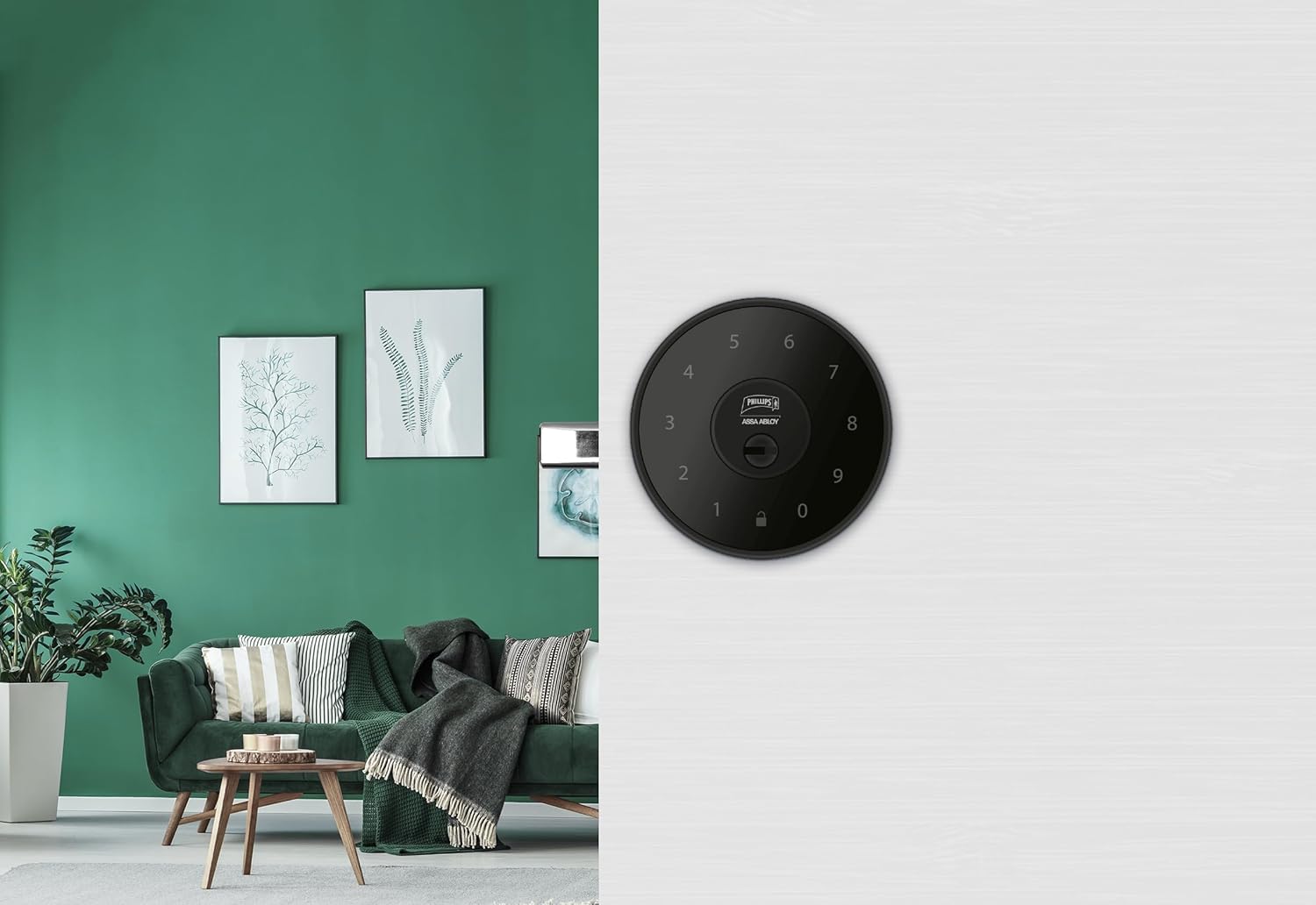
Aworan 6.1: An installed Phillips MX7053 Digital Deadbolt, showcasing its exterior keypad on a door.

Aworan 6.2: Iwaju ti o sunmọ view of the exterior keypad, highlighting the numeric interface and keyhole.
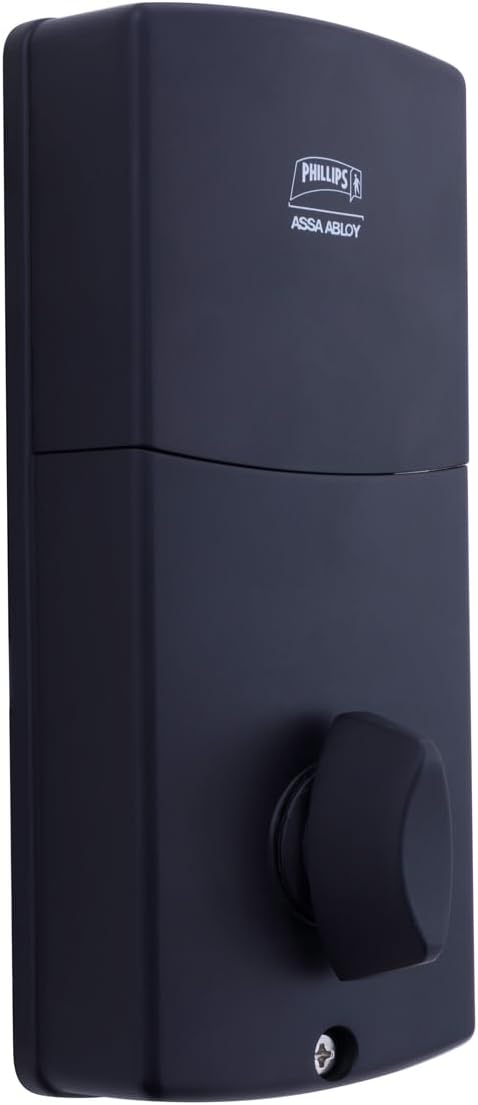
Aworan 6.3: Ẹyìn view of the interior unit, which houses the battery compartment and the thumb turn for manual locking/unlocking.
7. Batiri sori ati Rirọpo
The Phillips MX7053 Digital Deadbolt requires 4 AA alkaline batteries for operation. Batteries are not included.
- Wiwọle Batiri: Locate the battery cover on the interior thumb turn unit. Slide or unclip the cover to open the compartment.
- Fi awọn batiri sii: Insert 4 new AA alkaline batteries, ensuring correct polarity (+/-) as indicated inside the compartment.
- Iyẹwu Timọ: Replace the battery cover, ensuring it is securely closed.
- Idanwo: After installing batteries, the lock should emit a beep and the keypad lights may illuminate briefly, indicating power.
Akiyesi: Replace all four batteries simultaneously. Do not mix old and new batteries or different battery types. Low battery indication will typically be a series of beeps or a specific light pattern when operating the lock.
8. Isẹ
8.1 Ṣiṣii ilẹkun
- Using a Code: Enter your 4 to 10-digit user code on the exterior keypad. The light indicator will confirm successful entry, and the deadbolt will retract.
- Lilo bọtini: Insert the high-security key into the keyhole on the exterior keypad and turn it to unlock the deadbolt.
- Lati inu: Turn the thumb turn on the interior unit to retract the deadbolt.
8.2 Titiipa ilekun
- Lati ita: Press any key on the keypad or simply wait for the auto-lock feature (if enabled) to engage the deadbolt.
- Lilo bọtini: Insert the high-security key into the keyhole on the exterior keypad and turn it to extend the deadbolt.
- Lati inu: Turn the thumb turn on the interior unit to extend the deadbolt.
9. Àwọn Kóòdù Olùlò Ṣíṣe Ìṣètò
The lock supports up to 50 unique user codes, each 4 to 10 digits long. Refer to the specific programming instructions included with your lock for detailed steps on adding, deleting, or modifying user codes. Generally, this involves entering a master code followed by a sequence of commands and the desired user code.
Pataki: Keep your master code confidential and do not share it. It is essential for managing all other user codes.
10. Itọju
- Ninu: Fi aṣọ rirọ, d nu oju titiipa naaamp asọ. Maṣe lo awọn kẹmika ti o lewu tabi awọn afọmọ abrasive.
- Ṣayẹwo Batiri: Rọpo awọn batiri ni kiakia nigbati atọka batiri kekere ba han.
- Ṣayẹwo ẹrọ: Periodically check that all screws are tight and the lock operates smoothly. Lubricate the deadbolt mechanism with a silicone-based lubricant if necessary.
11. Laasigbotitusita
- Titii Ko Dahun: Check battery installation and replace batteries if necessary. Ensure the keypad is clean and free of debris.
- Deadbolt Not Extending/Retracting: Rí i dájú pé àwo ìkọ́lé ilẹ̀kùn náà bá ìdábùú ẹnu ọ̀nà mu dáadáa. Ṣàyẹ̀wò bóyá ó ní ìdènà nínú ìdábùú ilẹ̀kùn náà.
- Incorrect Code Entry: If the light indicator flashes or beeps after entering a code, re-enter the code carefully. Ensure you are using a valid, programmed user code.
- Bọtini bọtini ko tan ina: This may indicate very low batteries or a power issue. Replace batteries.
12. Atilẹyin ọja ati Support
The Phillips MX7053 Digital Deadbolt PCD-360 comes with a 1-odun atilẹyin ọja lati ọjọ rira, ibora awọn abawọn iṣelọpọ. Jọwọ ṣe idaduro ẹri rira rẹ fun awọn iṣeduro atilẹyin ọja.
For technical assistance, troubleshooting beyond this manual, or warranty inquiries, please contact Phillips customer support. Refer to the contact information provided on the product packaging or Phillips' official webojula.
Additional protection plans may be available from third-party providers for extended coverage.


