1. Ifihan
Thank you for choosing the Einhell Power X-Boostcharger 8A. This universal charger is designed to quickly and efficiently charge all batteries within the Einhell Power X-Change range. It features advanced 8A fast charging technology, intelligent charge management, a Boost mode for even faster charging, and a Refresh mode to reactivate deeply discharged batteries. The 7-level LED indicator provides clear status updates. Please read this manual thoroughly before initial operation to ensure safe and optimal use of your charger.

Figure 1: The Einhell Power X-Boostcharger 8A. This image shows the top view of the charger, highlighting its compact design and the integrated control panel with LED indicators.
2. Awọn ilana aabo
Nigbagbogbo ṣe akiyesi awọn iṣọra ailewu atẹle nigba lilo ṣaja:
- Ka gbogbo awọn ilana ṣaaju lilo ṣaja.
- Ma ṣe ṣi ṣaja si ojo tabi ipo tutu.
- Use only Einhell Power X-Change batteries with this charger. Using other batteries may result in injury or damage.
- Má ṣe lo ẹ̀rọ amúṣẹ́ náà bí ó bá ti lù ú, tí ó ti jábọ́, tàbí tí ó ti bàjẹ́.
- Rí i dájú pé afẹ́fẹ́ ń yọ́ dáadáa nígbà tí o bá ń gba agbára. Má ṣe bo charger náà.
- Jeki ṣaja kuro lati awọn orisun ooru ati orun taara.
- Yọ ṣaja kuro ninu ibudo agbara nigbati ko ba si ni lilo tabi ṣaaju ki o to nu.
- Ohun elo yii le ṣee lo nipasẹ awọn ọmọde ti o dagba lati ọdun 8 ati ju bẹẹ lọ ati awọn eniyan ti o dinku ti ara, ifarako tabi awọn agbara ọpọlọ tabi aini iriri ati imọ ti wọn ba ti fun wọn ni abojuto tabi itọnisọna nipa lilo ohun elo ni ọna ailewu ati loye awọn eewu naa. lowo.
3. Ọja Ipariview
3.1 irinše
The Einhell Power X-Boostcharger 8A consists of the main charging unit, a power cable, and the battery slot. The front panel includes the control buttons and LED indicators.
3.2 LED Ipo Atọka
The charger features a 7-level LED indicator system to display the charging status and battery condition:
- LED agbara: Indicates power supply.
- Charging LEDs (multiple): Show the current charge level of the battery.
- Full Charge LED: Ó máa ń tànmọ́lẹ̀ nígbà tí batiri bá ti gba agbára tán.
- LED aṣiṣe: Indicates a fault or abnormal condition.
- LED iwọn otutu: Warns of extreme battery temperatures.
- Refresh Mode LED: Indicates when Refresh mode is active.
- Boost Mode LED: Indicates when Boost mode is active.

Nọmba 2: Alaye view of the charger's control panel. This image shows the Boost function button and the various LED indicators that display the charging status and operational mode.
4. Eto
4.1 Ibẹrẹ Asopọ
- Place the charger on a stable, flat, and non-flammable surface.
- Connect the power cable to the charger and then plug it into a suitable power outlet (18V). The Power LED will illuminate.
4.2 Iṣagbesori odi (aṣayan)
The charger housing includes integrated hanging eyelets for convenient wall mounting, helping to save space.
- Identify a suitable location on a wall, ensuring it is near a power outlet and allows for proper ventilation.
- Mark the positions for two screws using the hanging eyelets on the back of the charger as a template.
- Lu awọn ihò atupalẹ ki o si fi awọn ìdákọ̀ró ogiri ti o yẹ sii ti o ba jẹ dandan.
- Insert screws, leaving a small gap between the screw head and the wall.
- Align the charger's eyelets with the screws and slide it down to secure it in place.

Figure 3: The underside of the charger, illustrating the integrated hanging eyelets designed for wall mounting. This feature allows for space-saving storage.
5. Awọn ilana Iṣiṣẹ
5.1 Ngba agbara si Batiri kan
- Rii daju pe ṣaja ti wa ni edidi sinu iṣan agbara kan.
- Insert the Power X-Change battery into the charging slot. Ensure it clicks securely into place.
- The charging LEDs will begin to illuminate, indicating the charging process has started. The intelligent charge management system will continuously monitor the battery for optimal charging.
- Once fully charged, the Full Charge LED will illuminate, and the charging process will automatically stop.
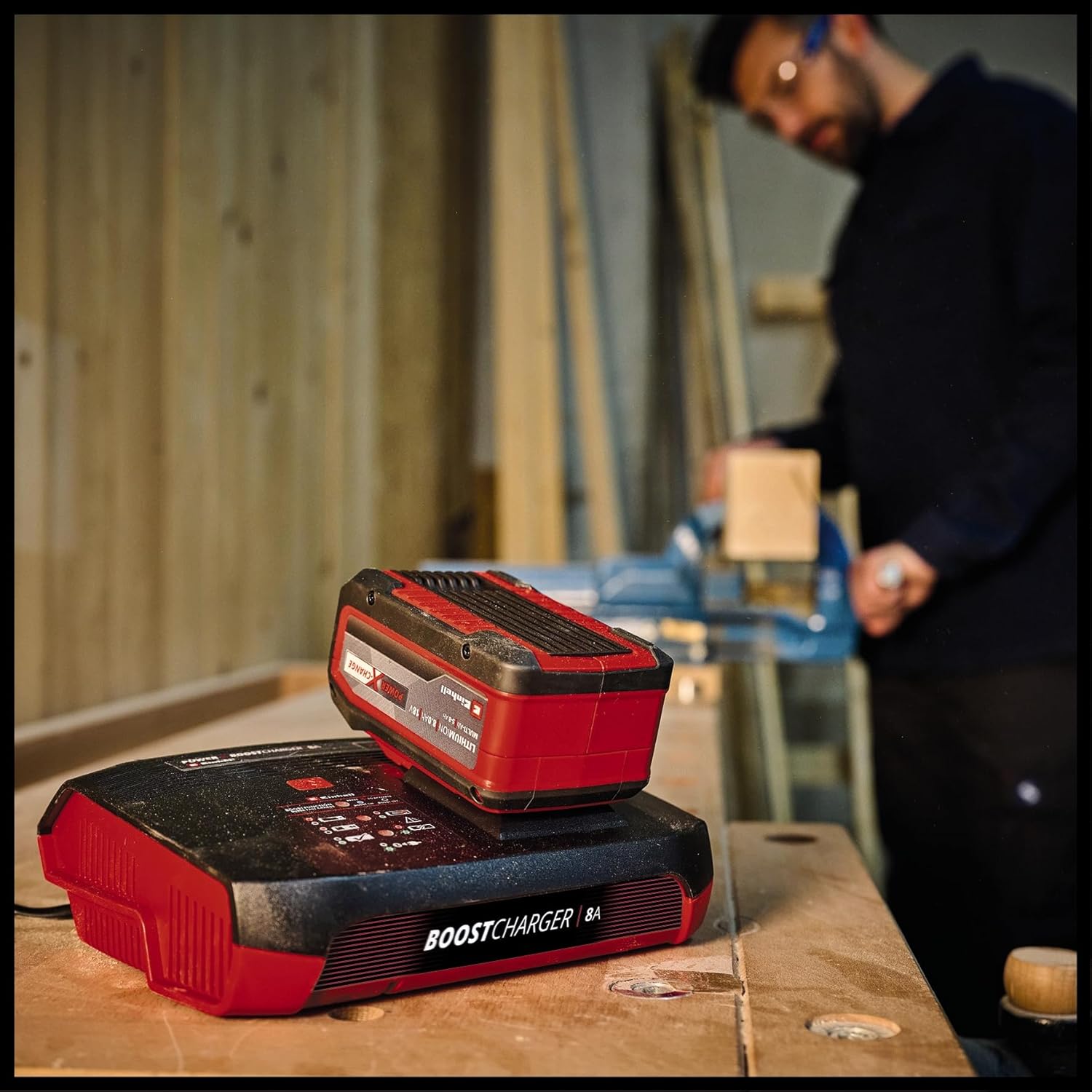
Figure 4: The charger with a Power X-Change battery inserted, positioned on a workbench. This demonstrates the charger in a typical operational environment.
5.2 Boost Mode Activation
For up to 62% faster charging, activate the Boost mode:
- Fi batiri sii sinu iho gbigba agbara.
- Press the 'Boost' button located on the charger's control panel. The Boost Mode LED will illuminate.
- The charger will now operate in Boost mode, significantly reducing charging time. An 8 Ah battery can be fully charged in approximately 1 hour.
- If the Boost button is not pressed, the battery will charge in normal mode, which is gentler on the battery for long-term preservation.

Figure 5: The charger with a battery, shown in a workshop environment with a person working in the background. This illustrates the charger's integration into a professional or DIY setting.
5.3 Refresh Mode
The Refresh mode is designed to reactivate deeply discharged batteries:
- If a battery is deeply discharged, insert it into the charger. The Refresh Mode LED may illuminate automatically.
- The charger will attempt to reactivate the battery. Once reactivated, the battery will proceed with normal charging.
- Note: Not all deeply discharged batteries can be reactivated.
6. Itọju ati Itọju
To ensure the longevity and optimal performance of your charger:
- Yọọ ṣaja nigbagbogbo lati inu iṣan agbara ṣaaju ṣiṣe mimọ.
- Clean the charger's exterior with a soft, dry cloth. Do not use abrasive cleaners or solvents.
- Keep the charging slot free of dust and debris.
- Store the charger in a dry, well-ventilated area, away from direct sunlight and extreme temperatures.
7. Laasigbotitusita
| Isoro | Owun to le Fa | Ojutu |
|---|---|---|
| Charger not powering on (Power LED off) | No power supply; faulty outlet/cable. | Check power connection; try a different outlet; inspect power cable for damage. |
| Battery not charging (Charging LEDs not active) | Battery not inserted correctly; battery faulty; charger faulty. | Re-insert battery firmly; try a different battery; contact support if issue persists. |
| Error LED illuminated | Battery fault; charger fault; incorrect battery type. | Remove and re-insert battery; ensure it's an Einhell Power X-Change battery; if error persists, battery or charger may be faulty. |
| Temperature LED illuminated | Batiri ti gbona ju/tutu. | Move battery and charger to a room temperature environment and allow to cool/warm up before attempting to charge again. |
8. Awọn pato
| Sipesifikesonu | Iye |
|---|---|
| Nọmba awoṣe | 4512155 |
| Iṣagbewọle Voltage | 18 Volts (compatible with Power X-Change system) |
| Ijade lọwọlọwọ | 8A |
| Ọja Mefa | 8.7 x 7.17 x 2.68 inches |
| Iwọn Nkan | 1.83 iwon |
| Olupese | Einhell |
9. Atilẹyin ọja ati Support
For warranty information, technical support, or service inquiries, please refer to the official Einhell webojula tabi kan si wọn onibara iṣẹ Eka. Jeki ẹri rira rẹ fun eyikeyi awọn ibeere atilẹyin ọja.


