1. Ifihan
The AudioQuest PowerQuest 303 is a high-performance power conditioner and non-sacrificial surge protector designed to enhance the performance and safety of your electronic equipment. It features 12 AC outlets, including dedicated high-current outlets for amplifiers and linear-filtered outlets for source components. This manual provides essential information for the proper setup, operation, and maintenance of your PowerQuest 303.

Àwòrán 1: Iwájú àti òkè view of the AudioQuest PowerQuest 303 unit.
2. Key Awọn ẹya ara ẹrọ
- Linear Noise-Dissipation: Provides consistent noise reduction for improved audio and video clarity.
- Non-Sacrificial Surge Protection: Designed to withstand multiple power surges up to 6000V or 3000A without degradation or damage.
- Extreme-Voltage Tiipa: Automatically disconnects AC power within 0.25 seconds if input voltage exceeds 140VAC, protecting connected equipment.
- Awọn iṣan AC 12: Includes 4 high-current outlets suitable for power amplifiers and 8 linear-filtered outlets for sensitive source components.
- Okun Agbara Iyọkuro: Supplied with a 2-meter PQ-415 power cable designed to minimize current compression, reduce distortion, and dissipate noise.
- Rack Mountable: Includes 2RU rack ears for integration into standard equipment racks.
- Flat to Wall Plug: Facilitates installation in confined spaces.
3. Awọn ilana iṣeto
Follow these steps to properly set up your AudioQuest PowerQuest 303:
- Ibi: Position the PowerQuest 303 in a stable location, either on a flat surface or mounted in an equipment rack using the provided rack ears. Ensure adequate ventilation around the unit.
- Asopọ agbara: Connect the supplied PQ-415 detachable power cable to the IEC inlet on the rear of the PowerQuest 303. Plug the other end of the power cable into a grounded AC wall outlet.
- Ohun elo Asopọmọra:
- Sopọ agbara amplifiers, powered subwoofers, or other high-current devices to the High-Current Outlets (1-4).
- Connect source components such as preamplifiers, DACs, media players, or displays to the Linear-Filtered Outlets (5-12).
- Agbara Tan: Once all equipment is connected, switch the main power toggle on the front panel to the "ON" position.

Figure 2: Rear panel showing the 12 AC outlets, IEC inlet, and reset button.

Figure 3: Close-up of the rear panel with the detachable power cable connected.
4. Awọn ilana Iṣiṣẹ
The PowerQuest 303 is designed for simple operation. Once connected, it continuously provides power conditioning and surge protection to your connected devices.
4.1 Agbara Tan / Pa
Use the main power toggle switch on the front panel to turn the unit on or off. When the switch is in the "ON" position, power is supplied to all 12 outlets.
4.2 Awọn imọlẹ Atọka
Panel iwaju jẹ ẹya awọn imọlẹ atọka meji:
- Protection On: This green LED indicates that the non-sacrificial surge protection circuit is active and functioning correctly.
- Apọjutage Idaabobo: This red LED illuminates if the Extreme-Voltage Shutdown circuit has been activated due to an excessive input voltage (above 140VAC). If this light is on, the unit has temporarily disconnected power to protect your equipment.
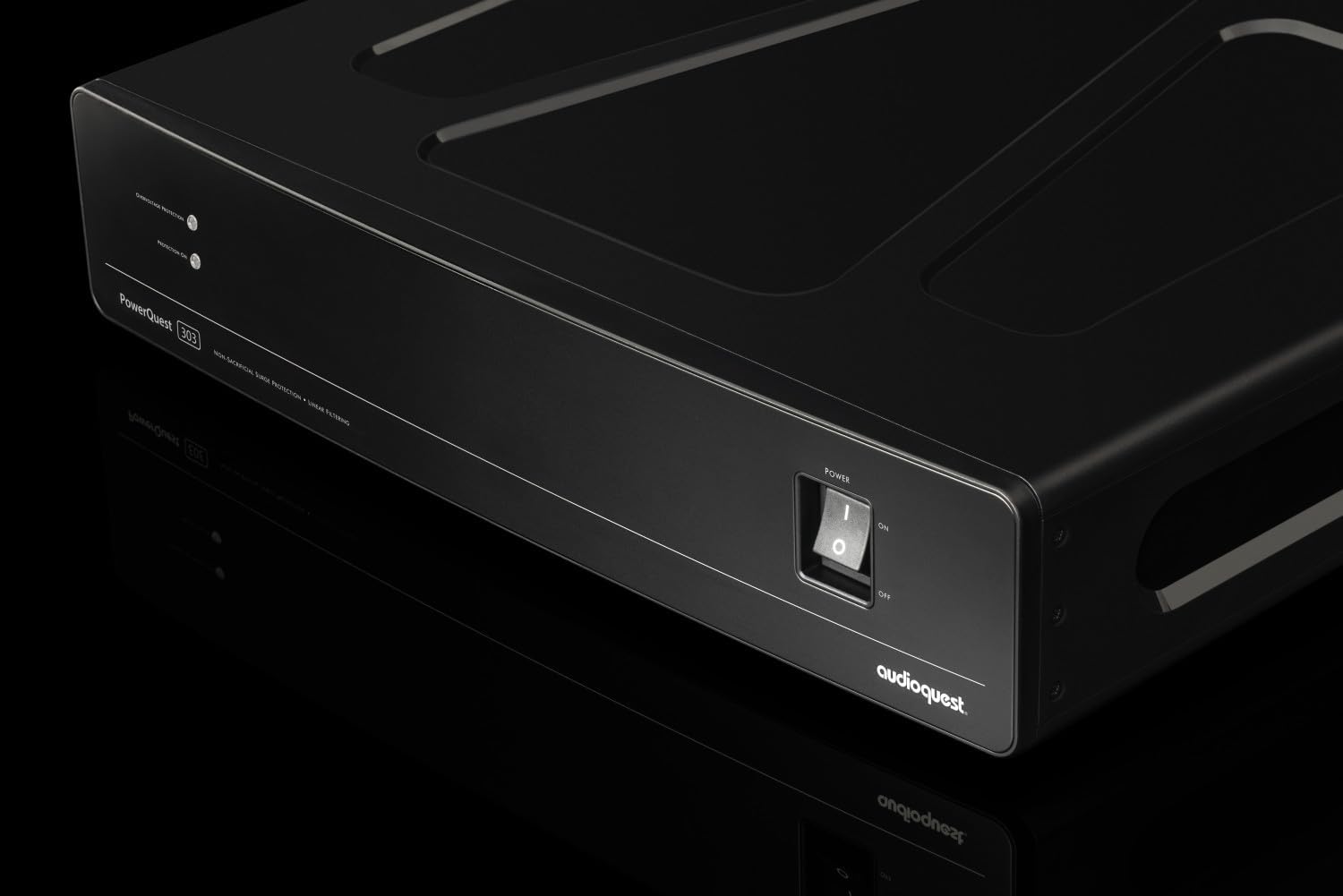
Figure 4: Close-up of the front panel showing the power switch and indicator lights.
5. Itọju
The AudioQuest PowerQuest 303 requires minimal maintenance.
- Ninu: Disconnect the unit from the AC wall outlet before cleaning. Use a soft, dry cloth to wipe the exterior. Avoid using liquid cleaners or solvents.
- Idaabobo iṣẹ abẹ: The non-sacrificial surge protection system does not require replacement after a surge event. It is designed to withstand multiple strikes without degradation.
- Opin Iyika monamona: The unit includes a 15A circuit breaker (reset button) on the rear panel. If the unit loses power unexpectedly, check this button. If it has popped out, press it firmly to reset the circuit.
6. Laasigbotitusita
If you encounter issues with your PowerQuest 303, refer to the following troubleshooting guide:
| Isoro | Owun to le Fa | Ojutu |
|---|---|---|
| Ko si agbara si awọn ẹrọ ti a ti sopọ. |
|
|
| "Overvoltage Protection" LED is illuminated (red). | Iṣagbewọle AC voltage exceeded 140VAC. |
|
| "Protection On" LED is off (green). | Indicates a fault in the surge protection circuit. |
|
7. Awọn pato
Detailed technical specifications for the AudioQuest PowerQuest 303:
| Nọmba awoṣe | PQ303NA |
| Awọn iwọn Ọja (Ijinle x Iwọn x Giga) | 13.4 x 17 x 3.5 inches (34 x 43.2 x 8.9 cm) |
| Iwọn Nkan | 4.66 poun (2.11 kg) |
| Nọmba ti AC iÿë | 12 (4 High-Current, 8 Linear-Filtered) |
| Aabo Idaabobo | Non-Sacrificial, withstands 6000V/3000A |
| Extreme-Voltage tiipa | Activates at 140VAC, disengages in <0.25 seconds |
| Circuit fifọ | 15 Amps |
| Asopọmọra Iru | NEMA 5-15P (for input power cable) |
| Ohun elo | Metal chassis |
| Àwọ̀ | Dudu |

Figure 5: Dimensions of the AudioQuest PowerQuest 303.
8. Atilẹyin ọja ati Support
For detailed warranty information, please refer to the official warranty documentation provided with your AudioQuest PowerQuest 303 or visit the official AudioQuest website. For technical support or service inquiries, please contact AudioQuest customer service.


