Ọrọ Iṣaaju
O ṣeun fun riraasing the eKids iH-B52 Bluetooth Headphones. These headphones are designed for children, offering both wireless Bluetooth connectivity and a wired option for versatile listening. They feature a built-in microphone for communication and a comfortable, adjustable design. This manual provides essential information for safe and effective use, setup, operation, and maintenance of your headphones.

Aworan: Iwaju view of the eKids iH-B52 Bluetooth Headphones in white, showcasing wọn aso oniru.
Alaye Aabo
Jọwọ ka ati loye gbogbo awọn ilana aabo ṣaaju lilo ọja yii. Ikuna lati tẹle awọn ilana wọnyi le ja si ipalara tabi ibajẹ.
- Iṣakoso iwọn didun: To prevent hearing damage, do not listen at high volume levels for extended periods. The headphones are designed with reduced volume levels for safe listening.
- Ewu Gbigbọn: Ọja yii ni awọn ẹya kekere ati pe ko dara fun awọn ọmọde labẹ ọdun 3.
- Ifihan omi: These headphones are not water-resistant. Avoid exposure to water or moisture.
- Ninu: Clean the headphones only with a dry, soft cloth. Do not use liquid cleaners.
- Aabo Batiri: Do not attempt to replace the internal battery. Do not expose the battery to excessive heat or fire.
- Idasonu: Dispose of the product and battery responsibly according to local regulations.
Package Awọn akoonu
Rii daju pe gbogbo awọn nkan wa ninu package:
- eKids iH-B52 Bluetooth Headphones
- Okun Ngba agbara USB
- 3.5mm Audio Cable (Aux Cord)
Ọja Pariview
Familiarize yourself with the headphone's controls and ports:
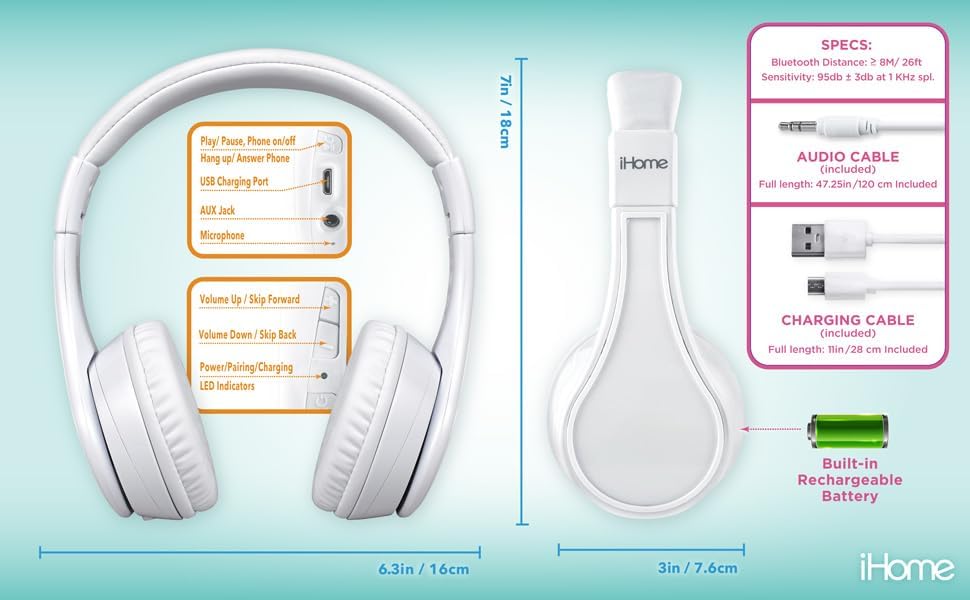
Image: Detailed diagram showing the location of controls, ports (USB charging, AUX jack), microphone, LED indicators, and dimensions of the eKids iH-B52 headphones.
- Bọtini Agbara/Ṣiṣiṣẹ/Duro: Used to power the headphones on/off, play/pause audio, and answer/end phone calls.
- Volume Up / Skip Forward Button: Ó máa ń mú kí ohùn pọ̀ sí i pẹ̀lú títẹ̀ kúkúrú, ó máa ń fò sí orin tó tẹ̀lé e pẹ̀lú títẹ̀ gígùn.
- Volume Down / Skip Back Button: Decreases volume with a short press, skips to the previous track with a long press.
- Ibudo Gbigba agbara USB: Fun sisopọ okun gbigba agbara USB.
- AUX Jack: For connecting the 3.5mm audio cable for wired listening.
- Gbohungbohun: Fun awọn ipe ti ko ni ọwọ ati awọn aṣẹ ohun.
- Awọn itọkasi LED: Display power, pairing, and charging status.
Ṣeto
1. Ngba agbara si awọn Agbekọri
Ṣaaju lilo akọkọ, gba agbara si awọn agbekọri ni kikun.
- Connect the small end of the USB charging cable to the USB Charging Port on the headphones.
- Connect the large end of the USB charging cable to a powered USB port (e.g., computer, USB wall adapter).
- Àmì LED náà yóò tànmọ́lẹ̀ nígbà tí a bá ń gba agbára, yóò sì pa tàbí yí àwọ̀ padà nígbà tí a bá ti gba agbára tán.
- A full charge provides up to 37 hours of continuous Bluetooth playtime.
2. Agbara lori / Paa
- Lati Fi agbara: Press and hold the Power/Play/Pause button until the LED indicator lights up.
- Lati Paarẹ: Press and hold the Power/Play/Pause button until the LED indicator turns off.
3. Ìsopọ̀ Bluetooth (Ipò Aláìlágbára)
Pair your headphones with a Bluetooth-enabled device.
- Rii daju pe awọn agbekọri ti wa ni pipa.
- Press and hold the Power/Play/Pause button for approximately 5-7 seconds until the LED indicator flashes rapidly (usually blue and red), indicating pairing mode.
- Lori ẹrọ rẹ (foonuiyara, tabulẹti, kọmputa), mu Bluetooth ṣiṣẹ ki o wa awọn ẹrọ to wa.
- Select "eKids iH-B52" from the list of found devices.
- Once paired, the LED indicator will flash slowly or turn solid blue.
- Awọn agbekọri yoo gbiyanju laifọwọyi lati tun sopọ si ẹrọ ti o so pọ to kẹhin nigbati o ba wa ni tan-an.

Image: A child wearing the eKids headphones while looking at a smartphone, illustrating the wireless Bluetooth functionality and key features.
4. Wired Connection (Aux Mode)
Lo okun ohun afetigbọ 3.5mm ti o wa fun asopọ ti a firanṣẹ, eyiti ko nilo agbara batiri.
- Connect one end of the 3.5mm audio cable to the AUX Jack on the headphones.
- Connect the other end of the 3.5mm audio cable to the headphone jack of your audio device.
- Awọn agbekọri yoo yipada laifọwọyi si ipo ti firanṣẹ.
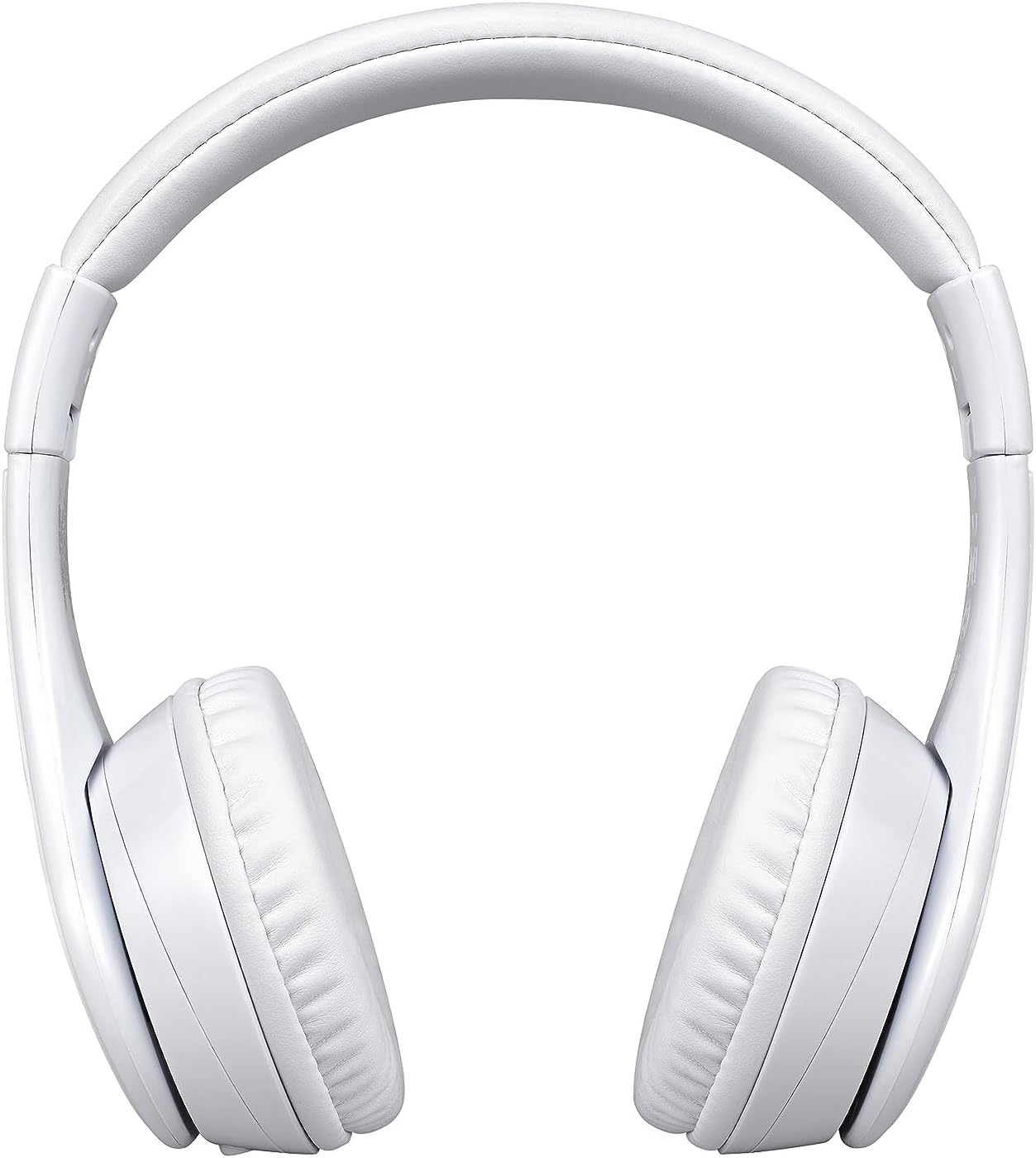
Image: A visual comparison of the wired mode (using a 3.5mm audio cable) and wireless Bluetooth mode, showing how to switch between them.
Ṣiṣẹ
Sisisẹsẹhin Orin (Ipo Bluetooth)
- Ṣiṣẹ/Daduro: Press the Power/Play/Pause button once.
- Iwọn didun Up: Kukuru tẹ bọtini Iwọn didun Up.
- Iwọn didun isalẹ: Kukuru tẹ bọtini Iwọn didun isalẹ.
- Orin t’okan: Gun tẹ bọtini didun Up.
- Tẹlẹ Orin: Gun tẹ bọtini Iwọn didun isalẹ.
Phone Calls (Bluetooth Mode)
- Idahun Ipe: Press the Power/Play/Pause button once when a call comes in.
- Ipe Ipari: Press the Power/Play/Pause button once during a call.
- Kọ Ipe: Press and hold the Power/Play/Pause button for 2 seconds when a call comes in.

Image: An illustration of the eKids headphones alongside various compatible devices, including PCs, smartwatches, gaming devices, mobile phones, tablets, and notebooks.
Itoju
Ninu
- Mu awọn agbekọri nu pẹlu asọ, gbẹ, asọ ti ko ni lint.
- Maṣe lo awọn afọmọ abrasive, ọti-lile, tabi awọn nkan ti kemikali.
- Yago fun gbigba ọrinrin sinu eyikeyi awọn ṣiṣi.
Ibi ipamọ
- Tọ́jú àwọn agbekọri náà sí ibi tí ó tutù tí ó sì gbẹ, tí kò sí ibi tí ó le koko jù.
- Tí o kò bá lò ó fún ìgbà pípẹ́, máa gba agbára lórí àwọn agbekọri náà lẹ́ẹ̀kọ̀ọ̀kan láti lè mú kí batiri rẹ le dáadáa.
- The headphones feature a foldable design for compact storage and travel.
Laasigbotitusita
Tí o bá ní ìṣòro, wo àtẹ yìí fún àwọn ìṣòro àti ìdáhùn tó wọ́pọ̀:
| Isoro | Ojutu |
|---|---|
| Awọn agbekọri ko ṣiṣẹ. | Ensure the headphones are charged. Connect to a power source using the USB cable. |
| Ko le so pọ nipasẹ Bluetooth. | Ensure headphones are in pairing mode (LED flashing rapidly). Turn off and on Bluetooth on your device. Move closer to the device. |
| Ko si ohun ni ipo Bluetooth. | Ṣayẹwo awọn ipele iwọn didun lori awọn agbekọri mejeeji ati ẹrọ ti a ti sopọ. Rii daju pe awọn agbekọri ti so pọ daradara. |
| Ko si ohun ni ipo onirin. | Ensure the 3.5mm audio cable is fully inserted into both the headphones and the audio device. Check the audio source device's volume. |
| Gbohungbohun ko ṣiṣẹ. | Rí i dájú pé a so agbekọri pọ̀ nípasẹ̀ Bluetooth. Ṣàyẹ̀wò ètò gbohungbohun lórí ẹ̀rọ tí o so pọ̀. |
Awọn pato
| Ẹya ara ẹrọ | Ẹ̀kúnrẹ́rẹ́ |
|---|---|
| Orukọ awoṣe | iH-B52W |
| Asopọmọra Technology | Ailokun (Bluetooth) |
| Imọ-ẹrọ Ibaraẹnisọrọ Alailowaya | Bluetooth |
| Awọn agbekọri Jack | 3.5 mm Jack |
| Batiri | 1 batiri litiumu ion (pẹlu) |
| Playtime (Bluetooth) | Titi di wakati 37 |
| Iwọn Nkan | 8.8 iwon (0.55 iwon) |
| Ohun elo | Ṣiṣu |
| Àwọ̀ | Funfun |
| Pataki Awọn ẹya ara ẹrọ | Detachable Cable, Foldable, Rechargeable Battery |
| Ibiti ọjọ ori (Apejuwe) | Omode |
| Iṣakoso Iru | Iṣakoso Media |
| Ọna Iṣakoso | Fọwọkan |
| Ipalara | 32 ohm |
| Omi Resistance Ipele | Ko Omi Resistant |
Atilẹyin ọja ati Support
For warranty information or technical support, please refer to the documentation included with your purchase or visit the official eKids webojula. Jeki ẹri rira rẹ fun awọn iṣeduro atilẹyin ọja.


