Alaye Aabo pataki
Read all instructions before operating the TV. Keep this manual for future reference. Follow all warnings and instructions marked on the product.
- Maṣe ṣe idiwọ awọn ṣiṣi eefin.
- Maṣe fi sori ẹrọ nitosi awọn orisun ooru.
- Dabobo okun agbara lati rin lori tabi pinched.
- Lo awọn asomọ/awọn ẹya ara ẹrọ ti olupese pato.
- Yọọ kuro lakoko iji monomono tabi nigbati a ko lo fun igba pipẹ.
- Tọkasi gbogbo iṣẹ si awọn oṣiṣẹ iṣẹ ti o peye.
Ọja Pariview
The THOMSON 24HA2S13C is a 24-inch HD Smart Android TV designed for versatile use, including camping with its 12V power supply. It features Google Assistant, Wi-Fi, Bluetooth, Dolby Digital audio, and a triple-tuner for various signal reception.

Aworan: Iwaju view of the THOMSON 24HA2S13C 24-inch Smart Android TV, showing the screen displaying streaming service logos and a family enjoying the TV in a campeto ing.
Package Awọn akoonu
Daju pe gbogbo awọn nkan wa ninu package:
- THOMSON 24HA2S13C Smart Android TV
- Isakoṣo latọna jijin
- Power Adapter (12V compatible)
- Iduro TV (2)
- Awọn skru fun Awọn iduro TV
- Afowoyi Olumulo (iwe-ipamọ yii)
- Quick Bẹrẹ Itọsọna
Ṣeto
1. So awọn TV Imurasilẹ
- Farabalẹ gbe oju TV si isalẹ lori rirọ, dada alapin lati ṣe idiwọ ibajẹ iboju.
- Align the TV stands with the mounting holes on the bottom of the TV.
- Ṣe aabo awọn iduro nipa lilo awọn skru ti a pese. Rii daju pe wọn ti di ṣinṣin.

Image: The THOMSON 24HA2S13C TV showing two possible stand positions for different furniture widths. The image highlights the flexibility in stand placement.
2. Nsopọ Agbara
Connect the 12V power adapter to the TV's power input and then to a suitable power source. For camping or mobile use, connect to a 12V DC power outlet.

Image: The THOMSON 24HA2S13C TV mounted in a caravan, with a 12V power adapter shown, illustrating its suitability for mobile use.
3. Nsopọ Ita Awọn ẹrọ
TV nfunni ni ọpọlọpọ awọn ebute oko oju omi fun sisopọ awọn ẹrọ ita:
- HDMI: For high-definition audio and video devices (e.g., game consoles, Blu-ray players).
- USB: Fun sisopọ awọn ẹrọ ibi ipamọ USB lati mu media ṣiṣẹ.
- Lan: Fun isopọ Ayelujara ti a firanṣẹ.
- Eriali/Satẹlaiti: For receiving broadcast signals.
- AV NI: Fun awọn ẹrọ afọwọṣe atijọ.
- Ohun Jade (Opiti): Fun sopọ si ita ohun awọn ọna šiše.
- CI+: Fun ni àídájú wiwọle modulu.

Aworan: Ẹyin view of the THOMSON 24HA2S13C TV, detailing the various input and output ports available for connectivity.
Ṣiṣẹ TV
1. Oṣo oluṣeto akọkọ
Nígbà tí o bá ti kọ́kọ́ tan-an, TV náà yóò tọ́ ọ sọ́nà láti ṣe àtúnṣe sí i ní ìbẹ̀rẹ̀. Èyí ní nínú:
- Aṣayan ede.
- Asopọ nẹtiwọki (Wi-Fi tabi Ethernet).
- Google account sign-in (optional, but recommended for full Smart TV features).
- Channel scanning (for DVB-T2/C/S2).
2. Awọn iṣẹ Iṣakoso latọna jijin
The included remote control provides access to all TV functions. It features backlit buttons for use in low light and a dedicated "Favorite" button for quick access to your preferred app.

Image: The remote control for the THOMSON 24HA2S13C TV, highlighting its ergonomic design, backlit buttons, and voice control capabilities.
3. Awọn ẹya Smart TV (Android TV)
This TV runs on Android TV, providing access to a wide range of applications and services:
- Awọn iṣẹ ṣiṣanwọle: Access Netflix, Prime Video, YouTube, Disney+, and more.
- Oluranlọwọ Google: Use voice commands to search for content, control playback, and get information. Activate by pressing the Google Assistant button on the remote.
- Chromecast ti a ṣe sinu: Cast content from compatible smartphones, tablets, or computers directly to your TV.
- Google Play itaja: Ṣe igbasilẹ awọn ohun elo afikun ati awọn ere.

Image: The THOMSON 24HA2S13C TV screen showing the Android TV home interface with popular streaming applications and content recommendations.
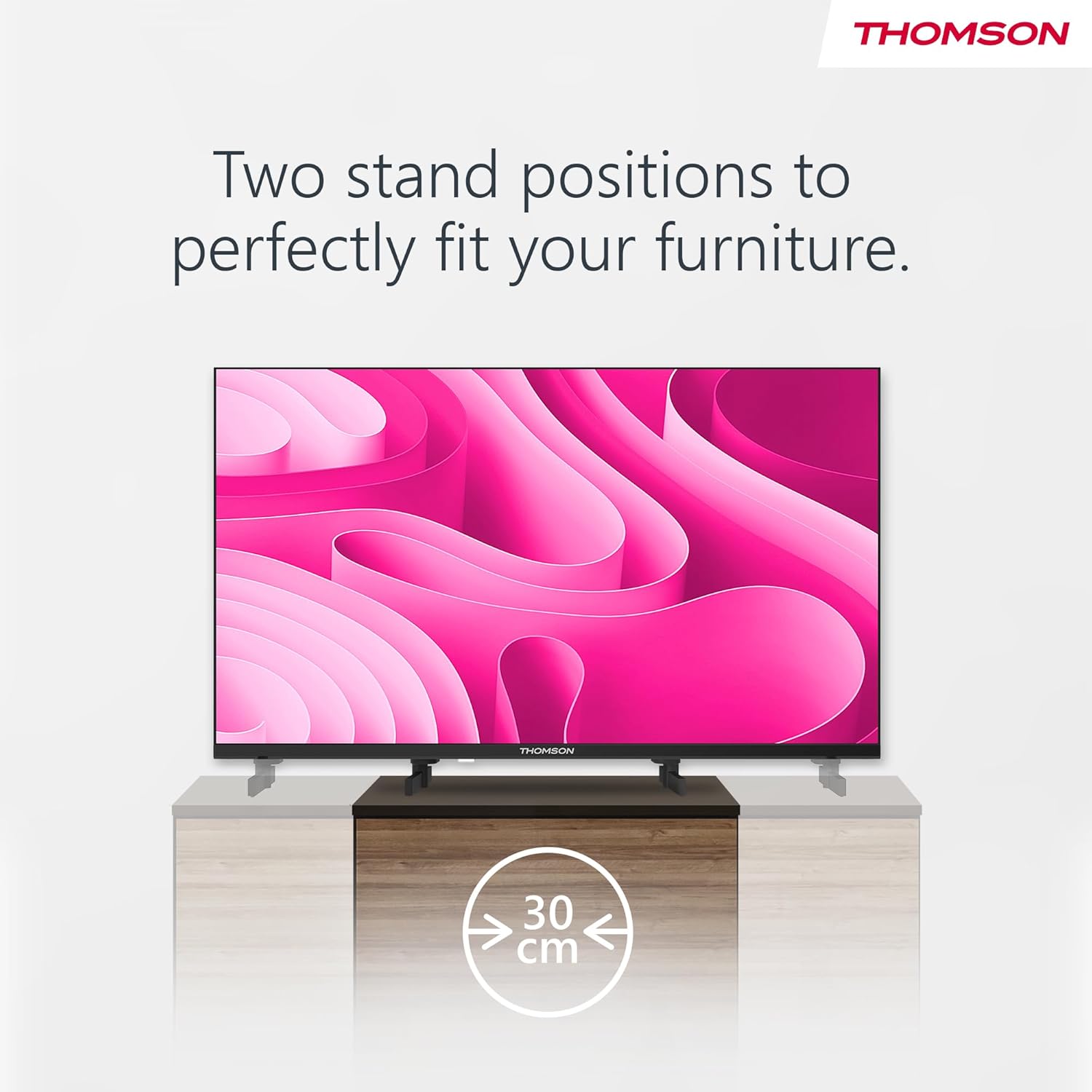
Image: A person using the voice control feature of the THOMSON TV remote, demonstrating interaction with Google Assistant.
Itoju
Ninu TV
- Yọọ TV nigba gbogbo ṣaaju ṣiṣe mimọ.
- Use a soft, dry cloth to wipe the screen and cabinet. Do not use liquid cleaners or aerosol sprays.
- Fun awọn ami alagidi, fẹẹrẹ dampen a microfiber cloth with water and gently wipe. Avoid excessive moisture.
Awọn imudojuiwọn Software
TV le gba awọn imudojuiwọn sọfitiwia lati mu iṣẹ ṣiṣe dara si ati lati ṣafikun awọn ẹya tuntun. Rii daju pe TV rẹ sopọ mọ intanẹẹti lati gba awọn imudojuiwọn wọnyi. O le ṣayẹwo fun awọn imudojuiwọn ninu akojọ aṣayan eto TV naa.
Laasigbotitusita
| Isoro | Owun to le Fa | Ojutu |
|---|---|---|
| Ko si agbara | Okun agbara ko sopọ; iṣan agbara ko ṣiṣẹ. | Ṣàyẹ̀wò ìsopọ̀ okùn agbára. Ṣe ìdánwò ibi ìjáde pẹ̀lú ẹ̀rọ mìíràn. |
| Ko si aworan, ṣugbọn ohun wa | Ti yan orisun titẹ sii ti ko tọ; backlight oro. | Press the "Input" button on the remote to select the correct source. Contact support if issue persists. |
| Ko si ohun, ṣugbọn aworan wa | Volume too low or muted; audio cables loose. | Increase volume. Check mute status. Ensure audio cables are securely connected. |
| Isakoṣo latọna jijin ko ṣiṣẹ | Àwọn bátìrì ti dínkù; ìdènà láàárín remote àti TV. | Rọpo awọn batiri. Yọ eyikeyi idena kuro. Rii daju pe latọna jijin wa ni itọkasi si sensọ IR ti TV. |
| Ko le sopọ si Wi-Fi | Ọrọigbaniwọle ti ko tọ; awọn oran olulana; TV ju jina lati olulana. | Daju Wi-Fi ọrọigbaniwọle. Tun olulana bẹrẹ. Gbe TV jo si olulana tabi lo asopọ onirin. |
Awọn pato
| Ẹya ara ẹrọ | Ẹ̀kúnrẹ́rẹ́ |
|---|---|
| Brand | Thomson |
| Awoṣe | 24HA2S13C |
| Iwon iboju | 24 inches (60 cm) |
| Ifihan ọna ẹrọ | LED |
| Ipinnu | 1366 x 768 (HD) |
| Eto isesise | Android TV |
| Pataki Awọn ẹya ara ẹrọ | Google Assistant, Chromecast Built-in, 12V Power Supply, Dolby Audio, Triple Tuner (DVB-T2/C/S2) |
| Asopọmọra | Wi-Fi, Bluetooth, HDMI (x3), USB (x2), LAN, Optical Audio Out, AV In, CI+ |
| Voltage | 12 Volts (DC) |
| Awọn iwọn Ọja (W x D x H) | 53.5 x 15.1 x 35.3 cm (pẹlu iduro) |
| Iwọn | 3.5 kg |
For detailed energy efficiency information, please refer to the EU EPREL database: https://eprel.ec.europa.eu/qr/1456673

Image: The EU Energy Label for the THOMSON 24HA2S13C TV, showing an energy efficiency rating of E and power consumption of 18 kWh/1000h.
Atilẹyin ọja ati Support
This Thomson TV comes with a 3-year guarantee. For technical support, warranty claims, or service inquiries, please contact your local Thomson service provider or refer to the manufacturer's webojula.
Manufacturer: STREAMVIEW GMBH
Webojula: www.sisanview.com
Imeeli: olubasọrọ @ ṣiṣanview.com
Official ọja Video
Wo fidio yii fun wiwo loriview of the Thomson 24-inch Easy TV.
Fidio: A finifini loriview of the Thomson 24-inch Easy TV, showcasing its design and features. This video is provided by the vendor Streamview GmbH.


