Ọrọ Iṣaaju
The iRobot Roomba i8+ (8550) is a self-emptying robot vacuum designed to seamlessly integrate into your daily life, providing effortless floor cleaning. It features automatic dirt disposal, allowing the robot to empty itself for up to 60 days, significantly reducing the frequency of manual bin emptying. With Wi-Fi connectivity and Smart Mapping technology, the i8+ learns the layout of your home, navigates efficiently, and can be controlled via voice assistants like Alexa or Google Assistant for targeted cleaning.
Ṣeto
Kini o wa ninu apoti:
- Roomba i8+ vacuum cleaning robot
- Battery (20% larger than i3/i6/i7 series)
- Okun agbara
- 1 Dual Mode Virtual Wall Barrier
- 1 Clean Base with Automatic Dirt Disposal
- 1 Extra High-Efficiency Filter
- 2 Extra Dirt Disposal Bags
To set up your Roomba i8+, place the Clean Base in an area with good Wi-Fi coverage and a clear path for the robot. Plug in the Clean Base. Place the Roomba i8+ onto the Clean Base to charge. Download the iRobot Home app and follow the on-screen instructions to connect your robot to your home Wi-Fi network and begin the mapping process.

The iRobot Roomba i8+ robot vacuum and its Clean Base, shown alongside a smartphone displaying the iRobot Home app interface.
Operating Your Roomba i8+
Iṣaworanhan Smart ati Lilọ kiri:
The i8+ utilizes vSLAM navigation to learn your home's layout and create personalized Smart Maps. This allows it to clean and navigate in neat, efficient rows. If the battery runs low during a cleaning cycle, the robot will automatically return to its Clean Base to recharge and then resume cleaning from where it left off.
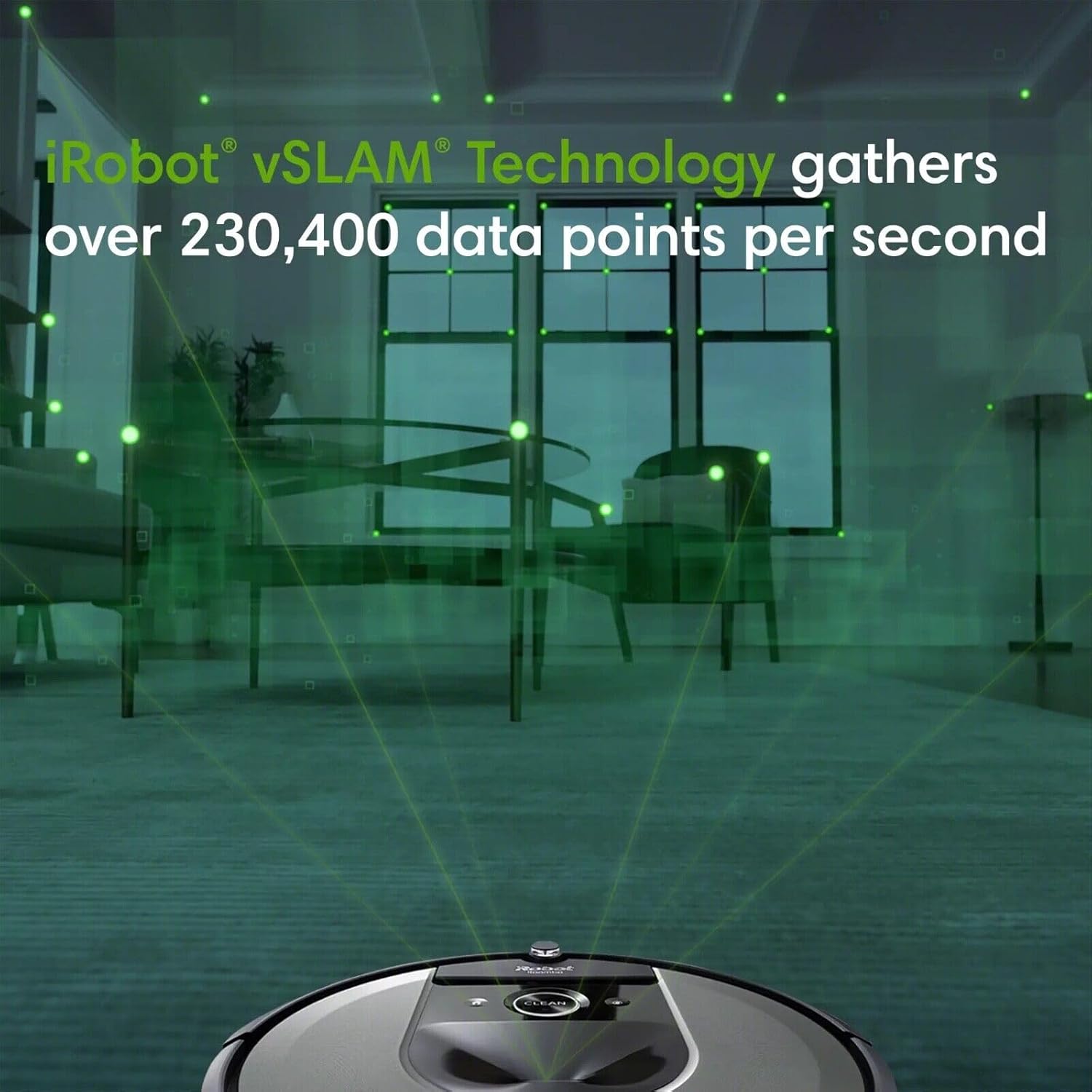
Visual Simultaneous Localization and Mapping (vSLAM) technology allows the Roomba to map its environment for efficient navigation.
Complete Control with the App:
With Smart Mapping, your robot can distinguish between different rooms in your home, giving you the flexibility to decide where and when it cleans. You can set up Keep Out Zones to instruct the robot to avoid specific sensitive areas, such as pet bowls or children's play areas. The iRobot Home app provides full control over scheduling, customizing cleaning preferences, and monitoring cleaning history.

The iRobot Home app allows for personalized cleaning recommendations and scheduling, adapting to your lifestyle.
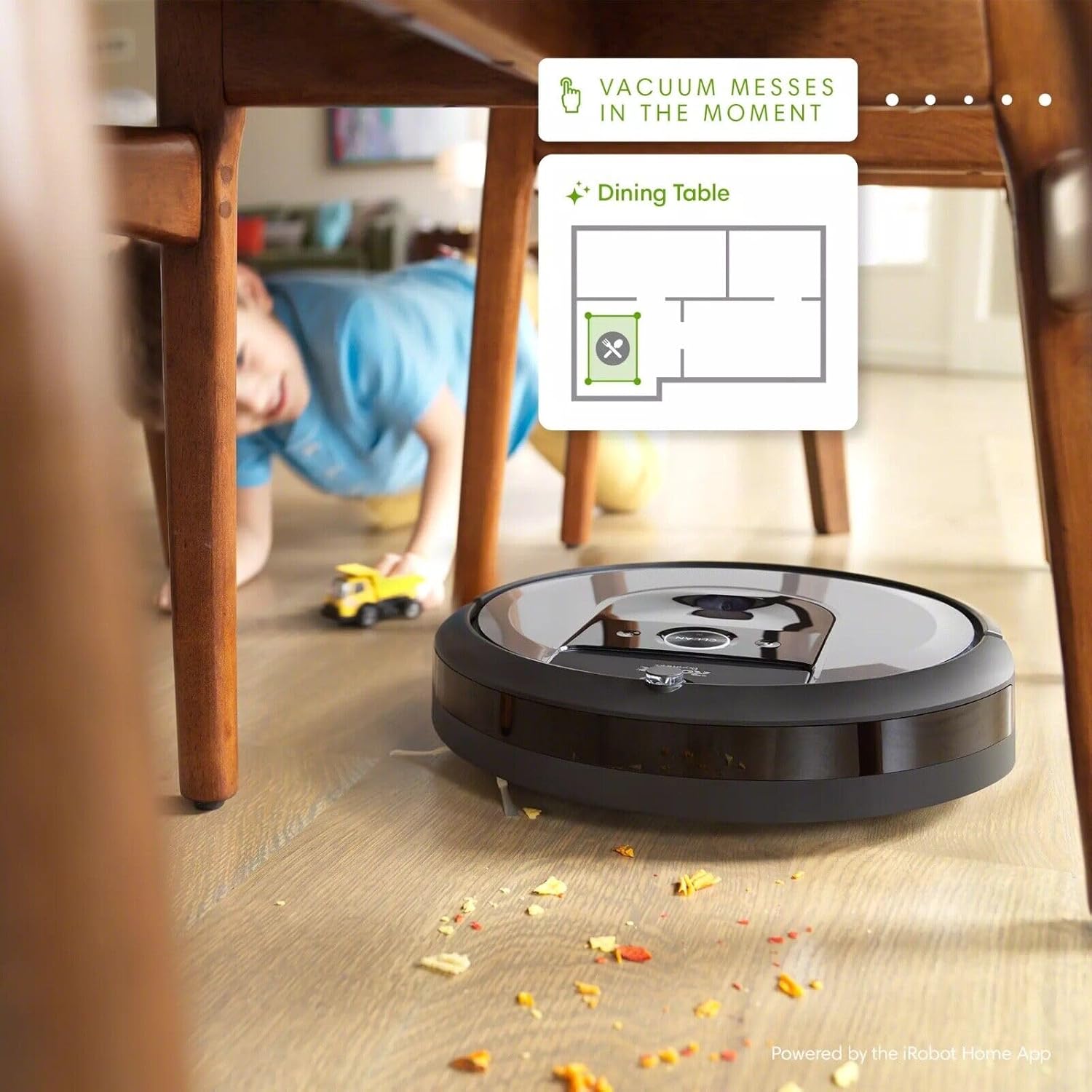
Targeted cleaning can be initiated for specific areas, such as under a dining table, directly from the app.
Power-Lifting Suction:
The i8+ features a Premium 3-Stage Cleaning System with 10X the Power-Lifting Suction, designed to effectively pull in stubborn dirt and messes from various floor types.
Itoju
Ìsọnù Ẹ̀gbin Àìfọwọ́ṣe:
One of the key features of the Roomba i8+ is its Clean Base Automatic Dirt Disposal. After each cleaning job, the robot automatically empties its contents into a sealed bag within the Clean Base. These bags can hold up to 60 days of debris, meaning you can go for months without thinking about vacuuming.

The Clean Base automatically empties the robot's dustbin, storing debris in a sealed bag.
Filter and Brushroll Maintenance:
Regularly check and clean the robot's brushes and filter to maintain optimal performance. The Clean Base uses a High-Efficiency Filter, and extra filters are included in the box for replacement. Refer to the iRobot Home app for detailed instructions on cleaning and replacing components.
Laasigbotitusita
If your Roomba i8+ encounters an issue, the iRobot Home app will often provide specific error messages and troubleshooting steps. Common issues may include navigation problems, charging difficulties, or reduced cleaning performance due to clogged brushes or a full dustbin. Ensure the Clean Base is properly connected to power and that the robot's sensors and charging contacts are clean. For persistent issues, consult the iRobot Home app's help section or the iRobot support website for detailed guides and customer service contact information.
Awọn pato
| Ẹya ara ẹrọ | Ẹ̀kúnrẹ́rẹ́ |
|---|---|
| Brand | iRobot |
| Nọmba awoṣe | 885155025258 |
| Ọja Mefa | 13.26"L x 13.26"W x 3.63"H |
| Iwọn Nkan | 20.7 iwon |
| Pataki Awọn ẹya ara ẹrọ | Smart Mapping, Automatic Dust Collection, Self-Cleaning Brushroll, Self-Emptying |
| Àlẹmọ Iru | Aṣọ |
| Orisun agbara | Agbara Batiri |
| Ọna Iṣakoso | Voice (Compatible with Amazon Echo) |
| Eruku Bin Agbara | Títí di ọjọ́ 60 ti ìdọ̀tí |
| Ọdun iṣelọpọ | 2021 |
Atilẹyin ọja & Atilẹyin
Specific warranty details and comprehensive support information for the iRobot Roomba i8+ (8550) are not available in the provided product data. For the most accurate and up-to-date warranty terms, technical support, and service options, please refer to the official iRobot website or contact iRobot customer service directly. Keep your purchase receipt as proof of purchase for any warranty claims.


