Ọrọ Iṣaaju
This manual provides detailed instructions for the safe and effective use of the KAIWEETS KM201 Smart Digital Multimeter. The KM201 is a compact, auto-ranging multimeter designed for measuring voltage, resistance, and continuity, featuring True RMS for accurate readings and Non-Contact Voltage (NCV) detection for enhanced safety. Please read this manual thoroughly before operation and retain it for future reference.
Alaye Aabo
Always adhere to local and national safety codes. Use appropriate personal protective equipment (PPE) when working with electrical circuits. Do not use the device if it appears damaged or if the test leads are compromised. Ensure the battery compartment is securely closed before operation.
Package Awọn akoonu
Jẹrisi pe gbogbo awọn ohun kan wa ninu package:
- 1 x KAIWEETS KM201 Smart Digital Multimeter
- 2 x AAA batiri
- 1 x Itọsọna olumulo (iwe yii)
Ọja Pariview
The KAIWEETS KM201 is designed for ease of use and portability. Below is an illustration of the device and its main components.

Nọmba 1: Iwaju ati sẹhin view of the KAIWEETS KM201 Multimeter, showing the display, function buttons, and integrated test leads with storage clips.
Awọn ẹya pataki:
- Smart Automatic Mode: Automatically identifies measurement type (voltage, resistance, ilosiwaju).
- RMS otitọ: Ó ń pèsè àwọn ìkà tó péye fún àwọn ìgbì omi tí kì í ṣe sinusoidal.
- Non-Olubasọrọ Voltage (NCV) Iwari: Ṣe awari AC voltage lai ti ara olubasọrọ.
- Phase Sequence Test: Identifies live and phase wires.
- Ìmọ́lẹ̀ ẹ̀yìn àti iná fìlà: Ṣe ilọsiwaju hihan ni awọn ipo ina kekere.
- Idaduro data: Didi kika lọwọlọwọ lori ifihan.
- Agbara Aifọwọyi Paa: Nfi aye batiri pamọ.
- Atọka Batiri Kekere: Àwọn ìkìlọ̀ nígbà tí a bá nílò àyípadà bátírì.
Ṣeto
Fifi sori batiri
- Wa ideri apo batiri naa ni ẹhin multimeter naa.
- Lo screwdriver lati ṣii yara batiri naa.
- Fi awọn batiri AAA meji sii, ni idaniloju polarity ti o pe (+/-).
- Rọpo ideri kompaktimenti batiri ki o ni aabo pẹlu dabaru.
Note: The device will display a low battery indicator when batteries need replacement.
Awọn ilana Iṣiṣẹ
Titan / Paa
Tẹ awọn Bọtini agbara ( ) to turn the multimeter on or off. The device will automatically power off after a period of inactivity to conserve battery.
Smart Automatic Mode
The KM201 features a smart automatic mode that simplifies measurements. When powered on, the multimeter defaults to this mode, indicated by "Auto" on the display. In this mode, the device automatically detects and measures AC/DC voltage, resistance, ati itesiwaju.
Nọmba 2: The multimeter display indicating "Auto" mode, ready for automatic measurement.
Voltage Test (AC/DC)
In Smart Automatic Mode, connect the test leads to the circuit or component you wish to measure. The multimeter will automatically detect and display the AC or DC voltage.
- Ensure the test leads are securely plugged into the COM and INPUT jacks.
- Touch the red probe to the positive terminal or live wire and the black probe to the negative terminal or neutral/ground wire.
- Ka voltage iye lori ifihan.

Nọmba 3: Idiwọn DC voltage on a car battery using the KM201 multimeter.
Resistance ati Ilọsiwaju Idanwo
In Smart Automatic Mode, the multimeter will automatically switch to resistance or continuity measurement when connected to a non-powered circuit.
- Ensure the circuit is de-energized before connecting the test leads.
- So awọn itọsọna idanwo kọja paati tabi ipa ọna Circuit.
- For continuity, if the resistance is less than approximately 50 ohms, the screen will turn green and a beeping sound will indicate continuity.
- For resistance, the display will show the resistance value in ohms (Ω), kilohms (kΩ), or megohms (MΩ).
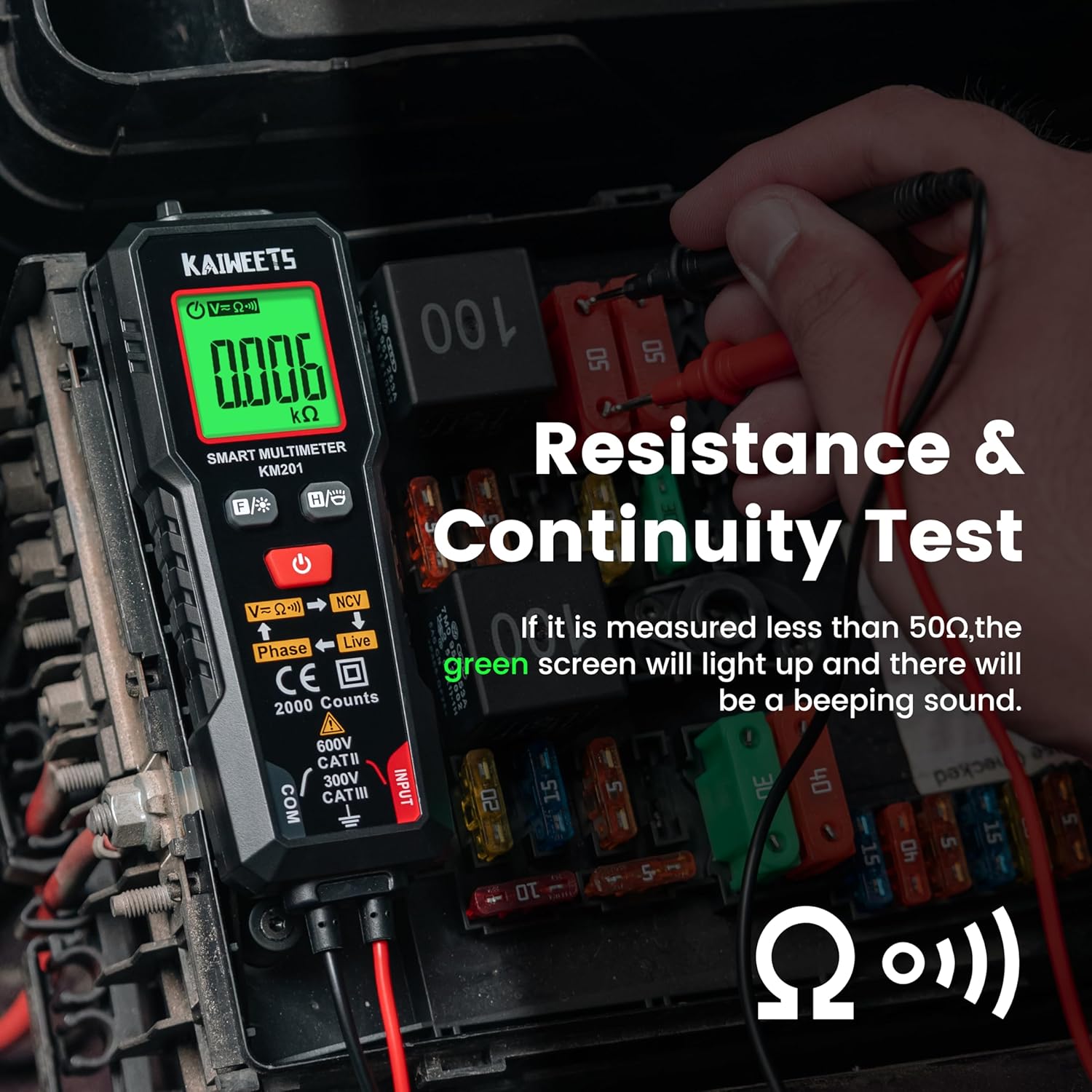
Nọmba 4: Performing a resistance and continuity test on electrical components within a fuse box.
Non-Olubasọrọ Voltage (NCV) erin
Iṣẹ́ NCV gba láàyè láti rí i pé a ti lo AC vol dáadáatage without direct contact with conductors.
- Tẹ awọn NCV bọtini (labeled V=K))) NCV) to activate NCV mode.
- Move the top tip of the multimeter close to the wire or outlet.
- Ti AC voltage is detected, the screen will display red, show "-H", and emit a rapid beeping sound, indicating the presence of live voltage.
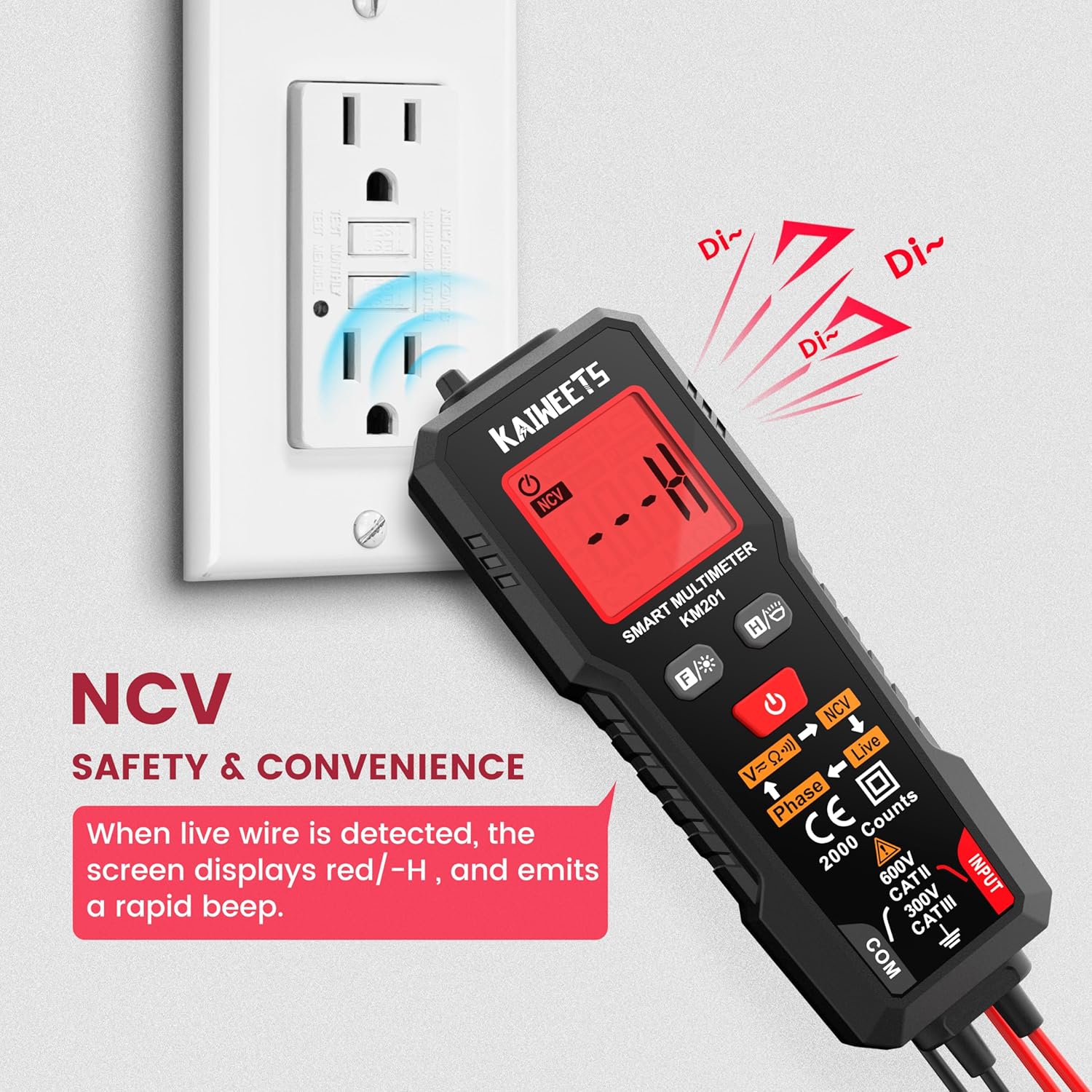
Nọmba 5: Using the NCV function to detect live voltage in an electrical outlet, indicated by a red screen and audible alarm.
Idanwo Alakoso
The phase test helps identify live and phase wires.
- Tẹ awọn Bọtini alakoso (labeled Phase ← Live) to activate the phase test mode.
- Touch the red probe to the wire you want to test.
- The display will indicate "Phase" or "Live" to identify the wire type.
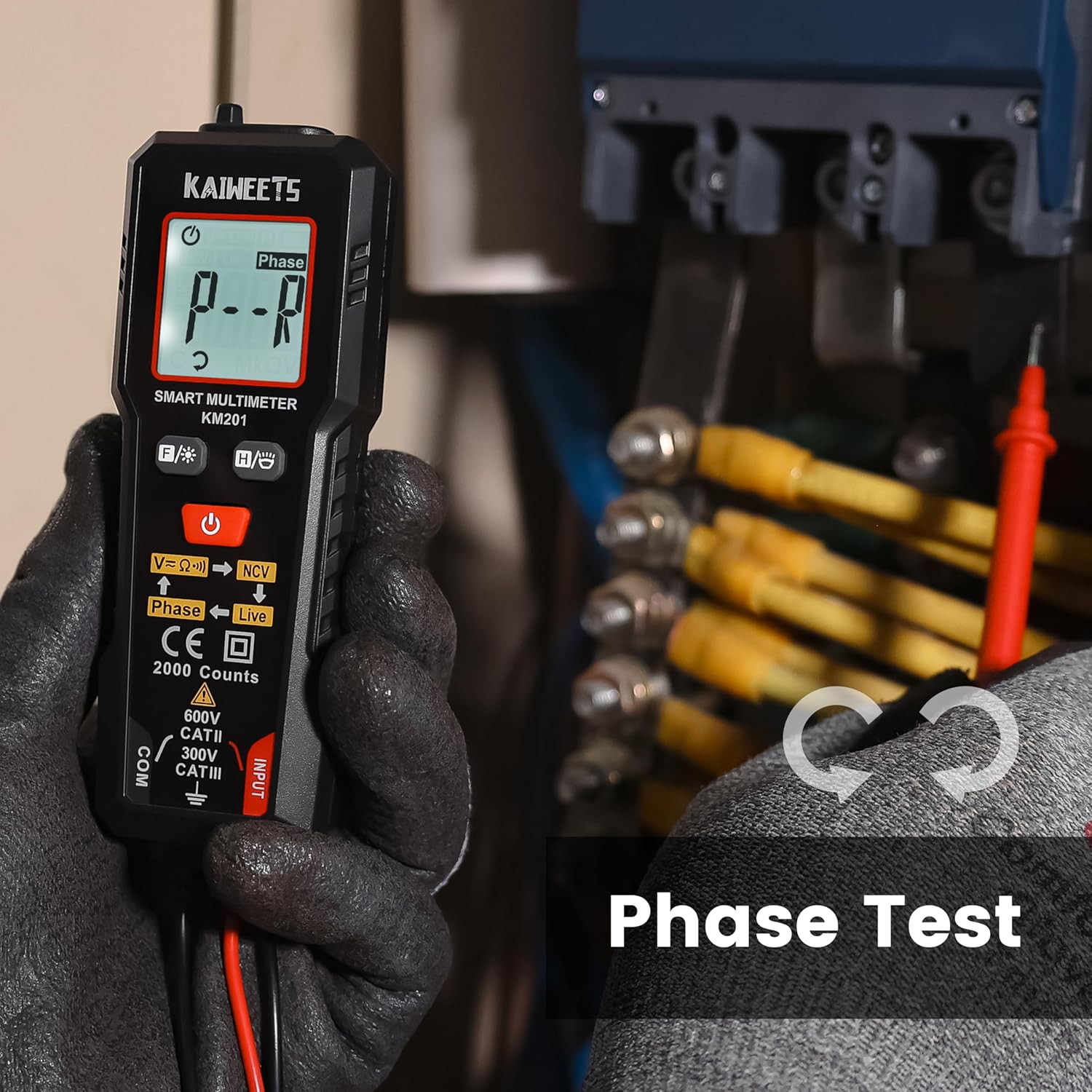
Nọmba 6: Performing a phase test on electrical wiring to identify live conductors.
Ìmọ́lẹ̀ ẹ̀yìn àti Ìmọ́lẹ̀ Fíìṣì
The KM201 includes a backlight for the display and a built-in flashlight for improved visibility in dark environments.
- Tẹ awọn Backlight/Bọtini filasi (
 ) láti yí ìmọ́lẹ̀ ìfihàn padà.
 - Tẹ mọlẹ Backlight/Bọtini filasi láti tan tàbí pa iná mànàmáná.
Nọmba 7: The KM201 multimeter with its display backlight and integrated flashlight active, illuminating wires in a dark space.
Itoju
Ninu
Nu multimeter c nuasing pẹlu ipolowoamp cloth and mild detergent. Do not use abrasive cleaners or solvents. Ensure the device is dry before storage or use.
Batiri Rirọpo
When the low battery indicator appears on the display, replace the batteries as described in the "Battery Installation" section. Always use two new AAA batteries of the same type.
Ibi ipamọ
Tí a kò bá lo multimeter fún ìgbà pípẹ́, yọ àwọn batiri náà kúrò kí ó má baà jẹ́ kí omi máa jò. Tọ́jú ẹ̀rọ náà sí ibi tí ó tutù, tí ó gbẹ, tí kò sí ìmọ́lẹ̀ oòrùn tààrà àti ooru tó le koko.
Laasigbotitusita
| Isoro | Owun to le Fa | Ojutu |
|---|---|---|
| Multimeter ko ni agbara. | Awọn batiri ti o ku tabi ti ko tọ ti fi sori ẹrọ. | Ṣayẹwo polarity batiri tabi ropo awọn batiri. |
| Awọn kika ti ko pe. | Damaged test leads; incorrect measurement technique; external interference. | Inspect test leads for damage; ensure proper connection; move away from strong electromagnetic fields. |
| "Auto" mode not selecting desired measurement (e.g., continuity instead of voltagati). | The smart auto mode prioritizes voltage detection. If a small voltage is present, it may default to voltage wiwọn. | Ensure the circuit is completely de-energized for resistance/continuity tests. The KM201 is primarily designed for automatic detection, which may not suit all specific manual mode requirements. |
| Ifihan ti wa ni baibai tabi flicker. | Batiri kekere. | Rọpo awọn batiri. |
Awọn pato
| Ẹya ara ẹrọ | Ẹ̀kúnrẹ́rẹ́ |
|---|---|
| Nọmba awoṣe | KM201 |
| Brand | KAIWEETS |
| Awọn iṣiro ifihan | 2000 Awọn iṣiro |
| Orisi wiwọn | Smart Digital Multimeter (True RMS) |
| Orisun agbara | 2 x Awọn batiri AAA (pẹlu) |
| Awọn iwọn (L x W x H) | 13.97 x 4.57 x 3.56 cm (5.5 x 1.8 x 1.4 inches) |
| Iwọn | 200 giramu (iwọn 7.05 iwon) |
| Aabo Rating | 600V CAT II, 300V CAT III, CE compliant |
| Awọn ẹya ara ẹrọ | Smart Auto Mode, NCV, Phase Test, Backlight, Flashlight, Data Hold, Auto Power Off, Low Battery Indicator |
Atilẹyin ọja ati Support
KAIWEETS provides a 36-osu atilẹyin ọja ati s'aiye imọ support for the KM201 Smart Digital Multimeter. For any inquiries, technical assistance, or warranty claims, please contact KAIWEETS customer service through their official channels.


