1. Ifihan
The Zebronics Zeb-Dawn 50 is a portable Bluetooth soundbar designed to deliver a rich audio experience. This manual provides detailed instructions for setting up, operating, and maintaining your device to ensure optimal performance and longevity.
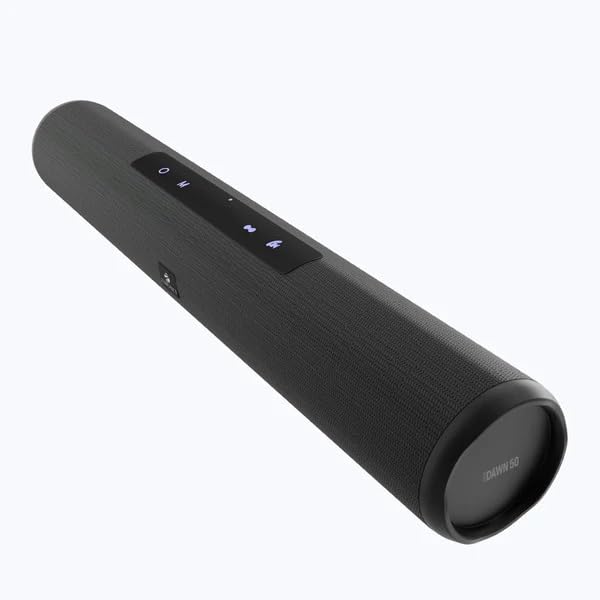
Image 1.1: Zebronics Zeb-Dawn 50 Bluetooth Soundbar. This image displays the sleek, cylindrical design of the soundbar with its control panel visible on the top surface.
2. Package Awọn akoonu
Jọwọ ṣayẹwo apoti fun awọn nkan wọnyi:
- Agbọrọsọ: 1 Unit
- Okun gbigba agbara: 1 Unit
- Input Cable (AUX): 1 Unit
- Ìtọ́sọ́nà Kóòdù QR: Ẹyọ kan
3. Awọn ẹya Ọja
The Zeb-Dawn 50 soundbar offers a variety of features for versatile audio playback:
- Wireless Bluetooth v5.0 connectivity
- Redio FM ti a ṣe sinu
- Ìfilọ́lẹ̀ AUX fún àwọn ìsopọ̀ onírin
- USB and MicroSD card support for media playback
- Call Function with built-in microphone
- Media and Volume control buttons
- True Wireless Stereo (TWS) function for connecting two Zeb-Dawn 50 units
- Dual 52mm drivers for enhanced sound
- Built-in rechargeable battery with up to 8 hours of playback at 50% volume
- Stylish fabric finish
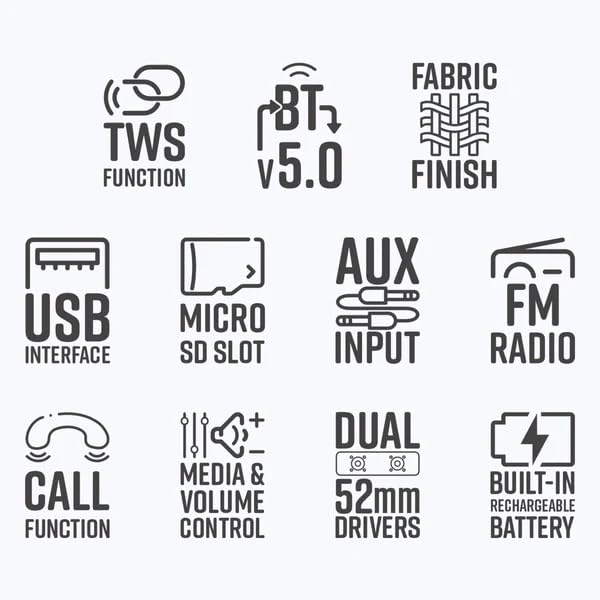
Image 3.1: Feature icons for Zeb-Dawn 50. This image displays various icons representing key features such as TWS, Bluetooth v5.0, fabric finish, USB, MicroSD, AUX, FM Radio, Call Function, Media/Volume Control, Dual 52mm Drivers, and Built-in Rechargeable Battery.
4. Eto Itọsọna
4.1 Charging the Soundbar
Before initial use, fully charge the soundbar. Connect the provided charging cable to the soundbar's charging port and a compatible USB power adapter (not included). The charging indicator will illuminate. A full charge takes approximately 4 hours.
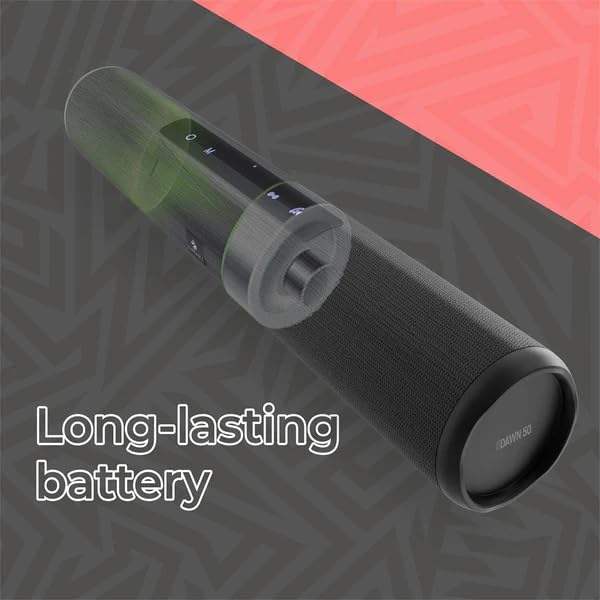
Image 4.1: Illustration of the Zeb-Dawn 50's long-lasting battery. The image shows a transparent overlay highlighting the internal battery component, emphasizing its capacity.
4.2 Titan / Pa a
To power on the soundbar, press and hold the power button until the indicator light illuminates. To power off, press and hold the power button again.
5. Awọn ilana Iṣiṣẹ
5.1 Sisopọ Bluetooth
- Ensure the soundbar is powered on and in Bluetooth mode (indicated by a flashing blue LED).
- Lori foonu alagbeka rẹ tabi ẹrọ Bluetooth miiran, wa awọn ẹrọ Bluetooth ti o wa.
- Select "ZEB-DAWN 50" from the list.
- Ni kete ti a ba so pọ, Atọka LED yoo da didan duro ati ki o duro bulu ti o lagbara.
5.2 USB and MicroSD Card Playback
Insert a USB pendrive or MicroSD card (up to 32GB) into the respective port. The soundbar will automatically detect the storage device and begin playing supported audio formats (MP3, WAV).
5.3 Iṣawọle AUX
Connect one end of the provided 3.5mm input cable to the AUX port on the soundbar and the other end to the audio output of your source device (e.g., smartphone, laptop). The soundbar will automatically switch to AUX mode.
5.4 Redio FM
To activate FM Radio mode, press the Mode button until you hear the FM radio. Use the media control buttons to scan for stations.
5.5 Ipe Išė
When connected via Bluetooth to a smartphone, the built-in microphone allows you to answer and end calls directly from the soundbar. Press the Call button to answer or end a call.
5.6 Otitọ Alailowaya Sitẹrio (TWS) iṣẹ
To use TWS, you need two Zeb-Dawn 50 soundbars. Power on both units. On one unit, press and hold the TWS button until you hear a pairing tone. The two soundbars will connect wirelessly for a stereo audio experience.
5.7 Media and Volume Control
Use the dedicated buttons on the soundbar to control playback (play/pause, next/previous track) and adjust the volume.

Image 5.1: Close-up of the Zeb-Dawn 50 showing dual 52mm drivers and media/volume control buttons. The image highlights the speaker grilles and the tactile control interface.
6. Itọju
To ensure the longevity of your Zeb-Dawn 50 soundbar:
- Keep the device away from water and moisture. This product is not waterproof.
- Avoid exposing the soundbar to direct sunlight or extreme temperatures.
- Nu ẹrọ naa pẹlu asọ ti o tutu, ti o gbẹ. Maṣe lo awọn kẹmika ti o lewu tabi awọn afọmọ abrasive.
- Tọju ni itura, aye gbigbẹ nigbati o ko ba wa ni lilo fun awọn akoko gigun.
7. Laasigbotitusita
If you encounter issues with your Zeb-Dawn 50, refer to the following common solutions:
- Ko si Agbara: Ensure the soundbar is fully charged. Connect the charging cable and allow it to charge for at least 30 minutes before attempting to power on again. Verify the charging cable and adapter are functioning correctly.
- Ko si Ohun: Check the volume levels on both the soundbar and your connected device. Ensure the correct input mode (Bluetooth, AUX, USB, MicroSD) is selected. If using Bluetooth, ensure the device is properly paired.
- Ge asopọ Bluetooth: Move your device closer to the soundbar to reduce interference. Disconnect and re-pair the Bluetooth connection. Ensure no other devices are interfering with the Bluetooth signal.
- Gbigba FM ti ko dara: Reposition the soundbar to improve signal reception. Ensure there are no large metallic objects nearby that could cause interference.
- Ohun Idilọwọ: Reduce the volume on both the soundbar and the connected device. Ensure the audio source is of good quality.
8. Awọn pato
| Agbara Ijade (RMS) | 16W (8W + 8W) |
| Ẹya Bluetooth | 5.0 |
| Awakọ Iwon | 52mm x 2 |
| Impedance Agbọrọsọ | 3Ω |
| Idahun Igbohunsafẹfẹ | 80Hz-20kHz |
| Ipin S/N | 85dB |
| Iyapa | ≥45dB |
| Max Supported USB/mSD Memory Size | 32GB |
| Awọn ọna kika Audio atilẹyin | MP3, WAV |
| Akoko gbigba agbara | wakati meji 4 |
| Akoko Sisisẹsẹhin | Titi di awọn wakati 8 (ni iwọn 50%) |
| Product Dimensions (Dia x H) | 7.95 x 40 cm |
| Apapọ iwuwo | 708g |
| Orisun agbara | Agbara Batiri |
| Ọna Iṣakoso | Fọwọkan |
| Ohun elo | Ṣiṣu |
| Àwọ̀ | Dudu |
9. Atilẹyin ọja ati Support
For warranty information and customer support, please refer to the QR Code Guide included in your package or visit the official Zebronics webojula. Tọju iwe-ẹri rira rẹ fun awọn ẹtọ atilẹyin ọja.


