1. Ifihan
Thank you for choosing the itel T31 Truly Wireless Earbuds. This manual provides essential information for setting up, operating, maintaining, and troubleshooting your earbuds to ensure an optimal audio experience. Please read this manual carefully before using the product.
2. Ohun ti o wa ninu Apoti
The itel T31 package includes the following items:
- itel T31 Truly Wireless Earbuds (Left and Right)
- Ngba agbara Case
- USB Iru-C Ngba agbara USB
- Eartips (oriṣiriṣi titobi)
- Afowoyi Olumulo (iwe-ipamọ yii)
3. Eto
3.1 Gbigba agbara akọkọ
Before first use, fully charge the earbuds and the charging case. Connect the provided USB Type-C cable to the charging port on the case and a compatible power source. The indicator lights on the case will show the charging status. A full charge typically takes approximately 1.5 to 2 hours.

Figure 1: Earbuds and charging case with Type-C fast charging.
3.2 Sisopọ pẹlu ẹrọ kan
- Rii daju pe awọn agbekọri ti gba agbara.
- Ṣí àpótí ìgbara. Àwọn agbekọri náà yóò wọ inú ipò ìsopọ̀ láìfọwọ́sí, tí ìmọ́lẹ̀ LED tí ń tàn lórí agbekọri kan tàbí méjèèjì fi hàn.
- Lori foonu alagbeka rẹ, tabulẹti, tabi kọǹpútà alágbèéká, mu Bluetooth ṣiṣẹ.
- Wa fun available Bluetooth devices and select "itel T31" from the list.
- Ni kete ti a ti sopọ, Atọka LED lori awọn agbekọri yoo da didan duro, ati pe iwọ yoo gbọ ohun orin ijẹrisi kan.
Awọn agbekọri naa yoo tun sopọ laifọwọyi si ẹrọ isọpọ ti o kẹhin nigbati o ba jade ninu ọran naa, ti o ba jẹ pe Bluetooth ti ṣiṣẹ lori ẹrọ naa.
3.3 Itura Fit
Select the eartips that provide the best seal and comfort for your ears. A proper fit is crucial for optimal sound quality and effective Active Noise Cancellation (ANC).
4. Awọn ilana Iṣiṣẹ
4.1 Fọwọkan Iṣakoso
The itel T31 earbuds feature intuitive touch controls for managing music, calls, and sound modes.
| Iṣe | Agbekọti Osi | Ọtun Earbud |
|---|---|---|
| Mu ṣiṣẹ/Danu Orin duro | Fọwọ ba Nikan | Fọwọ ba Nikan |
| Next Track | Fọwọ ba lẹẹmeji | Fọwọ ba lẹẹmeji |
| Ti tẹlẹ Track | Fọwọ ba Meteta | Fọwọ ba Meteta |
| Idahun/Pari Ipe | Fọwọ ba Nikan | Fọwọ ba Nikan |
| Kọ Ipe | Tẹ Gigun (2s) | Tẹ Gigun (2s) |
| Mu Oluranlọwọ Ohun ṣiṣẹ | Tẹ Gigun (2s) | Tẹ Gigun (2s) |
| Yipada ANC/Ipo akoyawo | Tẹ Gigun (2s) | Tẹ Gigun (2s) |
| Ipo Ere | Quad Tap | Quad Tap |
5. Ifagile Noise ti nṣiṣe lọwọ (ANC) ati Ipo Iṣalaye
The itel T31 earbuds offer versatile listening modes:
- Ifagile Ariwo Nṣiṣẹ (ANC): Reduces ambient noise by up to -25dB, providing an immersive audio experience ideal for travel or noisy environments.
- Ipo akoyawo: Allows you to hear your surroundings clearly without removing the earbuds, enhancing awareness in situations requiring attention to external sounds.
To switch between ANC and Transparency modes, use the touch controls as described in Section 4.1.
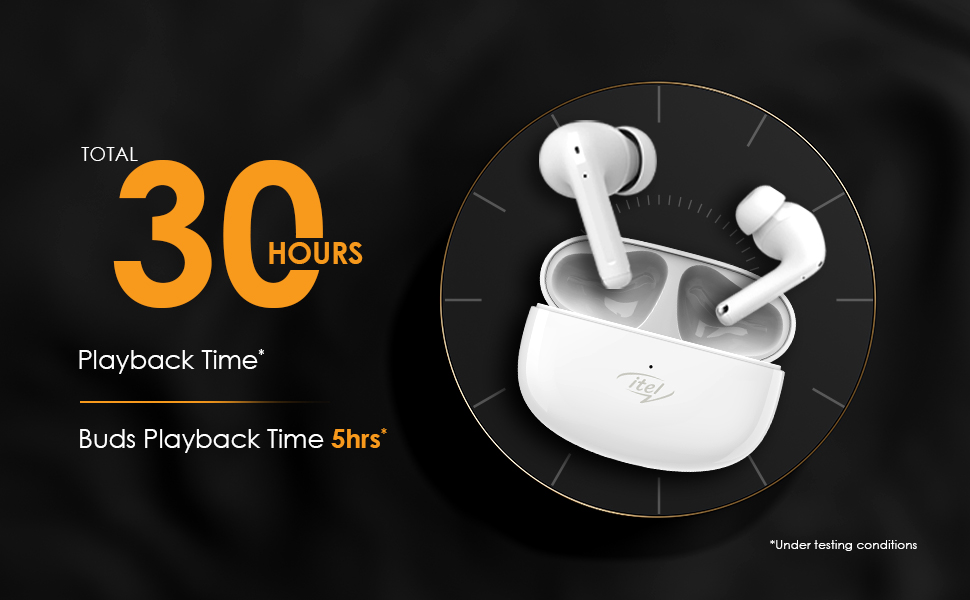
Figure 2: Active Noise Cancellation (ANC) feature.
6. Awọn ẹya ara ẹrọ ipe
The itel T31 earbuds are equipped with Quad Mic Environmental Noise Cancellation (ENC) technology. Four microphones work together to filter out background noise, ensuring your voice is clear and audible during calls, even in noisy environments.
7. Gbigba agbara
7.1 Earbuds Charging
Place the earbuds back into the charging case. They will automatically begin charging. The case's indicator lights will show the charging status of the earbuds.
7.2 Case Charging
Connect the charging case to a power source using the provided USB Type-C cable. The fast charging capability ensures quick power replenishment. A fully charged case provides multiple charges for the earbuds, extending the total playtime up to 30 hours.
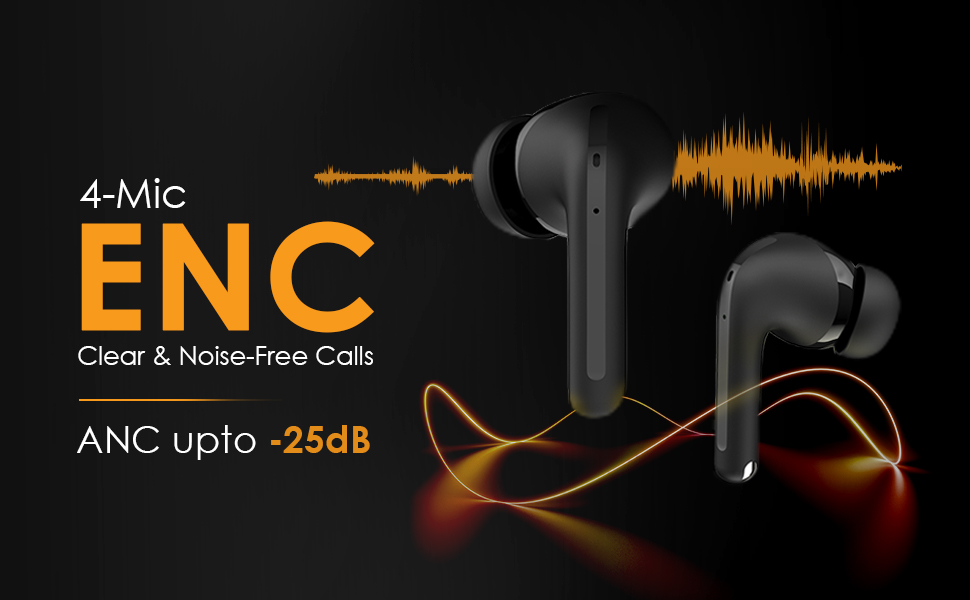
Figure 3: Earbuds in charging case, illustrating 30 hours of total playback.
8. Omi Resistance (IPX5)
The itel T31 earbuds are rated IPX5 water-resistant. This means they are protected against low-pressure water jets from any direction. They are suitable for workouts and light rain but should not be submerged in water or exposed to heavy downpours.
9. Itọju
9.1 Ninu
Máa fọ àwọn ètí ìgbọ́rọ̀ rẹ àti àpótí ìgbóná rẹ déédéé láti lè máa ṣiṣẹ́ dáadáa àti ìmọ́tótó. Lo aṣọ rírọ̀, gbígbẹ, tí kò ní àbàwọ́n. Fún ìdọ̀tí líle, fi díẹ̀ dì í.ampen aṣọ pẹlu omi. Ma ṣe lo abrasive ose tabi epo.
9.2 Ibi ipamọ
When not in use, store the earbuds in their charging case to protect them from dust, damage, and to keep them charged. Avoid storing them in extreme temperatures or high humidity.
10. Laasigbotitusita
If you encounter issues with your itel T31 earbuds, refer to the following common solutions:
- Awọn agbekọri ti ko so pọ: Ensure both earbuds are charged and in pairing mode. Turn off and on Bluetooth on your device. Try forgetting the device in your Bluetooth settings and re-pairing.
- Ko si ohun lati inu agbekọri agbekọri kan: Place both earbuds back in the case, close it, then open it again. Ensure both earbuds are charged.
- Awọn iṣoro gbigba agbara: Check the charging cable and adapter. Ensure the charging contacts on the earbuds and case are clean and free of debris.
- Iwọn kekere tabi didara ohun ti ko dara: Adjust the volume on your device. Ensure the eartips provide a good seal. Clean any earwax or debris from the earbud nozzles.
- Awọn iṣakoso ifọwọkan ko dahun: Rii daju pe awọn ika ọwọ rẹ mọ ati gbẹ. Gbiyanju lati tun awọn agbekọri bẹrẹ nipa gbigbe wọn sinu ọran naa ki o tun mu wọn jade lẹẹkansi.
Ti iṣoro naa ba wa, jọwọ kan si atilẹyin alabara.
11. Awọn pato
Key technical specifications for the itel T31 Truly Wireless Earbuds:
| Ẹya ara ẹrọ | Ẹ̀kúnrẹ́rẹ́ |
|---|---|
| Orukọ awoṣe | T31 |
| Asopọmọra Technology | Bluetooth 5.3 |
| Ariwo Iṣakoso | Active Noise Cancellation (ANC up to -25dB), Environmental Noise Cancellation (ENC) |
| Audio Driver Iwon | 10mm Bass Boost Drivers |
| Igbesi aye batiri | Titi di Awọn wakati 30 (pẹlu ọran gbigba agbara) |
| Gbigba agbara Port | USB Type-C (Fast Charging) |
| Omi Resistance Rating | IPX5 |
| Ọna Iṣakoso | Iṣakoso ifọwọkan |
| Awọn ẹrọ ibaramu | Àwọn Kọ̀ǹpútà alágbèéká, Àwọn Fóònù alágbèéká, Àwọn Tábìlẹ́ẹ̀tì |
| Iwọn Nkan | 36 giramu |
| Ọja Mefa | 6.3 x 4.9 x 2.5 cm |
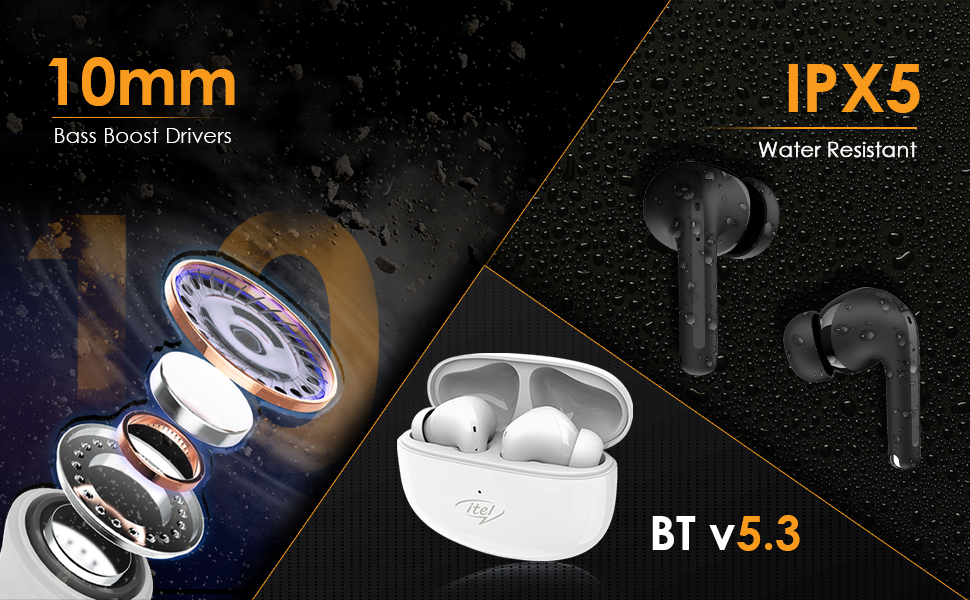
Figure 4: Illustration of 10mm Bass Boost Drivers.
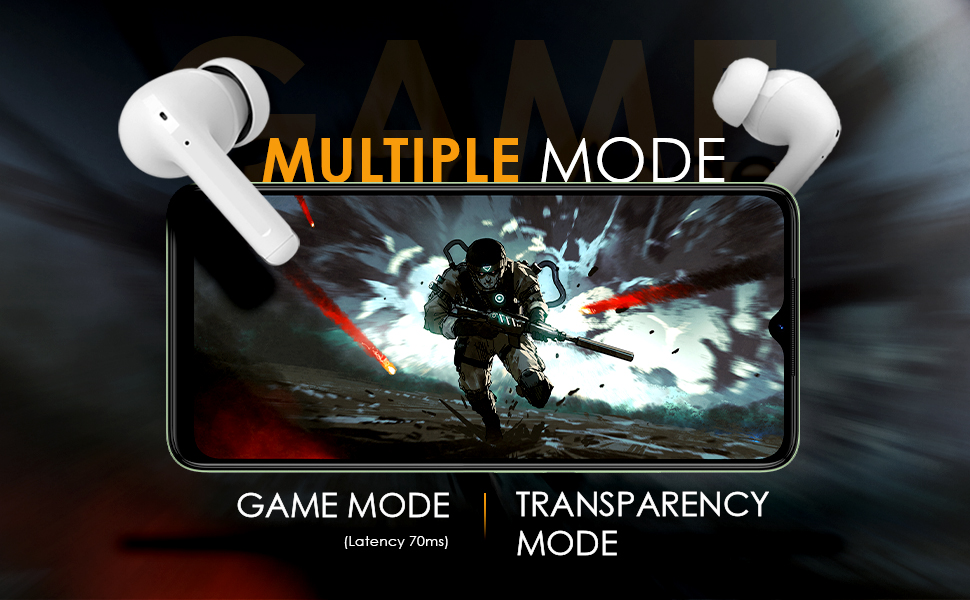
Figure 5: Earbuds in Game Mode.
12. Atilẹyin ọja ati Support
12.1 atilẹyin ọja Alaye
The itel T31 Truly Wireless Earbuds come with a standard manufacturer's warranty. Please refer to the warranty card included in your product packaging for specific terms, conditions, and duration of coverage. Keep your purchase receipt as proof of purchase for warranty claims.
12.2 Onibara Support
For technical assistance, troubleshooting beyond this manual, or warranty inquiries, please contact itel customer support. Contact details can typically be found on the official itel webojula tabi lori kaadi atilẹyin ọja.


