Ọrọ Iṣaaju
This manual provides essential information for the safe and effective operation of your Gemini Sound GSP-L2200PK Powered DJ Speaker System. This bundle includes a 2200W 15-inch powered Bluetooth PA speaker with sound-reactive LED lighting, a speaker stand, a Polsen M-85 microphone with cable, two Auray MS-5230F tripod microphone stands, and an XLR-XLR cable. Please read this manual thoroughly before use and retain it for future reference.
Awọn Itọsọna Aabo pataki
- Ka awọn ilana wọnyi.
- Pa awọn ilana wọnyi.
- Tẹtisi gbogbo awọn ikilọ.
- Tẹle gbogbo awọn ilana.
- Maṣe lo ohun elo yii nitosi omi.
- Mọ pẹlu asọ gbigbẹ nikan.
- Ma ṣe dina eyikeyi awọn ṣiṣi atẹgun. Fi sori ẹrọ ni ibamu pẹlu awọn ilana ti olupese.
- Maṣe fi sori ẹrọ nitosi awọn orisun ooru gẹgẹbi awọn imooru, awọn iforukọsilẹ ooru, awọn adiro, tabi awọn ohun elo miiran (pẹlu ampliifiers) ti o gbe ooru jade.
- Ma ṣe ṣẹgun idi aabo ti polarized tabi pilogi iru ilẹ. Plọọgi polarized ni awọn abẹfẹlẹ meji pẹlu ọkan gbooro ju ekeji lọ. A grounding iru plug ni o ni meji abe ati ki o kan kẹta grounding prong. Abẹfẹlẹ ti o gbooro tabi prong kẹta ni a pese fun aabo rẹ. Ti pulọọgi ti a pese ko ba wo inu iṣanjade rẹ, kan si alamọdaju kan fun rirọpo ti iṣan ti o ti kọja.
- Dabobo okun agbara lati ma rin lori tabi pin ni pataki ni awọn pilogi, awọn ohun elo irọrun, ati aaye nibiti wọn ti jade kuro ninu ohun elo naa.
- Lo awọn asomọ/awọn ẹya ara ẹrọ ti olupese pato.
- Lo nikan pẹlu rira, iduro, mẹta, akọmọ, tabi tabili ti a ti sọ tẹlẹ nipasẹ olupese, tabi ta pẹlu ohun elo. Nigbati a ba lo ọkọ ayọkẹlẹ kan, lo iṣọra nigbati o ba n gbe akojọpọ rira / ohun elo lati yago fun ipalara lati itọsi.
- Yọọ ohun elo yi nigba iji manamana tabi nigba lilo fun igba pipẹ.
- Tọkasi gbogbo iṣẹ si awọn oṣiṣẹ iṣẹ ti o peye. Iṣẹ nilo nigbati ohun elo ba ti bajẹ ni ọna eyikeyi, gẹgẹbi okun ipese agbara tabi plug ti bajẹ, omi ti ta silẹ tabi awọn nkan ti ṣubu sinu ẹrọ, ohun elo naa ti farahan si ojo tabi ọrinrin, ko ṣiṣẹ deede. , tabi ti lọ silẹ.
Package Awọn akoonu
Jọwọ rii daju pe gbogbo awọn nkan ti a ṣe akojọ rẹ si isalẹ wa ninu package rẹ:
- 1x Gemini 2200W 15" Powered Bluetooth PA Speaker with Lights
- 1x Iduro Agbọrọsọ
- 1x Polsen M-85 Professional Dynamic Handheld Microphone
- 1x Microphone Cable (XLR to 1/4")
- 1x Okun Agbara
- 1x XLR-XLR Cable (20")
- 2x Auray MS-5230F Tripod Microphone Stand with Fixed Boom
- 2x Cable-Guide Clip (for mic stands)
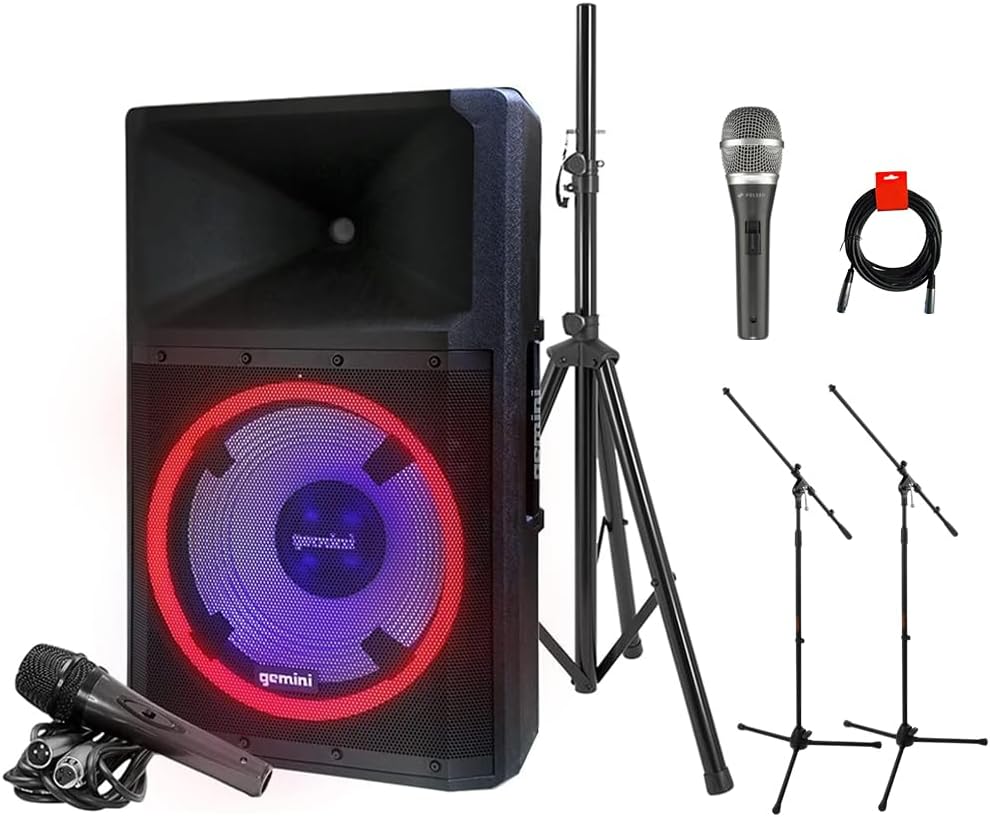
Image: The complete GSP-L2200PK bundle, showing the main speaker, a speaker stand, a Polsen M-85 microphone, two tripod microphone stands, and an XLR cable.
Ọja Pariview
Gemini GSP-L2200PK Powered Speaker
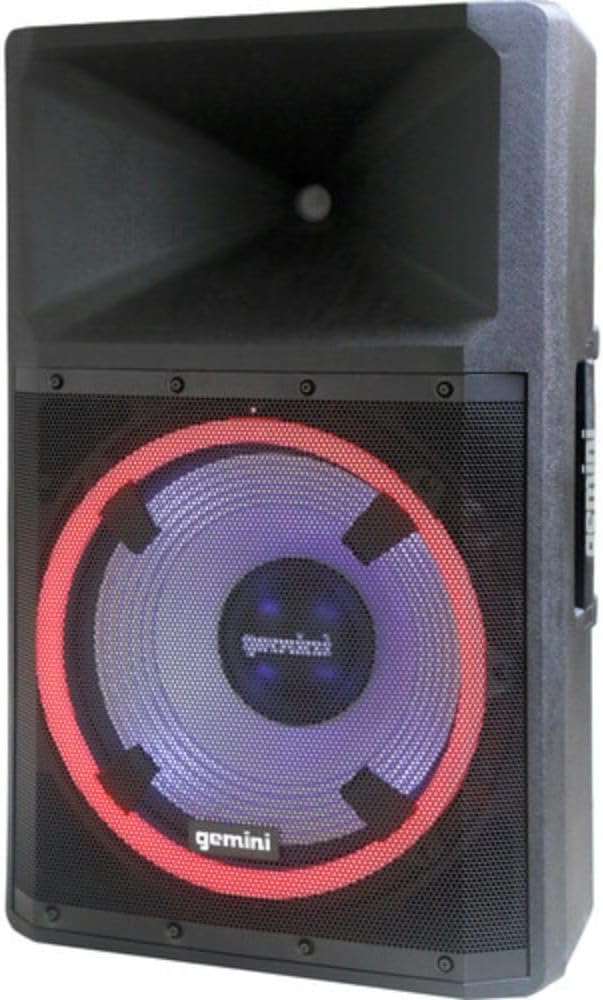
Aworan: Iwaju view of the Gemini GSP-L2200PK speaker, highlighting the 15-inch woofer with its illuminated LED ring and the horn tweeter.

Image: Rear panel of the Gemini GSP-L2200PK speaker, displaying the various input and output connections, volume controls, and the built-in media player interface.
The GSP-L2200PK is a powerful 15-inch bi-amped PA speaker featuring a 2200W peak output. It includes a 15" low-frequency woofer, a 3" voice coil, and a 1.35" tweeter for clear audio reproduction. The speaker is equipped with a three-channel mixer, individual gain controls, and a built-in media player that supports Bluetooth, SD cards, and USB drives. It also features adjustable full-color LED party lighting and a telescopic handle with wheels for portability.
Polsen M-85 Professional Dynamic Handheld Microphone

Image: The Polsen M-85 Professional Dynamic Handheld Microphone, a cardioid microphone with durable all-metal construction and an on/off switch.
The Polsen M-85 is a cardioid dynamic microphone designed for clear vocal reproduction. It features durable all-metal construction and a balanced XLR output connector for reliable performance.
Auray MS-5230F Tripod Microphone Stands
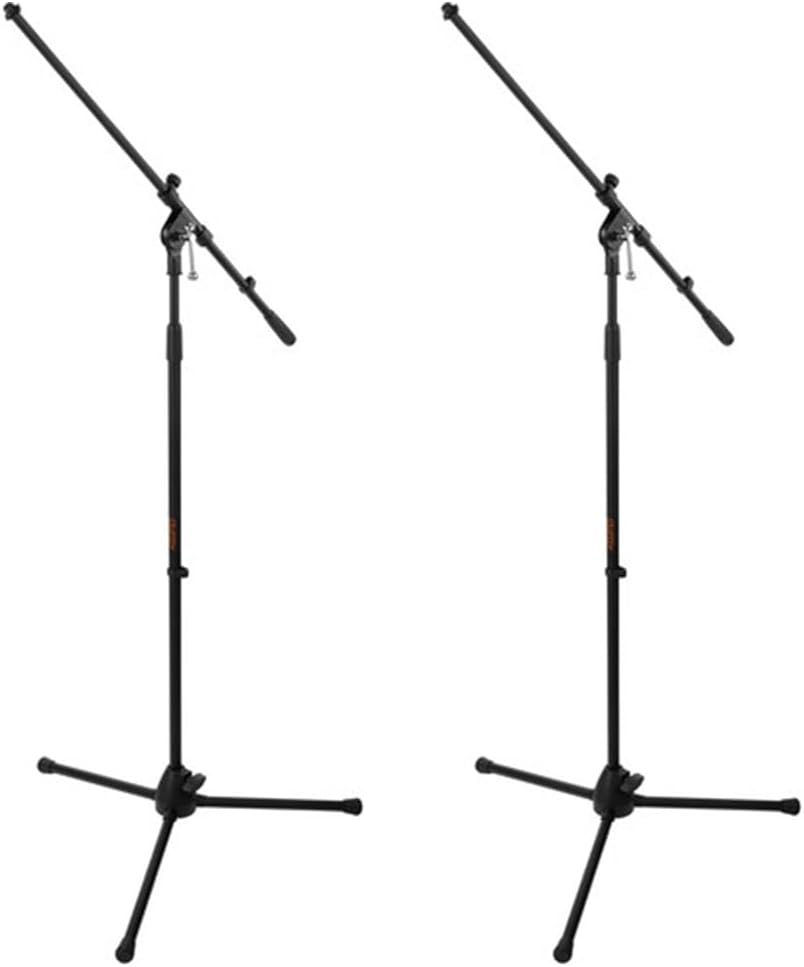
Image: Two Auray MS-5230F Tripod Microphone Stands, featuring a stable tripod base and a fixed boom arm for microphone positioning.
The MS-5230F stands feature durable steel construction with a stable tripod base and a fixed boom arm, ideal for various microphone placements.
Awọn okun

Image: A coiled 20-inch XLR-XLR cable, used for connecting audio equipment.
The bundle includes a power cord for the speaker, an XLR to 1/4" cable for the Polsen M-85 microphone, and a 20-inch XLR-XLR cable for linking speakers or other audio devices.
Eto Itọsọna
1. Agbọrọsọ Placement
- Unpack the GSP-L2200PK speaker and the speaker stand.
- Extend the legs of the speaker stand to form a stable tripod base. Ensure the locking mechanisms are securely fastened.
- Carefully lift the GSP-L2200PK speaker and place it onto the pole of the speaker stand. Ensure it is seated firmly and securely.
- Position the speaker in a central location, elevated for optimal sound dispersion. Avoid placing it directly against walls or in corners, which can affect bass response.
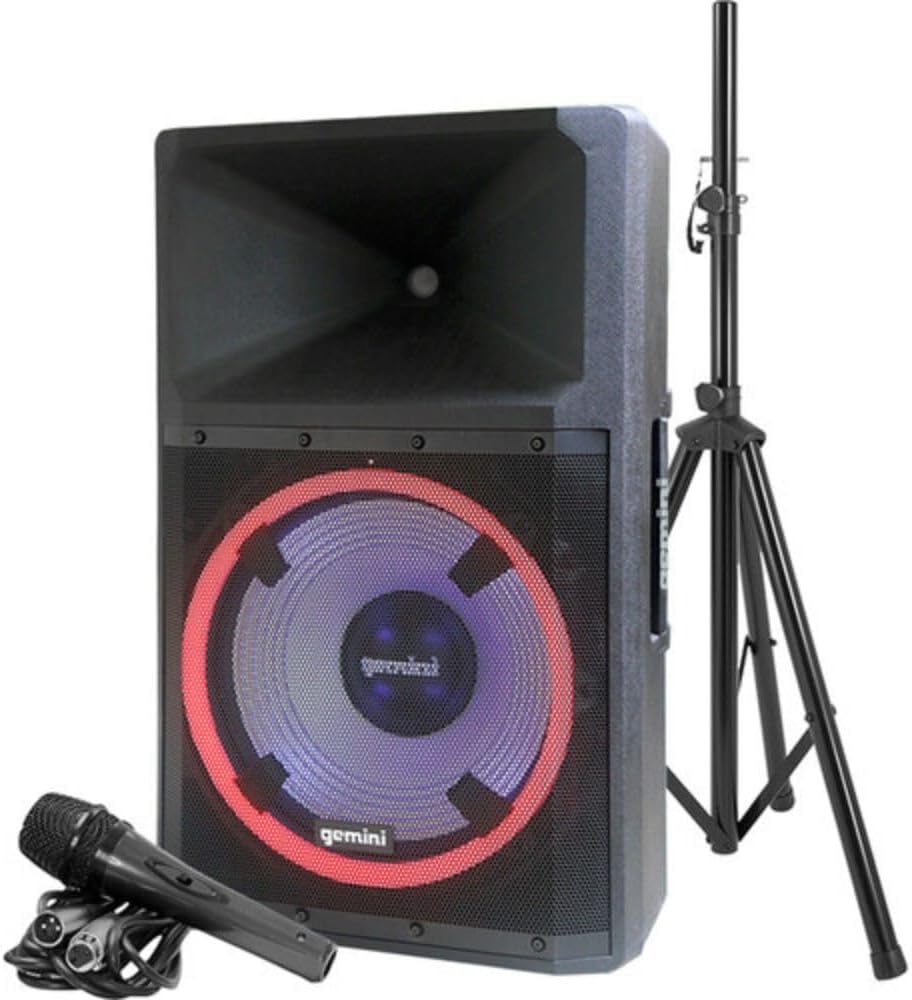
Image: The Gemini GSP-L2200PK speaker correctly mounted on its included stand, with the Polsen M-85 microphone positioned in front.
2. Ṣíṣeto Gbohungbohun
- Assemble the Auray MS-5230F tripod microphone stands by extending the legs and attaching the fixed boom arm.
- Attach the microphone clip to the boom arm of the stand.
- Insert the Polsen M-85 microphone into the microphone clip.
- Connect the XLR end of the provided microphone cable (XLR to 1/4") to the Polsen M-85 microphone.
- Connect the 1/4" end of the microphone cable to one of the Microphone Input (XLR/1/4" Combo) jacks on the rear panel of the GSP-L2200PK speaker.
3. Asopọ agbara
- Rii daju pe iyipada agbara agbọrọsọ wa ni ipo PA.
- Connect the provided power cord to the AC INLET on the rear panel of the speaker.
- Pulọọgi opin miiran ti okun agbara sinu iṣan agbara AC ti o dara.
Awọn ilana Iṣiṣẹ
1. Powering On and Initial Volume Settings
- Before powering on, ensure all volume knobs (Master, Mic, Line, Media Player) are set to their minimum (counter-clockwise) position.
- Flip the POWER switch on the rear panel to the ON position. The power indicator light will illuminate.
- Slowly increase the MASTER VOLUME to a low listening level.
2. Sisopọ Bluetooth
- On the speaker's media player, select the Bluetooth mode. The Bluetooth indicator will flash, indicating it's ready for pairing.
- Lori foonu alagbeka rẹ, tabulẹti, tabi kọnputa, mu Bluetooth ṣiṣẹ ki o wa awọn ẹrọ to wa.
- Select "GSP-L2200PK" from the list of devices. Once paired, the Bluetooth indicator on the speaker will become solid.
- You can now stream audio wirelessly to the speaker. Adjust the MEDIA PLAYER VOLUME knob for the desired level.
3. Wired Audio Inputs
- Awọn igbewọle Gbohungbohun: Connect your Polsen M-85 microphone (or other XLR/1/4" microphones) to the MIC INPUT 1 or MIC INPUT 2 jacks. Adjust the corresponding MIC VOLUME knob.
- Awọn igbewọle laini: For other audio sources (e.g., mixer, instrument, non-Bluetooth player), use the LINE INPUTS (XLR, RCA, or 3.5mm AUX). Connect your device and adjust the LINE VOLUME knob.
- Iṣawọle Gita: The 1/4" input can also be used for guitar connection.
4. Iṣakoso Ina LED
The GSP-L2200PK features built-in LED lights with several operational modes. Refer to the controls on the rear panel to cycle through different lighting effects, including sound-reactive modes, or to turn the lights off.
5. TWS Linking (True Wireless Stereo)
For a stereo sound experience, you can wirelessly link two GSP-L2200PK speakers. Consult the speaker's specific TWS linking instructions, usually involving pressing a dedicated TWS button on both units until they pair.
6. XLR o wu
The XLR OUTPUT allows you to link additional powered speakers or send the mixed audio signal to another sound system. Use the provided XLR-XLR cable for this connection.
Itoju
- Ninu: Always unplug the speaker before cleaning. Use a soft, dry cloth to wipe down the exterior surfaces. Do not use abrasive cleaners, waxes, or solvents.
- Ibi ipamọ: When not in use for extended periods, store the speaker and accessories in a cool, dry place, away from direct sunlight and extreme temperatures.
- Awọn kebulu: Inspect all cables regularly for signs of wear or damage. Replace any damaged cables immediately to ensure safe operation.
- Afẹfẹ: Ensure that the ventilation openings on the speaker are not blocked to prevent overheating.
Laasigbotitusita
| Isoro | Owun to le Fa | Ojutu |
|---|---|---|
| Ko si agbara | Power cord not connected; Power outlet not active; Speaker power switch off. | Ensure power cord is securely connected; Test outlet with another device; Turn speaker power switch ON. |
| Ko si ohun jade | Volume knobs too low; Incorrect input selected; Source device not playing; Damaged cable. | Increase MASTER, MIC, LINE, or MEDIA PLAYER volume; Ensure correct input is active; Check source device playback; Replace cable if damaged. |
| Bluetooth ko so pọ | Speaker not in pairing mode; Device too far; Incorrect device selected. | Ensure speaker is in Bluetooth pairing mode (flashing indicator); Move device closer to speaker; Select "GSP-L2200PK" from device list. |
| Ohun ti o daru | Volume too high (clipping); Input signal too strong; Damaged speaker component. | Reduce MASTER or input volume; Lower output level from source device; Contact customer support if distortion persists at low volumes. |
| Gbohungbohun ko ṣiṣẹ | Microphone switch off; Cable not connected properly; MIC VOLUME too low. | Ensure microphone switch is ON; Check cable connection at both ends; Increase MIC VOLUME. |
Awọn pato
| Ẹya ara ẹrọ | Ẹ̀kúnrẹ́rẹ́ |
|---|---|
| Nọmba awoṣe | GSP-L2200PK |
| Ijade Wattage | 2200 Wattis (Ti o ga julọ) |
| Iwọn Woofer | 15 inches |
| Iwọn Tweeter | 1.35 inches |
| Nọmba ti awọn ikanni | 3 (Mic 1, Mic 2, Line/Media Player) |
| Asopọmọra Technology | Bluetooth, XLR, 1/4" TRS or TS, RCA |
| Awọn igbewọle Audio | XLR microphones, 1/4'' instrument inputs, RCA, 3.5mm auxiliary inputs |
| Ijade ohun | XLR Link Output |
| Orisun agbara | Okun Itanna |
| Ohun elo | Steel (stands), Durable Enclosure (speaker) |
| Àwọ̀ | Dudu |
| Iwọn Nkan | 58 poun (apapọ lapapo) |
| Package Mefa | 30.5 x 21 x 16.13 inches |
| Iṣagbesori Iru | Polu Oke |
| Niyanju Lilo | Events, speaking engagements, fitness programs, DJ parties, karaoke, indoor events |
Atilẹyin ọja ati Support
For warranty information and technical support, please refer to the warranty card included with your product or visit the official Gemini Sound webojula. Jeki ẹri rira rẹ fun eyikeyi awọn ibeere atilẹyin ọja.
Gemini Customer Support: For assistance with your GSP-L2200PK system, please contact Gemini customer support. Contact details can typically be found on the manufacturer's webaaye tabi lori apoti ọja.


