1. Ifihan
Thank you for choosing the Havit H2038U RGB Wired Gaming Headset. This manual provides essential information for setting up, operating, and maintaining your headset. Please read it carefully to ensure optimal performance and longevity of your product.
Alaye pataki Aabo:
- Yago fun gbigbọ gigun ni iwọn giga lati ṣe idiwọ ibajẹ igbọran.
- Ma ṣe fi agbekari han si awọn iwọn otutu to gaju, ọriniinitutu, tabi awọn nkan ti o bajẹ.
- Keep the headset away from water and liquids.
- Ma ṣe gbiyanju lati tu tabi yi agbekari pada. Eyi yoo sọ atilẹyin ọja di ofo.
2. Ọja Ipariview
2.1 Package Awọn akoonu
- Havit H2038U RGB Wired Gaming Headset
- Gbohungbohun yiyọ kuro
- Afowoyi Olumulo (iwe-ipamọ yii)
2.2 Agbekọri irinše
The Havit H2038U headset features a comfortable over-ear design with soft earcups and an adjustable headband. It includes a detachable microphone for clear communication and integrated RGB lighting for an enhanced gaming experience.

Nọmba 2.1: Iwaju view of the Havit H2038U RGB Wired Gaming Headset. This image displays the white over-ear headphones with RGB lighting elements on the earcups and the adjustable headband.
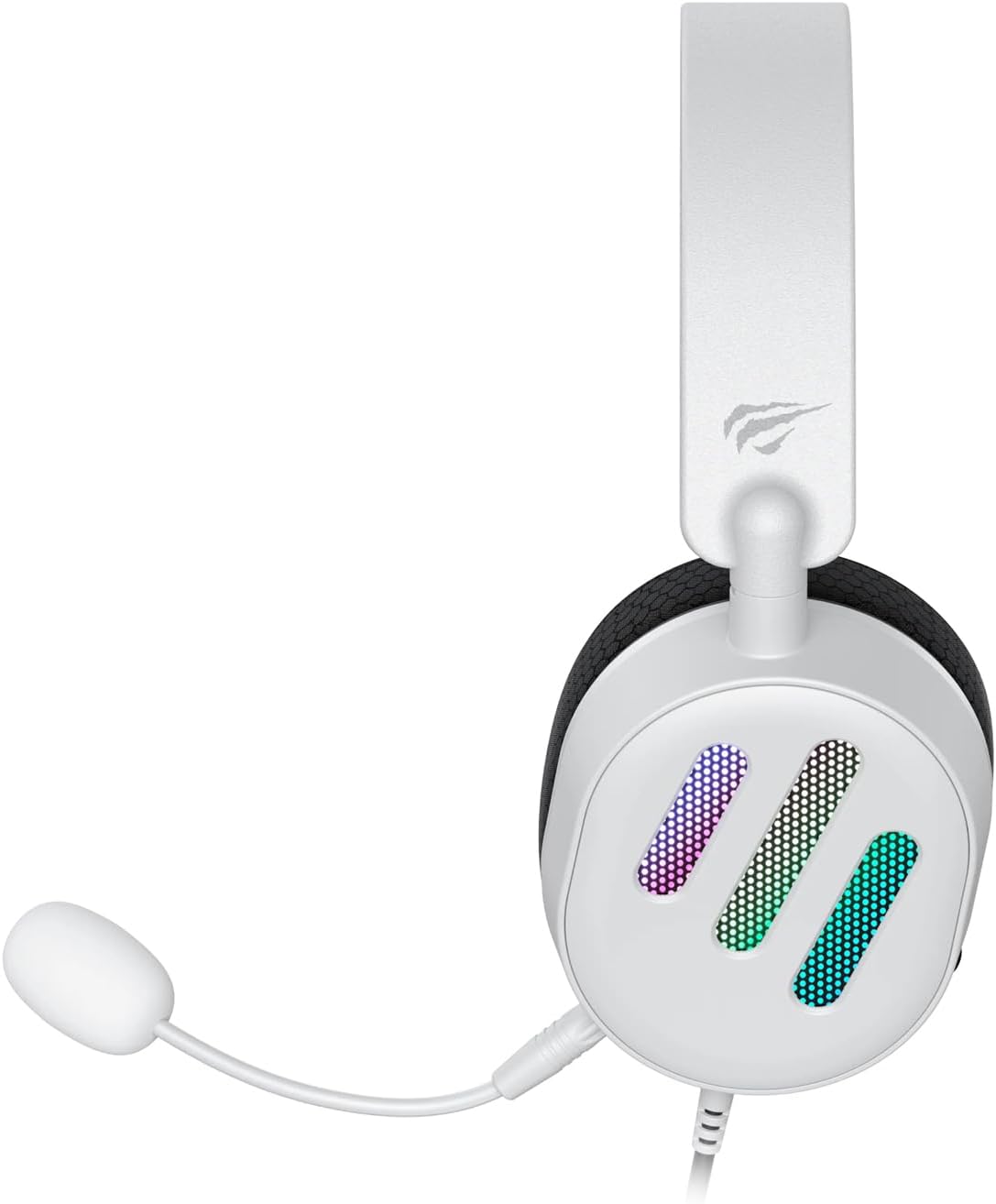
Nọmba 2.2: Apa view of the Havit H2038U RGB Wired Gaming Headset, showing the detachable microphone connected to the left earcup. The volume control wheel is also visible on the earcup.

Nọmba 2.3: Oke view of the Havit H2038U RGB Wired Gaming Headset, highlighting the adjustable headband and the soft, breathable earcups.
3. Eto
The Havit H2038U headset utilizes a dual-connection system for full functionality: a 3.5mm jack for audio and a USB connection for RGB lighting and virtual 7.1 surround sound.

Nọmba 3.1: Sun mo tipetipe view illustrating the detachable microphone connection (3.5mm jack) and the USB connection for the Havit H2038U headset. This image also indicates 360-degree sound direction and 7.1 USB connectivity.
- So Gbohungbo naa pọ: Insert the detachable microphone into the 3.5mm microphone jack located on the left earcup until it clicks into place. Ensure it is securely connected.
- Connect for Audio: Plug the 3.5mm audio jack from the headset into the corresponding audio output port on your computer, gaming console, or mobile device.
- Connect for RGB Lighting and 7.1 Surround Sound: Plug the USB connector from the headset into an available USB port on your computer or gaming console. This connection powers the RGB lighting and enables the virtual 7.1 surround sound feature.
- Ṣatunṣe Agbekọri Ibamu: Adjust the headband to ensure a comfortable and secure fit over your ears. The earcups should fully enclose your ears for optimal sound isolation.
- System Configuration (for PC):
- Ijade ohun: Go to your operating system's sound settings and ensure the Havit H2038U is selected as the default playback device.
- Iṣawọle gbohungbohun: In the sound settings, select the Havit H2038U as the default recording device.
- 7.1 Ohun ayika: If applicable, install any necessary drivers from the Havit official website to enable and configure the virtual 7.1 surround sound feature.
4. Awọn ilana Iṣiṣẹ
4.1 Iṣakoso iwọn didun
The headset features an integrated volume control wheel, typically located on the left earcup or inline on the cable. Rotate the wheel to increase or decrease the audio volume.
4.2 Gbohungbohun Lilo
The detachable microphone can be positioned for optimal voice pickup. Adjust its flexible arm to bring the microphone close to your mouth, ensuring clear communication. For privacy, you may mute the microphone using software settings on your device if no physical mute button is present on the headset.
4.3 RGB Imọlẹ
The RGB lighting on the earcups is powered via the USB connection. Once connected, the lighting will activate automatically. Specific control options for lighting patterns or colors may be available through dedicated software, if provided by Havit.

Nọmba 4.1: The Havit H2038U RGB Wired Gaming Headset displayed with its active RGB lighting feature, showcasing the illuminated earcups.
4.4 foju 7.1 kaakiri Ohun
When connected via USB, the headset supports virtual 7.1 surround sound. This feature enhances spatial audio awareness in games and media. Ensure relevant drivers are installed and configured through your system's sound settings or Havit's software for optimal experience.

Nọmba 4.2: An illustrative image demonstrating the virtual 7.1 surround sound capability of the Havit H2038U headset, enhancing immersive audio experiences.
5. Itọju
5.1 Ninu
- Use a soft, dry cloth to wipe the exterior surfaces of the headset.
- Fun awọn afikọti, rọra mu ese pẹlu die-die damp asọ ati gba laaye lati gbẹ patapata ṣaaju lilo.
- Ma ṣe lo awọn kẹmika lile, awọn nkanmimu, tabi awọn afọmọ abrasive.
5.2 Ibi ipamọ
When not in use, store the headset in a clean, dry place, away from direct sunlight and extreme temperatures. Avoid tangling the cables to prevent damage.
6. Laasigbotitusita
| Isoro | Owun to le Fa | Ojutu |
|---|---|---|
| Ko si ohun lati agbekari | 3.5mm jack not fully inserted; incorrect audio output selected; volume too low. | Ensure 3.5mm jack is fully connected. Check system sound settings to select Havit H2038U as default playback device. Increase volume using the headset's control wheel and system volume. |
| Gbohungbohun ko ṣiṣẹ | Microphone not fully inserted; incorrect input device selected; microphone muted. | Ensure microphone is securely attached. Check system sound settings to select Havit H2038U as default recording device. Unmute microphone in software settings. |
| Imọlẹ RGB ko ṣiṣẹ | USB cable not connected; faulty USB port. | Rii daju pe okun USB ti wa ni edidi ni aabo sinu ibudo USB ti n ṣiṣẹ. Gbiyanju ibudo USB ti o yatọ. |
| 7.1 Ohùn Àyíká kò ṣiṣẹ́ | USB cable not connected; drivers not installed/configured. | Ensure the USB cable is connected. Install and configure necessary drivers from the Havit official webojula. |
7. Awọn pato
| Ẹya ara ẹrọ | Sipesifikesonu |
|---|---|
| Awoṣe | H2038U |
| Asopọmọra Technology | Ti firanṣẹ (3.5mm Jack + USB) |
| Agbekọri Fọọmù ifosiwewe | Lori Eti |
| Ipalara | 24 ohms |
| Idahun Igbohunsafẹfẹ | 20 Hz - 20 kHz |
| Ifamọ | 114 dB |
| Iṣakoso Iru | Iṣakoso iwọn didun, Titari Bọtini |
| Ohun elo | Ṣiṣu |
| Iwọn Nkan | 550 g |
| Ọja Mefa | 11.2 x 21.9 x 28.5 cm |
| Àwọ̀ | Funfun |
| Pataki Awọn ẹya ara ẹrọ | RGB Lighting, Detachable Microphone, Virtual 7.1 Surround Sound |
8. Atilẹyin ọja ati Support
Havit products are designed for reliability and performance. For information regarding warranty coverage, technical support, or service, please refer to the warranty card included with your product or visit the official Havit webojula. Tọju iwe-ẹri rira rẹ bi ẹri rira fun awọn iṣeduro atilẹyin ọja.
Ibi iwifunni:
- Havit osise Webojula: www.havit.com (Jọwọ ṣayẹwo fun agbegbe webawọn aaye fun atilẹyin kan pato)


