Ọrọ Iṣaaju
The RØDECaster Duo is a compact and powerful all-in-one audio production solution designed for podcasters, streamers, musicians, and content creators. This device integrates multiple functions including a mixer, audio interface, and effects processor into a single, intuitive unit. It is engineered to simplify complex audio setups, allowing users to achieve professional-quality sound with ease.
Key features of the RØDECaster Duo include:
- Two high-quality Neutrik combo jacks for connecting microphones and instruments, featuring ultra-low-noise, high-gain Revolution Preamps™ (-131.5dBV EIN, 76dB gain) for pristine audio capture.
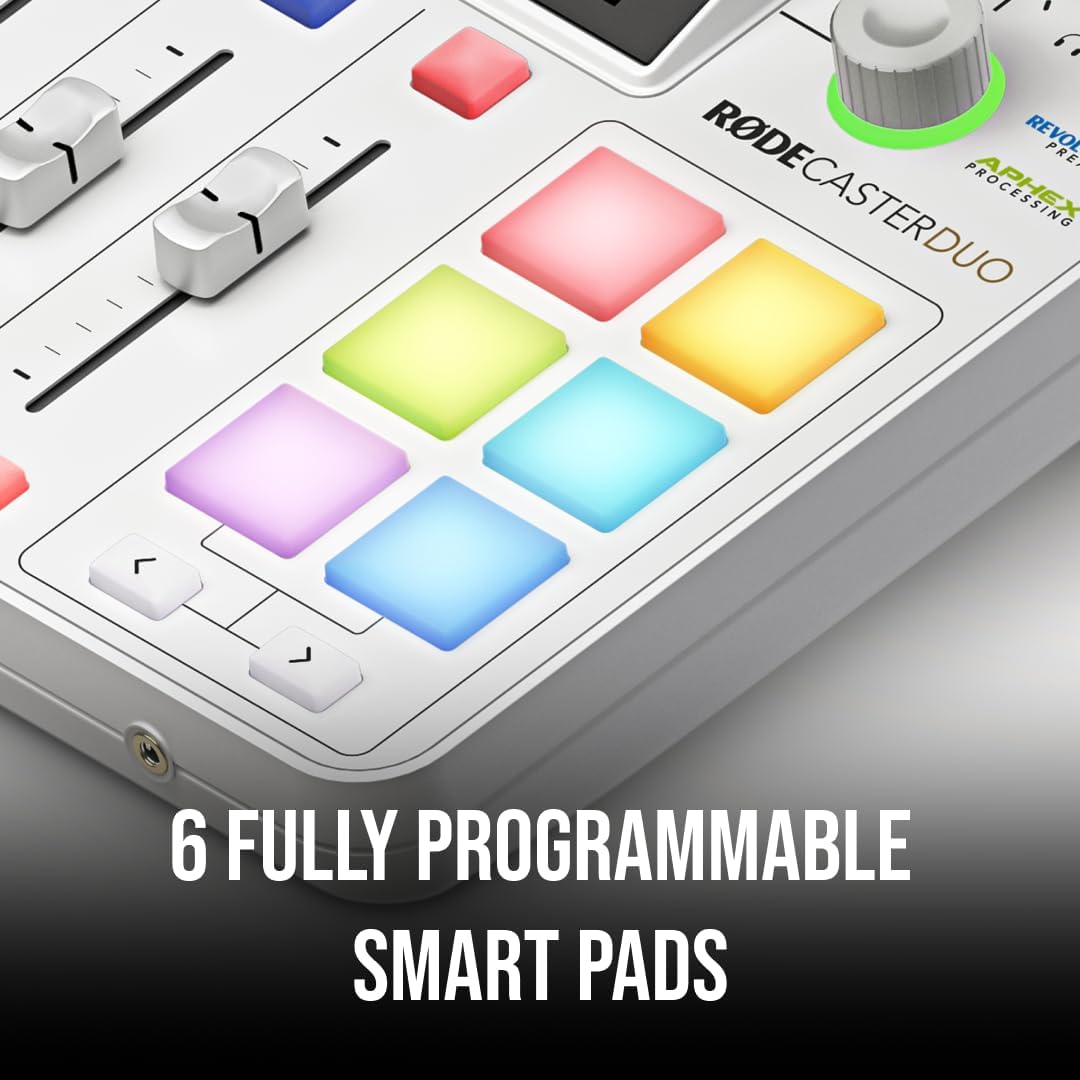
- Four broadcast-quality faders, a high-resolution touchscreen with haptic feedback, and six fully programmable SMART pads with bank switching for customized control.
- Studio-grade effects and powerful APHEX® processing, including the legendary Aural Exciter and Big Bottom effects, to enhance vocal and instrument clarity.
- Dual USB-C interfaces, Bluetooth, Wi-Fi, Ethernet, and an integrated 2.4GHz wireless receiver for seamless connectivity with RØDE Series IV wireless microphones (e.g., Wireless PRO, Wireless GO II, Wireless ME).
- A 3.5mm TRRS input for monitoring via headphones and recording via a headset, such as the NTH-100M.

Package Awọn akoonu
Verify that all items listed below are present in your RØDECaster Duo package:
- 1 x RØDECaster Duo unit
- 1 x USB-C to USB-C cable (1.5m)
- 1 x Power ipese kuro

Ṣeto
Follow these steps to set up your RØDECaster Duo for initial use.
1. Nsopọ Agbara
- Connect the included power supply to the 'DC IN' port on the rear of the RØDECaster Duo.
- Plug the power supply into a suitable wall outlet. The unit will power on automatically.
2. Nsopọ Microphones ati Instruments
The RØDECaster Duo features two high-quality Neutrik combo jacks that accept both XLR microphones and 1/4-inch instrument cables.
- Connect your XLR microphones or 1/4-inch instruments to the combo jacks labeled '1' and '2' on the rear panel.
- These inputs utilize RØDE's Revolution Preamps™ for clear, low-noise amplification.

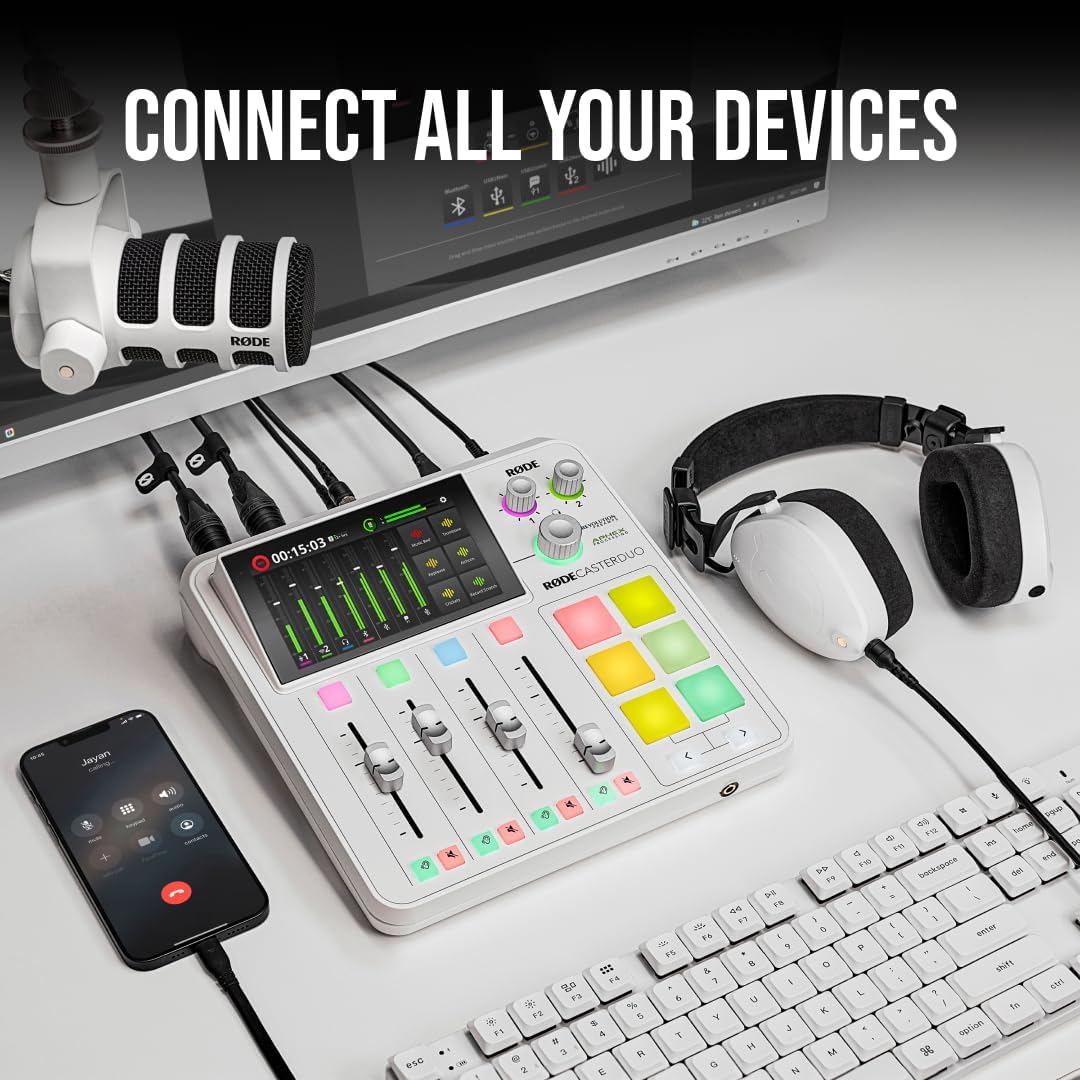
3. Connecting to a Computer or Mobile Device
The RØDECaster Duo offers versatile connectivity options for integration with your digital workflow.
- USB-C: Use the provided USB-C cable to connect the RØDECaster Duo to your computer. The unit features dual USB-C interfaces for flexible routing.
- Bluetooth: Pair your smartphone or other Bluetooth-enabled device for wireless audio input or output.
- Àjọlò: Connect to a network for firmware updates and advanced integration features.
4. Wireless Microphone Integration
The RØDECaster Duo includes an integrated Series IV 2.4GHz wireless receiver.
- This allows direct connection with RØDE wireless microphones such as the Wireless GO II and Wireless ME without requiring additional receivers.
- Refer to your RØDE wireless microphone's manual for pairing instructions with the RØDECaster Duo.
Ṣiṣẹ
This section covers the basic operation of your RØDECaster Duo.
1. Understanding the Interface
The RØDECaster Duo features a user-friendly interface designed for efficient audio control.
- Afi ika te: The large, high-resolution touchscreen provides visual feedback and access to settings, effects, and routing options.
- Awọn apanirun: Four physical faders allow for precise level control of your audio sources.
- SMART Pads: Six fully programmable pads can trigger sound effects, music, voice effects, or MIDI commands. These pads support bank switching for expanded functionality.
- Ayipada Rotari: A multi-function rotary encoder provides tactile control for navigation and parameter adjustments.

2. Basic Audio Routing and Monitoring
The RØDECaster Duo allows you to manage multiple audio sources and destinations.
- Use the faders to adjust the volume of each connected input (microphones, instruments, Bluetooth, USB audio).
- Connect headphones to the 3.5mm TRRS output for real-time monitoring of your mix.
- The touchscreen provides visual meters for all channels, helping you maintain optimal audio levels.
3. APHEX Processing
Enhance your audio with integrated studio-grade APHEX processing.
- Access APHEX effects like Aural Exciter and Big Bottom via the touchscreen interface.
- These processors can add clarity, presence, and depth to vocals and instruments.

4. Gbigbasilẹ
The RØDECaster Duo supports direct recording to various storage options.
- MicroSD™ Card: Insert a microSD card into the dedicated slot for direct stereo or multitrack recording.
- Ẹrọ Ipamọ USB: Connect a USB storage device to record your audio.
- Kọmputa: Record directly to a computer via the USB-C connection using your preferred digital audio workstation (DAW) or recording software.
Itoju
Proper maintenance ensures the longevity and optimal performance of your RØDECaster Duo.
Ninu
- Wipe the unit with a soft, dry cloth. Do not use liquid cleaners or solvents.
- Keep the touchscreen clean to maintain responsiveness.
Famuwia Awọn imudojuiwọn
- Periodically check the RØDE website for firmware updates. Updates can provide new features, performance improvements, and bug fixes.
- Connect the RØDECaster Duo to a computer with internet access or use its Wi-Fi/Ethernet connection to perform updates as instructed by RØDE.
Laasigbotitusita
If you encounter issues with your RØDECaster Duo, refer to the following common troubleshooting steps.
- Ko si Ijade Olohun: Ensure all faders are up, headphones are connected correctly, and output routing is configured on the touchscreen. Check cable connections.
- Ko si ohun igbewọle: Verify microphones/instruments are properly connected and powered (if applicable). Check input levels on the touchscreen and ensure faders are raised.
- Connection Issues (USB/Bluetooth): Try restarting both the RØDECaster Duo and the connected device. Ensure correct USB ports are used and Bluetooth pairing is successful.
- Ẹka Ko Dahun: Disconnect the power supply, wait 10 seconds, and then reconnect it to perform a hard reset.
- Ohun ti o daru: Check input gain levels to prevent clipping. Ensure all cables are securely connected and undamaged.
For more detailed troubleshooting or persistent issues, consult the official RØDE support resources.
Awọn pato
Detailed technical specifications for the RØDECaster Duo (Model: RCDUOW).
| Ẹya ara ẹrọ | Ẹ̀kúnrẹ́rẹ́ |
|---|---|
| Iwọn Nkan | 2.49 poun (1131 Giramu) |
| Ọja Mefa | 8.86 x 9.25 x 2.99 inches (10.24"D x 9.84"W x 4.72"H) |
| ASIN | B0CKPSF5J6 |
| Nọmba Awoṣe Nkan | RCDUOW |
| Orukọ awọ | Funfun |
| Asopọmọra Iru | USB, XLR |
| Ni wiwo Hardware | USB |
| Iwọn | Iwọn Ọkan |
| Orisun agbara | Okun Itanna |
| Brand | Rode |
| Nọmba ti awọn ikanni | 4 |
| Asopọmọra Technology | USB |
| Ọjọ Akọkọ Wa | Oṣu Kẹfa Ọjọ 24, Ọdun 2024 |
Alaye atilẹyin ọja
The RØDECaster Duo is covered by a manufacturer's warranty. Specific terms and conditions, including warranty duration and coverage details, are available on the official RØDE website or included with your product documentation. Please retain your proof of purchase for warranty claims.
Atilẹyin
For technical assistance, product inquiries, or further support, please visit the official RØDE webaaye. Awọn website provides access to FAQs, software downloads, and contact information for customer service representatives.
Awọn orisun Ayelujara: www.rode.com


