Ọja Pariview
The LEXIN G2P Motorcycle Helmet Bluetooth Headset is designed to enhance communication and entertainment for riders. Featuring cutting-edge Bluetooth 5.1 connectivity, it supports group intercom communication for up to 6 riders with a range of up to 1000m (0.62 miles) for private conversations between any two riders. It offers versatile connectivity, allowing connection to two Bluetooth devices simultaneously for music streaming, FM radio, universal pairing with other headset brands, GPS navigation, and voice assistant integration (Siri, Google) for hands-free control. The system includes 40mm Mylar HD speakers and two integrated microphones (button mic for full-face helmets, boom mic for open-face helmets) with advanced CVC & DSP noise reduction for clear audio even at high speeds. The G2P boasts an IP67 waterproof and dustproof rating, an 800mAh battery providing up to 25 hours of music playback or 20 hours of talk time, and interchangeable shells for customization.

Image: Two LEXIN G2P Bluetooth headsets, showcasing the main unit design.
Ohun ti o wa ninu Apoti
The LEXIN G2P package includes all necessary components for installation and operation:
- Main Unit (G2P Bluetooth Headset)
- HD Speaker with Boom and Button Microphones
- Okun USB-C fun gbigba agbara
- Awọn paadi Agbọrọsọ
- Ariwo Gbohungbo dimu
- Interchangeable Pattern Shells (6 metallic-like options)
- Oke Atẹgun
- 3M teepu akọmọ
- Afowoyi Olumulo (iwe-ipamọ yii)
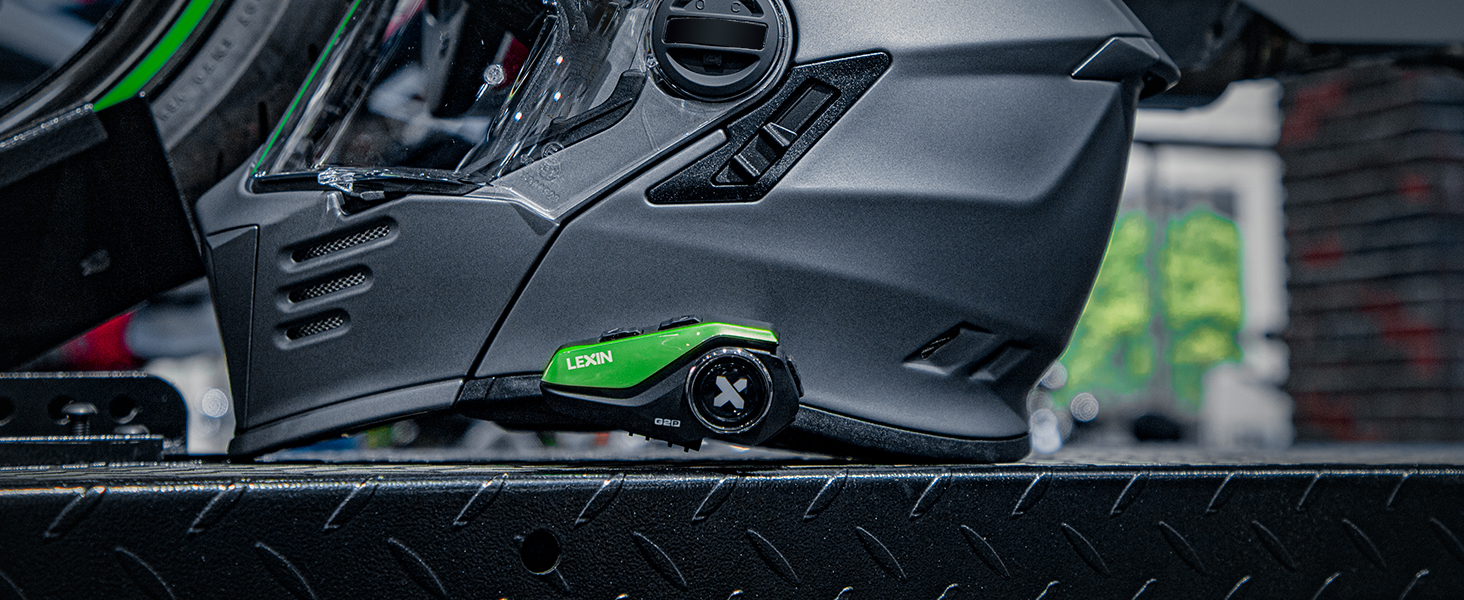
Image: Visual representation of all items included in the LEXIN G2P package, including the main unit, speakers, microphones, cables, mounting accessories, and interchangeable shells.
Eto ati fifi sori
Follow these steps to install your LEXIN G2P headset onto your helmet:
- Yan Ọna Igbesoke: Select either the clamp mounting bracket or the 3M adhesive tape bracket based on your helmet type and preference.
- So akọmọ iṣagbesori: Securely attach the chosen bracket to the side of your helmet. Ensure the surface is clean and dry if using the adhesive.
- Fi sori ẹrọ awọn agbọrọsọ: Place the 40mm HD speakers inside the helmet's ear pockets. Use the provided speaker pads for a comfortable and secure fit. Route the speaker wires neatly under the helmet padding.
- Fi Gbohungbohun sori ẹrọ:
- For full-face helmets, use the button microphone and position it near your mouth.
- For open-face helmets, use the boom microphone and attach it to the boom microphone holder, positioning it close to your mouth.
- Fi sori ẹrọ akọkọ: Slide the LEXIN G2P main unit onto the installed mounting bracket until it clicks securely into place.
- So awọn onirin: Plug the speaker and microphone wires into the corresponding ports on the main unit.
- Customize Shell: If desired, attach one of the interchangeable metallic-like shells to the main unit to match your helmet's style.
Image: Detailed visual guide showing the step-by-step installation process of the LEXIN G2P headset onto a motorcycle helmet, including mounting the unit, installing speakers, and positioning the microphone.
Video: Official LEXIN G2P Motorcycle Bluetooth Headset overview, demonstrating key features and installation aspects. This video provides a visual guide to the product's design and functionality.
Awọn ilana Iṣiṣẹ
Titan / Paa
- Agbara Tan: Press and hold the main button (marked with 'X') for approximately 3 seconds until you hear a power-on tone.
- Agbara Pa: Press and hold the main button for approximately 5 seconds until you hear a power-off tone.
Asopọ Bluetooth
The G2P can connect to two Bluetooth devices simultaneously (e.g., smartphone and GPS).
- With the headset off, press and hold the main button for about 7 seconds until the LED flashes red and blue, indicating pairing mode.
- On your smartphone or GPS device, enable Bluetooth and search for "LEXIN G2P".
- Select "LEXIN G2P" to pair. Once connected, the LED will flash blue slowly.
- To pair a second device, repeat the process.

Image: Illustration of the universal pairing capability of the LEXIN G2P, showing two helmets connected, indicating compatibility with various motorcycle intercoms.
Intercom ibaraẹnisọrọ
The G2P supports group intercom for up to 6 riders, with private talk between any two riders up to 1000m (0.62 miles).
- Bibẹrẹ Intercom: Short press the intercom button (usually a dedicated button or a specific combination, refer to the included quick guide for exact button mapping).
- Ipari Intercom: Short press the intercom button again.
- Pipọpọ ẹgbẹ: Follow the specific instructions in your detailed user manual for multi-unit pairing for group intercom functionality.

Image: Diagram illustrating the multi-pair capability of the G2P Bluetooth headset, allowing up to 6 riders to communicate in a group over a distance of 1000 meters (0.62 miles).

Image: Two motorcyclists riding, with a Bluetooth icon indicating seamless communication between their headsets.
Sisisẹsẹhin Orin
- Ṣiṣẹ/Daduro: Kukuru tẹ bọtini akọkọ.
- Orin t’okan: Press the 'Forward' button.
- Tẹlẹ Orin: Press the 'Backward' button.
- Iwọn didun Soke/Isalẹ: Use the volume control buttons on the unit.

Image: The LEXIN G2P unit positioned between two smartphones, one displaying a map for GPS navigation and the other showing a music player, illustrating its dual connectivity for audio and navigation.
Redio FM
- Tan/Pa FM: Press and hold the FM button (refer to quick guide for exact button).
- Àwọn Ibùdó Ṣíṣàyẹ̀wò: Short press the 'Forward' or 'Backward' button to scan for the next/previous station.

Image: A motorcyclist riding, with an overlay indicating the built-in FM radio feature of the LEXIN G2P headset, allowing users to enjoy their favorite channels while riding.
Oluranlọwọ ohun (Siri/Google)
- Mu Oluranlọwọ Ohun ṣiṣẹ: Short press the voice assistant button (refer to quick guide for exact button). This allows for hands-free calls and control.

Image: A helmet with the LEXIN G2P unit, showing a voice assistant icon and a smartphone, indicating one-click activation for hands-free calls, music, and GPS control.
Itoju
- Ninu: Mu ese kuro pẹlu rirọ, damp asọ. Maṣe lo awọn kẹmika ti o lewu tabi awọn afọmọ abrasive.
- Ibi ipamọ: Tọju agbekari ni itura, aye gbigbẹ nigbati ko si ni lilo. Yago fun awọn iwọn otutu to gaju.
- Itọju Batiri: To prolong battery life, charge the unit regularly, even if not used frequently. Avoid fully discharging the battery for extended periods.
- Omi Resistance: While IP67 waterproof, avoid prolonged submersion. Ensure the USB-C port cover is securely closed before exposure to water or dust.

Image: The LEXIN G2P unit partially submerged in water, demonstrating its IP67 waterproof rating and ability to maintain normal conversation even in rainy conditions.
Laasigbotitusita
| Isoro | Owun to le Fa | Ojutu |
|---|---|---|
| Ko si Agbara | Batiri kekere tabi ẹrọ ti wa ni pipa. | Charge the unit fully. Press and hold the main button to power on. |
| Ko le So Bluetooth pọ | Unit not in pairing mode; device Bluetooth off; too many paired devices. | Ensure unit is in pairing mode (flashing red/blue). Check device Bluetooth. Clear previous pairings if necessary. |
| Intercom Disconnects | Jade ti ibiti o; kikọlu. | Move closer to the other intercom unit. Avoid areas with high electromagnetic interference. |
| Dídára ohùn tí kò dára / Ariwo | Microphone not positioned correctly; speakers misaligned; high wind noise. | Adjust microphone closer to mouth. Reposition speakers for optimal sound. Ensure helmet visor is closed at high speeds. CVC & DSP noise reduction is active. |
| Awọn bọtini Idahun | Unit frozen; low battery. | Perform a soft reset (refer to manual for specific reset procedure, usually holding power button for longer duration). Charge the unit. |

Image: Visual representation of the CVC & DSP noise cancellation technology, showing how it reduces ambient noise for clearer audio, with illustrations of boom and button mics and 40mm powerful speakers.
Awọn pato
| Ẹya ara ẹrọ | Ẹ̀kúnrẹ́rẹ́ |
|---|---|
| Orukọ awoṣe | LX-G2P |
| Asopọmọra Technology | Ailokun (Bluetooth 5.1) |
| Ariwo Iṣakoso | Ìfagilé Ariwo Ti Nṣiṣẹ (CVC & DSP) |
| Intercom Ibiti | Up to 1000m (0.62 miles) for 2 riders, supports up to 6 riders |
| Agbara Batiri | 800mAh |
| Akoko Sisisẹsẹhin Orin | Titi di wakati 25 |
| Aago Ọrọ | Titi di wakati 20 |
| Akoko Iduro | Over a week (168 hours) |
| Akoko gbigba agbara | Awọn wakati 2.5 |
| Omi Resistance Ipele | IP67 mabomire ati eruku |
| Awọn agbọrọsọ | 40mm Mylar HD Speakers |
| Awọn gbohungbohun | 2 integrated (Button Mic for full-face, Boom Mic for open-face) |
| Iṣakoso Iru | Manual (Gloves-Friendly Button) |
| Awọn irinše to wa | Hi-fi speaker/2 mics/2 mounting brackets |
| Ohun elo | Ṣiṣu |

Image: An illustration highlighting the 800mAh battery of the LEXIN G2P, showing its charging time (2 hours), working time (20-25 hours), and standby time (168 hours), emphasizing long battery life for extended rides.
Atilẹyin ọja ati Support
LEXIN products are designed for durability and performance. For specific warranty details and support, please refer to the warranty card included in your product packaging or visit the official LEXIN website. You can also contact LEXIN customer service for assistance with any product-related inquiries or technical support.
Fun afikun awọn orisun ati alaye ọja, ṣabẹwo si LEXIN Store on Amazon.


