Ọrọ Iṣaaju
Thank you for choosing the UrbanX Bluetooth Speaker FM0190. This manual provides essential information for the safe and efficient use of your new speaker. Please read these instructions carefully before operating the device and retain them for future reference.
The UrbanX FM0190 is a portable Bluetooth speaker designed to deliver powerful stereo sound with features like IPX7 waterproofing, True Wireless Stereo (TWS) pairing, and Bluetooth V5.2 connectivity. Its compact design makes it suitable for various indoor and outdoor environments.
Ọja Pariview
The UrbanX FM0190 speaker features a robust design with intuitive controls. It includes a 1.69-inch driver for enhanced audio output and BASSBOOST technology. The speaker is constructed from ABS plastic, nylon fabric, rubber oil, and metal, ensuring durability.
Irinše ati idari
Familiarize yourself with the speaker's layout:
- Bọtini agbara: Ti a lo lati tan tabi pa agbohunsoke.
- Iwọn didun Soke/Bọtini orin atẹle: Ó máa ń mú kí ohùn pọ̀ sí i pẹ̀lú títẹ̀ kúkúrú, ó máa ń fò sí orin tó tẹ̀lé e pẹ̀lú títẹ̀ gígùn.
- Iwọn didun isalẹ/Bọtini orin ti iṣaaju: Ó dín ìró ohùn kù pẹ̀lú títẹ̀ kúkúrú, ó lọ sí orin tó ti kọjá pẹ̀lú títẹ̀ gígùn.
- Bọ́tìnnì Ṣíṣe/Sánu duro: Ṣakoso ṣiṣiṣẹsẹhin orin ati awọn iṣẹ ipe.
- Ibudo Ngba agbara Iru-C: Fun gbigba agbara ti abẹnu batiri.
- Gbohungbohun: Fun ipe ti ko ni ọwọ.
- Atọka LED: Displays status (power, charging, Bluetooth pairing).
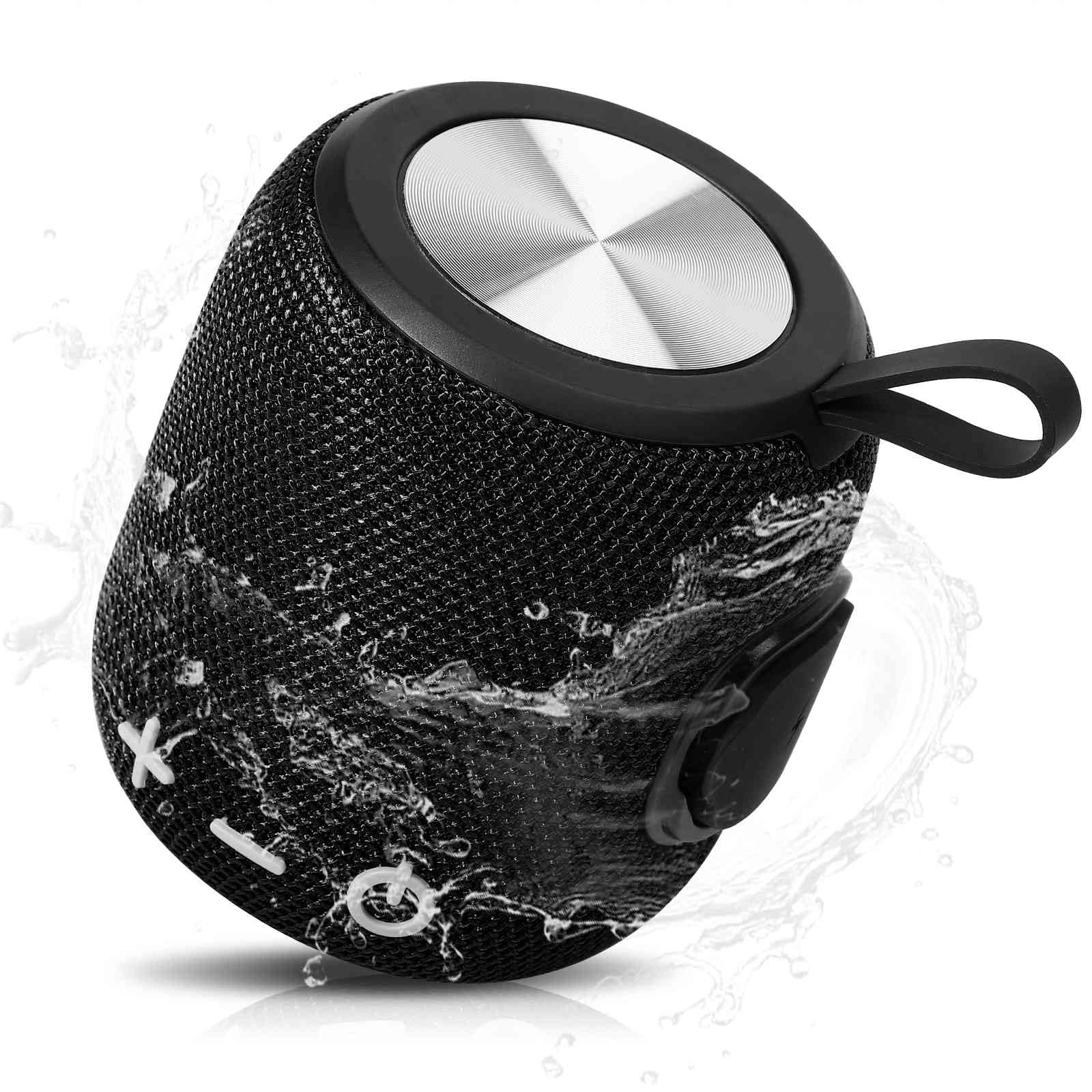
Image: The UrbanX Bluetooth Speaker FM0190, highlighting its powerful audio driver and compact design.
Ṣeto
1. Gbigba agbara Agbọrọsọ
Before first use, fully charge the speaker. Connect the provided Type-C charging cable to the speaker's charging port and the other end to a USB power adapter (not included) or a computer's USB port. The LED indicator will show charging status and turn off or change color when fully charged. A full charge typically takes 3-4 hours and provides up to 20 hours of playback.
2. Agbara lori / Paa
- Lati Fi agbara: Tẹ bọtini agbara ki o si dimu fun bii iṣẹju-aaya mẹta titi ti o fi gbọ ifihan ti o gbọ ati pe ifihan LED naa yoo tan imọlẹ.
- Lati Paarẹ: Tẹ bọtini agbara naa ki o si dimu fun bii iṣẹju-aaya mẹta titi ti o fi gbọ ipe ti o le gbọ ati pe ifihan LED naa yoo pa.
3. Sisopọ Bluetooth
To connect your UrbanX FM0190 speaker to a Bluetooth-enabled device:
- Ensure the speaker is powered on and in pairing mode. The LED indicator will flash, indicating it is ready to pair.
- Lori ẹrọ rẹ (foonuiyara, tabulẹti, ati bẹbẹ lọ), mu Bluetooth ṣiṣẹ ki o wa awọn ẹrọ to wa.
- Select "UrbanX FM0190" from the list of devices.
- Once connected, the speaker will emit an audible confirmation, and the LED indicator will stop flashing and remain solid.
The speaker will automatically attempt to reconnect to the last paired device when powered on, if that device is within range.
Ṣiṣẹ
Sisisẹsẹhin Orin
- Ṣiṣẹ/Daduro: Tẹ bọtini Play/Sinmi ni ẹẹkan.
- Iwọn didun Up: Kukuru tẹ bọtini Iwọn didun Up.
- Iwọn didun isalẹ: Kukuru tẹ bọtini Iwọn didun isalẹ.
- Orin t’okan: Gun tẹ bọtini didun Up.
- Tẹlẹ Orin: Gun tẹ bọtini Iwọn didun isalẹ.
Otitọ Alailowaya Sitẹrio (TWS) Sisopọ
The TWS feature allows you to connect two UrbanX FM0190 speakers for a synchronized stereo sound experience.
- Ensure both UrbanX FM0190 speakers are powered on and not connected to any Bluetooth device.
- On one of the speakers (this will be the primary speaker), double-press the Power button. The speaker will enter TWS pairing mode.
- The two speakers will automatically search for and connect to each other. Once connected, you will hear an audible confirmation.
- Now, connect your Bluetooth device to the primary speaker as described in the "Bluetooth Pairing" section. Both speakers will play audio in stereo.
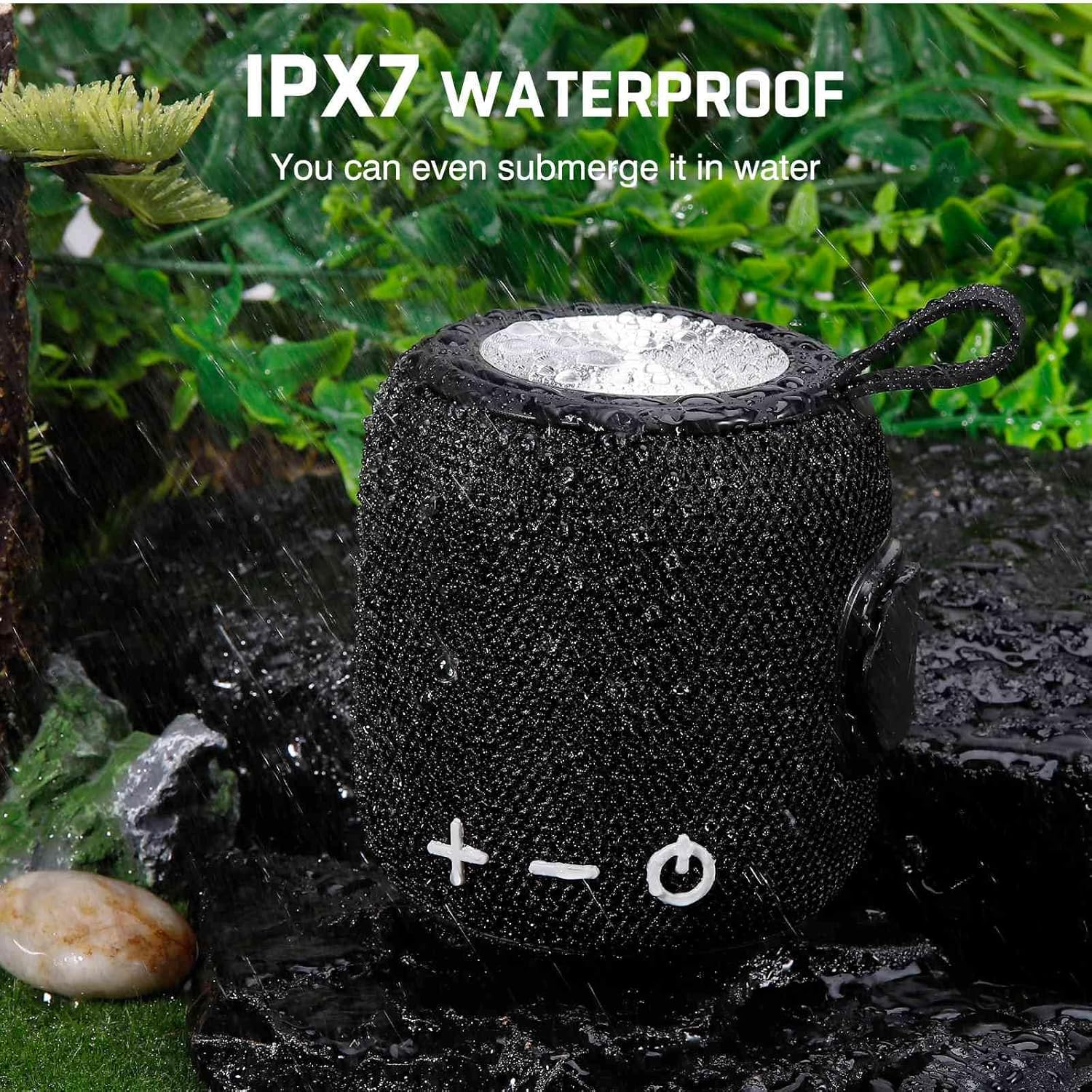
Image: Two UrbanX Bluetooth Speakers demonstrating True Wireless Stereo (TWS) pairing for immersive sound.
Imu ipe
With the built-in microphone, you can manage phone calls through the speaker when connected to your smartphone:
- Idahun Ipe: Tẹ bọtini Play/Sinmi ni ẹẹkan.
- Ipe Ipari: Tẹ bọtini Play/Sinmi ni ẹẹkan lakoko ipe kan.
- Kọ Ipe: Gun tẹ bọtini Play/Sinmi.
SD/TF Card Playback and AUX Input
The speaker supports playback from a 32GB SD/TF card. Insert the card into the designated slot. The speaker will automatically switch to card playback mode. An AUX input is also available for wired connections to audio sources.
Itoju
Idaabobo omi (IPX7)
The UrbanX FM0190 speaker features an IPX7 waterproof rating, meaning it can be submerged in water up to 1 meter for 30 minutes. This makes it suitable for use near water, such as at the beach or by the pool. Ensure the charging port cover is securely closed before exposing the speaker to water.

Image: The UrbanX Bluetooth Speaker FM0190, showcasing its IPX7 waterproof capability by being partially submerged in water.
Ninu ati Ibi ipamọ
- Fọ agbohunsoke pẹlu asọ, damp asọ. Ma ṣe lo abrasive ose tabi epo.
- Ensure the speaker is dry before charging.
- Tọju agbohunsoke ni itura, ibi gbigbẹ kuro lati awọn iwọn otutu ti o pọju ati imọlẹ orun taara.
- Tí a kò bá lò ó fún ìgbà pípẹ́, gba agbára bátìrì náà lẹ́ẹ̀kan ní oṣù mẹ́ta kí ó lè pẹ́ sí i.
Laasigbotitusita
If you encounter issues with your UrbanX FM0190 speaker, refer to the following common solutions:
| Isoro | Owun to le Fa | Ojutu |
|---|---|---|
| Agbọrọsọ ko ni agbara lori | Batiri kekere; Bọtini agbara ko tẹ ni deede | Gba agbara si agbọrọsọ; Tẹ mọlẹ bọtini Agbara fun iṣẹju meji 3. |
| Ko le so pọ pẹlu ẹrọ Bluetooth | Agbọrọsọ kii ṣe ni ipo sisopọ; Ẹrọ Bluetooth kuro; Agbọrọsọ tẹlẹ ti sopọ si ẹrọ miiran | Ensure speaker LED is flashing; Turn on Bluetooth on your device; Disconnect from other devices. |
| Ko si ohun | Volume too low; Device not connected; Audio source issue | Increase speaker and device volume; Re-pair Bluetooth; Check audio source. |
| Sisopọ TWS kuna | Speakers already paired to a device; Not in TWS pairing mode | Ensure both speakers are disconnected from other devices; Double-press Power button on one speaker to initiate TWS pairing. |
| Dídára ohùn tí kò dára/ìsopọ̀mọ́ra tí kò dáwọ́ dúró | Too far from device; Obstructions; Interference | Move speaker closer to device (within 5m); Remove obstructions; Avoid strong electromagnetic fields. |
Awọn pato
| Orukọ awoṣe | Mabomire Bluetooth Agbọrọsọ |
| Nọmba Awoṣe Nkan | FM0190 |
| Brand | UrbanX |
| Asopọmọra Technology | Bluetooth V5.2 |
| Alailowaya ibaraẹnisọrọ Ibiti | Titi de awọn mita 5 (16 ẹsẹ) |
| Agbọrọsọ Iru | Ayika |
| Agbọrọsọ Agbara Ijade ti o pọju | 5 Wattis |
| Pataki Awọn ẹya ara ẹrọ | Bass Boost, Shockproof, USB Port, IPX7 Waterproof, True Wireless Stereo (TWS) |
| Ọna Iṣakoso | Fọwọkan |
| Orisun agbara | Battery Powered (1800mAh Lithium-ion) |
| Igbesi aye batiri | Titi di wakati 20 |
| Akoko gbigba agbara | 3-4 wakati |
| Ọja Mefa | 5.4"D x 3.76"W x 3.82"H (140mm x 120mm) |
| Iwọn Nkan | 15 iwon |
| Ohun elo | ABS Plastic, Nylon Fabric, Rubber Oil, Metal |
| Àwọ̀ | Dudu |
Alaye atilẹyin ọja
The UrbanX Bluetooth Speaker FM0190 comes with a limited manufacturer's warranty. Please refer to the product packaging or the official UrbanX webAaye fun awọn ofin ati ipo atilẹyin ọja alaye. Atilẹyin ọja yii maa n bo awọn abawọn ninu awọn ohun elo ati iṣẹ-ṣiṣe labẹ lilo deede.
Atilẹyin
For further assistance, technical support, or inquiries regarding your UrbanX Bluetooth Speaker FM0190, please contact UrbanX customer service through the contact information provided on the product packaging or the official UrbanX website. Please have your model number (FM0190) and purchase details ready when contacting support.

