Ọrọ Iṣaaju
The SYNCO G2A2 MEGA Wireless Microphone System is designed for high-quality audio capture in various recording environments. This manual provides detailed instructions for setup, operation, and maintenance to ensure optimal performance of your device.

Image: The SYNCO G2A2 MEGA Wireless Microphone System, including two transmitters, one receiver, and a charging case.
Ohun ti o wa ninu Apoti
- G2(A2) MEGA Wireless Lavalier Microphone (2 Transmitters, 1 Receiver)
- Ngba agbara Case
- External Lav Mic (2 units)
- Wind Muff (2 units)
- Magnet (2 units)
- Type C - Type C Cable
- Type C - USB A Adapter
- 3.5mm TRS kamẹra Cable
- 3.5mm TRRS Smartphone Cable
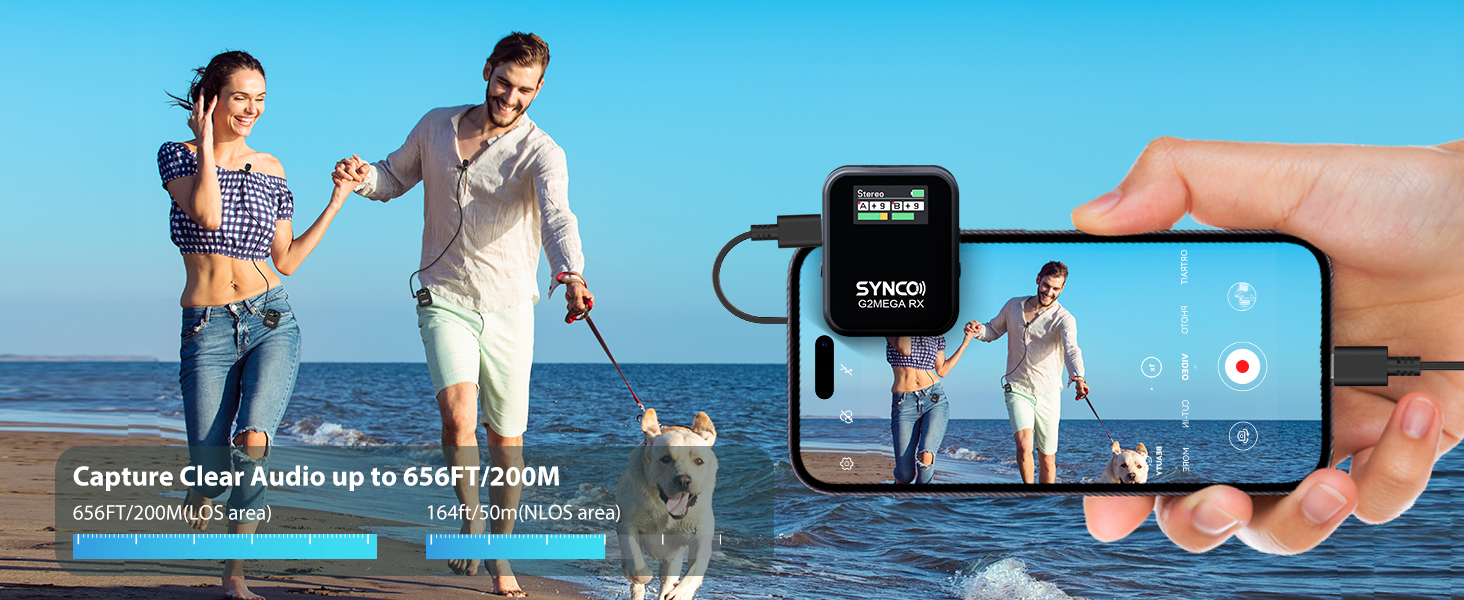
Image: All components included in the SYNCO G2A2 MEGA Wireless Microphone System package.
Ṣeto
1. Gbigba agbara akọkọ
Place the transmitters and receiver into the charging case. Connect the charging case to a power source using the provided Type C cable. The indicator lights on the case will show charging status. A full charge provides up to 24 hours of continuous working time for the system.
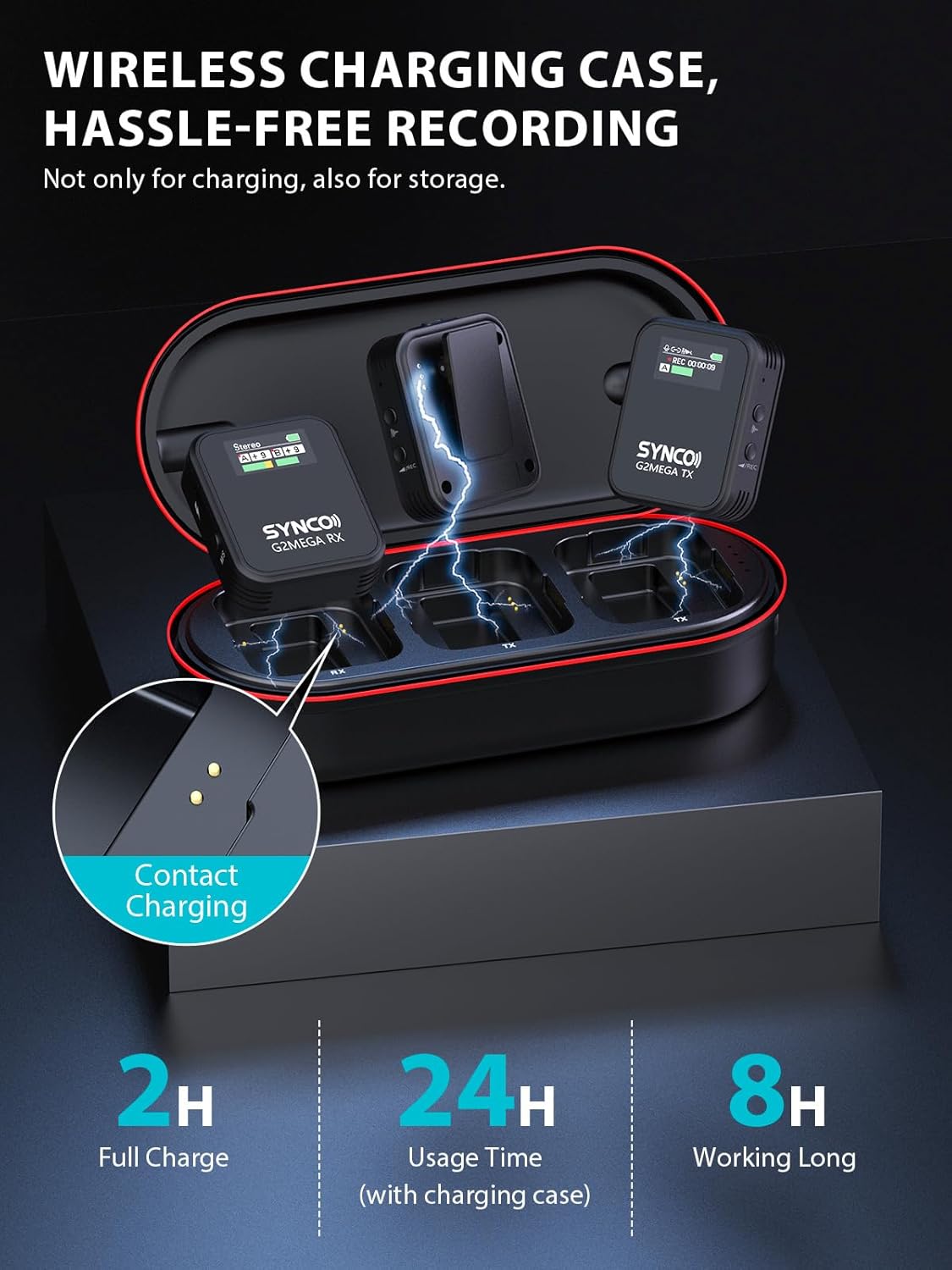
Image: The SYNCO G2A2 MEGA charging case with units inside, illustrating the charging process.
2. Agbara Tan / Pa & Sisopọ
To power on the transmitters and receiver, simply remove them from the charging case. They will automatically attempt to pair. A successful connection is indicated by solid blue lights on the units.
3. So gbohungbohun
Attach the external lavalier microphone to the transmitter's 3.5mm input jack. For outdoor use, place the wind muff over the lavalier microphone to minimize wind noise. The transmitters also feature a magnetic back clip for flexible attachment to clothing or other surfaces.
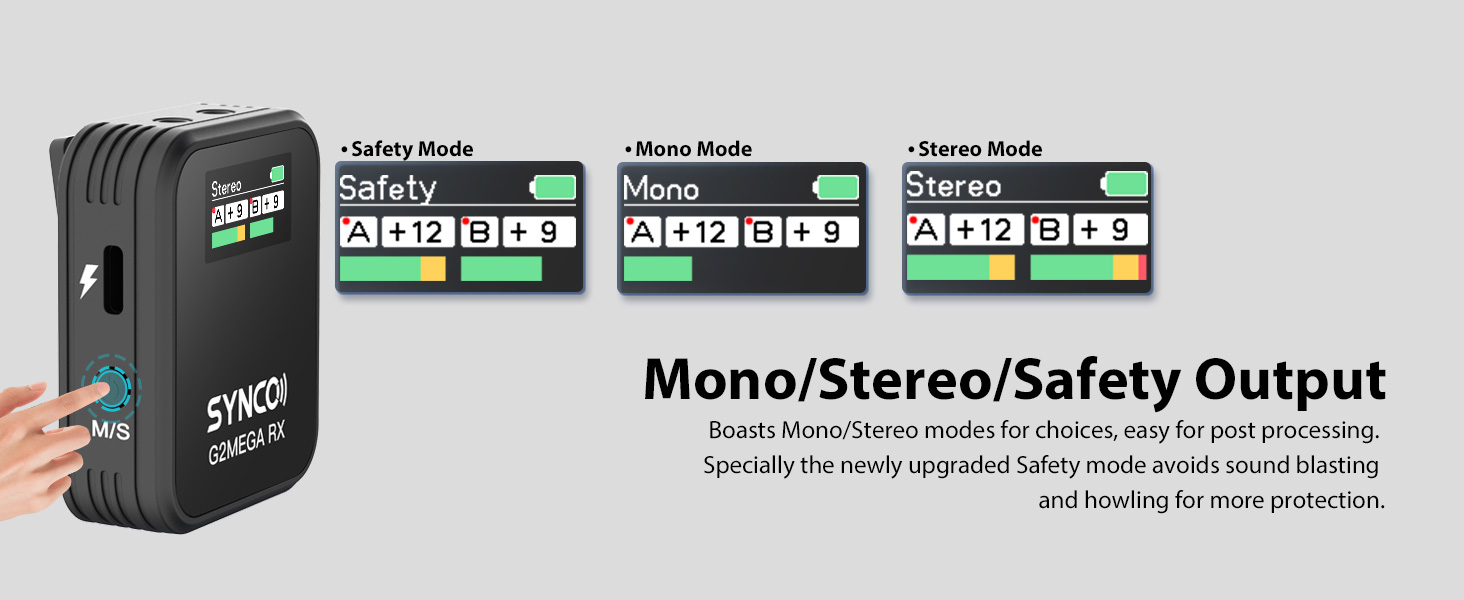
Image: Close-up of the magnetic back clip on the SYNCO G2A2 MEGA transmitter, showing its versatile attachment options.
Awọn ilana Iṣiṣẹ
1. Onboard Recording (Transmitter)
Each transmitter is equipped with 8GB of internal storage, allowing for approximately 24 hours of audio recording. This feature provides a reliable backup in case of wireless signal interruptions or quality degradation. To activate onboard recording, refer to the transmitter's display and controls.
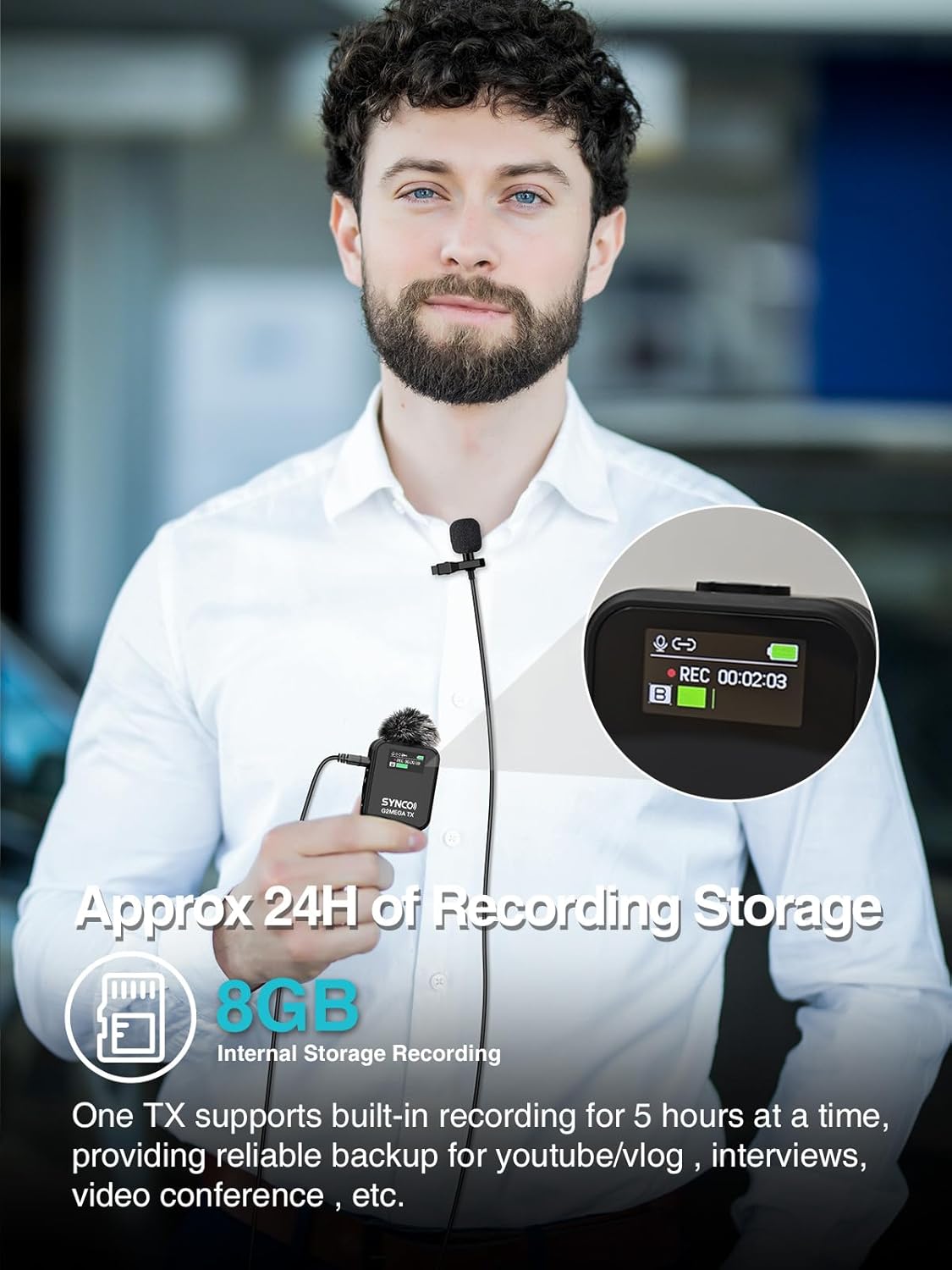
Image: A person wearing a SYNCO G2A2 MEGA transmitter, highlighting the 8GB onboard recording capability.
2. 2.4GHz Digital Transmission
The system utilizes secure 2.4GHz digital transmission and Syncoder Tech, providing a stable and distortion-free sound transmission range of up to 656 ft (200 m) in line-of-sight conditions.

Image: Illustration of the SYNCO G2A2 MEGA's 656ft (200m) stable transmission range in an outdoor setting.
3. Noise Reduction & Gain Control
Activate the One-Touch Noise Cancellation feature to minimize background noise. The receiver also offers 0-6 levels of gain control to optimize signal levels, preventing audio from being too quiet or too loud.
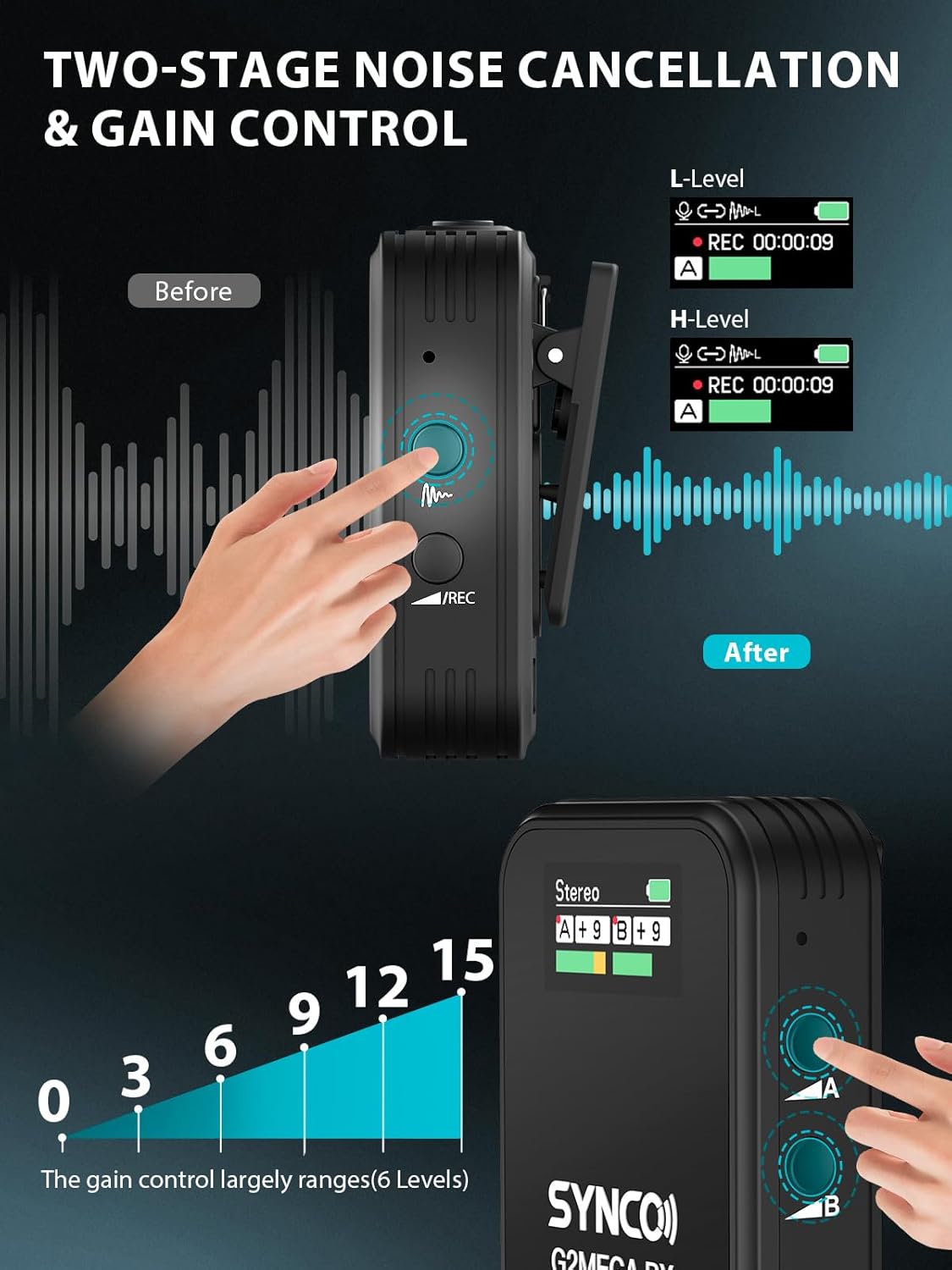
Image: Visual representation of the SYNCO G2A2 MEGA's two-stage noise cancellation and 6-level gain control features.
4. Dual-Channel System & Output Modes
The receiver can handle two transmitters simultaneously. It supports Mono, Stereo, and a newly upgraded Safety output mode. Safety mode helps prevent sound blasting and howling, ensuring cleaner audio for post-processing.

Image: Diagram illustrating the SYNCO G2A2 MEGA's new upgraded safety channel mode, showing how it prevents sound blasting.
5. One-Button Muting & Real-Time Monitoring
A dedicated mute button on the transmitter allows for temporary audio pauses without powering down the system. The receiver includes a 3.5mm headphone jack for real-time audio monitoring during recording.
Asopọmọra
The SYNCO G2A2 MEGA system offers wide compatibility with various devices through its 3.5mm and Type-C digital audio outputs.
- DSLR Camera/Camera: Use the 3.5mm TRS Camera Cable.
- Smartphone (TRRS): Use the 3.5mm TRRS Smartphone Cable.
- iPhone/iPad (Lightning): Use the 3.5mm TRRS Smartphone Cable with a Lightning to 3.5mm adapter (not included).
- Android/Tablet (Type-C): Use the Type C - Type C Cable.
- PC/Laptop: Use the Type C - Type C Cable or Type C - USB A Adapter (if needed).
Image: Diagram showing various connection methods for the SYNCO G2A2 MEGA with smartphones, cameras, and computers.
Video: An unboxing and initial setup guide for the SYNCO G2 Lavalier Microphone, demonstrating how to connect the system.
Awọn pato
| Ẹya ara ẹrọ | Ẹ̀kúnrẹ́rẹ́ |
|---|---|
| Iwọn Nkan | kilo 0.46 (1.01 poun) |
| Gbohungbo Fọọmù ifosiwewe | Lavalier |
| Orisun agbara | Agbara Batiri (Batiri Lithium ion 1 nilo) |
| Ifihan Ibuwọlu-si-Noise | 80 dB |
| Nọmba ti awọn ikanni | 2 |
| Idahun Igbohunsafẹfẹ | 50 Hz |
| Asopọmọra Technology | 2.4GHz |
| Asopọmọra Iru | USB Iru-C, 3.5 mm Jack |
| Pataki Awọn ẹya ara ẹrọ | Clip, Mute Function, Noise Reduction, Video Recording, Volume Control |
| Awọn ẹrọ ibaramu | DSLR Camera/Camera, Smartphone |
| Pola Àpẹẹrẹ | Omnidirectional |
Laasigbotitusita
- Ko si Olohun/Iwọn kekere: Ensure all cables are securely connected. Check the gain control levels on the receiver and your recording device. Verify that the transmitters and receiver are successfully paired (solid blue indicator lights).
- Ohun ti o daru: Reduce the gain control on the receiver. Ensure the microphone is not too close to the sound source. Check for strong electromagnetic interference in the environment.
- Ifiranṣẹ Alailowaya: Ensure the transmitters and receiver are within the 656ft (200m) line-of-sight range. Avoid physical obstructions between the units.
- Ariwo Afẹ́fẹ́: Always use the provided wind muffs when recording outdoors.
Itoju
- Keep the devices clean and dry. Avoid exposure to extreme temperatures or humidity.
- Store the microphone system in its charging case when not in use to protect it and keep it charged.
- Regularly check cables for wear and tear and replace if necessary.
Atilẹyin ọja & Atilẹyin
Fun alaye atilẹyin ọja ati atilẹyin imọ-ẹrọ, jọwọ tọka si SYNCO osise website or contact their customer service directly. Product registration may be required for warranty activation.


