1. Ifihan
Thank you for choosing the Baseus E13 TWS Bowie Headphones. This manual provides essential information for setting up, operating, and maintaining your new wireless earbuds. Please read it carefully before use to ensure optimal performance and longevity of your device.
2. Package Awọn akoonu
Daju pe gbogbo awọn nkan wa ninu apo rẹ:
- Baseus E13 TWS Bowie Headphones (Left and Right Earbuds)
- Ngba agbara Case
- Okun Ngba agbara USB
- Awọn iṣu Eti (oriṣiriṣi titobi)
- Afowoyi Olumulo (iwe-ipamọ yii)

Image: The Baseus E13 TWS Bowie Headphones, including the earbuds, charging case, and the included USB charging cable.
3. Ọja Ipariview
The Baseus E13 TWS Bowie Headphones feature a compact design with a charging case for portability and extended battery life.

Image: The Baseus E13 TWS Bowie Headphones, showing both earbuds resting in their open charging case.
4. Eto
4.1 Ngba agbara si Earbuds ati Ọran
- Idiyele Ibẹrẹ: Ṣaaju lilo akọkọ, gba agbara ni kikun awọn agbekọri ati apoti gbigba agbara.
- Gbigba agbara si ọran naa: Connect the provided USB charging cable to the charging port on the case and a compatible USB power source. The indicator light on the case will show charging status.
- Ngba agbara si Earbuds: Place the earbuds into the charging case. Ensure they are correctly seated; the indicator lights on the earbuds will confirm charging.
Gbigba agbara kikun yoo gba to wakati 30 ti akoko ṣiṣiṣẹpọ pẹlu apoti gbigba agbara naa.
4.2 Sisopọ Bluetooth
- Agbara Tan: Ṣii apoti gbigba agbara. Awọn agbekọri yoo tan ina laifọwọyi ati tẹ ipo sisopọ pọ sii.
- Mu Bluetooth ṣiṣẹ: Lori ẹrọ rẹ (foonuiyara, tabulẹti, ati be be lo), jeki Bluetooth.
- Yan Ẹrọ: Wa fun "Baseus E13" in the list of available Bluetooth devices and select it to connect.
- Ìmúdájú: Ìpè ohùn kan yoo jẹrisi isopọmọ aṣeyọri.
Awọn agbekọri naa yoo tun sopọ laifọwọyi si ẹrọ ti o so pọ to kẹhin nigbati o ba jade ninu ọran naa, ti o ba mu Bluetooth ṣiṣẹ lori ẹrọ naa.
4.3 App Iṣakoso
Enhance your experience by downloading the official Baseus app. The app allows for customizable controls, EQ settings, and other features.
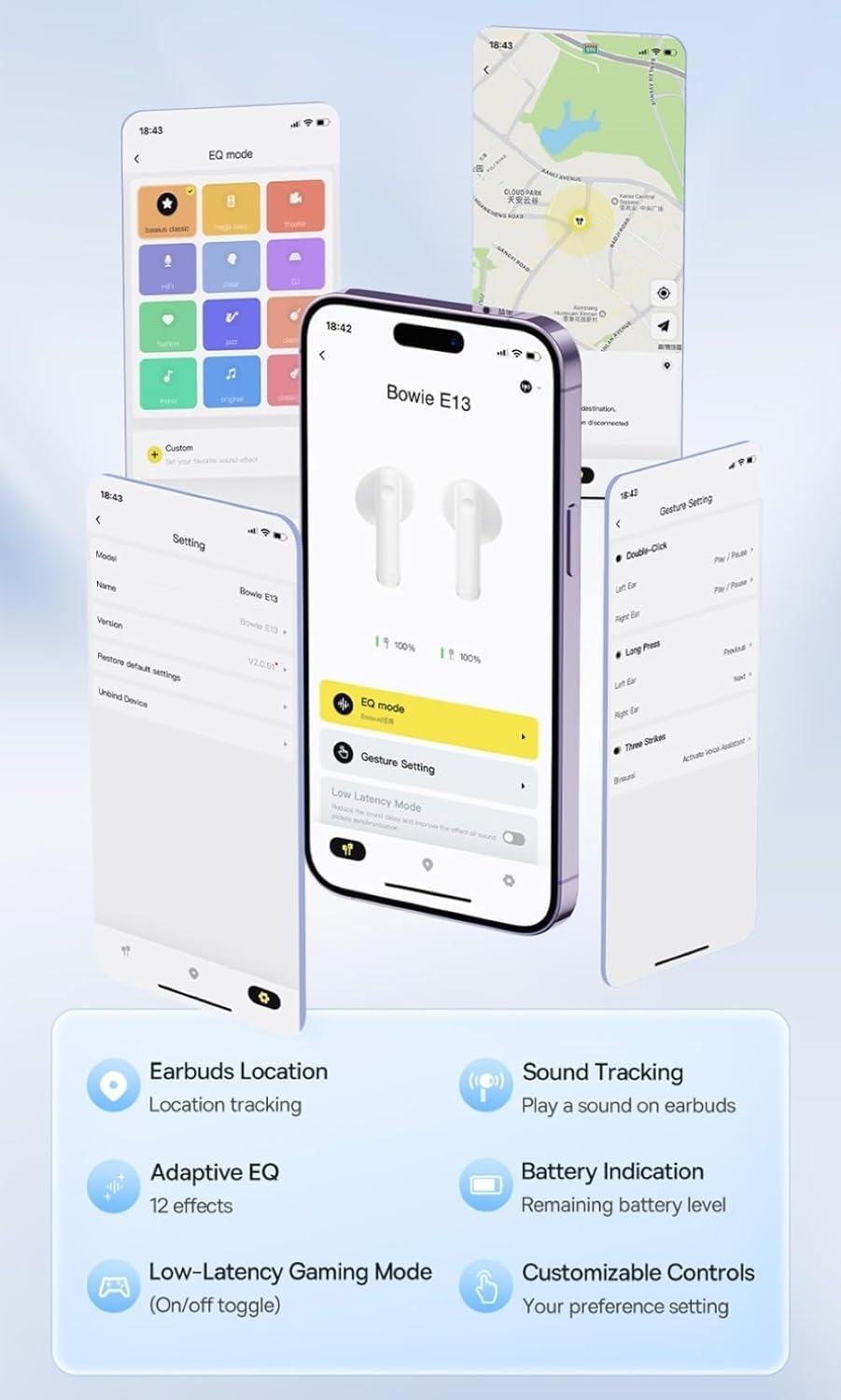
Image: Multiple smartphone screens displaying the Baseus app interface, highlighting features such as EQ mode, gesture settings, low-latency gaming mode, earbud location tracking, sound tracking, adaptive EQ with 12 effects, battery indication, and customizable controls.
5. Isẹ
5.1 Ipilẹ idari
The Baseus E13 TWS Bowie Headphones feature touch controls for easy management of audio and calls. Specific gestures can be customized via the Baseus app.
- Ṣiṣẹ/Daduro: Fọwọ ba ẹyọkan lori boya agbekọri.
- Orin t’okan: Fọwọ ba lẹẹmeji lori agbekọri ọtun.
- Tẹlẹ Orin: Fọwọ ba lẹẹmeji lori agbekọri osi.
- Idahun/Ipe Ipari: Fọwọ ba ẹyọkan lori boya agbekọri.
- Kọ Ipe: Tẹ gun lori boya agbekọri.
- Mu Oluranlọwọ Ohun ṣiṣẹ: Fọwọ ba meteta lori boya agbekọri.
5.2 Low-Latency Gaming Mode
For an optimized gaming experience, activate the 0.06s ultra-low latency gaming mode through the Baseus app. This reduces audio delay, providing faster response times.
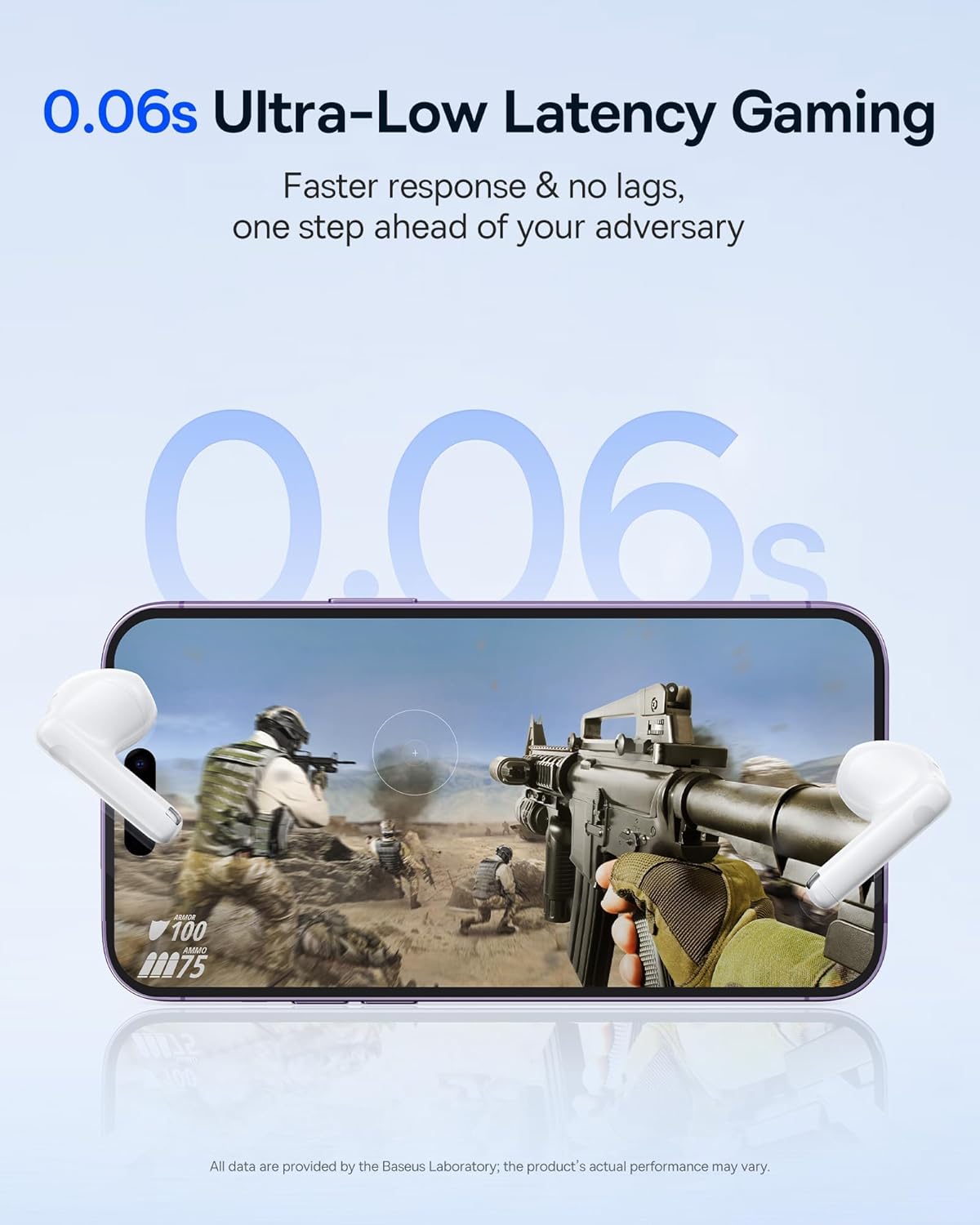
Image: The Baseus E13 TWS Bowie Headphones positioned near a smartphone screen displaying a fast-paced first-person shooter game, emphasizing the 0.06s ultra-low latency feature for gaming.
5.3 Audio Sisisẹsẹhin
Enjoy up to 30 hours of continuous audio playback with the assistance of the charging case. Each earbud provides several hours of playback on a single charge, with the case offering multiple recharges.

Image: The Baseus E13 TWS Bowie Headphones and their charging case, overlaid with a graphic prominently displaying '30H', signifying the total audio playback time achievable with the case.
5.4 Ohun Didara
The earbuds are equipped with a large 12mm diaphragm, designed to restore each note with remarkable depth and accuracy, providing a powerful low-frequency audio experience.

Image: A detailed cutaway diagram of a Baseus E13 TWS earbud, focusing on the internal structure of the large 12mm diaphragm and its contribution to sound quality.
5.5 Asopọmọra
Utilizing Bluetooth 5.3 technology, the headphones offer a faster and more stable wireless connection, ensuring smooth audio transmission and enhanced sound quality.

Aworan: A sihin view of a Baseus E13 TWS earbud, revealing its internal circuitry and specifically highlighting the integrated Bluetooth 5.3 chip for advanced wireless connectivity.
6. Wọ awọn Earbuds
The earbuds are designed with a mini stem and a lightweight profile, featuring a 45° wearing angle for a comfortable and secure fit.

Image: A woman wearing a Baseus E13 TWS earbud, illustrating the ergonomic design with a mini stem and lightweight construction for a comfortable user experience.
7. Itọju
- Ninu: Mọ awọn afikọti nigbagbogbo ati apoti gbigba agbara pẹlu asọ ti o gbẹ, asọ ti ko ni lint. Maṣe lo awọn kẹmika lile tabi awọn ohun elo abrasive.
- Omi Resistance: The earbuds are water resistant. Avoid submerging them in water or exposing them to excessive moisture. Dry thoroughly if they come into contact with liquids.
- Ibi ipamọ: Nigbati o ko ba si ni lilo, tọju awọn afikọti sinu apoti gbigba agbara wọn lati daabobo wọn ki o jẹ ki wọn gba agbara. Tọju ni itura, ibi gbigbẹ kuro lati awọn iwọn otutu to gaju.
- Itọju Batiri: Láti pa agbára batiri mọ́, má ṣe tú àwọn ètí àti àpótí náà jáde nígbà gbogbo. Gba agbára wọn nígbà gbogbo, kódà bí wọn kò bá tiẹ̀ ń lò ó nígbà gbogbo.
8. Laasigbotitusita
If you encounter issues with your Baseus E13 TWS Bowie Headphones, refer to the following common solutions:
- Ko si Ohun:
- Rii daju pe awọn agbekọri ti gba agbara.
- Ṣayẹwo asopọ Bluetooth si ẹrọ rẹ.
- Ṣatunṣe iwọn didun lori awọn agbekọri mejeeji ati ẹrọ ti a sopọ.
- Agbohun-eti Ko Sopọ:
- Gbe awọn agbekọri pada si ọran, sunmọ, lẹhinna tun ṣii lati tun-tẹ ipo isọpọ sii.
- Forget "Baseus E13" from your device's Bluetooth list and attempt to pair again.
- Ensure earbuds are within range of your device.
- Awọn ọran gbigba agbara:
- Verify the charging cable is securely connected to both the case and power source.
- Gbiyanju ibudo USB ti o yatọ tabi ohun ti nmu badọgba agbara.
- Ensure charging contacts on earbuds and in case are clean and free of debris.
- Agbohunsafefe kan Ko Ṣiṣẹ:
- Rii daju pe awọn agbekọri mejeeji ti gba agbara.
- Try resetting the earbuds (refer to app or Baseus support for specific instructions).
9. Awọn pato
| Brand | Baseus |
| Orukọ awoṣe | E13 TWS |
| Asopọmọra Technology | Ailokun (Bluetooth 5.3) |
| Gbigbe Eti | Ninu Eti |
| Fọọmù ifosiwewe | Alailowaya otitọ |
| Ipalara | 32 ohm |
| Iṣakoso Iru | Touch controls, App |
| Ohun elo | Ṣiṣu |
| Iwọn Nkan | 0.07 kilo |
| Omi Resistance Ipele | Omi sooro |
| Ijinna Ṣiṣẹ ti o pọju | 10 Mita |
| Batiri Apapọ Life | Titi di wakati 30 (pẹlu ọran gbigba agbara) |
| Pataki Awọn ẹya ara ẹrọ | 0.06s ultra-low latency, Faster and more stable 5.3 wireless chip, Lightweight and Mini Design, Powerful low frequency controller |
10. Atilẹyin ọja ati Support
Baseus products are designed for reliability and performance. For warranty information, please refer to the warranty card included with your purchase or visit the official Baseus website. For technical support or further assistance, please contact Baseus customer service or visit the Ile itaja Baseus lori Amazon.


