1. Ifihan
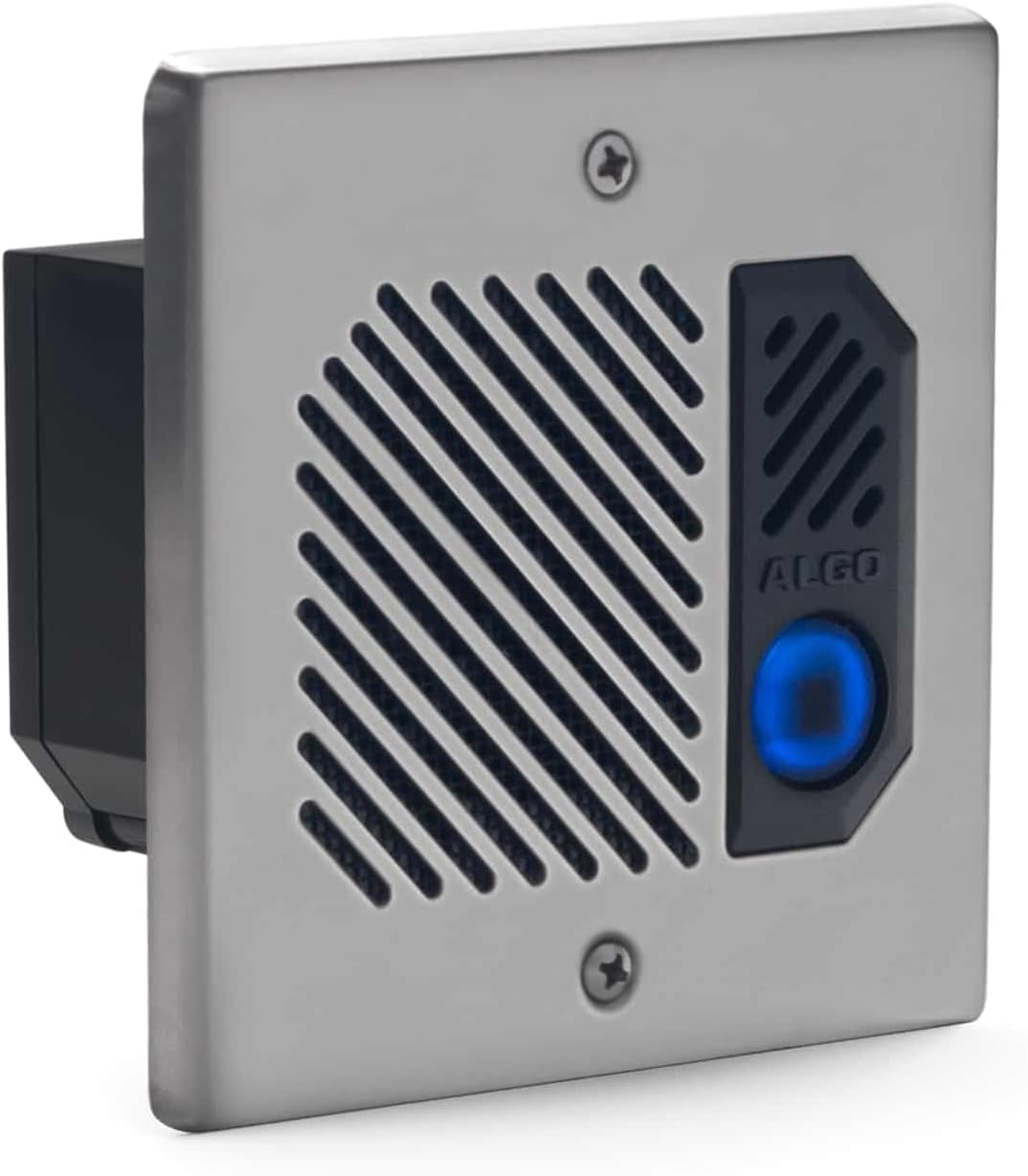
The Algo 8201 is a Power over Ethernet (PoE) IP intercom designed for hands-free two-way voice communication. It is suitable for interior and exterior secured entrances, access points, classrooms, and offices. This device integrates door opening control, allowing activation of entry into a secure location via telephone keypad. The 8201 registers as a third-party SIP endpoint within a hosted or premise Unified Communications (UC) environment. It is a compact, one-piece PoE solution, offering an alternative to the Algo 8028 SIP Doorphone. The intercom can be surface or flush mounted and is designed to fit a standard double gang electrical box. Its robust construction, including a stainless steel faceplate, conformal coated electronics, and a tactile backlit call button, ensures complete weather protection and long-term durability in various climates.
2. Key Awọn ẹya ara ẹrọ
- Indoor / Outdoor Weather-resistant SIP-based intercom with integrated relay.
- Network managed and supervised SIP endpoint; Supports PoE.
- Wideband G.722 codec support provides optimum speech clarity and intelligibility.
- Configurable via GUI web Interface or provisioning system.
- Integrated relay for door opening control; supports optional Algo 8063 enhanced controller security (not included, sold separately).
3. Alaye Aabo
Please read all instructions carefully before installation and operation.
- Orisun Agbara: The Algo 8201 requires Power over Ethernet (PoE) for operation. Do not attempt to connect direct power. If PoE is not available, a PoE Injector must be used.
- Fifi sori: Installation should be performed by qualified personnel familiar with network infrastructure and Voice over IP (VoIP) devices. Ensure all local electrical codes and regulations are followed.
- Ayika: While designed for indoor/outdoor use and weather resistance, avoid submerging the device in water or exposing it to extreme conditions beyond its specified operating range.
- Itọju: Má ṣe gbìyànjú láti ṣí tàbí tún ẹ̀rọ náà ṣe fúnra rẹ. Tọ́ka gbogbo iṣẹ́ ìtọ́jú náà sí àwọn òṣìṣẹ́ iṣẹ́ tó péye.
4. Eto ati fifi sori
The Algo 8201 can be installed using either surface mount or flush mount methods, fitting a standard double gang electrical box. The installer should be familiar with the configuration and programming of Voice over IP devices via a web-orisun ayaworan ni wiwo olumulo.
4.1 Ọja Loriview


4.2 Awọn iwọn

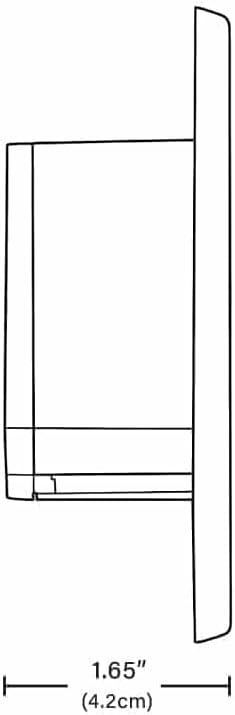
4.3 iṣagbesori Aw
The Algo 8201 supports both surface mount and flush mount installations. Refer to the diagrams below for component breakdown and assembly instructions.

4.4 Asopọ Nẹtiwọọki ati Agbára
The Algo 8201 is powered exclusively by Power over Ethernet (PoE). Connect a standard Ethernet cable from a PoE-enabled switch or a PoE injector to the RJ45 port on the back of the device. The device will power on automatically.
For initial configuration, access the device's web-based graphical user interface (GUI) via its IP address. The IP address can typically be discovered using network scanning tools or by checking your DHCP server logs.
4.5 Relay Port Connection
The integrated relay port allows for door opening control. It can also be connected to Algo 1127 or 1128 strobes or used to trigger remote Algo SIP Ringers & Strobes over the network.
5. Awọn ilana Iṣiṣẹ
5.1 Ṣiṣe ipe kan
To initiate a call, press the tactile backlit call button on the front of the intercom. The device will dial the pre-configured SIP extension or number.
5.2 Meji-Ọna Communication
Once a call is established, the Algo 8201 provides hands-free two-way voice communication. Speak clearly towards the device.
5.3 Door Opening Control
If configured, the integrated relay allows for door opening control. During an active call, the recipient can activate the door strike or access control system by entering a specific code on their telephone keypad. Consult your system administrator for the correct code.
6. Itọju
The Algo 8201 is designed for long life and minimal maintenance due to its durable construction, including a stainless steel faceplate and conformal coated electronics.
- Ninu: Lo asọ, damp cloth to clean the exterior of the device. Avoid abrasive cleaners or solvents.
- Awọn imudojuiwọn famuwia: Lorekore ṣayẹwo olupese ká website for new features and required firmware updates to ensure optimal performance and security.
- Ayewo: For outdoor installations, periodically inspect the device and its mounting for any signs of wear or damage, especially after severe weather conditions.
7. Laasigbotitusita
This section provides basic troubleshooting steps. For more complex issues, refer to the manufacturer's support resources.
- Ẹrọ ti ko ni agbara:
- Ensure the Ethernet cable is securely connected to a PoE-enabled port or a PoE injector.
- Verify that the PoE source is active and providing power.
- No Dial Tone or Call Issues:
- Ṣayẹwo asopọ nẹtiwọọki.
- Verify SIP registration status via the device's web ni wiwo.
- Ensure the configured SIP account details (username, password, server address) are correct.
- Confirm that the destination number is correctly programmed.
- Door Relay Not Activating:
- Verify the physical wiring of the relay port.
- Ensure the correct DTMF code is being sent from the receiving phone.
- Check the relay configuration in the device's web ni wiwo.
- Awọn ọran Didara Olohun:
- Check for network congestion or packet loss.
- Ensure the microphone and speaker grilles are clear of obstructions.
8. Awọn pato
| Iwa | Ẹ̀kúnrẹ́rẹ́ |
|---|---|
| Ọja Mefa | 4.99 x 4.99 x 2 inches (12.67 x 12.67 x 5.08 cm) |
| Iwọn Nkan | 1.1 iwon (0.5 kilo) |
| ASIN | B0CLK45YVK |
| Brand | Algo |
| Àwọ̀ | Grẹy |
| Tẹlifoonu Iru | Corded (SIP) |
| Ohun elo | Irin ti ko njepata |
| Orisun agbara | PoE (Agbara lori Ethernet) |
| Iru olupe | Manual Keypad (for door control via DTMF) |
| Awọn ẹrọ ibaramu | SIP-enabled communication systems |
| Agbara Gbigbasilẹ | 18 minutes (Note: This might refer to a related feature or system capability, not direct intercom recording) |
| Akọkọ Wa Ọjọ | Oṣu Kẹwa Ọjọ 21, Ọdun 2023 |
| Olupese | Algo |
9. Atilẹyin ọja ati Support
For detailed warranty information, technical support, and the latest firmware updates, please visit the official Algo Communications Products Ltd. webojula.
Olupese: Algo
Webojula: www.algosolutions.com


