1. Ifihan
Thank you for choosing the Telefunken 40DTAF724 Android TV. This manual provides essential information for the safe and efficient use of your new television. Please read these instructions thoroughly before operating the device and retain them for future reference.
2. Ọja Ipariview
The Telefunken 40DTAF724 is a 40-inch Full HD (1920 x 1080) Android Smart TV designed to deliver an immersive viewing experience. It features a bezel-less design, HDR10 support for enhanced color and contrast, and integrated Chromecast. With built-in Bluetooth and Wi-Fi connectivity, it is compatible with Google Assistant and Alexa for smart home integration.
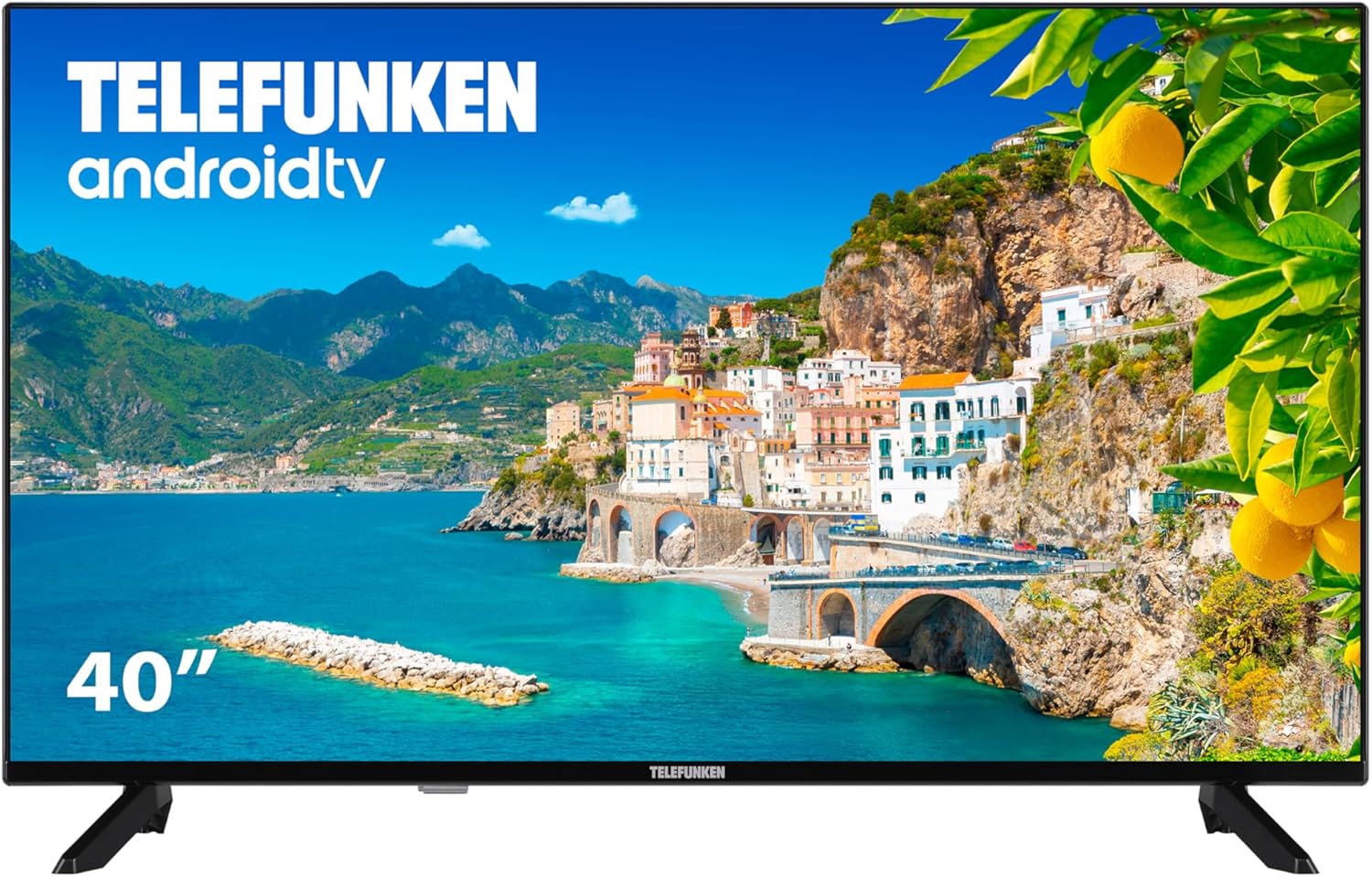
Nọmba 2.1: Iwaju view of the Telefunken 40DTAF724 Android TV, showcasing its bezel-less design and display.
3. Ohun ti o wa ninu Apoti
Upon unpacking your Telefunken 40DTAF724 TV, please ensure all the following components are present:
- Telefunken 40DTAF724 Android TV Unit
- Isakoṣo latọna jijin
- Awọn batiri fun isakoṣo latọna jijin
- Afowoyi Olumulo (iwe-ipamọ yii)
- Okun agbara
- TV Stands (2 units) and Screws for assembly
4. Eto
4.1. Duro sori
Lati fi awọn iduro TV sori ẹrọ:
- Fi iṣọra gbe TV ni oju-isalẹ lori rirọ, dada alapin lati ṣe idiwọ ibajẹ iboju.
- Sopọ kọọkan imurasilẹ pẹlu awọn ti o baamu dabaru ihò lori isalẹ ti TV.
- Ṣe aabo iduro kọọkan nipa lilo awọn skru ti a pese. Rii daju pe wọn ti di ṣinṣin.
4.2. Iṣagbesori odi (aṣayan)
The Telefunken 40DTAF724 is compatible with VESA 100 x 100 M4 wall mounts. Please refer to your wall mount's instructions for proper installation. Ensure the wall can support the TV's weight (8.46 kg) and the mount.

Nọmba 4.1: Apa view of the TV with dimensions (90.2 cm width, 56.7 cm height, 16.7 cm depth) and VESA mount details.
4.3. Nsopọ Awọn ẹrọ
Connect your external devices (e.g., cable box, gaming console, Blu-ray player) to the TV's ports. The TV supports HDMI, USB, Ethernet, and Bluetooth connectivity.

Nọmba 4.2: Ẹyìn view of the TV, illustrating the location of HDMI, USB, Ethernet, and other input/output ports.
For optimal performance, use high-quality HDMI cables for video and audio connections.
5. Awọn ilana Iṣiṣẹ
5.1. First Time Oṣo
After connecting the power cable and turning on the TV for the first time, you will be guided through the initial setup process. This includes:
- Aṣayan ede
- Asopọ nẹtiwọki (Wi-Fi tabi Ethernet)
- Wíwọlé sí Àkọọ́lẹ̀ Google (a gbani nímọ̀ràn fún gbogbo àwọn ẹ̀yà ara Android TV)
- Ṣiṣayẹwo ikanni
- Gbigba awọn ofin ati ipo
5.2. Android TV Features
Your Telefunken TV runs on Android TV, providing access to a wide range of apps and services:
- Google Play itaja: Download your favorite streaming apps, games, and more.
- Chromecast ti a ṣe sinu: Fi akoonu lati inu foonu alagbeka rẹ, tabulẹti, tabi kọmputa taara si iboju TV.
- Oluranlọwọ Google: Lo àwọn àṣẹ ohùn nípasẹ̀ ìṣàkóso latọna jijin láti wá àkóónú, ṣàkóso àwọn ẹ̀rọ ilé ọlọ́gbọ́n, àti láti gba ìwífún.
- Ibamu Alexa: Integrate your TV with Alexa-enabled devices for voice control.
- HDR10: Experience enhanced contrast and a wider range of colors with HDR10 content.
5.3. Isakoṣo latọna jijin
Iṣakoso latọna jijin ti a fi kun un gba ọ laaye lati lo oju-ọna TV naa, ṣatunṣe awọn eto, ati wọle si awọn ẹya ọlọgbọn. Fi awọn batiri ti a pese sinu iṣakoso latọna jijin, ṣiṣe idaniloju pe o wa ni ipo ti o tọ.
6. Itọju
Lati rii daju igbesi aye gigun ati iṣẹ to dara julọ ti TV rẹ:
- Ninu: Unplug the TV before cleaning. Use a soft, dry cloth to wipe the screen and exterior. Do not use liquid cleaners or sprays directly on the screen.
- Afẹfẹ: Rii daju pe fentilesonu to ni ayika TV. Ma ṣe dina awọn ṣiṣi atẹgun.
- Agbara: Yọ TV kuro lakoko iji manamana tabi nigba ti kii yoo lo fun awọn akoko ti o gbooro sii.
7. Laasigbotitusita
Ti o ba pade awọn ọran pẹlu TV rẹ, tọka si awọn solusan ti o wọpọ wọnyi:
- Ko si Agbara: Ṣayẹwo boya okun agbara ti sopọ ni aabo si TV mejeeji ati iṣan agbara. Rii daju pe iṣan jade jẹ iṣẹ-ṣiṣe.
- Ko si Aworan/Ohun: Rí i dájú pé a yan orísun ìtẹ̀síwájú tó tọ́. Ṣàyẹ̀wò gbogbo àwọn ìsopọ̀ okùn (HDMI, eriali, àti bẹ́ẹ̀ bẹ́ẹ̀ lọ).
- Iṣakoso latọna jijin Ko Ṣiṣẹ: Rọpo awọn batiri. Rii daju pe ko si awọn idena laarin isakoṣo latọna jijin ati sensọ IR ti TV.
- Awọn oran Isopọ nẹtiwọki: Restart your router and modem. Reconnect the TV to the Wi-Fi network or check the Ethernet cable.
- Iṣẹ ṣiṣe ti o lọra: Close unused applications. Clear the cache of frequently used apps. Consider a factory reset if issues persist (note: this will erase all personal data and settings).
For further assistance, please contact Telefunken customer support.
8. Awọn pato
| Ẹya ara ẹrọ | Sipesifikesonu |
|---|---|
| Brand | Telefunken |
| Nọmba awoṣe | 40DTAF724 |
| Iwon iboju | 40 inches |
| Ifihan ọna ẹrọ | LED |
| Ipinnu | 1080p (Full HD 1920 x 1080) |
| Oṣuwọn sọtun | 60 Hz |
| Pataki Awọn ẹya ara ẹrọ | Chromecast, Bezel-less Design, VESA Wall Mount, HDR10 |
| Asopọmọra | Bluetooth, Ethernet, HDMI, USB, Wi-Fi |
| Apakan Ipin | 1.77:1 |
| Awọn iwọn Ọja (Iwọn x Ijinle x Giga) | 90.2 x 16.7 x 56.7 cm |
| Iwọn | 8.46 kg |
| Agbara ṣiṣe Rating | E |
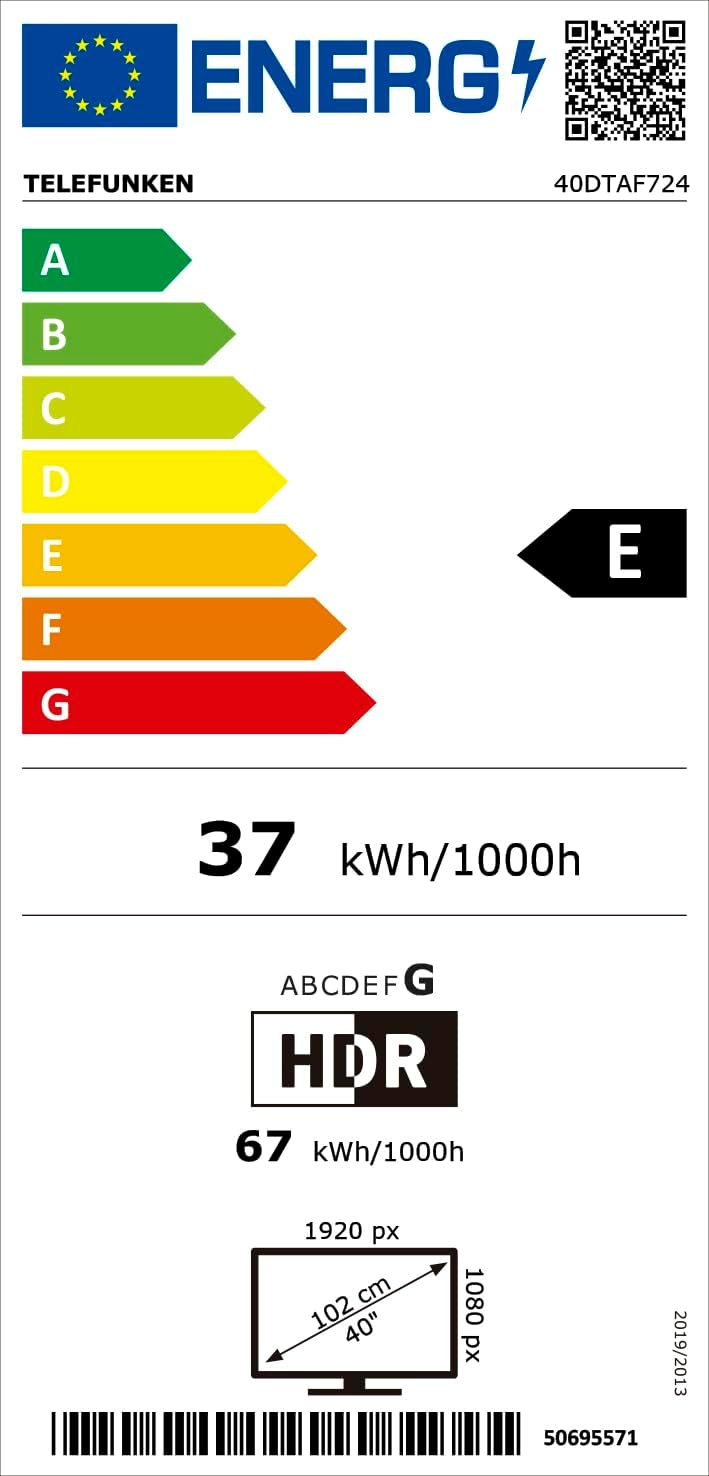
Nọmba 8.1: Energy efficiency label for the Telefunken 40DTAF724 TV, showing its 'E' rating and power consumption.
For more details, scan the QR code or visit eprel.ec.europa.eu/qr/1860952.
9. Atilẹyin ọja ati Support
Your Telefunken 40DTAF724 TV comes with a standard manufacturer's warranty. Please refer to the warranty card included in the packaging for specific terms and conditions. For technical support, service, or warranty claims, please contact your local Telefunken customer service center. Contact information can typically be found on the Telefunken official webaaye tabi ni iwe atilẹyin ọja.


