Ọrọ Iṣaaju
O ṣeun fun riraasing the ZEBRONICS Zeb-Chime Wireless Earbuds. This manual provides essential information for the proper setup, operation, and maintenance of your device. Please read it carefully before use to ensure optimal performance and longevity.
Package Awọn akoonu
- ZEBRONICS Zeb-Chime Wireless Earbuds
- Ngba agbara Case
- Awọn iṣu Eti (oriṣiriṣi titobi)
Please ensure all items are present. If any components are missing or damaged, contact customer support.
Ọja Pariview
The Zeb-Chime earbuds offer wireless stereo sound with 13mm drivers, providing a rich audio experience. They feature touch controls, voice assistant support, and are splash-proof for versatile use. The charging case extends battery life up to 30 hours.

Image: ZEBRONICS Zeb-Chime Wireless Earbuds and Charging Case. The earbuds are black, with one earbud placed outside the open charging case, which also holds the other earbud. The case has the ZEBRONICS logo and a small LED indicator.
Ṣeto
1. Ngba agbara si Earbuds ati Ọran
- Gbe awọn afikọti mejeeji sinu ọran gbigba agbara.
- Connect a Type-C charging cable (not included) to the charging port on the case and to a compatible USB power source.
- The LED indicator on the charging case will show charging status. Ensure the case and earbuds are fully charged before first use.
Gbigba agbara kikun yoo gba to wakati 30 ti akoko ṣiṣiṣẹpọ pẹlu apoti gbigba agbara naa.
2. Sisopọ pọ pẹlu Ẹrọ Bluetooth kan
- Ṣii apoti gbigba agbara. Awọn agbekọri yoo tẹ ipo isọpọ sii laifọwọyi.
- Lórí fóònù alágbèéká rẹ tàbí ẹ̀rọ Bluetooth, lọ sí àwọn ètò Bluetooth.
- Wa fun available devices and select "ZEB-Chime" from the list.
- Ni kete ti o ba ti sopọ, iwọ yoo gbọ ohun orin idaniloju, ati awọn agbekọri yoo ṣetan fun lilo.
The earbuds support Bluetooth v5.3 for stable and efficient wireless connectivity.
Awọn ilana Iṣiṣẹ
Awọn iṣakoso ifọwọkan
The Zeb-Chime earbuds feature intuitive touch controls on each earbud. Refer to the table below for common functions:
| Iṣe | Išẹ |
|---|---|
| Tẹ ẹyọkan (osi/ọtun) | Mu orin ṣiṣẹ/Danuduro, Dahun/Pari ipe |
| Tẹ lẹẹmeji (ọtun) | Next Track |
| Tẹ lẹẹmeji (Osi) | Ti tẹlẹ Track |
| Tẹ lẹẹmẹta (Osi/Ọtun) | Mu Oluranlọwọ Ohun ṣiṣẹ |
| Gun Tẹ (awọn aaya 2) | Kọ Ipe |
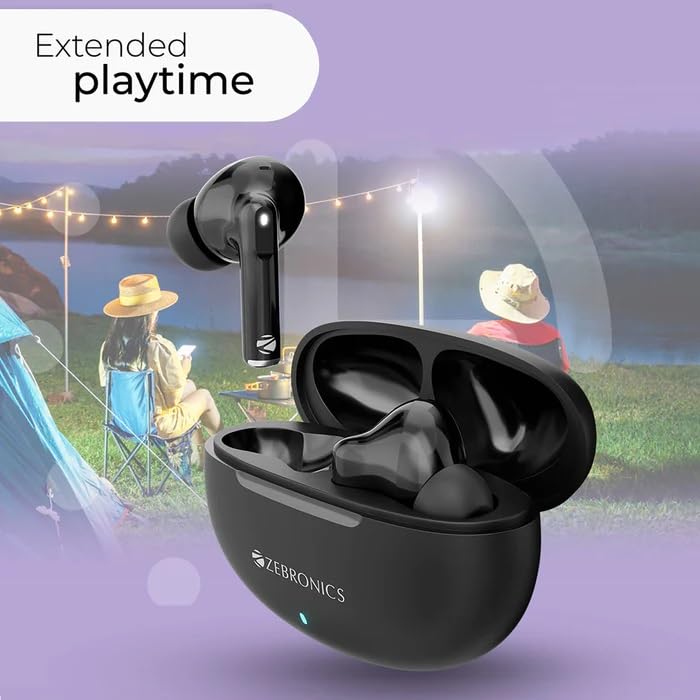
Image: ZEBRONICS Zeb-Chime Earbuds in their charging case, with a graphic overlay indicating "Extended playtime". The background shows people enjoying outdoor activities, highlighting the long battery life.
Oluranlọwọ ohun
Triple tap either earbud to activate your device's voice assistant (e.g., Siri, Google Assistant). This allows for hands-free control of music, calls, and other functions.
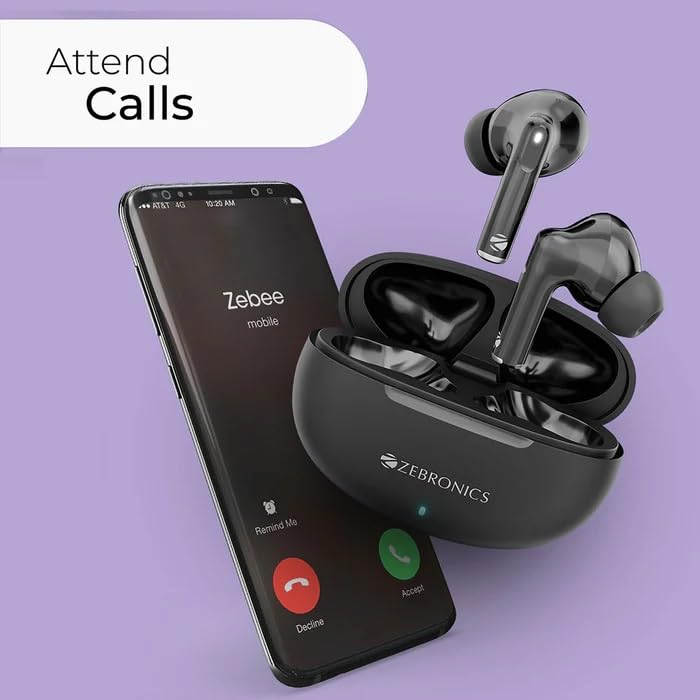
Image: ZEBRONICS Zeb-Chime Earbuds next to a smartphone displaying an incoming call. This illustrates the call function and voice assistant support.
Itọju ati Itọju
- Ninu: Máa fi aṣọ gbígbẹ tó rọ, tó sì le koko fọ àwọn ètí àti àpótí ìgbóhùnsáfẹ́fẹ́ déédéé. Máa yẹra fún lílo àwọn kẹ́míkà líle tàbí àwọn ohun èlò ìpalára.
- Omi Resistance: The earbuds are splash-proof. Avoid submerging them in water or exposing them to heavy rain. Dry them thoroughly if they get wet.
- Ibi ipamọ: Tí o kò bá lò ó, fi àwọn ètí ìgbọ́rọ̀ náà sínú àpótí ìgbóná wọn láti dáàbò bò wọ́n kí wọ́n sì máa gba agbára. Tọ́jú sí ibi tí ó tutù tí ó sì gbẹ.
- Itọju Batiri: Lati pẹ aye batiri, yago fun gbigba agbara ni kikun awọn agbekọri ati apoti nigbagbogbo. Gba agbara si wọn nigbagbogbo.
Laasigbotitusita
- Awọn agbekọri ti ko so pọ:
- Ensure both earbuds are in the charging case and fully charged. Open the case to activate pairing mode. On your device, forget "ZEB-Chime" from your Bluetooth list and try pairing again.
- Ko si ohun lati inu agbekọri agbekọri kan:
- Place both earbuds back into the charging case, close the lid, and then open it again. This often re-syncs them. Check device audio settings to ensure balance is centered.
- Awọn iṣoro gbigba agbara:
- Verify the Type-C cable and power adapter are working correctly. Ensure the charging contacts on the earbuds and inside the case are clean and free of debris.
- Oluranlọwọ ohun ko dahun:
- Ensure the earbuds are properly connected to your device. Check your device's settings to confirm the voice assistant is enabled and configured correctly.
Awọn pato
| Orukọ awoṣe | CHIME |
| Nọmba Awoṣe Nkan | ZEB -SOUND BOMB 2 |
| Asopọmọra Technology | Ailokun (Bluetooth v5.3) |
| Awakọ Iwon | 13mm |
| Impedance Agbọrọsọ | 32 ohms |
| Akoko Sisisẹsẹhin | Up to 7.5 hours (earbuds), Up to 30 hours (with charging case) |
| Iṣakoso Iru | Fọwọkan, Iṣakoso ohun |
| Pataki Awọn ẹya ara ẹrọ | Splash Proof, Fast Charging, Sweatproof, Built-In Microphone |
| Batiri Iru | Lithium polima (Agba agbara) |
| Ngba agbara Interface | Iru-C |
| Iwọn | 300 g (Iwọn idii) |
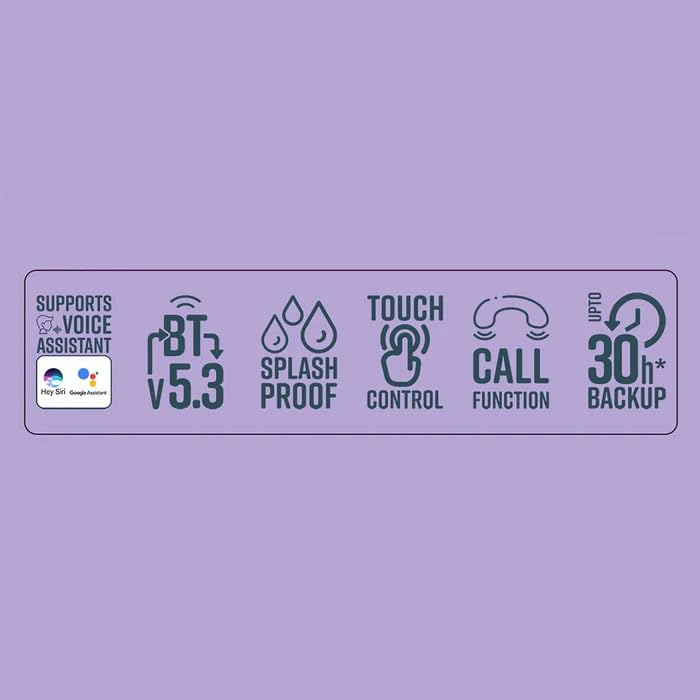
Image: Graphic displaying key features of ZEBRONICS Zeb-Chime: Voice Assistant support, Bluetooth v5.3, Splash Proof, Touch Control, Call Function, and up to 30 hours of backup.
Alaye atilẹyin ọja
The ZEBRONICS Zeb-Chime Wireless Earbuds come with a 6-osu atilẹyin ọja from the date of purchase. This warranty covers manufacturing defects. It does not cover damage caused by misuse, accidents, unauthorized modifications, or normal wear and tear.
To claim warranty service, please retain your proof of purchase and contact ZEBRONICS customer support.
Onibara Support
For technical assistance, warranty claims, or product inquiries, please contact ZEBRONICS customer support:
- Olubasọrọ olupese: 044 4000 0004
- Atilẹyin Ayelujara: Visit the official ZEBRONICS webaaye fun FAQs ati awọn orisun atilẹyin.


